


Updated October 29, 2025
TL;DR: Instantly's AI Reply Agent automates cold email reply classification in under 5 minutes, helping agencies identify qualified leads and scale outreach without increasing manual workload. Choose Autopilot for instant replies or Human-in-the-Loop for team review. The AI integrates with Slack, works inside the unified Unibox, handles objections, books meetings, and updates CRM statuses. Agencies protect sender reputation while converting more prospects into booked meetings at a flat cost per account.
Are you an agency operator drowning in cold email replies, struggling to find the gold among the noise? If you manage 10 to 150 sending inboxes across multiple client domains, manual reply sorting eats hours every day and risks missing high-value leads during critical windows.
This walkthrough shows how Instantly's AI Reply Agent automates classification, drafts responses, and routes qualified leads so you can scale client campaigns safely and convert more prospects into booked meetings without adding headcount.
Why agencies need AI for cold email reply management
The challenge of manual reply triage
Manual reply triage kills agency margins. When you send 1,000 emails per day across dozens of client inboxes, replies arrive at unpredictable times.
Sorting qualified leads from out-of-office messages, unsubscribes, and objections takes 2 to 4 hours daily per operator. Speed matters. Research shows that agencies responding within one hour are up to seven times more likely to qualify leads, but manual workflows rarely deliver that pace.
How AI solves reply volume and qualification issues
AI flips the triage model. Instead of humans reading every reply, Instantly's AI analyzes incoming emails by spotting patterns in lead behavior and understanding intent.
The platform uses Natural Language Processing (NLP) to classify text into predefined categories, assess sentiment, and route replies based on confidence thresholds. The result is a system that responds to leads in under 5 minutes, 24/7, without manual oversight for confident classifications.
This YouTube walkthrough testing the AI Reply Agent for 30 days highlights resolution rate, confidence score, and reduced human intervention as key wins customers are seeing.
What is Instantly's AI Reply Agent?
Key features for agencies
The AI Reply Agent is an automated inbox assistant that handles incoming emails in two modes:
- Autopilot: Sends replies instantly without human approval when the AI is confident. Ideal for experienced teams or high-volume scenarios. If the AI detects missing context or unclear intent, it flags the reply for review rather than sending.
- Human-in-the-Loop: Requires approval before any reply goes out. Perfect for new users or brand-sensitive clients who want control over tone and messaging.
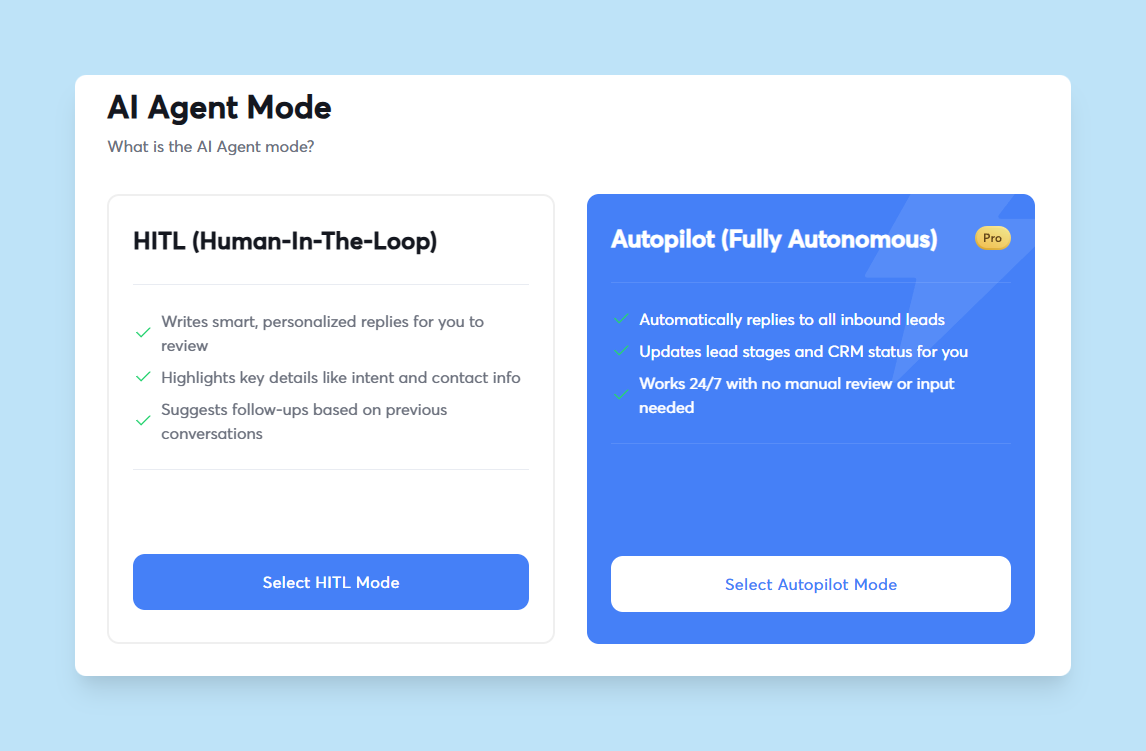
Core capabilities include:
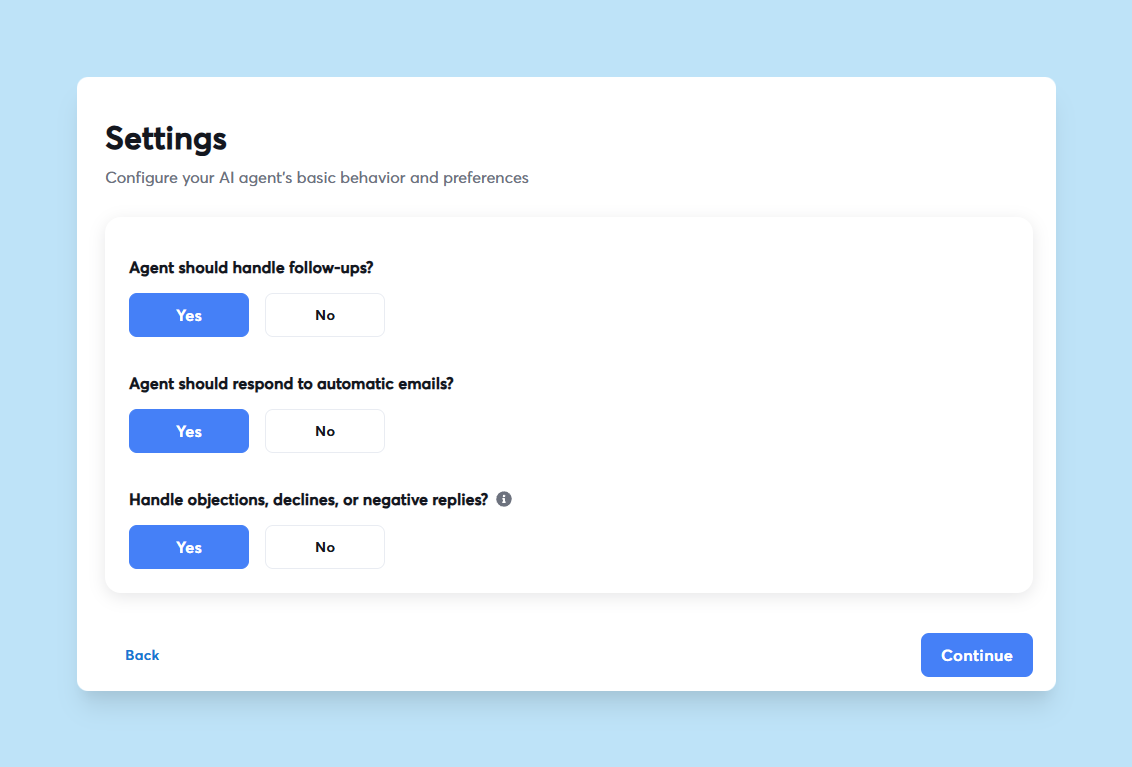
- Drafts replies and handles objections
- Sends follow-ups and shares calendar links
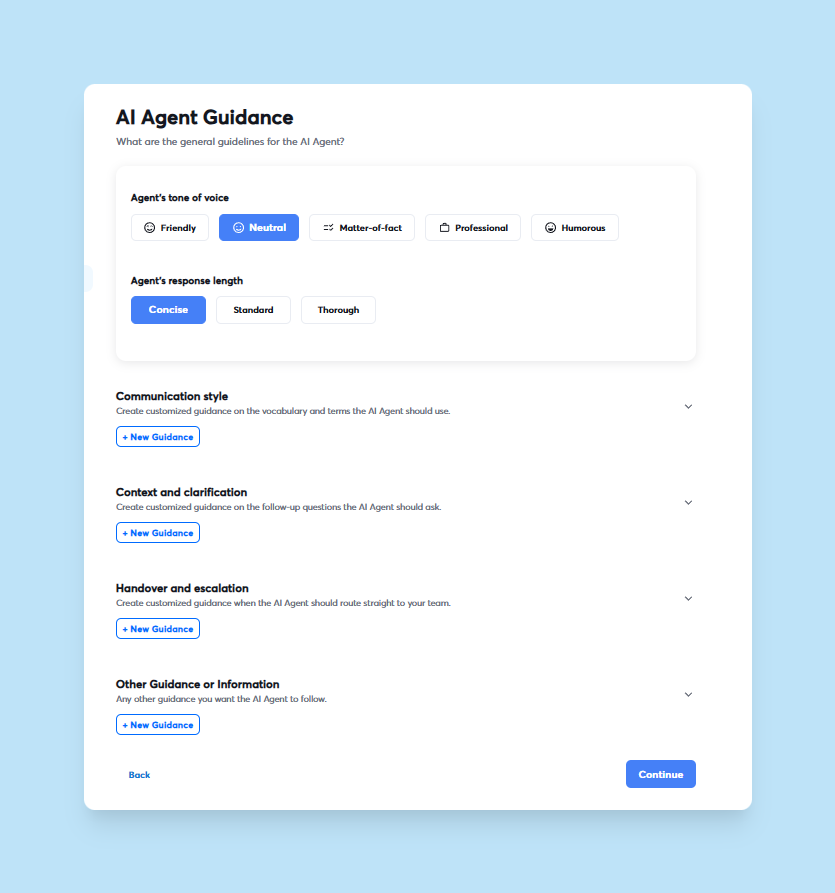
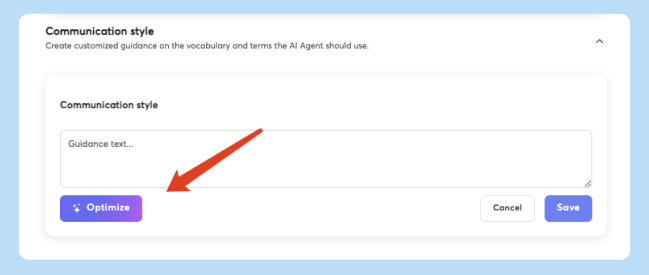
- Can be customized to your tone of voice and style
- Updates CRM statuses automatically
- Personalizes tone, response length, and product guidance to match your brand voice
- Integrates with Slack for real-time approvals and notifications
"I really enjoy using Instantly for a variety of reasons. Its simplicity in managing inboxes and campaigns stood out immediately, making it a clear choice over other tools I had used before." - G2 review
How it integrates with your Instantly workflow
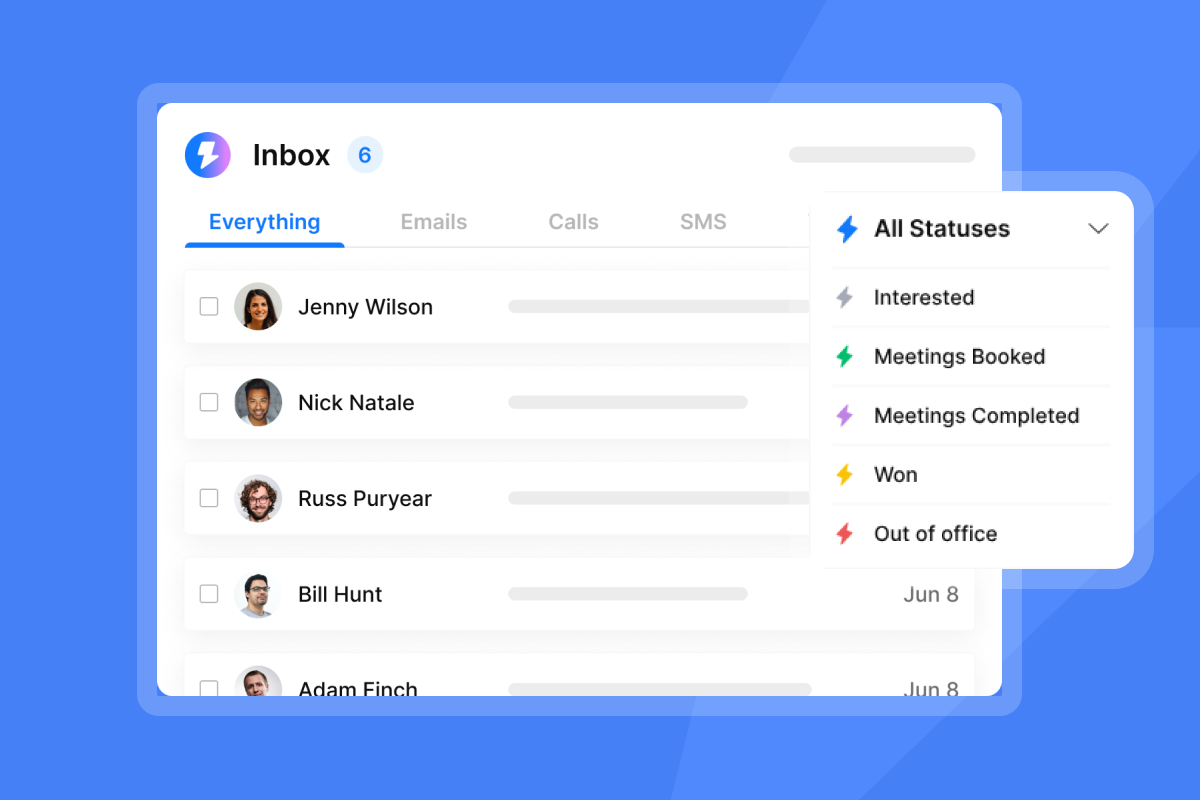
The AI Reply Agent lives inside the Unibox, Instantly's centralized inbox that consolidates replies from all campaigns and email accounts into a single dashboard.
The Unibox uses AI Custom Reply Labels to automatically categorize responses such as "Interested," "Meeting booked," "Not interested," "Out of Office," "Referral," or "Objection." These labels trigger follow-up sequences or auto-replies, ensuring no qualified lead waits.
"Best email sending tool ever. Good deliverability, easy spin tax, can add in lots of personalization clean and simple UI, one click email responses using tags, smooth Zapier integration, and powerful tracking with subsequences." - Trustpilot review
How to set up Instantly's AI Reply Agent for your agency (Demo Walkthrough)
For a complete visual walkthrough, watch the Instantly.ai Tutorial covering AI Reply Agent setup and configuration.
Step 1: Accessing the AI Reply Agent
- Log into your Instantly account and navigate to the AI Reply Agent settings.
- If you have not connected email accounts yet, add them under the account management section. Instantly supports unlimited email accounts on all plans, a flat-fee advantage over per-seat competitors.
- Run email warmup to avoid spam folder issues. Warmup gradually increases sending volume from a new account to build sender reputation, a prerequisite to generating replies the AI can classify.
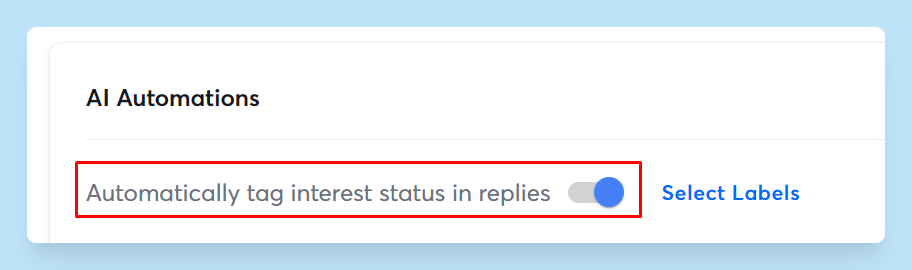
- Once warmup is active, go to Settings, then Preferences, and locate the AI Automation section.
- Enable "Automatically tag interest status in replies" to activate AI Custom Reply Labels.
- Add your OpenAI API key under Settings, then Integrations for AI reply suggestions and the AI Inbox Manager feature.
For Hyper Growth and Light Speed users, you can also select specific custom labels the AI should consider. A detailed tutorial video walks through the full Instantly interface, including AI setup steps.
Step 2: Configuring AI classification rules
- Train the AI by defining your desired behavior: Navigate to the AI Reply Agent configuration panel.
- Input instructions like "never send follow-ups if a meeting is already booked" or "always offer a calendar link when a lead expresses interest."
- Test classification accuracy by submitting sample replies and reviewing how the AI categorizes them.
- Update custom label descriptions if the AI misclassifies.
The platform handles over 50 languages, so you can run multilingual campaigns with consistent classification logic.
"From the very first day, it was never difficult for me as a newcomer to understand how it works, what the process is, and how to use the AI features. Additionally, Instantly's customer support is extremely fast and reliable." - G2 review
Step 3: Setting up human-in-the-loop review
- Choose your AI Reply Agent mode based on your team's needs and workflow:
| Feature | Human-in-the-Loop | Autopilot |
|---|---|---|
| Approval required | Yes, before every reply | Only when AI confidence is low |
| Response time | Depends on team availability | Under 5 minutes |
| Best for | New users, brand-sensitive clients | Experienced teams, high-volume campaigns |
| Control level | Full review and edit capability | AI decides, flags edge cases |
- For new users or clients with strict brand guidelines, select Human-in-the-Loop. In this mode, the AI drafts replies and flags them for approval before sending.
- You see the drafted message, the classification label, and the reason the AI chose that response. For teams ready to automate fully, switch to Autopilot.
Step 4: Integrating with Slack for approvals
- Navigate to Settings, then Integrations, and add your Slack workspace.
- Configure notifications so the AI Reply Agent sends a Slack message whenever a reply is flagged for review or when a lead is marked as "Interested."
- Approve, edit, or escalate replies directly from Slack without opening Instantly.
A custom automation workflow can extend this by triggering alerts when specific labels are applied or routing high-value leads to a dedicated channel.
Step 5: Monitoring and optimizing AI performance
Track AI performance in the Unibox Activity section and campaign analytics:
- Check when the AI sent an email, when a reply needs review, and when the AI requested more information.
- Review campaign and step analytics showing opens, replies, and positive outcomes by variant.
- Monitor reply rate (percentage of delivered cold emails that receive any response) and positive reply rate (qualified or interested replies).
- If you notice a high volume of flagged replies in a specific category, update the AI's label descriptions or add product-specific guidance.
"Instantly is hands down one of the best outbound email automation tools I've used. The platform makes scaling outreach smooth with features like smart inbox rotation, detailed reporting, and high deliverability." - G2 review
How Instantly's AI Reply Agent helps agencies scale safely
Automate lead qualification and follow-ups
The AI Reply Agent automates reply management, converting a manual bottleneck into a streamlined flow. When a lead replies positively, the AI detects intent, labels the lead as "Interested," and triggers a subsequence or auto-reply with a calendar link.
This speed to lead is critical because responding within one hour increases qualification rates sevenfold. The system handles objections by drafting context-aware responses, allowing your team to focus on high-value conversations rather than routine clarifications.
Protect sender reputation with controlled replies
Cold email at scale carries deliverability risk. Sending too fast, ignoring bounce rates, or failing to handle unsubscribes properly can burn client domains.
Instantly's AI Reply Agent mitigates these risks by automatically detecting out-of-office replies and unsubscribes, preventing unnecessary follow-ups that hurt sender reputation. The platform also integrates with automated inbox placement tests and a deliverability network of 4.2 million accounts used for warmup and engagement.
"The platform is super intuitive, easy to set up, and makes it simple to manage multiple domains and inboxes at scale. Deliverability is great and the analytics give us exactly what we need to optimize campaigns quickly." - G2 review
Reduce operational costs and tool sprawl
Agencies often juggle separate tools for sending, warmup, data enrichment, CRM, and reply handling. Instantly consolidates these into a single platform with unlimited accounts, built-in warmup, SuperSearch with 450 million contacts, the Unibox, and AI agents.
This eliminates per-seat taxes that kill margins when you add inboxes. The AI Reply Agent costs 5 Instantly credits per reply, a predictable expense compared to hiring additional SDRs at $50,000 to $70,000 per year.
Faster meetings and higher reply rates
The AI Reply Agent's sub-5-minute response time compresses the window from reply to booked meeting. When a lead expresses interest, the AI immediately sends a calendar link and updates the CRM status, ensuring no warm lead cools while waiting for manual follow-up.
Cold email reply rates vary, but the AI Reply Agent helps increase positive reply rates by ensuring every interested lead receives a timely, relevant response. The system's ability to handle objections and send follow-ups keeps conversations alive without manual oversight.
Instantly's Campaign Pipeline Analytics track performance beyond vanity metrics, showing opportunities, conversions, and revenue driven by each campaign.
"It has all the tools needed for cold outbound in one place. Previously, I was running 3 different systems to get a fraction of the results." - G2 review
"Flexible account linking options, quick and easy setup. Their Fin-Bot is very fast, useful and accurate. I don't have to constantly look up FAQ or mail customer support. I love the self-service aspect of it." - G2 review
Automate, qualify, and scale your agency's outreach
Instantly's AI Reply Agent transforms reply management from a time sink into a competitive advantage. By automating classification, drafting responses, and routing qualified leads in under 5 minutes, agencies can scale across hundreds of inboxes without burning domains or increasing headcount.
If you run an agency and your growth depends on cold email, choose the platform that scales accounts and deliverability, not overhead.
See the AI Reply Agent in action
Ready to apply this playbook? Try Instantly free using our pricing plans and set up the AI Reply Agent using the ramp plan and checklist inside the app.
For advanced configuration, explore the AI Reply Agent help documentation and watch a complete tutorial on automated inbox management.
FAQs: Instantly's AI Reply Agent
How accurate is Instantly's AI in classifying cold email replies?
The AI classifies replies with high confidence by using NLP and customizable label descriptions. Human-in-the-Loop mode allows you to review and correct any misclassifications before they are sent, with flagging when confidence is low.
What is the cost per AI reply in Instantly?
Each AI-generated reply costs 5 Instantly credits, providing predictable per-reply economics compared to hiring additional staff.
Can the AI Reply Agent handle objections and negative responses?
Yes, you can configure the AI to engage with objections, draft context-aware responses, and route complex cases to human review when confidence is low.
Does the AI Reply Agent work across multiple languages?
Yes, Instantly's AI handles over 50 languages, understanding sentiment and applying labels consistently across multilingual campaigns.
How fast does the AI Reply Agent respond to incoming leads?
The AI responds in under 5 minutes when operating in Autopilot mode and confident in its classification, ensuring speed to lead for qualified prospects.
Key Terms Glossary
AI Reply Agent: Instantly's feature that automatically reads, classifies, and responds to cold email replies in under 5 minutes using Autopilot or Human-in-the-Loop modes.
Unibox: Instantly's centralized inbox that consolidates all email replies and conversations across multiple accounts for streamlined management.
Human-in-the-Loop (HITL): A mode where AI performs classification and drafts replies but requires human approval before sending, offering control and oversight.
Sender reputation: A score assigned by email providers based on sending behavior, bounce rates, and engagement, directly affecting deliverability.
Warmup: The process of gradually increasing email sending volume from a new account to build positive sender reputation and improve deliverability over 14 to 30 days.


