


Updated June 10, 2026
TL;DR:
Finding the best AI sales agent for personalization means balancing dynamic content with deliverability. Fully autonomous AI agents promise hands-free pipeline generation, but without human-in-the-loop guardrails and strict sending limits, they often cause domain damage and reply rate crashes. Instantly.ai gives sales teams unlimited sending accounts, a private deliverability network of 4.2M+ warmup accounts, and human-in-the-loop AI agents to scale personalized outreach safely. Fully autonomous platforms like Artisan AI and AiSDR offer hands-off outreach but lack the deliverability controls risk-averse sales leaders need. The winning approach is systems-first: use AI to research leads and triage replies, keep humans in the loop for brand safety, and cap sends at 30 emails per day per inbox on new domains.
The real risk in AI outreach is not weak personalization. It is the deliverability crash caused by over-automated, generic AI copy sent without proper warmup or human review. Get that foundation right and personalization does its job. Skip it and even the most relevant copy lands in spam.
This guide explains how to use AI agents to scale personalized outreach safely, protect your domain health, and choose the right tools for your sales stack.
Cold email deliverability is not just a technical issue. It is the foundation of your outbound revenue. When inbox placement drops, your carefully personalized messages never reach the decision-maker. Understanding email warmup strategy is critical before you scale any AI-driven campaign. Start with proper infrastructure, verify your contact data, and ramp sending volume gradually.
Why targeted sequences outperform static blasts
A static "batch and blast" sequence treats every prospect the same: insert a first name, copy a generic value prop, send to your full list. Modern buyers recognize and ignore this pattern immediately, and inbox filters increasingly treat it as low-quality bulk mail.
Personalized outreach works differently. It signals relevance to both the recipient and the inbox filter, which directly improves primary inbox placement and reply rate. An AI sales agent closes the gap between raw data and natural copy by reading firmographic signals, job change alerts, and hiring data, then generating a custom intro line or selecting the right content variant for each contact.
Beyond opens: measuring reply intent
Open rates are an incomplete signal. A high open rate with a low reply rate means your subject line works but your copy does not. The number that moves pipeline is positive reply rate: the share of responses from prospects who actually want to talk.
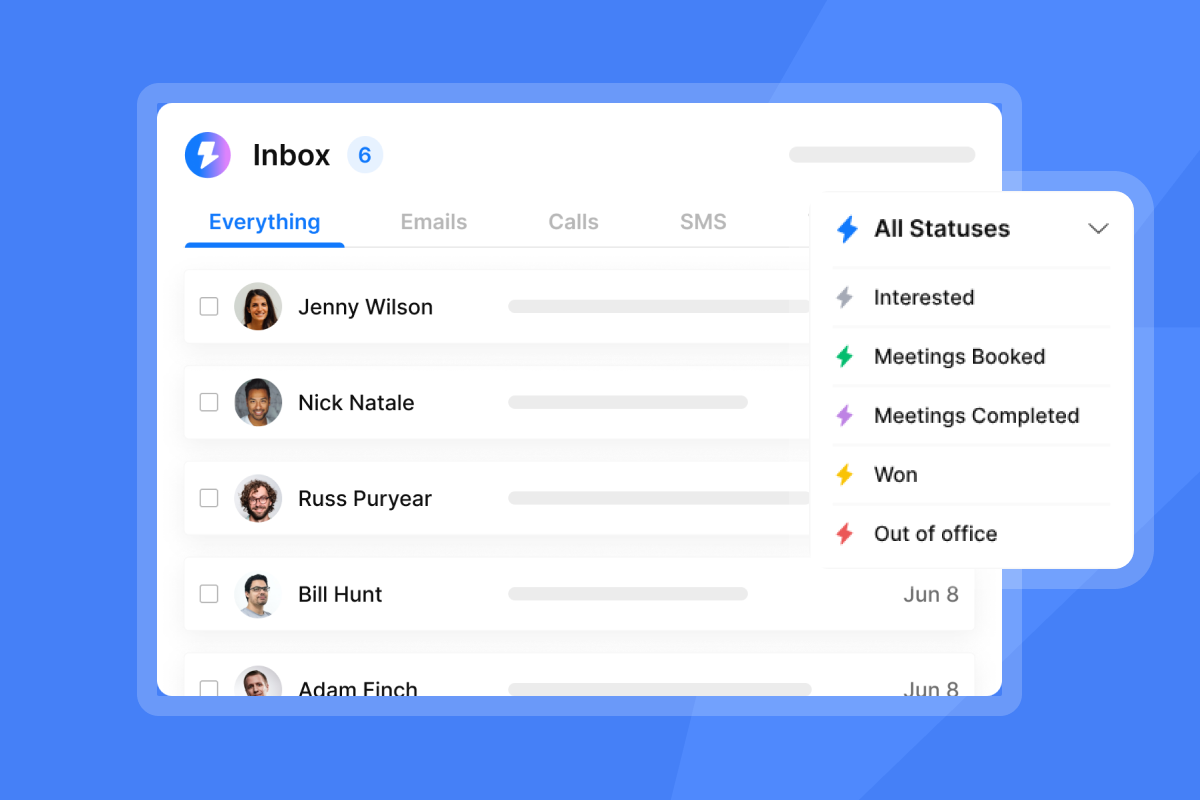
AI helps by categorizing incoming replies automatically. Instantly's Unibox centralizes all replies from unlimited inboxes into one place, so your team handles responses without switching between accounts. Pair this with the AI Reply Agent and the system flags positive intent replies, out-of-office messages, and opt-outs separately, which lets reps focus time on real conversations rather than inbox triage. Set meetings set per 1,000 emails sent as your primary team KPI, not opens.
How to avoid AI personalization errors
AI personalization fails in two ways: creepy over-reach and wrong data insertion. Creepy over-reach happens when AI pulls personal signals from social media, referencing a prospect's personal blog post or vacation photo. Wrong data insertion happens when a merge field is empty or a generative AI tool invents a company fact that is not accurate. Both are recoverable in small volumes and catastrophic at scale.
Keep personalization anchored to verifiable business signals:
- Job title and department: Public, relevant, and safe to reference in a business context.
- Company size and industry: Demonstrates research without feeling intrusive.
- Hiring activity: Recent job posts signal budget priorities.
- Product or service specifics: Shows you understand their business model.
These signals give your AI structured context to generate accurate copy without inventing facts. If a data field is missing, configure a fallback value so no email sends with a visible blank tag. Fallback values are optional in most systems, but setting them is a strong best practice for brand safety.
How AI sales agents personalize email today
AI-driven email personalization uses artificial intelligence to dynamically customize email content for each recipient by analyzing firmographic data, behavioral signals, and verified contact attributes, then inserting personalized content into each message at send time. Modern tools handle this through two mechanisms: structured dynamic content fields (merge tags that pull from a verified data source) and generative AI (large language models that write original copy based on a prompt and lead context).
The most reliable results come from combining both. Use structured fields for verifiable facts and generative AI only for short, low-risk elements like subject lines or opening sentences.
Optimizing merge tags for conversion
Most teams stop at "First Name" and "Company." Prospects see these so often that they register as zero signal. Effective advanced variables include: current tech stack, recent funding round, open job titles in a specific department, or a named product the company sells.
Instantly supports custom variables that go far beyond first name, including embedded image variables for personalized visuals at the account level. Setting a fallback value for each field is a strong best practice so no email ever sends with a raw placeholder tag visible to the prospect.
Automating personalized email snippets
AI snippet generators write custom opening lines based on a lead's company news or job description. Tools like Smartwriter.ai, Lyne.ai, and Warmer.ai specialize in generating these one-to-three sentence openers at bulk scale. The risk with standalone snippet tools is data quality: stale source data produces an opener that references something outdated, which is worse than no personalization at all.
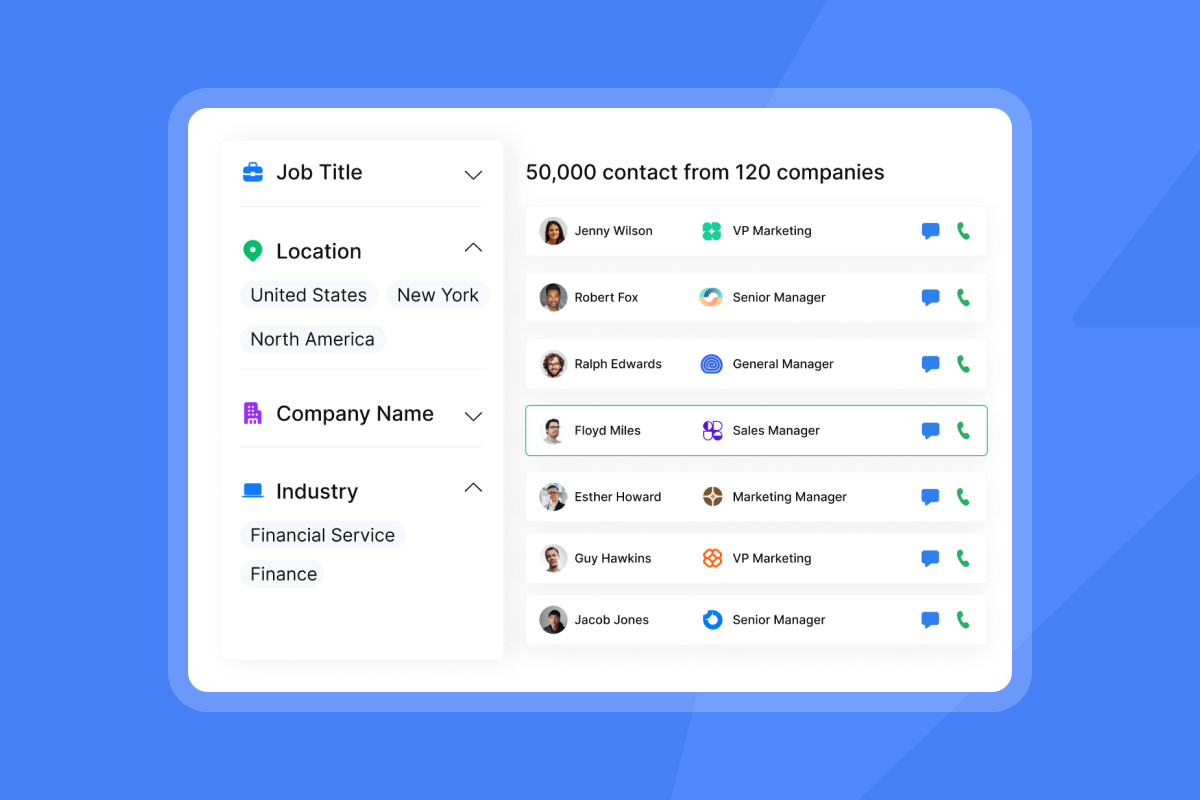
Instantly's AI Sales Agent handles both steps by sourcing leads from SuperSearch, enriching them, and writing outbound copy in one workflow, reducing the number of tools in your stack.
Using buyer signals for outreach
Signal-based selling uses real-time buyer events to time and personalize outreach. The highest-value signals for B2B cold email include: job changes in your target persona (new leaders evaluate new vendors), hiring surges in a specific department, funding rounds, and technology stack changes. Define which two or three signals trigger outreach for each campaign before you build a sequence, and document them so every rep uses the same targeting logic.
Instantly's Copilot gives your team AI-assisted lead research inside the platform, using these signal categories to surface the right targeting criteria before you start writing.
Automating human-like sales copy
Generative AI writes natural copy when given a structured prompt with verified lead data as context. Output quality depends almost entirely on input quality. Instantly's Copilot assists with lead research, campaign creation, and analytics summaries inside the platform. Tools like Regie.ai and Lavender offer standalone AI writing and coaching layers. Lavender scores emails in real time and suggests specific edits to improve reply rates, making it a useful coaching tool for SDR teams still developing their writing skills.
Static logic vs. generative AI for sales outreach
Static template variables use if/then logic: if the contact is in finance, insert line A. If they are in operations, insert line B. Generative AI writes original copy for each contact based on a prompt. Both have a place in a well-built sales stack.
Approach | Best for |
|---|---|
Merge tags (structured data fields) | Verifiable facts: company names, job titles, funding data |
If/then conditional logic | Routing prospects to the right value prop or CTA based on industry, persona, or segment |
Generative AI (short copy) | Testing subject line angles, writing opening sentences, and generating follow-up variants from verified lead context |
Generative AI (multi-step sequences) | Campaigns where each step has been reviewed and approved before going live |
Use generative AI for short, low-stakes elements while keeping the core value proposition and CTA in static, human-written blocks. When a language model invents a fact because it lacks grounding data, the output looks like a reference to a company initiative that does not exist or a funding round that closed three years ago. You can reduce this risk by giving the model specific verified inputs and instructing it to use only those inputs, nothing inferred. The Instantly cold email copywriting framework outlines the structural guardrails that keep copy on-message.
Subject lines are where personalization starts earning its keep. Test multiple variants and measure which combinations of tokens drive the highest open rates. Once you earn the open, your body copy must deliver immediate relevance. A weak first sentence erases the goodwill your subject line built. For practical starting points, the cold email subject line guide covers how to write and test variants, and the cold email templates library shows how to structure messages so personalization reads as natural rather than robotic. The key is balancing automation with authenticity at every step of your sequence.
Operationalizing high volume email
The key sending rule: cap at 30 emails per day per inbox when you are ramping a new domain. This conservative threshold protects sender reputation during the critical early period before a domain has established consistent engagement history. To scale volume without pushing individual inboxes past safe limits, add more inboxes rather than increasing the daily cap.
Instantly's flat-fee model includes unlimited email accounts on every Outreach plan, starting at $47/month. The secondary sending domains guide covers how to structure this: add secondary domains, warm them for a minimum of three to four weeks before any cold outbound, with four to eight weeks being the recommended standard for production sending, then distribute sending volume across the full account pool.
Keeping AI emails authentic and human
Three writing patterns make AI copy feel automated: overly formal sentence structures, multi-clause sentences, and closing CTAs that ask for too much commitment too early. The fix for each is simple.
Write shorter sentences. Ask one easy, low-friction question at the end of the first email rather than requesting a 30-minute call. Replace "I would like to schedule a brief meeting at your earliest convenience" with something a real person would type: "Worth a quick call this week?" Watch the Instantly beginner guide to cold email to see these mechanics applied in a live sequence.

Maintaining brand integrity in automated outreach
To maintain brand integrity at the team level, you need three controls: template governance, data quality standards, and reply triage rules. Without all three, one misconfigured sequence or one bad data import can damage a domain that took weeks to warm.
Setting guardrails for AI personalization
Template governance means locking the core sequence structure and only allowing variable customization within defined fields. Admins should approve all base templates before they go live and require QA review for any AI-generated copy before it enters an active campaign.
In practice, this looks like: a shared template library with approved subject lines and body structures, a required "personalization input" field populated from a verified business signal, and a senior rep reviewing sample emails before the first send day. The AI prompt library on Instantly gives teams a starting set of pre-written prompts for common outreach scenarios, reducing the risk of reps writing unreviewed AI instructions from scratch.
Audit-ready prospect data
Bounce rate is one of the most practical deliverability metrics to track at the campaign level. Keeping it at or below 1% matters because high bounce rates signal to inbox providers that your list is unverified, which damages sender reputation over time.
Instantly's SuperSearch uses waterfall enrichment across 5+ providers to verify contact data before it enters your sequences. For any lists imported from outside the platform, run a dedicated verification pass before the first send. The rotating IPs and sending algorithms guide explains how infrastructure-level controls further protect sender reputation alongside list hygiene.
Avoiding spam filters requires more than clean data. Your sending infrastructure, domain reputation, and email content all signal to inbox providers whether your message deserves primary placement. Combine verified contacts with proper warmup and conservative sending limits. When you scale AI personalization without these foundations, even the best copy lands in spam.
Standardizing AI-driven reply triage
When you are sending thousands of emails daily, you are likely getting hundreds of replies. Without a triage system, reps miss hot leads buried in out-of-office messages and opt-outs.
Instantly's AI Reply Agent handles this by auto-triaging replies in under 5 minutes and operating in two modes: Human-in-the-Loop (HITL), where a human reviews and approves each draft response before it sends, and Autopilot, where the agent replies autonomously. Start with HITL. Switch to Autopilot once the agent's reply classifications consistently match your team's judgment. The agent also integrates with Slack for real-time review and approval notifications.
Selecting AI sales agents for personalization at scale
The market splits into two categories: AI agents that handle autonomous outreach end-to-end, and AI personalization tools that enhance copy written by humans.
Table 1: AI sales agents
Agent | Primary use case | Key strength | Not ideal for | Pricing model |
|---|---|---|---|---|
Instantly AI Sales Agent | Lead sourcing, email writing, follow-up | Integrated with SuperSearch and warmup | Teams wanting no platform switch | Requires Outreach plan ($47/mo+) and a separate Credits subscription. Growth Credits start at $47/mo and include 1,500-2,000 credits. A $9/mo Nano Credits plan is also available. Email sending is always handled by the Outreach plan, not by any Credits subscription. |
AiSDR | Fully autonomous SDR | Deep signal research per lead | Teams on tight budgets | From $900/mo |
Artisan AI (Ava) | Autonomous outbound | Intent-based prospecting | Teams that need granular control over sending infrastructure and domain-level deliverability settings | From $250/mo (billed annually) or $280/mo (billed monthly) |
Reply.io AI SDR | Multichannel outreach | Native LinkedIn automation plus email sequences | Teams running email-only outreach who do not need multichannel or LinkedIn steps | $800/mo (monthly billing, includes Jason AI SDR, 1,000 active contacts, 2 LinkedIn accounts, unlimited mailboxes, and email warmup) |
Agent Frank (Salesforge) | Multi-inbox AI SDR | Manages 2,000 active contacts per month | Teams with frequently changing contact volumes, given the fixed 2,000 active contacts per month cap | $599/mo (monthly billing, billed quarterly, fixed subscription) |
Table 2: AI email personalization tools
Tool | Primary function | Key features | Best for |
|---|---|---|---|
Lavender | Email coaching and scoring | Real-time reply scoring, edit suggestions | SDR coaching and QA |
Regie.ai | AI sequence writing | Content personalization, template generation | Content-heavy sales teams |
Smartwriter.ai | Bulk AI openers | Web-based research for intro lines | High-volume snippet generation |
Lyne.ai | AI personalization at scale | Automated research-based openers | Agencies running large lists |
Twain | Cold email rewriting | Tone suggestions, clarity scoring | Improving existing copy |
Instantly: reliable email workflows
Instantly is built around a flat-fee unlimited account model, so your outreach cost does not compound as you add reps or inboxes. The Outreach Growth plan at $47/month includes unlimited email accounts, unlimited warmup, A/Z testing, and AI sequence writing tools. Hypergrowth at $97/month is the mid-tier Instantly Outreach plan, and Light Speed at $358/month adds SISR (dedicated server and IP rotation) for teams scaling into larger volumes.
AI agents run on a separate Instantly Credits subscription starting at $9/month (free trial at $0 for 100 credits). The three agents draw from the same credit pool: 5 credits per AI Sales Agent lead generated and 5 credits per AI Reply Agent reply handled. SuperSearch gives your team access to 450M+ B2B leads with waterfall enrichment inside the same platform as your sequences. Watch the AI Sales Agent setup webinar from Instantly to see how these modules connect in a live workflow.
Audit-ready AI for sales teams
Instantly's Data Processing Agreement covers GDPR-compliant data handling under Foo Monk LLC, with a public sub-processor listing that includes AWS. The DPA defines specific data categories that customers must not upload, including PHI/HIPAA data, payment card data, and biometric data. Instantly does not publicly claim SOC 2 or ISO certification as of June 2026, so enterprise buyers who require formal security attestations should request audit reports from Instantly's sales team directly.
Setting guardrails for predictable AI performance
To get predictable AI performance in outbound sales, you need three operational inputs: verified data, structured prompts, and a QA loop that catches errors before they reach prospects. Skip any one and you get inconsistent results without a way to diagnose why.
Deploying dynamic fields at scale
A recommended approach to deploying dynamic content:
- Define your variables: List every data field you want to personalize (job title, company, industry, one business signal). Assign a fallback value for each field in case data is missing.
- Enrich and verify: Run your contact list through SuperSearch waterfall enrichment or a standalone verification tool before importing. Monitor bounce rate closely on the first sends and let Instantly's High Bounce Auto-Pause feature act as your safety net if the rate spikes unexpectedly.
- Build your template with variable tags: Insert custom variable tags at each personalization point and send a sample to a seed address you control to confirm everything renders correctly.
- Set QA triggers: Instantly automatically pauses campaigns that show a high bounce rate for recent sends. You can control this automatic bounce-based pausing in Account Settings. For an early manual check, watch bounce rate on the first sends and pause the campaign yourself if it approaches 2%.
See the threshold breakdown in the Best practices section for how these numbers work together. Set a reply rate alert if positive replies drop below 5%, which is the standard floor for a healthy cold email campaign. Watch the custom variables tutorial from Instantly to learn the specific tag syntax and how to preview variable rendering before a campaign goes live.
Filtering noise from hot prospect leads
Not every reply is a hot lead. The AI Reply Agent's classification engine separates positive intent replies, opt-outs, and out-of-office messages automatically. The AI Smart Pause feature also pauses follow-up sequences for contacts who are away, then resumes automatically when they return, so your sequence timing stays relevant without manual intervention.
Audit logs for secure AI execution
Every message the AI sends should be reviewable after the fact. Instantly's campaign analytics give you send-level reporting across your active sequences. Instantly's Unibox shows the full thread history for every contact, so you can audit exactly what the AI replied and how it classified each response. For teams with CFO or legal oversight requirements, this audit trail is the evidence that your outbound program runs within defined guardrails.
Best practices for AI-driven personalization in sales email
AI personalization only works when the system beneath it is solid. That means clean data, controlled sending, and a QA process your whole team follows. The four practices below cover each layer. Apply them in order before you scale any AI-driven campaign.
Prioritize clean and verified contact data
Run every list through SuperSearch's waterfall enrichment across 5+ providers before any campaign launches. Keep bounce rate in check at every stage. Here is how the thresholds work:
- Target: Keep your bounce rate at or below 1% across all active campaigns.
- Manual pause trigger: Set an alert at 2% so you catch list quality issues early, before Instantly's automatic bounce-based pausing kicks in.
- Inbox-level automation: Instantly pauses individual inboxes automatically when bounce rate exceeds its threshold, protecting domain reputation at the account level.
- Platform auto-pause: Instantly automatically pauses campaigns showing a high bounce rate for recent sends. Verified contacts reduce bounceevents, protect domain reputation, and give the AI accurate inputs for generating relevant copy.
Audit personalization for conversion
A/Z testing is the systematic way to measure which personalization angle drives meetings. Instantly supports up to 26 email variants per sequence step on Hypergrowth and above. Run a structured test: hold your target audience, send window, and CTA constant, and vary only the personalization element you are testing. Measure positive reply rate over a statistically meaningful sample before drawing conclusions. Watch the Instantly guide for founders and agencies to see how to structure these tests inside a live campaign.
Ensure inbox placement for AI outreach
Personalized copy means nothing if it lands in spam. The inbox placement system is the first deliverability check before any campaign scales. Warm every new inbox for a minimum of three to four weeks before it touches cold contacts, with four to eight weeks being the recommended standard for production sending. Instantly's built-in warmup runs on a network of 4.2M+ accounts. Use the automated inbox placement tests to confirm primary tab delivery before you ramp volume. For teams sending at high volume, the Light Speed plan at $358/month adds SISR with dedicated private IP pools, which further protects sender reputation during sustained high-throughput campaigns.
Train reps on personalization guardrails
Standardize before you scale. Create a short rep playbook covering three rules:
- Approved fields only: Reps personalize using pre-defined variable fields tied to verified data.
- AI for openers only: Limit AI generation to the first sentence. Keep the value prop and CTA in human-written, approved copy blocks.
- Mandatory QA: All new copy variations go through a senior rep review before entering an active sequence.
The AI reply suggestions feature in Unibox gives reps AI-drafted responses to review and edit rather than write from scratch, keeping humans in control of every final message while speeding up reply handling.
Try Instantly free for 14 days and build your first AI-personalized sequence with unlimited accounts, built-in warmup, and A/Z testing included on the Growth plan. Start a free trial of Instantly Credits to test SuperSearch's 450M+ lead database and the AI Reply Agent with 100 free credits, no credit card required.
FAQs
How much does AI personalization improve reply rates?
Research across multiple email studies consistently shows personalized emails outperform generic campaigns on both open rate and positive reply rate, with the actual lift depending on list hygiene, offer relevance, and inbox placement. The most reliable way to measure your specific lift is to run an A/Z test with a control and a personalized variant over at least 250 contacts per variant, which is Instantly's documented minimum for a meaningful result.
How do I protect my domain health when using AI?
Keep sending volume at or below 30 emails per day per inbox on new domains and run every new inbox through a minimum of three to four weeks of warmup before it touches cold contacts, with four to eight weeks being the recommended standard for production sending. Instantly's unlimited account model lets you distribute volume across many warmed inboxes rather than pushing a single domain past safe thresholds.
How do I get precise intent data for AI personalization?
Use a verified database like Instantly's SuperSearch, which covers 450M+ B2B leads with waterfall enrichment from 5+ providers. Pair this with real-time signals like job changes or funding rounds to trigger outreach when buying context is most relevant.
How do I verify that my sales data is clean?
Run every imported list through enrichment and bounce verification before the first send and keep your bounce rate at or below 1% and set a manual pause trigger at 2% so list quality issues surface before the automated threshold is reached. Waterfall enrichment cross-checks contacts across multiple providers, catching invalid or stale emails that a single-source list would miss.
Key terms glossary
AI sales agent: Software that autonomously performs SDR workflows by sourcing leads, generating personalized copy, and handling replies without constant human supervision, using CRM data and external signals to make outreach decisions at scale.
AI SDR: An AI-powered sales development representative that handles top-of-funnel outbound, including prospecting, email writing, and initial reply handling, at a scale no human SDR team can reach alone.
Dynamic content: Email content that changes based on recipient attributes pulled from a verified data source at send time, such as job title, company name, or a recent funding round.
Deliverability: The rate at which your emails reach the primary inbox rather than the spam folder, determined by sender reputation, domain health, list quality, and sending behavior.
Unibox: Instantly's centralized reply management interface that aggregates responses from all connected email accounts into a single inbox, enabling AI-assisted triage and team-level reply handling at scale.
Read next
- Email Warmup Strategy: How to Build Sender Reputation Before You Scale: A step-by-step guide to ramping new inboxes safely before any cold outbound touches them.
- Cold Email Tips and Best Practices for Successful Outreach: Practical sending rules, copy patterns, and hygiene checks that keep reply rates healthy at scale.
- Cold Email Subject Lines: How to Write and Test Variants That Drive Opens: How to write, A/Z test, and measure subject line variants so more of your personalized emails get opened.



