


Updated February 24, 2026
TL;DR: If you run a lean growth team and need pipeline without per-seat penalties, choose a platform that scales infrastructure, not headcount. Instantly gives you unlimited sending accounts on a flat fee ($97/month for 100k sends), a deliverability network of 4M+ real accounts, and built-in warmup so you scale clients without compounding software costs. Apollo is a powerful sales intelligence suite with deep data and CRM integrations, but its per-seat pricing adds friction as you grow. Marketing automation tools like Mailchimp and HubSpot use shared IPs that automatically place cold emails in spam, making them dangerous for outbound. Deliverability infrastructure (warmup, volume distribution) matters more than copy.
Cold email software vs. marketing automation: Why you need a dedicated engine
Marketing automation platforms and cold email platforms solve different jobs, and mixing them destroys deliverability.
Marketing automation tools like Mailchimp, HubSpot Marketing Hub, and Constant Contact send through shared IP pools using bulk API sending. Email service providers like Gmail and Outlook, and when they recognize a Mailchimp IP, they route the email straight to Promotions or Spam. These platforms are built for opted-in subscribers on mailing lists, not 1-to-1 cold outreach.
SendGrid and similar SMTP providers maintain their own servers and [prohibit cold email outreach] to protect their infrastructure reputation. If you violate their terms, they suspend your account and you lose access to your transactional email infrastructure, which can break password resets and order confirmations.
Cold email platforms like Instantly use [SMTP for cold campaigns] that need natural, human-like sending from real inboxes like you@yourdomain.com. Each mailbox includes full SMTP/IMAP credentials, and the platform distributes sending volume across multiple domains to mimic organic 1-to-1 communication. The technical difference matters because inbox providers (Google, Microsoft, Yahoo) treat bulk sending and individual sending completely differently.
For a complete walkthrough of setting up a cold email system, watch Instantly's full platform tutorial.
Key features B2B marketers need in cold email platforms
The best cold email software combines three capabilities: CRM data sync, deliverability infrastructure, and AI personalization.
Native CRM integrations and data sync
Your cold email tool must sync activity back to your CRM automatically. [Apollo's CRM integrations] work with Salesforce, HubSpot, and Pipedrive, logging email opens, replies, and interest signals directly to contact records. Instantly offers [direct CRM connectors] to import lists and keep campaigns aligned, plus a [SalesForce and HubSpot integration via OutboundSync] for bidirectional sync.
Here is the workflow: you identify target accounts in the CRM, export a segmented list, run the campaign, and push reply status (Interested, Not Interested, Booked) back so sales can follow up. Without this loop, your data gets siloed and reps waste time chasing leads who already replied negatively.
Instantly's Unibox centralizes replies from all connected inboxes into one view, and you can tag leads, move them to opportunities, and trigger Zapier-HubSpot automations that create contacts when a lead is marked Interested.
"Its simplicity in managing inboxes and campaigns stood out immediately... One of the strongest aspects of Instantly is its ability to streamline the management of multiple campaigns, significantly saving me time and resources." - Nathan D on G2
Unlimited accounts and deliverability networks
Scaling cold email safely requires spreading volume across many inboxes. Industry best practice recommends capping at 30 emails per inbox daily to avoid spam blocks, though some sources suggest higher limits for aged domains. To send 50,000 emails per month safely, you need approximately 56 inboxes (50,000 ÷ 30 days ÷ 30 emails/day).
Per-seat pricing punishes this model. Apollo's Professional plan costs $79/user/month annually, which means 56 seats cost $4,424/month. Lemlist charges $69-99/month per user, scaling to $3,864-5,544/month for 56 users.
Flat-fee unlimited models scale differently. Instantly's Hypergrowth plan costs $97/month and includes unlimited email accounts, unlimited warmup, 25,000 uploaded contacts, and 100,000 emails per month. You can connect 5 inboxes or 500 inboxes without changing your monthly cost.
"stable even at scale, we manage multiple sender domains, sequences, and integrations (Google Sheets + Zapier) without issues. It's made our outreach process 10x more efficient." - Abdulrahman Nashaat Abdulrahma on Trustpilot
Deliverability networks are the hidden differentiator. Instantly operates a 1M+ warmup network of real email accounts that exchange emails to simulate natural human conversation. The warmup algorithm generates contextually relevant conversations with positive sentiment, and recipients open these emails and respond accordingly. This peer-to-peer engagement signals trust to Google and Outlook.
Watch the Cold Email Deliverability Guide for a full breakdown of how deliverability infrastructure works.
AI personalization and sequence writing
We found that AI tools reduce manual work at three stages: research (generating personalized first lines), writing (drafting multi-step sequences), and reply handling (auto-responding to FAQs).
Research and icebreakers: Instantly's [SuperSearch with waterfall enrichment] accesses 450M+ B2B leads from 5+ providers, and AI can generate personalized first lines based on LinkedIn activity, recent funding, or job changes. [Apollo's A/B testing] includes subject lines and automated follow-ups. Lemlist stands out for [advanced personalization capabilities] like dynamic images, personalized videos, and landing pages.
Reply handling: Instantly's AI Reply Agent auto-responds to lead replies with configurable Human-in-the-Loop or Autopilot modes. This is especially useful for qualification questions like "What is your pricing?" while you focus on live conversations with hot leads.
"Deliverability has been excellent, and the automation features save me countless hours each week. I also appreciate the analytics dashboard.. it makes it easy to see what's working and quickly optimize my campaigns." - James M. on G2
Top 5 cold email software for B2B marketing teams
I evaluated platforms based on deliverability infrastructure, pricing model, CRM integrations, and ease of scaling for lean teams.
1. Instantly.ai (Best for scaling and deliverability)
Pricing:
- Growth: $47/month ($30/month annual) - unlimited email accounts, 1,000 contacts, 5,000 sends/month
- Hypergrowth: $97/month ($77.60/month annual) - unlimited accounts, 25,000 contacts, 100,000 sends/month
- Light Speed: $358/month ($286.30/month annual) - adds SISR (dedicated/private server and IP rotation)
Core strengths:
Among the platforms I evaluated, Instantly is the only one that combines unlimited accounts, built-in warmup, a 1M+ deliverability network, and a 450M+ lead database in one flat-fee package. Deliverability tools include Inbox Placement automated tests that check where your emails land before you scale, plus warmup filters for Google and Microsoft.
The Unibox consolidates replies from all connected accounts into one interface. Campaign options include stop-on-reply, global block lists, and prioritize sending features.
"Instantly is for me the Apple of Cold Outreach tools. Easy to use, intuitive, minimal clicks/steps to get stuff done, and things just work." - Thomas D. on G2
Drawbacks:
Some users report wanting bulk domain management features. API and webhooks are available starting with the Growth plan.
Best for: Agencies, founders, and growth teams who need to scale outreach across 10+ client domains without multiplying costs.
2. Apollo.io (Best for all-in-one data and sending)
Pricing:
- Basic: $59/user/month - unlimited sequences, Gmail/Outlook integrations
- Professional: $79/user/month ($99 monthly) - CRM integrations, higher export credits
- Organization: $119/user/month ($149 monthly) - advanced security, higher credit limits
Core strengths:
Apollo is a sales intelligence platform first and a sending tool second. The platform uses Apollo's waterfall enrichment, pulling from multiple data providers to maximize coverage, with most users reporting 70-80% success rates for finding business emails. Email campaigns include automated follow-ups and A/B testing for subject lines, plus reply detection.
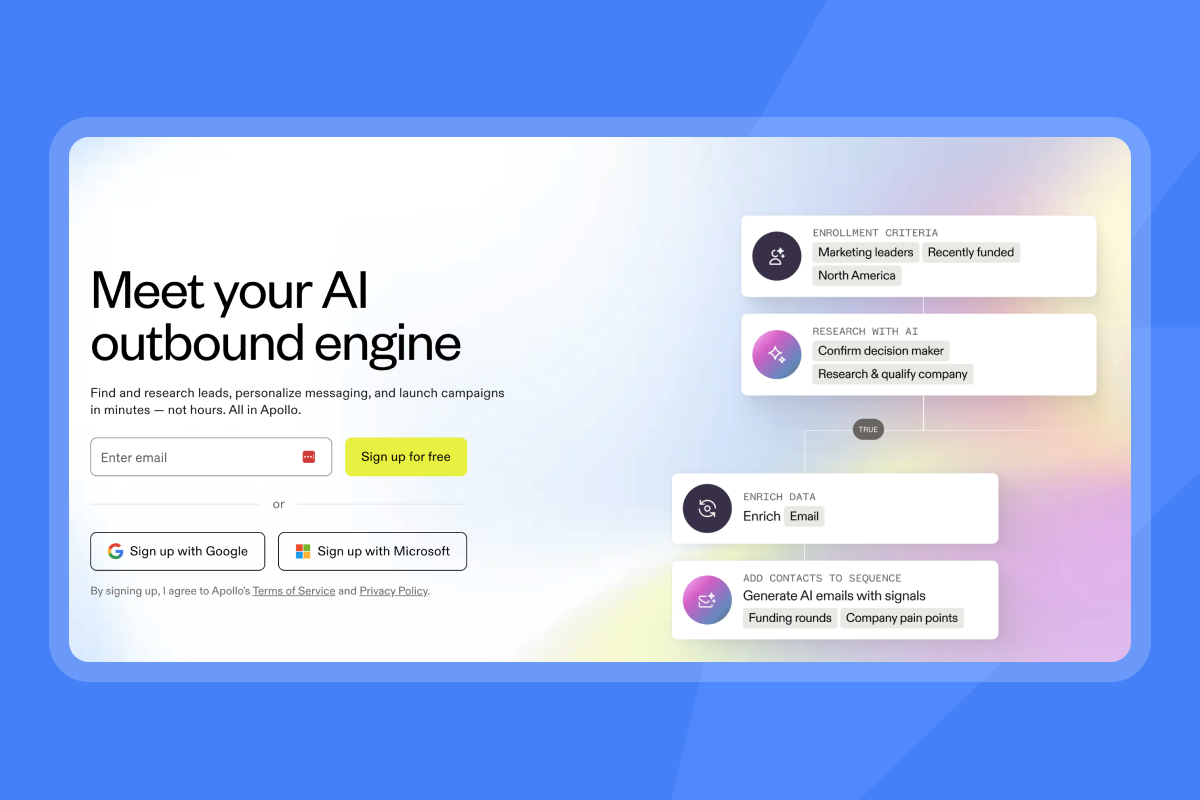
Apollo's credit system reveals that business emails cost 1 credit, mobile numbers cost 8 credits, and enrichment uses 1-9 credits per record. Heavy prospectors burn through credits faster than expected.
Drawbacks:
Apollo's pricing structure includes per-seat costs, credit consumption, and monthly credit expiration that can multiply total expenses. For 10 users on Professional, you pay $790/month before any additional credit purchases.
Best for: Sales teams who need deep data coverage and already have a CRM integration, where the per-seat cost is justified by data quality.
Watch Apollo.io vs Instantly.ai compared to see both platforms side by side.
3. Lemlist (Best for multichannel and images)
Pricing:
- Email Pro: $69/month per user ($55/month annually) - basic email sequences, 1,000 credits/month
- Multichannel Expert: $99/month per user ($79/month annually) - email, LinkedIn, WhatsApp, calling
Core strengths:
Lemlist stands out for advanced personalization capabilities like dynamic images, personalized videos, and landing pages, plus a built-in email warm-up system called Lemwarm's 10,000 mailbox network. The Multichannel Expert plan handles email, LinkedIn, and cold calling in one platform, reducing tool sprawl.
Drawbacks:
Email Pro's 1,000 credits translate to roughly 200-250 verified email finds if you use enrichment features. Credits expire monthly with no rollover.
Best for: Teams who need image and video personalization or LinkedIn + email multichannel sequences and can absorb the higher per-user cost.
4. Smartlead (Best for technical customization)
Pricing: Typically starts around $39/month with unlimited mailboxes
Core strengths:
Smartlead is built for agencies and developers who need white-labeling, custom sending algorithms, and deep API access to build proprietary workflows. The platform focuses on technical customization over UI simplicity.
Drawbacks:
Steeper learning curve for non-technical users, and support documentation assumes you understand SMTP, DNS, and API integration.
Best for: Technical agencies who want to build custom outreach engines on top of a flexible API.
5. Outreach.io (Best for enterprise sales teams)
Pricing: Custom enterprise pricing (not published publicly)
Core strengths:
Outreach offers a unified interface for multichannel execution (email, phone, social) with AI guidance tied to your CRM, plus enterprise-grade analytics, forecasting, and compliance features for large organizations.
Drawbacks:
High per-seat costs (thousands per year per user), long-term contract commitments, and complex implementation requiring dedicated resources. Outreach is overkill for small teams focused primarily on email outreach.
Best for: Mid-market to enterprise sales teams (50+ reps) with complex sales processes, dedicated sales ops, and budget for multi-year contracts.
Comparison table: Pricing, features, and integrations
Tool | Pricing Model | Unlimited Accounts | Warmup Included | Best For | Founder ROI |
|---|---|---|---|---|---|
Instantly | Flat-fee: $47-358/mo | Yes | Yes (1M+ network) | Scaling agencies, founders | Excellent |
Apollo | Per-seat: $49-119/user | No | No | Data-first sales teams | Fair (high at scale) |
Lemlist | Per-user: $69-99/user | No | Yes (10k network) | Multichannel + images | Fair (credit costs) |
Smartlead | Flat-fee: ~$39+/mo | Yes | Yes | Technical customization | Good (for devs) |
Outreach | Custom enterprise | No | No | Enterprise sales orgs | Poor (for startups) |
Founder ROI rates pipeline per dollar for a 2-10 person team prioritizing flat-fee scaling and time to first meeting.
For detailed feature comparison, review Instantly's Email Outreach plans comparison.
How to execute an ABM campaign using cold email software
Most ABM campaigns fail at infrastructure, not targeting. You can have perfect ICPs and personalized copy, but if your emails land in spam, you get zero meetings. Here is the step-by-step workflow that puts deliverability first.
Step 1: Building a verified lead list
Start with your ideal customer profile (ICP): company size, industry, tech stack, and decision-maker role. Use a lead database with enrichment to pull contacts, then verify emails to keep bounce rates under 1%. Instantly's SuperSearch accesses 450M+ B2B leads with waterfall enrichment from 5+ providers, plus LLM-assisted context like recent funding.
Export your list with custom fields (first name, company, industry, recent news) so you can use variables in personalization. Instantly supports CSV imports with field mapping to merge variables into email copy automatically.
Step 2: Segmenting for hyper-personalization
Tightly segmented sequences targeting a specific pain point can hit 10-15% or higher when personalization is strong, compared to generic sequences that typically see 1-2% reply rates.
Split your list by industry (SaaS founders worry about churn, ecommerce brands worry about CAC), company stage (seed-stage startups care about speed, Series B companies care about process), and role (CMOs care about attribution, VPs of Sales care about pipeline).
Write one sequence per segment. Use personalized lines with custom variables like {{company_name}} or {{recent_funding}}. Test 2-3 subject line variants with different angles (question, stat-led, direct benefit).
Step 3: Setting up the sending infrastructure
Set up DNS authentication: SPF lists your authorized sending servers, DKIM adds cryptographic signatures, and DMARC tells receivers how to handle unauthenticated emails (SPF, DKIM, and DMARC explained). Instantly provides setup guides for Google Workspace + GoDaddy and Namecheap. Complete this before warmup.
Warm for 14-28 days (14 days minimum for new addresses, 4 weeks for new domains). Start at 5-10 emails/day and increase by 5-10 daily, capping at 30 per inbox. Enable Instantly's warmup filters and keep warmup running continuously even after launch.
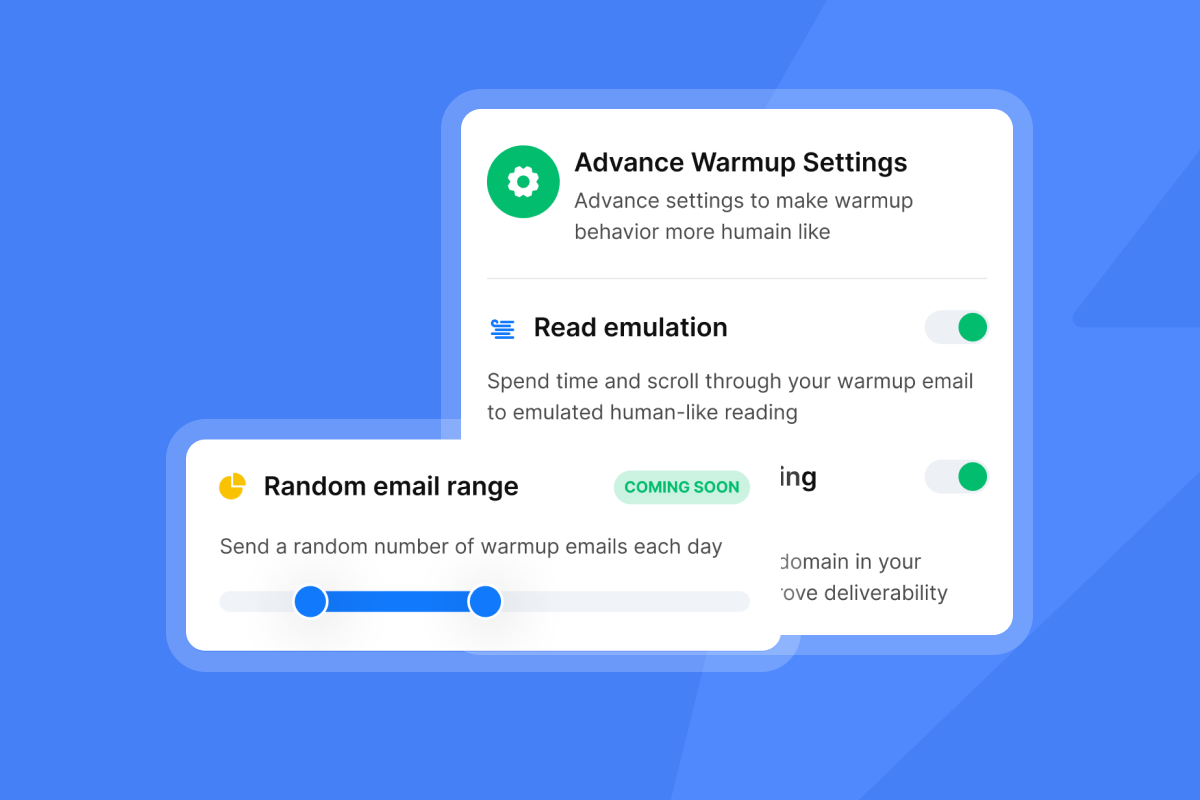
Send during business hours in the recipient's timezone. Campaign prioritization settings let you contact new leads before follow-ups, so your best prospects get contacted first.
"able to scale our outreach without sacrificing personalization or risking our sender reputation. For anyone serious about B2B cold email at scale, Instantly is worth every penny." - Natalie on Trustpilot
For a technical deep dive, watch cold email deliverability guide or review Instantly's cold email strategy guide.
Measuring success: Metrics that matter for demand gen
Open rates are unreliable in 2026 because Apple Mail Privacy Protection (MPP) inflates open counts artificially. Focus on metrics that tie directly to revenue.
Reply rate:
Reply rate formula: replies received ÷ delivered emails × 100. Exclude hard bounces from the denominator. 5-10% is solid for B2B, 10-15% is excellent, 15%+ is best in class on tight segments.
Positive reply rate:
Positive reply rate calculation: positive replies ÷ total replies. This shows what percentage of replies are qualified (interested, meeting request, question) vs. unqualified (unsubscribe, not interested). A 50% positive reply rate means half your replies are worth following up on.
Meetings booked:
If you achieve a 20% open rate, 5% response rate, 30% positive reply ratio, and 50% meeting book rate, you need approximately 500 delivered emails per client. The path: 500 emails → 100 opens → 25 replies → 8 positive replies → 4 meetings.
Cost per meeting:
Calculate total monthly cost divided by meetings booked. If you spend $97/month on Instantly and book 10 meetings, your cost per meeting is $9.70. If you spend $790/month on Apollo for 10 users and book 10 meetings, your cost per meeting is $79.
Improve response quality through better targeting and messaging rather than chasing vanity metrics. A highly targeted campaign with 20% opens and 5% quality responses gets better conversion than a generic blast with 40% opens but 1% meaningful engagement.
Choosing the right tool for your growth stage
Match the platform to your constraints, not the other way around.
Bootstrapped founder or early-stage startup (team of 1-5):
Start with Instantly Growth. Pair it with SuperSearch Growth for lead credits. Total stack: ~$94/month. Add Growth CRM once reply volumes justify Unibox. See pricing details.
Growth-stage startup or small agency (team of 5-15):
Move to Instantly Hypergrowth. Pair it with SuperSearch Supersonic. Add Hyper CRM if you need calling, SMS, and team reporting. Total stack: ~$291/month with all modules.
Agency managing 10+ client campaigns:
Use Instantly Light Speed with SISR (dedicated/private server and IP rotation). Pair it with SuperSearch Hyper Credits. This supports high-volume sending with enterprise-grade deliverability.
Data-first teams who already have a CRM:
If you need deeper data coverage than Instantly's SuperSearch provides (e.g., technographic filters, org charts), Apollo's Professional plan ($79/user/month) offers 2,000 export credits and database access. Export leads to CSV and import to Instantly for sending to avoid per-seat sending costs.
"Best platform by far for cold emailing" - Daksh Sarda on Trustpilot
Watch for a founder's perspective on choosing the right stack.
Ready to scale cold email without scaling costs? Try Instantly free and connect your first campaign in under 10 minutes. Use the ramp plan from this guide and run your Inbox Placement test before launch.
FAQs
How much does it cost to send 50,000 cold emails per month?
On Instantly, $97/month (Hypergrowth plan with unlimited accounts). On Apollo, approximately $4,424/month for 56 user seats to distribute volume safely.
Can I use Mailchimp or HubSpot for cold email campaigns?
No. Gmail and Outlook filter Mailchimp to Spam because they recognize shared bulk-sending infrastructure. Use a dedicated platform that sends from your authenticated domains.
What is a safe daily sending limit per inbox for cold email?
Industry best practice is 30 emails per inbox daily maximum, though limits vary by domain age and reputation. Start at 5-10 emails/day and ramp over 2-4 weeks.
What reply rate should I expect from a B2B cold email campaign?
5-10% is solid for B2B, 10-15% is excellent, and 15%+ is best-in-class on tightly targeted segments with strong personalization. The average response rate is 8.5% across all campaigns.
Do I need SPF, DKIM, and DMARC records to send cold email in 2026?
Yes. SPF, DKIM, and DMARC authentication is required for email deliverability in 2026, plus one-click unsubscribe for marketing emails. Google, Yahoo, and Microsoft enforce these requirements for bulk senders.
How long does email warmup take before I can start campaigns?
[14 days to 4 weeks] depending on whether you're warming new addresses or new domains. Keep warmup running continuously even after launching campaigns.
Key terms glossary
Deliverability network: A pool of real email accounts that exchange messages to simulate natural engagement and improve sender reputation. Leading platforms operate networks ranging from 10k to 1M+ accounts.
Flat-fee pricing: A subscription model where you pay a fixed monthly cost regardless of the number of email accounts connected, as opposed to per-seat pricing that multiplies costs as you add team members.
Per-seat pricing: A subscription model that charges per user, which can make high-volume sending expensive for agencies and growth teams as they scale.
Reply rate: The percentage of delivered emails that receive any reply (positive or negative). Calculated as replies received ÷ delivered emails × 100.
Positive reply rate: The percentage of replies that are qualified or interested. Calculated as positive replies ÷ total replies. A 50% positive reply rate means half of all responses are worth following up on.
Warmup: The process of gradually increasing sending volume from a new or cold email account to build sender reputation with inbox providers before launching campaigns.
SMTP sending: Simple Mail Transfer Protocol sending from individual email accounts that mimics human 1-to-1 communication, used by cold email platforms to avoid spam filters.
Waterfall enrichment: A data enrichment approach that queries multiple data providers in sequence until a valid email address or phone number is found, maximizing coverage and accuracy.
SPF, DKIM, DMARC: Email authentication protocols required for deliverability. SPF lists authorized sending servers, DKIM adds cryptographic signatures, and DMARC instructs receivers how to handle unauthenticated emails.


