


Updated February 24, 2026
TL;DR: If you run a solo service business and need predictable client flow without hiring SDRs, pick a tool that scales safely on a flat fee. Instantly gives you unlimited sending accounts, automated warmup across a 4.2M+ account deliverability network, and one unified inbox to handle replies from every campaign, starting at $47/month. Apollo offers deep data but charges per seat. Lemlist, Hunter, and Smartlead each serve specific niches but lack Instantly's flat-fee unlimited model. For freelancers who measure pipeline per dollar, we built Instantly to run while you do the client work.
Feast or famine is the freelancer's curse. You close a project, celebrate for a day, then realize you have zero pipeline. Manual outreach keeps you stuck at the keyboard when you should be delivering work. The fix is not better networking, it is a predictable cold email system that finds leads, sends sequences, warms accounts, and books calls without eating your time or profit.
Cold email is one of the highest-ROI channels available, with some studies reporting returns of $36–$42 for every $1 spent when executed strategically, making it especially attractive for solo businesses with limited budgets. Research shows email delivers $42 for every $1 spent when highly targeted. But you cannot scale manual Gmail sends without tripping spam filters and burning your domain reputation. You need software that automates the grunt work, warmup, sending, follow-ups, while keeping you compliant and in the primary inbox.
Here are the five best cold email tools for freelancers, compared on pricing, ease of use, and what they actually let you do at scale.
What is cold email software and why freelancers need it
Cold email software helps you contact potential clients who do not know you yet, automate multi-step sequences, and track opens, clicks, and replies. It is different from newsletter tools like Mailchimp or ConvertKit. Those platforms require permission. Cold email is outbound, you start the conversation.
Cold email puts you in front of decision-makers without gatekeepers. B2B buyers spend only 17% of their time meeting with suppliers, so your message needs to land cleanly in the inbox and get straight to value. When done right, cold email generates meetings at $152.73 per meeting versus $2,777.78 for cold calling, a 10x ROI advantage.
While Gmail technically allows 500 sends per day (or 2,000 for Google Workspace), cold email best practices recommend staying well below those limits, typically 20–50 per day, to maintain deliverability and avoid spam filters. You cannot A/B test subject lines, you cannot schedule follow-ups automatically, and one bad bounce list can wreck your sender reputation. Cold email platforms solve all three problems. They rotate sending across multiple accounts, warm each one slowly to build trust with mailbox providers, and handle replies in a single inbox so you do not miss booking opportunities.
Key features to look for in solo outreach tools
Deliverability focus
If your emails land in spam, you starve. Deliverability is the likelihood your message reaches the primary inbox. Email providers like Google and Microsoft grade your sender reputation based on bounce rates, spam complaints, and engagement patterns. A high score means inbox placement. A low score means your emails vanish.
Warmup is the process of slowly sending low-volume emails from a new account to prove to providers you are a legitimate sender, not a spammer. Tools that include unlimited warmup in the base plan save you $20-30/month per account compared to platforms that charge separately or cap warmup volume.
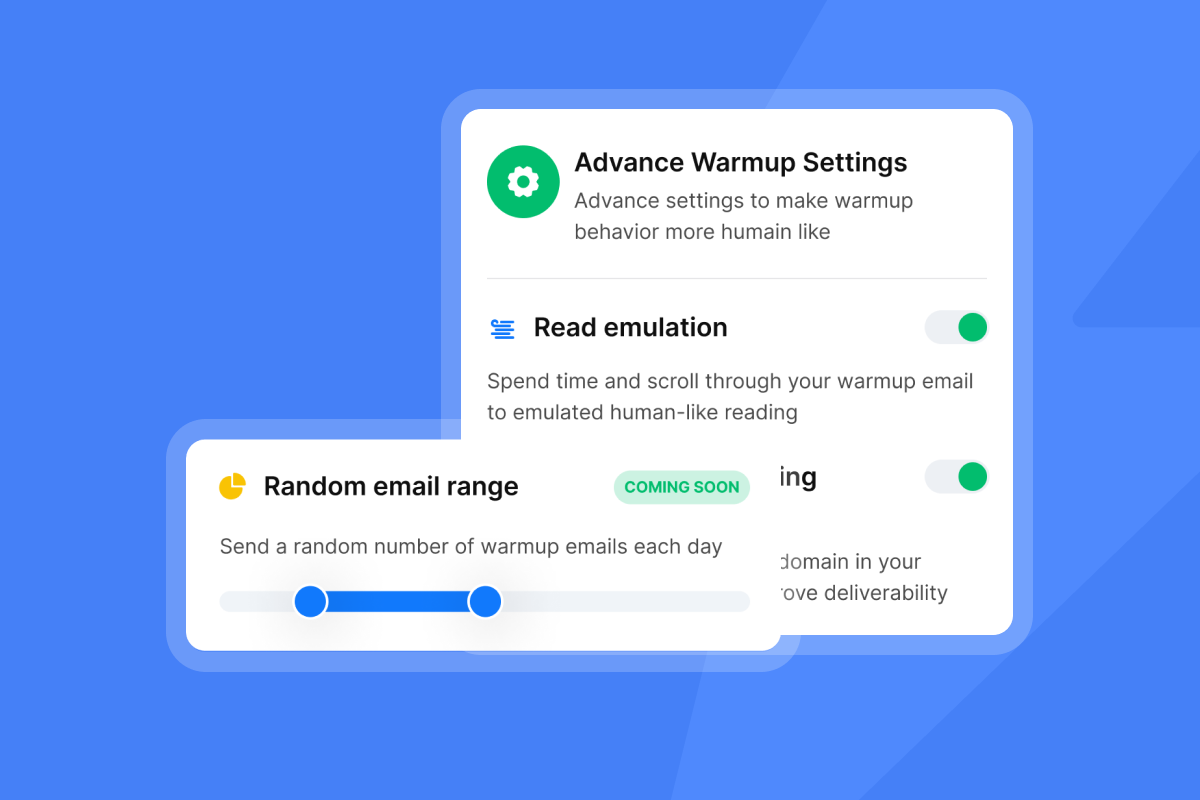
Look for platforms that offer automated warmup, bounce detection, and spam-word checking before you hit send.
Ease of use for non-technical founders
You do not have an IT team. Setup must be fast and the interface must be simple enough to launch your first campaign in under 15 minutes.
"I love Instantly's simple user interface, which makes navigation significantly faster and more efficient, especially for a non-technical founder like me. The ease of use and straightforward setup process make getting started with the platform a breeze." - Arjun S. in G2
The best tools provide DNS setup guides, done-for-you domain configuration, and templates you can copy and tweak. Avoid platforms that require engineering help to connect your first inbox or parse API docs just to schedule a sequence.
AI integration for writing and personalization
AI writing assistants help you overcome blank-page paralysis when drafting sequences. AI personalization tools scan a lead's LinkedIn or website and inject relevant details into your opening line. Using personalized subject lines increases response rates by 30.5%, while personalized email bodies boost replies by 32.7% compared to generic blasts.
AI reply handling is the newest frontier. We built AI Reply Agent to auto-respond to interested leads in under 5 minutes or route them to you for review. This cuts reply-to-meeting time from hours to minutes, which directly improves your conversion rate.
Pricing models that do not punish growth
Per-seat pricing is a trap for freelancers who want to scale. If you need to rotate 5-10 sending accounts to safely hit volume targets, tools that charge $50-70 per inbox will cost you $250-700/month before you send a single campaign.
Flat-fee unlimited models let you connect as many accounts as you need without the bill exploding. This is critical for agencies or solo founders who serve multiple clients or niches and need separate sending domains for each.
Compare the all-in cost per month, not just the headline price, and check for hidden charges on warmup, credits, or extra inboxes.
Top cold email software for freelancers in 2025
Instantly (Best overall for growth and value)
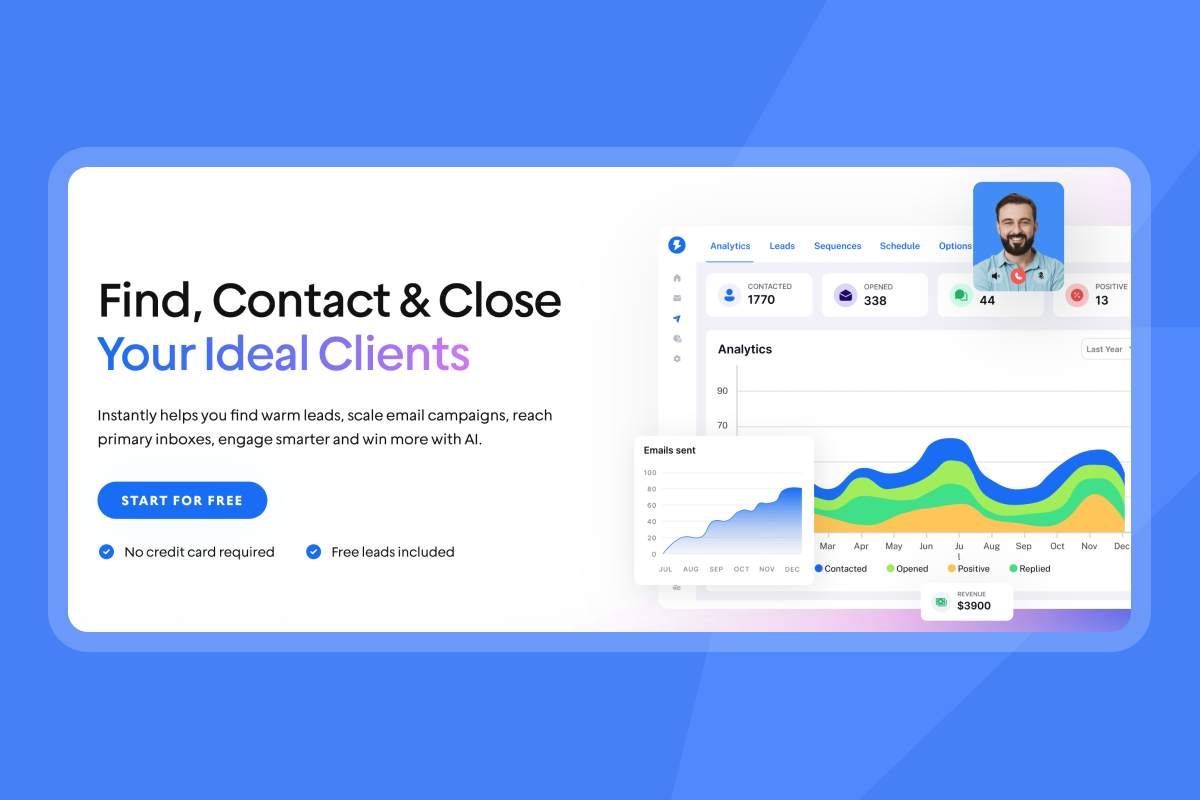
Instantly is an all-in-one email growth engine built for lean teams. We combine lead data (SuperSearch with 450M+ B2B contacts), automated sending with unlimited accounts, built-in warmup, and a unified inbox (Unibox) where you manage every reply from one screen.
Core features:
- Unlimited email accounts and warmup on every plan, including Growth at $47/month
- Unibox consolidates replies from all campaigns and accounts so you do not miss bookings
- AI Copilot helps you research leads, draft sequences, and summarize analytics
- AI Reply Agent auto-handles interested replies in under 5 minutes or routes to you for approval
- Campaign analytics track opens, clicks, replies, and bounces in real time
- Inbox rotation spreads sends across multiple accounts to protect deliverability
Pricing:
- Growth: $47/month (monthly) or $30/month (annual)
- Hypergrowth: $97/month (monthly) or $77.60/month (annual)
- Light Speed: $358/month (monthly) or $286.30/month (annual)
Full pricing details at our pricing page.
Best for: Freelancers and solo founders who want to launch fast, scale safely, and avoid per-seat taxes.
Pros:
- Flat-fee unlimited accounts mean your cost stays predictable as you grow
- Done-for-you domain and email setup removes DNS headaches
- Clean UI gets you live in minutes
"Instantly is easy to use and very effective for cold email outreach. I like how it handles email warm-up, campaign setup, and inbox rotation all in one place, which makes scaling outreach simple and efficient." - Joy V. on G2
Cons:
- Lead database and AI features use a credit system, which can add cost if you burn through credits quickly
- Support response times vary based on plan tier
Watch this full Instantly tutorial to see campaign setup and Unibox in action.
Apollo (Best for deep data requirements)
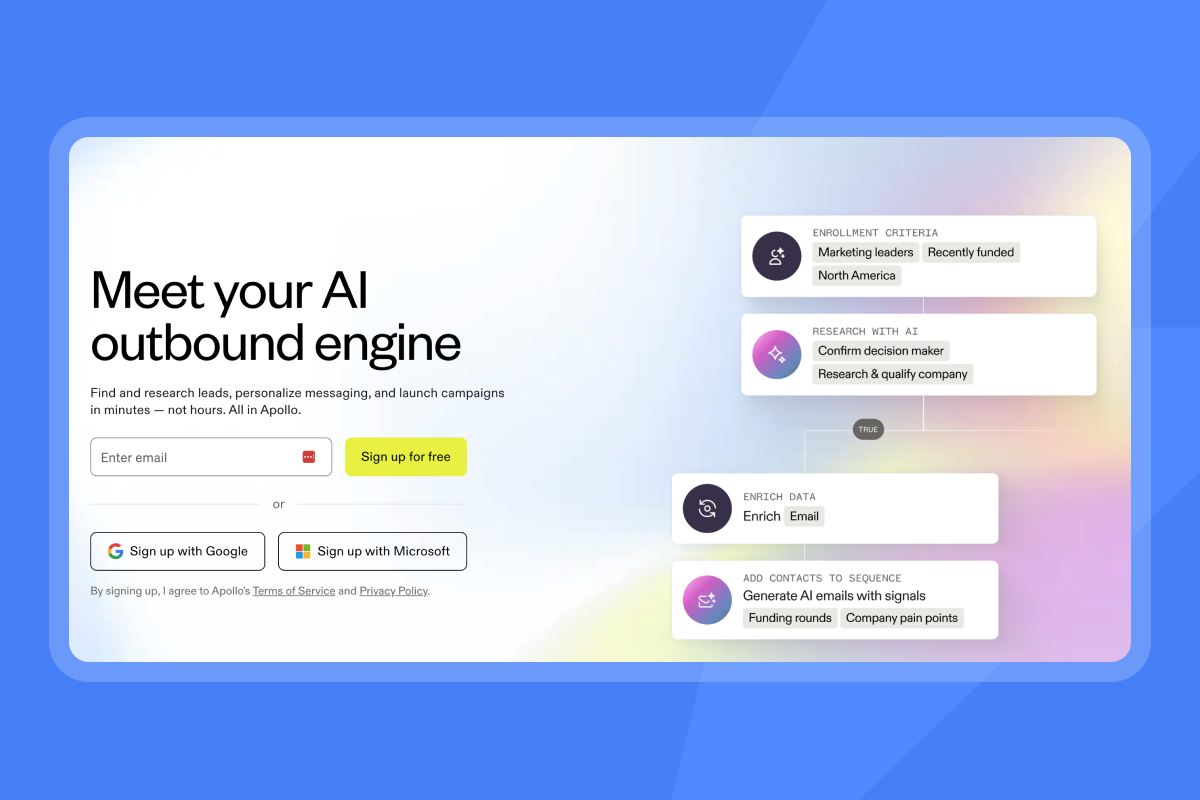
Apollo is a sales intelligence and engagement platform with a massive B2B database, multichannel sequences (email, calls, LinkedIn), and native CRM integrations. It is a good choice if you need deep prospecting filters and plan to use phone and social alongside email.
Core features:
- 275M+ contacts and 73M+ companies
- Built-in dialer and call recording (on higher tiers)
- Native Salesforce and HubSpot sync
- Sequences that mix email, calls, and LinkedIn tasks
Pricing:
- Basic: $49/user/month (annual) or $59/user/month (monthly)
- Professional: $79/user/month (annual) or $99/user/month (monthly)
- Credits for mobile data and exports cost extra ($0.20 each, minimum 250 monthly)
Best for: Freelancers who already have a multichannel motion and need a combined prospecting and outreach tool.
Pros:
- Unmatched database size and filters
- Deep CRM integrations for teams that live in Salesforce or HubSpot
- All-in-one platform reduces tool sprawl
Cons:
- Per-seat pricing adds up fast if you need inbox rotation
- Warmup features are limited compared to dedicated cold email platforms
- Complexity can overwhelm solo users who just need to send email
Lemlist (Best for multichannel orchestration)
Lemlist specializes in multichannel sequences that blend cold email, LinkedIn connection requests, and image personalization. It is built for teams that want to layer touchpoints across channels.
Core features:
- 3 sending email addresses per user included
- Lemwarm (built-in deliverability protection) on all plans
- Dynamic image personalization (embed lead names in screenshots)
- LinkedIn automation steps in sequences
- Unlimited email sending on paid plans
Pricing:
- Email Pro: $79/user/month (monthly) as of February 2026
- Multichannel Expert: $109/user/month (monthly)
Check current pricing at Lemlist's site, as rates recently increased for new customers.
Best for: Freelancers who want to add LinkedIn steps and image personalization to stand out in crowded inboxes.
Pros:
- Multichannel sequences help you reach leads who ignore email
- Image personalization boosts engagement
- Lemwarm is included
Cons:
- Per-user pricing hits hard if you need 5+ sending accounts
- Credits for lead finder do not roll over month-to-month
Hunter (Best for simple email finding)
Hunter is a lightweight email discovery and verification tool with a basic campaign module. It is best for freelancers who need to find contact emails and send simple sequences without advanced automation.
Core features:
- Domain search to find all emails associated with a company
- Email verification to reduce bounce rates
- Basic campaign sequences with Gmail, Outlook, or SMTP
- Free plan: 1 connected account, 500 recipients per campaign
Pricing:
- Free plan: 25 searches, 50 verifications per month
- Starter: $49/month (3 email accounts, 2,500 monthly recipients)
- Growth: Higher volume plans available
Full pricing at Hunter's site.
Best for: Freelancers who only need email finding and basic sending, not advanced deliverability or multichannel.
Pros:
- Dead simple interface
- Free plan is generous for occasional users
- Fast email verification
Cons:
- No built-in warmup (critical for safe scaling)
- No A/B testing or advanced sequence logic
- Limited analytics compared to full platforms
Smartlead (Best for technical power users)
Smartlead is an API-first cold email platform built for agencies and technical users who want unlimited accounts, white-labeling, and granular control over sending algorithms.
Core features:
- Unlimited email accounts and warmup on all plans
- Centralized master inbox for replies
- White-label portal for one client included free (additional clients $29/month each)
- Dynamic IP rotation
- API access for custom integrations
Pricing:
- Basic: $39/month (monthly) or $32.50/month (annual), 2,000 active leads, 6,000 emails/month
- Pro and Custom tiers for higher volume
Best for: Solo founders who are comfortable with APIs and plan to white-label for clients.
Pros:
- Unlimited accounts at a competitive price
- White-label option lets you resell to clients
- API-first design for custom workflows
Cons:
- UI is less intuitive than Instantly or Lemlist
- Steeper learning curve for non-technical users
- Less hand-holding on setup
Comparison table: Pricing, features, and ease of use
Tool | Monthly Price | Unlimited Accounts? | Free Warmup? | Best For |
|---|---|---|---|---|
Instantly | $47 | Yes | Yes | Freelancers who need flat-fee scaling and fast setup |
Apollo | $49/user | No | No | Deep data needs and multichannel teams |
Lemlist | $79/user | No (3 per user) | Yes (Lemwarm) | Multichannel sequences with LinkedIn and image personalization |
Hunter | $49 (Starter) | No (3 on Starter) | No | Simple email finding and basic campaigns |
Smartlead | $39 | Yes | Yes | Technical users who want API control and white-label |
How to scale from freelancer to agency without changing tools
Most freelancers hit a wall when they try to scale. You land 2-3 clients, realize you need separate campaigns and domains for each, and suddenly your tool bill triples.
Managing multiple domains
Use secondary sending domains to isolate reputation risk. If your main business domain is yourfreelancebiz.com, buy getyourfreelancebiz.com or tryyourfreelancebiz.com for $10-15/year and use it only for cold outreach. Forward replies to your main inbox so leads do not see the alternate domain.
Connect 2-3 email accounts per domain (e.g., hello@, team@, contact@) and rotate sends across them. We include inbox rotation in every plan, so you can add accounts without logging in and out of separate dashboards.
Unified inbox for client work
If you serve 3 clients and each has 2 campaigns running across 5 accounts, you are managing 30 inboxes. A unified inbox consolidates every reply into one feed. Our Unibox (or Smartlead's Master Inbox) lets you tag leads as interested or not interested, reply directly, or forward to a booking link, all from one screen.
"I appreciate Instantly's pricing, which is quite reasonable and crucial for me since I am starting with a limited budget. The ease of use and efficient setup process is remarkable as it made things effortless, saving me a tremendous amount of time and administrative hassle." - Jonathan C on G2
Cancellation and lock-in
Avoid annual contracts until you validate results. Look for tools that offer monthly billing, easy data export, and transparent off-ramps. We publish clear billing policies and let you cancel anytime. If a platform makes it hard to leave, that is a red flag.
Advanced strategies for solo outreach
AI personalization that drives replies
Generic templates cap reply rates at 1-2%. AI-driven personalization tools report response rates as high as 35%, seven times higher than traditional methods.
Use our AI Copilot to inject relevant details into your opening sentence. Scan a lead's LinkedIn for recent posts, check their company's blog for new announcements, or reference a mutual connection. Personalized subject lines alone can double reply rates compared to generic ones.
Watch AI deep personalization for cold emails to see how to scale this without manual research.
The 30-day ramp plan
Do not blast 1,000 emails on day one. New accounts need time to build sender reputation. We recommend warming accounts for at least 2 weeks before launching production campaigns.
Here is a safe ramp:
- Week 1: Enable warmup. Send 5-10 warmup emails per day per account. Zero cold sends.
- Week 2: Increase warmup to 15-20 per day. Still zero cold sends.
- Week 3: Start cold sends at 5-10 per day per account while warmup continues in the background.
- Week 4: Ramp cold sends to 20-30 per day per account. Monitor bounce rates and spam placement.
We advise never exceeding 30 emails per single inbox per day to protect deliverability. Scale volume by adding more inboxes across multiple domains, not by increasing per-inbox limits. This is why we support unlimited accounts in every plan.
Check this campaign setup guide for step-by-step instructions.
Managing replies in real time
Speed matters. Leads who reply "interested" expect a response within minutes, not days. Our AI Reply Agent can auto-respond to positive replies in under 5 minutes or route them to you for manual approval if you prefer human-in-the-loop.
Set up Slack notifications so you see new replies instantly. Use the Unibox to mark leads as positive, book a call, or close the loop with a one-click calendar link. The faster you respond, the higher your meeting show rate.
Ready to launch your first campaign this week? Start your free trial of Instantly and use our campaign setup wizard to go live in under 15 minutes.
"I love Instantly's simple user interface... The email warmup feature has notably improved deliverability, and the email sequencing capability allows for automated mass emailing, which would be unfeasible manually." - Daksh K. on G2
Frequently asked questions about freelance cold email
Is cold email legal for freelancers?
Yes, if you follow CAN-SPAM (USA) and GDPR (EU) rules. CAN-SPAM requires you to include a valid physical address, identify your message as commercial, and provide an easy opt-out link. GDPR requires legitimate business interest for B2B cold email. Both laws allow B2B outreach if you target the right person at the right position and include an unsubscribe link. We built compliance controls into every campaign setup, unsubscribe links are mandatory, and you can set geographic targeting to respect regional laws.
How many emails should I send per day?
We advise never exceeding 30 cold emails per inbox per day. For new inboxes, start at 5-10 per day in week one and ramp gradually. Scale volume by adding more warmed accounts, not by pushing a single inbox to 100 sends. If you need higher volume, spread it across 3-5 inboxes.
Do I need a separate domain for cold outreach?
Yes. Using a secondary domain protects your main business email from blacklisting. If your cold outreach domain gets flagged, your primary domain (used for client communication and invoicing) stays clean. Buy a variation of your main domain for $10-15/year and forward replies so leads never see the alternate address. This guide on secondary sending domains walks through the full setup.
Key terms glossary
Deliverability: The likelihood your email lands in the primary inbox instead of spam. Email providers like Google and Microsoft assign a reputation score to your sending domain and account. High scores mean inbox placement.
Email warmup: The process of slowly sending low-volume emails from a new account to build trust with mailbox providers and prove you are a legitimate sender, not a spammer.
Sender reputation: A score email providers assign to your domain and account based on bounce rates, spam complaints, and engagement. It works like a credit score but for email sending.
Unibox: A centralized inbox that consolidates replies from multiple email accounts and campaigns into one view, so you can manage all responses without switching between inboxes.
Inbox rotation: Automatically spreading email sends across multiple connected accounts to protect deliverability and increase total daily volume without overloading a single sender.
Bounce rate: The percentage of emails that fail to deliver. Keep bounce rates below 1% to protect sender reputation. High bounces signal poor list quality to mailbox providers.


