


Updated December 1st, 2025
TL;DR: Free Gmail trackers like Mailtrack, Streak, and Gmelius offer basic open and click insights but limit tracking volume, add branding, and lack deliverability tools. While Mailtrack and Streak support Android, mobile workflows are still limited compared to desktop. For agencies managing 10 to 150 inboxes, relying on free tools creates tool sprawl, requiring separate solutions for warmup, verification, tracking, and CRM. Instantly addresses this by combining tracking with warmup, sender reputation monitoring, unlimited accounts, and AI reply handling on a flat fee starting at $37/month. Free tools suffice for under 50 emails per week, but sending 500+ emails weekly across multiple client domains is more efficient and cost-effective with integrated platforms.
Why email tracking matters for your Gmail outreach
Email tracking tells you which prospects opened, when they clicked, and which content drove replies. For agency operators sending 500 to 5,000 emails per week across client domains, this visibility converts raw sends into booked meetings and protects sender reputation.
How tracking improves campaign performance
Tracking data reveals which subject lines earn opens and which calls to action drive clicks. Studies show personalized subject lines can lift open rates by 26 percent, and tracking confirms which personalization tokens work for your audience. When you spot a 3 percent reply rate versus 8 percent across two variants, you know which template to scale.
Click tracking reveals engagement depth. If a prospect clicks your pricing link three times in two days, that signals buying intent. You follow up immediately with a tailored demo offer instead of waiting for a generic drip cadence. Any lift above average email click-through rates of 3.25 percent justifies your creative choices.
Protecting sender reputation with insights
Tracking reveals deliverability issues before they damage client domains. If open rates drop from 30 percent to 5 percent overnight, your emails likely landed in spam. Bounce rates above 1 percent damage sender reputation, and tracking tools flag those spikes. You pause sends, verify your list, and adjust before domains get blacklisted.
False positives happen when email clients pre-load images, triggering open pixels without human interaction. When you see 50 opens but zero clicks, you investigate subject-line tactics or preview-pane inflation. For agencies, tracking protects client domains by isolating problem campaigns before they scale.
Top free Gmail email trackers
Free Gmail trackers meet basic needs for solo users and small teams testing cold outreach. Most install as Chrome extensions and integrate directly into the Gmail compose window. They track opens and clicks but provide no warmup, deliverability monitoring, or unified reply management.
Mailtrack: Simple and effective open tracking
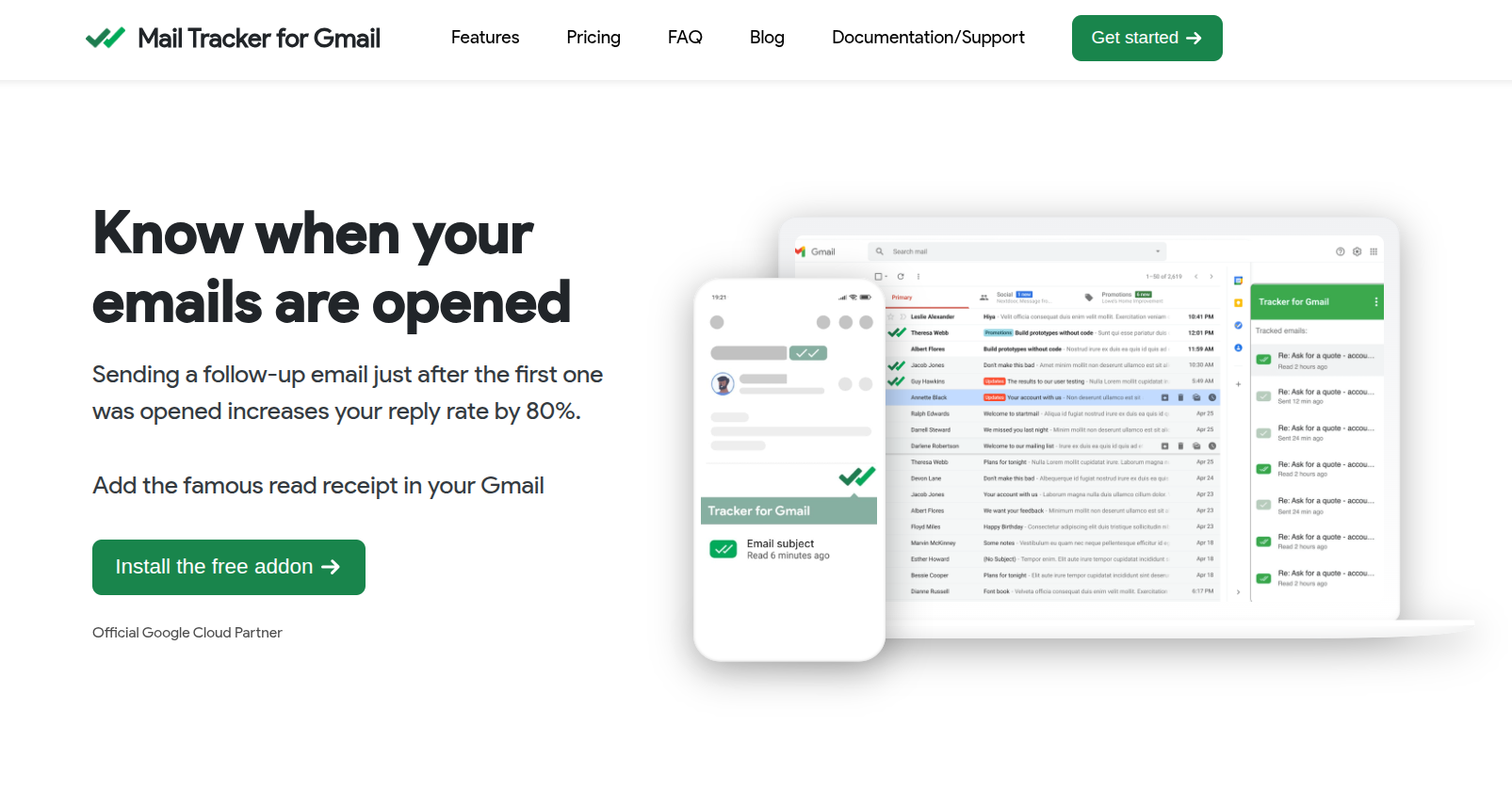
Mailtrack uses a double-checkmark system to show email status directly in your Gmail inbox. The free plan tracks unlimited emails but appends a "Sent with Mailtrack" signature. Mailtrack stores tracking metadata but not email content and is GDPR-compliant. The free tier works well for founders sending 20 to 50 cold emails per week. Paid plans remove the signature and add link tracking, starting at $9 per month.
Streak: CRM with basic email tracking
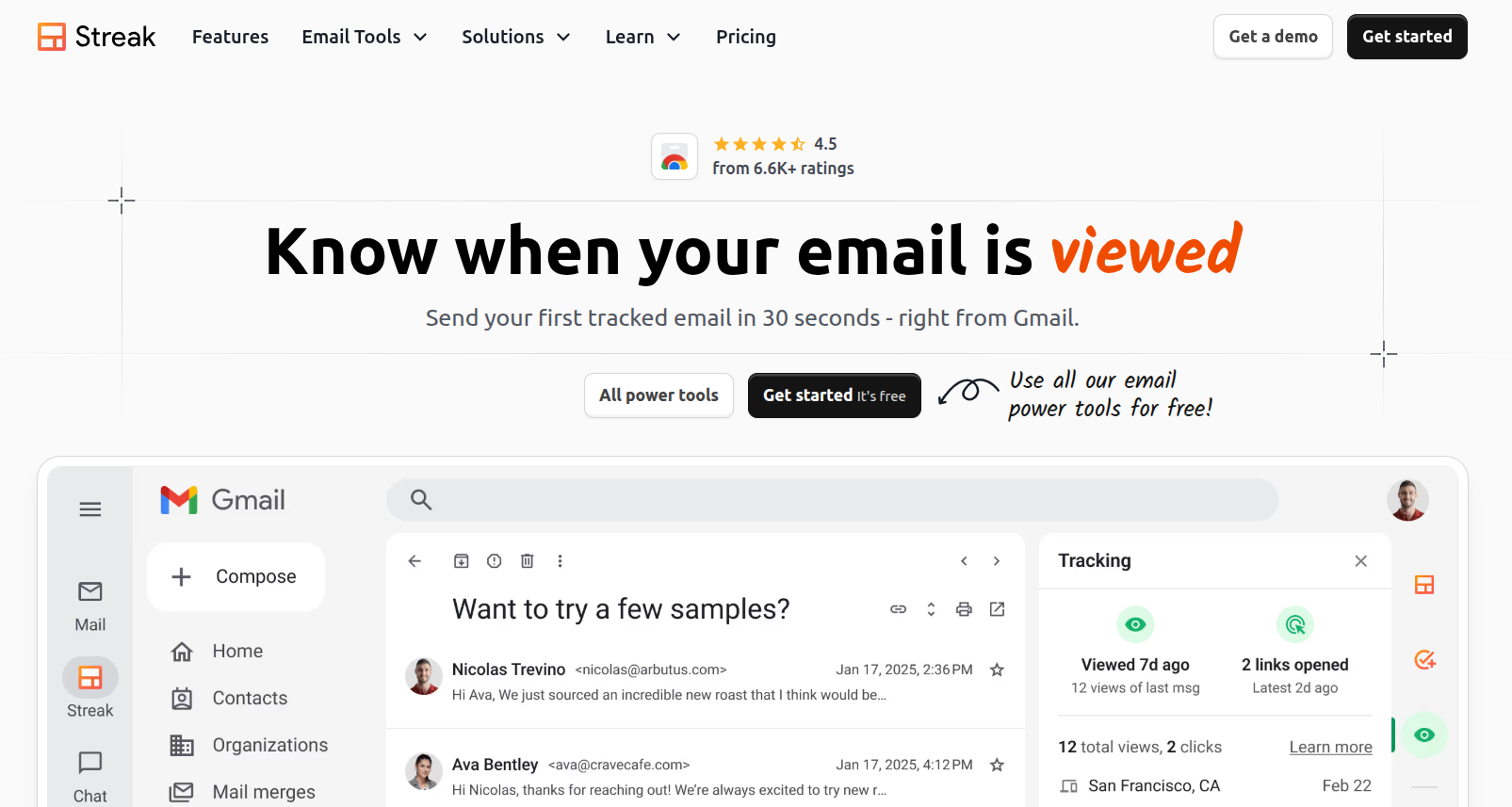
Streak embeds a full CRM inside Gmail with bundled email tracking. You see open counts, last-view timestamps, device types, and approximate location. Streak fetches content only on request and stores email metadata on Google Cloud Platform with encryption. The free plan caps at 50 emails tracked per month. For agencies, that cap becomes a blocker fast. Paid plans start at $15 per user per month, and the per-seat model compounds as you scale.
Gmelius: Collaboration and tracking features
Gmelius turns Gmail into a shared inbox with email tracking and team collaboration. Free tracking caps at 100 emails per month. Paid plans start at $10 per user per month. For solo operators, Gmelius can feel overwhelming with its many features. For agencies juggling multiple clients, the per-seat cost and learning curve add friction.
Other free options and their limitations
- MailTracker by Hunter: Free tracking without branding, lightweight Chrome extension with real-time notifications.
- Mailalert: Claims unlimited free tracking without signatures, though privacy policy lacks detail compared to competitors.
- Yesware: Free tracking works but mobile experience is criticized for frequent logouts.
- Snov.io Email Tracker: Free unlimited open and click tracking with no branding, GDPR-compliant but lacks CRM integrations.
All free tools share common limits. If you send 500 emails per week across five client domains, these tools leave you assembling five separate stacks.
Best Android email apps with tracking capabilities
Agency operators occasionally manage campaigns from mobile. Android tracking apps let you monitor opens, catch hot leads, and adjust sends on the go, though most setup and sequence work stays on desktop.
Gmail app with integrated tracking features
The Gmail mobile app does not provide built-in email tracking beyond read receipts for Google Workspace users. Read receipts must be enabled by an admin, and recipients can decline them. This feature does not track clicks or provide detailed analytics.
For tracking on Android, third-party tools like Mailtrack and Streak are commonly used. Mailtrack integrates with Gmail to show checkmarks for sent and opened emails. Streak’s Android app offers CRM and email tracking features, though some users report occasional bugs.
Third-party Android apps for email outreach
Yesware, Mixmax, and Snov.io lack dedicated Android apps for full tracking, forcing you back to desktop for campaign management. For agencies, mobile tracking supports fast follow-ups. Couple this with Instantly's AI Reply agent and you'll never lose a deal over response times again.
Key features to look for in a Gmail email tracker
Open and click tracking
Open tracking embeds a 1x1 pixel image in your email HTML. When the client loads images, the tracker logs the open event with timestamp and device. Click tracking replaces each link with a unique redirect URL. When a recipient clicks, the tracker logs the event and forwards them to the destination.
Real-time notifications
Instant alerts for opens and clicks let you follow up while the prospect is engaged. A notification pops on your phone, and you reply within minutes. For agencies managing 50 active campaigns, smart notification rules prevent alert fatigue.
Link tracking and analytics
Link tracking shows which calls to action resonate. For example, if 10% of recipients click your case study link but only 2% click your pricing page, you can see which content drives engagement. Location-targeted campaigns can improve click-through rates, though the exact lift may vary by industry and audience.
Integration with other tools
Trackers that integrate with HubSpot, Salesforce, Zapier, or Make reduce context switching. When a prospect opens an email, the CRM updates their lead score. Free tools provide basic CSV exports but lack bidirectional CRM sync.
Watch how users leverage Instantly's range of integrations to customize their workflows in minutes:
Safety and privacy considerations
Undisclosed tracking may violate GDPR or CCPA. Best practice is to disclose tracking in your privacy policy or email footer. Look for tools with encryption in transit and at rest. GDPR-compliant platforms limit data retention and let you export or delete data, which matters when enterprise clients audit your stack.
How Instantly offers advanced tracking for professional outreach
Free Gmail trackers provide basic visibility, but agencies need integrated platforms that combine tracking with deliverability, warmup, and reply management. Instantly built its outreach engine for operators managing 10 to 150 inboxes across clients.
Integrated deliverability and warmup
Tracking opens means nothing if your emails land in spam. Instantly runs automated inbox placement tests that send test emails to seed accounts across Gmail, Outlook, and Yahoo. You see exact placement percentages for primary inbox, promotions, and spam.
Each new inbox joins automated warmup sequences that gradually increase send volume over 2 to 4 weeks. Slow ramp plans build sender reputation and avoid spam filters. You start at 30 emails per day, monitor bounce rates and placement, then scale once health metrics stabilize.
Light Speed plans include SISR (Server and IP Sharding and Rotation), which uses dedicated IP pools to isolate your sending reputation. If one client campaign generates spam complaints, other client domains remain unaffected.
Watch this tutorial to see how simple it is to setup warmup in Instantly:
Unlimited accounts and flat-fee pricing
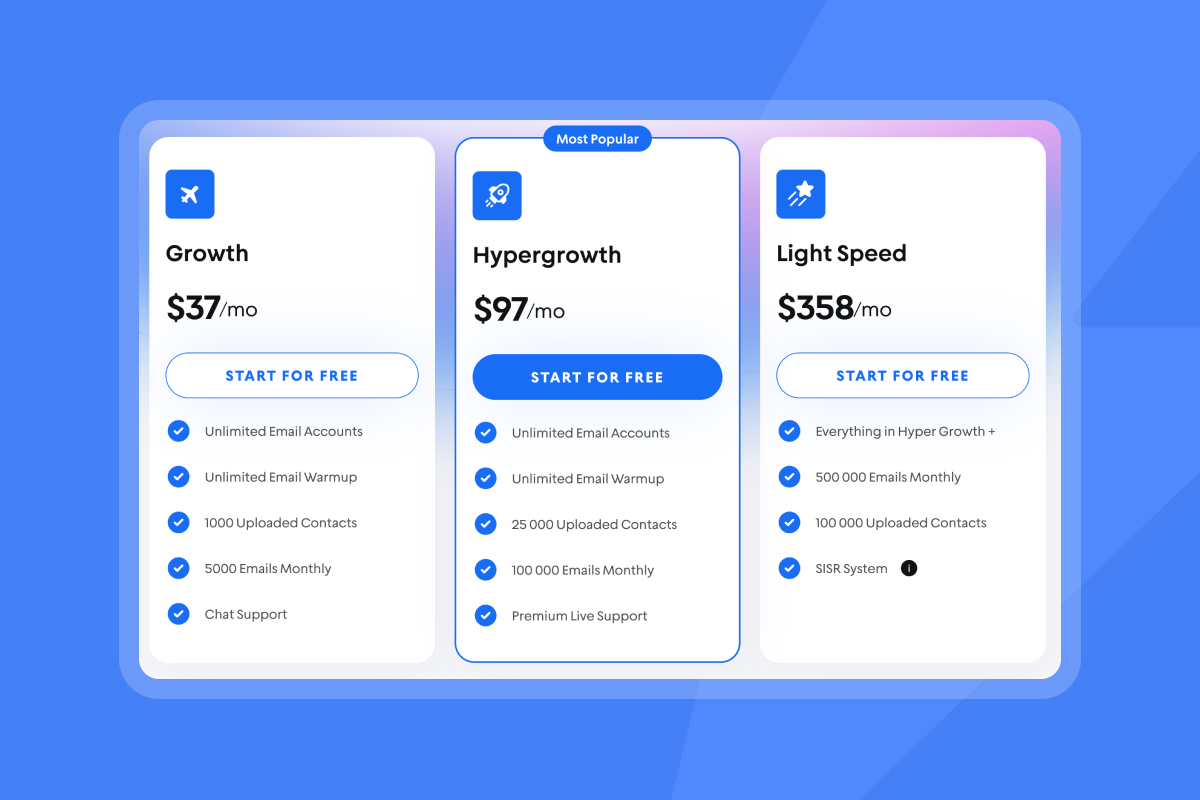
Instantly includes unlimited email accounts and warmup on all Outreach plans. Growth starts at $37 per month, Hypergrowth at $97 per month, and Light Speed at $358 per month, all with unlimited senders. For agencies managing 50 inboxes, that flat fee saves thousands compared to per-seat competitors. Built-in warmup means every new inbox automatically joins engagement sequences without manual configuration.
Analytics, AI, and reply handling
Instantly's dashboard shows opens, clicks, replies, and bounces across all campaigns. A/B testing runs at the sequence level. Unibox centralizes replies from all connected inboxes, so you manage follow-ups in one interface.
Instantly's AI Reply Agent handles lead replies in under 5 minutes, operating in human-in-the-loop or autopilot mode. For agencies handling 200 replies per week, this saves 10 to 15 hours. AI replies cost 5 Instantly credits each.
See Instantly's AI Reply Agent in action below:
Scaling without compounding costs
Instantly's Hypergrowth plan supports 100,000 emails per month for $97 per month with unlimited accounts included. Add SuperSearch Supersonic ($97/mo) for 5,000 lead credits and Hyper CRM ($97/mo) for calling and SMS. Total stack runs $291/month managing 20 to 30 client inboxes. Compare that to per-seat platforms charging $50 to $120 per inbox, which run $1,000 to $3,600 per month at the same scale.
Gmail email tracker comparison table
| Tool | Open tracking | Click tracking | Free tier limit | Paid starts at | Best for |
|---|---|---|---|---|---|
| Mailtrack | Yes | Paid only | Unlimited with branding | $9/mo | Solo users, job seekers |
| Streak | Yes | Yes | 50 emails/mo | $15/user/mo | Small teams needing light CRM |
| Gmelius | Yes | Yes | 100 emails/mo | $10/user/mo | Collaborative teams in Gmail |
| Snov.io | Yes | Yes | Unlimited tracking | $39/mo | Solo cold emailers, low volume |
| Instantly | Yes | Yes | Free trial | $37/mo (unlimited accounts) | Agencies, 10-150 inboxes, multi-client outreach |
Key takeaways:
Free tools work for personal use or small tests. Streak and Gmelius add CRM and collaboration but charge per seat, which scales poorly for agencies. Instantly combines tracking with deliverability, warmup, and AI on a flat fee, making it the best fit for operators managing 10 to 150 inboxes across clients.
Instantly can do even more than just track your open rates but it can also track your website visitors checkout the tutorial below:
Choose the right tracking for your outreach goals
Email tracking starts with visibility, but scaling outreach demands more. Free tools like Mailtrack, Streak, and Gmelius provide basic open and click insights for solo senders testing cold email. They work well for job searches, founder prospecting, or small teams sending 50 emails per week.
For agency operators managing multiple client domains, free tools leave gaps. You juggle separate warmup services, list verification tools, and CRM integrations. Many agencies describe the same tool sprawl problem: separate platforms for warmup, verification, tracking, CRM, and reply handling, plus hours spent stitching them together. Instantly's full stack solution from CRM to tracking helps you close more deals, watch the end to end walkthrough below to see how:
Instantly consolidates tracking, deliverability, warmup, and AI into one platform. Unlimited email accounts and flat-fee pricing keep costs predictable. Automated inbox placement tests and SISR protect client domains, and AI Reply Agent handles follow-ups in minutes.
If you send under 100 emails per week for personal prospecting, free tools provide enough visibility. If you send 500 to 5,000 emails per week across 10-plus client inboxes, integrated platforms deliver better outcomes at lower total cost.
Scale your outreach with Instantly's integrated tracking and deliverability
Managing separate tools for warmup, tracking, and replies adds hours to your week. Start a free trial with Instantly and experience tracking, warmup, and AI reply handling in one platform.
Watch how Instantly combines tracking, warmup, and deliverability in one platform:
Unlimited email accounts and flat-fee pricing at $37/month help agencies scale without compounding software costs. Start your free 14-day trial now.
FAQs
Is Gmail email tracking legal?
Email tracking is legal in most jurisdictions, but GDPR and CCPA require transparency about data collection. Disclose tracking in your privacy policy or email footer.
Do free Gmail trackers work on Android?
Mailtrack and Streak offer Android apps that integrate with Gmail. Most other tools rely on browser extensions without mobile support.
How accurate is email open tracking?
Open tracking pixels can trigger false positives when email clients pre-load images. Click tracking is more reliable because it requires human interaction.
Can recipients tell if I'm tracking their email?
Most tracking pixels are invisible, but some email clients now flag tracked emails. Disclose tracking to build trust and comply with data protection laws.
Key terminology
Open rate: Percentage of recipients who opened an email, calculated as unique opens divided by delivered emails times 100.
Click-through rate (CTR): Percentage of recipients who clicked at least one link, calculated as unique clicks divided by delivered emails times 100.
Sender reputation: Score assigned to an email sender based on bounce rates, spam complaints, and engagement, impacting deliverability.
Deliverability: Ability of an email to land in the recipient's primary inbox instead of promotions or spam folders.
Warmup: Gradual increase in email send volume over 2 to 4 weeks to build sender reputation for new or cold domains. Prevents spam filter triggers.


