


Updated February 24, 2026
TL;DR: To book meetings in 2026, you need three capabilities: automated warmup with a large network (Instantly runs 4.2M+ accounts that exchange engagement signals), inbox rotation that keeps each account under 30-50 sends per day while scaling total volume, and a unified inbox that aggregates replies from unlimited accounts. Flat-fee pricing with unlimited accounts beats per-seat models because your software cost stays constant as you add inboxes. Reply rate is now the most reliable metric since Apple privacy changes inflated open rates.
What is cold email software? (And why you can't use Mailchimp)
Cold email software uses your own SMTP server from your email provider to send 1-to-1 outreach that looks like handwritten messages. Email marketing tools use shared IP addresses and third-party servers, which creates a fundamental infrastructure problem for cold outreach.
You cannot send unsolicited emails with Mailchimp because it violates their Standard Terms, which explicitly prohibit sending "unsolicited messages (spam)." Email service providers like Gmail and Outlook blacklist shared Mailchimp IPs when they detect spam patterns. Since Mailchimp groups many customers on a single IP address, blacklisting that IP negatively affects all customers using it.
Cold email platforms connect directly to your Gmail or Outlook via SMTP, send plain text that mimics natural conversation, and manage reputation at the account level rather than pooling risk. Watch this cold email system walkthrough.
The "Big Three" features that determine ROI
Success follows a formula: Volume x Deliverability x Offer. Your platform controls the first two variables, which directly determine cost-per-meeting and pipeline efficiency.
1. Deliverability infrastructure: Warmup, rotation, and placement testing
You must warm up new domains by gradually increasing volume and building ISP trust. The method involves starting slow, authenticating SPF/DKIM/DMARC, and exchanging real replies. Skip this step and spam filters block you immediately.
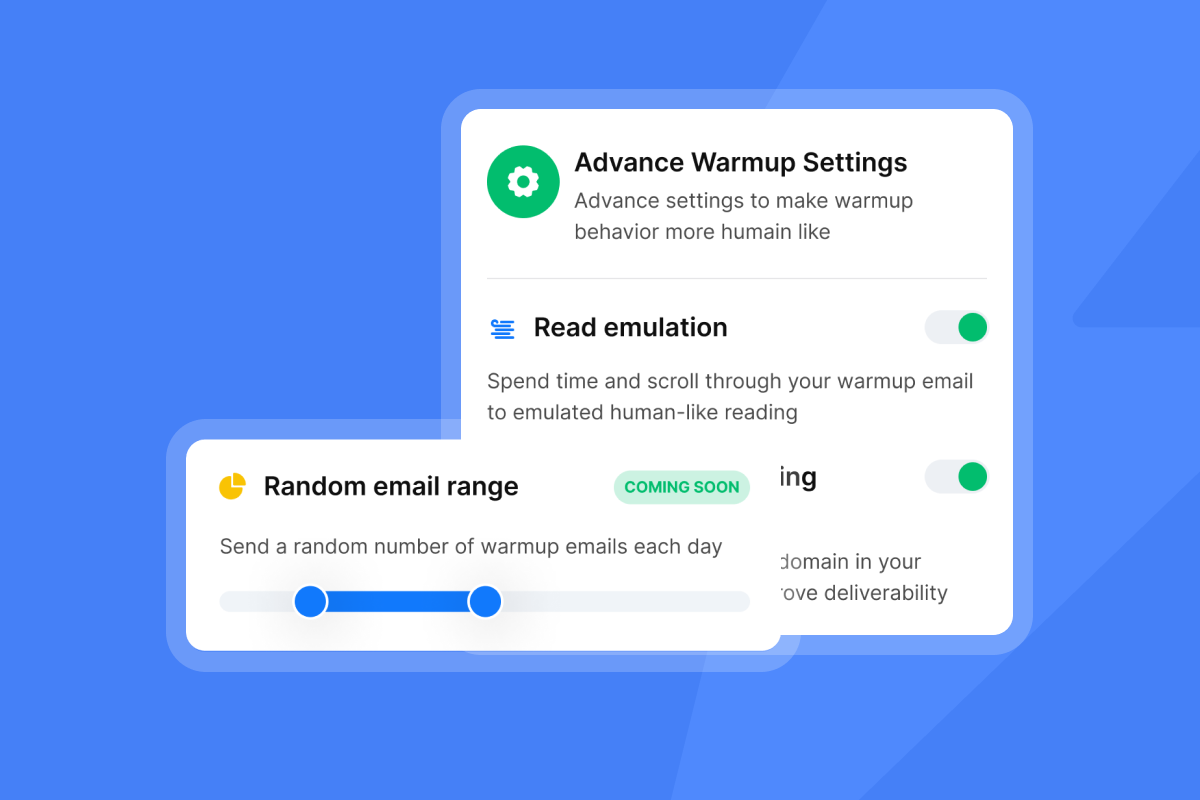
The warmup process begins by sending a few emails from the newly created mailbox to reputable inboxes, then gradually increases volume daily. The account must also receive emails, reply to messages, and mark important emails to build credibility. Manual warmup takes 2-4 weeks, but automated warmup tools accelerate this timeline.
Network size matters because warmup quality depends on the diversity of accounts exchanging engagement signals. We built a private deliverability network of 4.2M+ accounts that creates the engagement history ESPs require to trust your sending patterns. For implementation details, review how to enable warmup and configure warmup filters for Google and Microsoft.
"The best thing about instantly is how easy it makes bulk and personalized email communication... I also like the email warm up feature because it help maintain good email deliverability. Earlier, many HR emails were going to spam, especially when sending bulk interview calls, after using instantly, open and reply rates improved noticeably." - Raghav S. on G2
Inbox rotation distributes your campaign across multiple email accounts to keep volume per account low while maintaining total throughput. The safe sending limit is 30-50 cold emails per account per day. Send more and you risk spam folder placement.
If you want to send 400 cold emails per day at a safe rate of 40 emails per account, connect 10 sender accounts to your campaign.. For 1,000 emails daily, you need 20-30 warmed accounts. Sender rotation ensures no single account approaches spam-triggering volumes while your campaign scales. Users report 30-50% improvement in inbox placement through proper rotation.
We built inbox rotation directly into campaign settings so you can add unlimited accounts and distribute load automatically. Watch Instantly cold email features for a demonstration of multi-account sending in the interface.
2. Scalable sending volume: Unlimited accounts vs. per-seat caps
Your pricing model changes your scaling economics. To send 3,000 emails per day at 30 emails per inbox, you need 100 inboxes. Per-seat models create severe constraints because most tools give you 1 inbox on free plans, with professional plans capping at 15.
We keep your base cost constant as you add inboxes. Our Outreach plans include unlimited email accounts and unlimited warmup on every tier, so your software costs stay flat while sending capacity grows linearly. The formula: Cost-per-Meeting = (Monthly Software Cost) / (Meetings Booked). In per-seat models, adding 100 inboxes multiplies costs by 10x. We keep the numerator constant.
Most agencies run Hypergrowth Outreach at $97/month or Light Speed at $358/month with unlimited accounts. Compare that to per-seat tools where 100 accounts could cost thousands monthly.
Unlimited accounts is infrastructure, not just pricing. You spread load and protect domains. If one domain faces reputation issues, your other 99 accounts continue sending. This architecture is essential for agencies where client reputation must be isolated.
3. Unified inbox: Managing replies without context switching
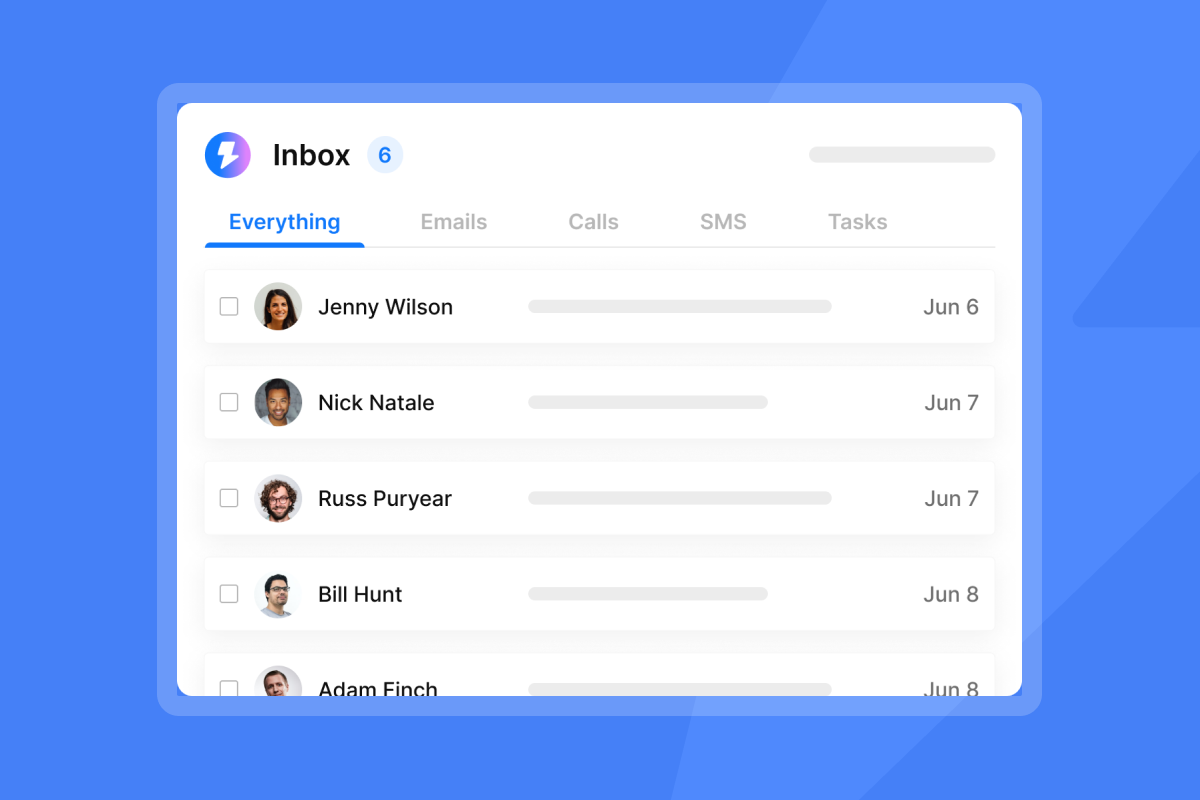
Before you implement a unified inbox, you log into 10 different Gmail accounts to check replies. One missed notification costs you a qualified lead. A Unified Master Inbox gathers messages from all your accounts in one place, so you handle every reply without context switching.
The unified master inbox centralizes all responses from your campaigns, simplifying response management by consolidating interactions into one view. You get a clear overview of which leads responded, which need follow-up, and which are unresponsive. Users report uploading hundreds of email accounts, sending thousands of cold emails per day, and maintaining an organized master inbox.
"I like that instantly can handle large scale email campaigns without worrying about deliverability. The automation for inbox rotation, warm up and sending limits makes outreach very smooth and saves a lot of manual work. The most helpful part is the detailed reporting." - Anjali T. on G2
Our Unibox aggregates replies, marks opportunities, and provides CRM-lite functionality for deal management. This removes the operational bottleneck of managing multiple Gmail logins for scaling teams.
Data and targeting features that reduce bounce rates
Your deliverability infrastructure only works if data quality keeps bounce rates below 2%. Poor data poisons even the best warmup and rotation systems. According to cold email benchmark, A bounce rate under 2% is ideal. Higher rates cause performance drops.
Current enforcement standards:
- Safe zone: Under 2% total bounces, under 1% hard bounces
- Warning zone: 2-5% triggers deliverability drops
- Danger zone: Above 5% hard bounces correlates with blacklisting
Industry data shows mean deliverability of about 91% at a 2% bounce rate, with serious problems above 5% hard bounces. For scaling guidance, review our cold email campaign strategy with secondary sending domains.
Waterfall enrichment and built-in verification
Waterfall enrichment checks multiple data providers sequentially. The AI web research agent scrapes company websites, job listings reveal hiring patterns, technology scanning identifies software stacks, and news enrichment surfaces timely personalization hooks. If the first provider doesn't find a valid email, the system tries the second, then the third, until finding valid contact information.
Our SuperSearch includes 450M+ B2B leads with waterfall enrichment from 5+ providers, LLM-assisted enrichment, and export to major CRMs. Built-in verification filters invalid addresses, role-based emails that rarely convert, and honeypot traps that damage sender reputation. Access our B2B lead finder to explore data quality tools.
Advanced personalization and spin syntax
Spintax (spin syntax) uses curly brackets and vertical bars to create text variations. Example: {Hello|Hi|Hey} randomly selects one greeting each time. Spam filters flag repetitive patterns, so spintax creates unique variations that protect deliverability and avoid looking automated.
A practical template: "{Hi|Hello|Hey} {{FirstName}}, I saw your {recent|latest} post and was {impressed|intrigued}. It {looks like|seems} you're doing great work at {{Company}}." This creates dozens of unique combinations while maintaining message intent.
We provide 600 templates for cold emails and a cold email copywriting framework that drives consistent reply rates. Our personalized lines feature helps scale custom intros without manual research for every contact.
Optimization features: Moving from guessing to knowing
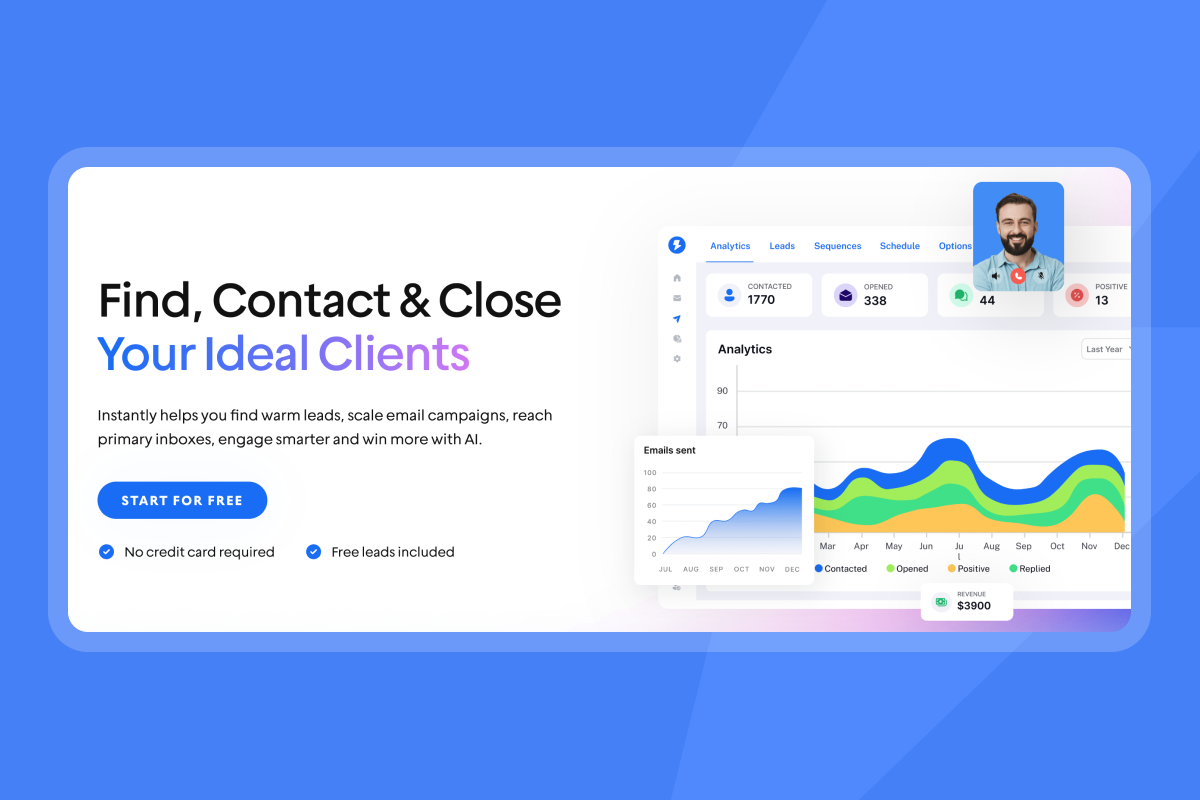
Testing and analytics turn cold email from guesswork into a repeatable system with predictable economics. Track the metrics that matter: reply rate, positive reply rate, and bounce rate.
A/Z testing and analytics dashboards
A/Z testing runs multiple variants simultaneously to identify winning patterns faster than simple A/B tests. You can test 5-10 subject lines, opening lines, or CTAs in parallel. Our A/Z testing feature helps optimize every campaign element.
Open rates became unreliable when Apple Mail Privacy Protection inflated open rates from 22.6% to 40.5%. Six months after MPP rollout, unique open rates jumped from 15.2% to 29.0%. Reply rate is the truest indicator of genuine interest because it represents undeniable, user-initiated action.
Average response rates dropped from 8.5% in 2019 to 5% in 2025. Target 5%+ total reply rate. Top campaigns achieve 10%+ through meticulous execution. Positive response rates range from 0.5-2% for cold B2B campaigns, with exceptional campaigns hitting 5%+.
For implementation guidance, watch things experienced operators wish they knew.
AI automation: Agents vs. simple writers
An AI writer drafts initial emails before campaign launch. AI agents automate during campaign execution, handling research, sending, and replies. Our AI Reply Agent reads inbound email, handles objections, shares calendar links, and updates CRM status in under 5 minutes. This automatic response saves hours of manual work and keeps leads warm.
Instantly Copilot creates sequences, subject lines, and campaign ideas. You can schedule recurring tasks like building campaigns or sending analytics summaries. It's designed for cold email and reflects your ICP and tone. See AI features that changed cold email for workflow demonstrations.
"I love Instantly's deliverability tools, which are the best I've encountered. Having used Salesloft, Apollo, and other tools, Instantly gives me the highest reply rate by far. The ability to send emails as text only, without HTML, significantly boosts deliverability." - Josh G. on G2
The "Marketing Fluff" to ignore
Focus your evaluation on capabilities that improve deliverability, volume, or reply handling. Deprioritize these feature categories:
HTML template builders: Plain text emails generate 21-42% more clicks and avoid 23-37% drops in open rates caused by images or GIFs. From a B2B standpoint, plain text outperforms by 4X-9X when asking for engagement. Our delivery optimization tool lets you send text-only, which is the correct approach for cold outreach.
Social media scheduling: Choosing the right tool means building a system that consistently books meetings. Adding secondary functions dilutes focus and rarely outperforms dedicated tools for each channel.
Vanity metrics dashboards: Clicks on links can hurt deliverability in cold contexts. Your goal is conversation, not traffic. Dashboards emphasizing link clicks over reply rates misalign incentives.
Comparison: Essential features checklist
Use this checklist to evaluate platforms objectively:
Feature | Why It Matters | Fluff Version |
|---|---|---|
Unlimited Accounts | Flat-fee scaling vs. 10x cost increase with per-seat models | "Up to 15 inboxes" |
Automated Warmup | Protects new domains, 8-12 week process runs in background | Manual warmup checklist |
Inbox Rotation | Distributes volume to stay under 30-50/day, 30-50% deliverability improvement | Single-account sending |
Unified Inbox | Aggregates replies from 100+ accounts, eliminates context switching | Multi-tab management |
Spintax Support | Prevents spam fingerprinting by varying message text | {{FirstName}} only |
Waterfall Enrichment | Queries 5+ providers to keep bounces under 2% | Single data source |
Reply Rate Analytics | Most reliable metric post-Apple MPP, shows genuine engagement | Open rate only |
Plain-Text Sending | 21-42% better engagement than HTML in B2B cold email | HTML drag-and-drop builder |
Bounce Detection | Auto-pauses campaigns when bounces exceed 2% | Manual monitoring |
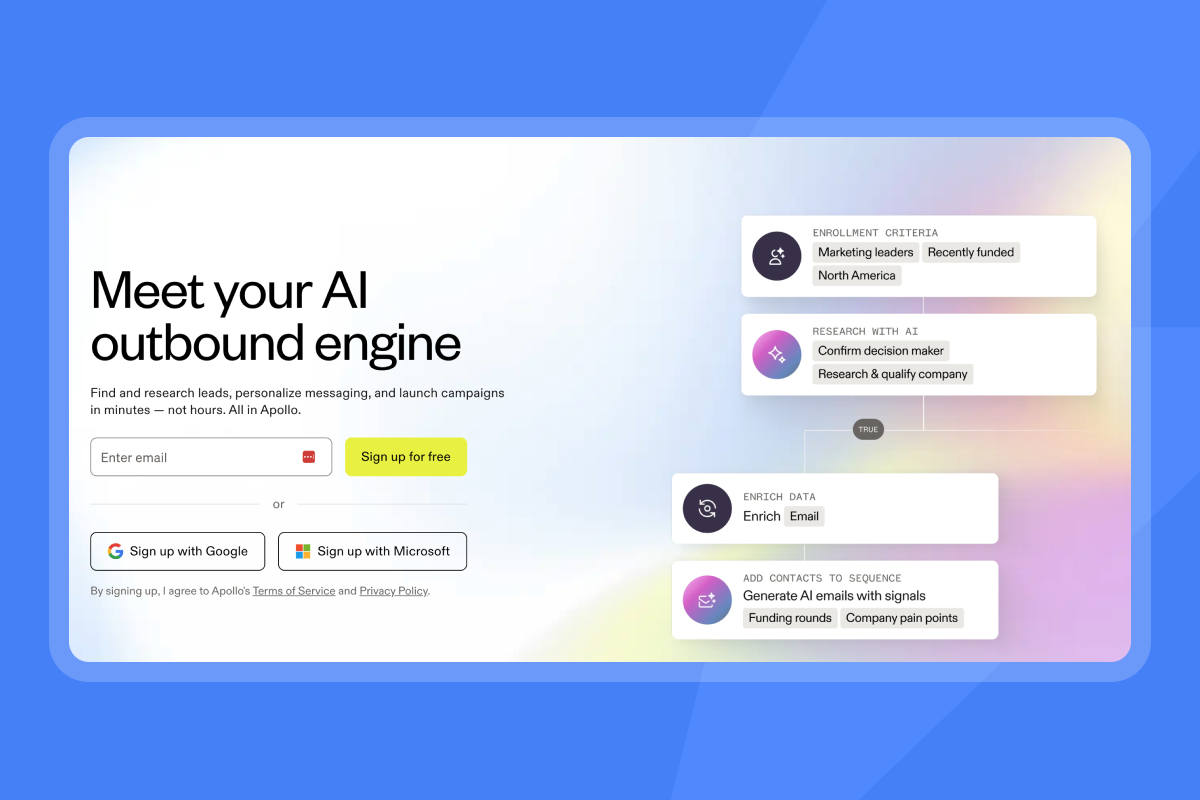
For comparison context, watch Apollo vs Instantly analysis.
Summary: Build your engine on plumbing, not paint
Most cold email tools optimize for demo-ability (fancy UI, weak AI) instead of infrastructure that books meetings. Your sender reputation takes 8-12 weeks to build and one bad campaign to destroy.
We built three capabilities that determine whether you book meetings or burn domains:
- Deliverability infrastructure: Automated warmup through 4.2M+ account network, SISR where needed, proactive reputation monitoring
- Scalable volume: Unlimited accounts on flat-fee pricing, not per-seat models that multiply costs 10x
- Unified inbox: Consolidates replies from 100+ accounts into one organized view
Aim for 5%+ total reply rate and 0.5-2% positive reply rate. Keep bounces under 2%. Send plain text. Use spintax. Rotate accounts to stay under 30-50 sends per inbox daily. These constants drive results regardless of industry.
Try Instantly for free and test how unlimited accounts and a 4.2M+ deliverability network change your pipeline math. For implementation, watch what to do if starting cold email.
"Instantly has been a game-changer for our cold email campaigns. We're launching an intensive outreach campaign, and the platform makes it incredibly easy to manage multiple email accounts, warm them up properly, and track performance across campaigns." - Natalie on Trustpilot
Frequently Asked Questions
What is the difference between email marketing and cold email software? Cold email software uses your own SMTP server to send 1-to-1 messages, while email marketing tools use shared servers that get blacklisted for cold outreach.
Does AI writing improve reply rates? AI writers help draft faster but don't replace list quality or offer strength. AI assistants that handle replies automatically improve conversion by reducing lead wait time.
How many emails can I send per day per inbox? Safe limits are 30-50 per inbox per day. To send 1,000 emails daily, rotate across 20-30 warmed accounts.
Why is a unified inbox important for agencies? Logging into 50-200 client Gmail accounts separately creates operational bottlenecks. Unified inboxes aggregate all replies, improving response time and preventing missed leads.
What bounce rate will get me blacklisted? Keep total bounces under 2% and hard bounces under 1%. Above 5% hard bounces correlates with serious problems.
Key Terminology
Spintax: A syntax format using curly brackets and vertical bars to create text variations that prevent spam fingerprinting.
SISR (Server & IP Sharding & Rotation): Dedicated IP pools that rotate automatically to distribute sending reputation across multiple servers.
Waterfall Enrichment: A process that checks multiple data providers sequentially until finding valid email addresses, reducing bounce rates.
Inbox Rotation: Distributing campaign volume across multiple accounts automatically, keeping each under 30-50 sends per day.
Unified Inbox: A single interface aggregating replies from unlimited email accounts, eliminating separate logins to manage responses.


