


Updated January 19, 2026
TL;DR: Cold email infrastructure requires SPF/DKIM/DMARC authentication, 2-5 alternate domains with 2-3 inboxes each, and 2-4 weeks of warmup before campaigns. Send 40-50 emails daily per fully warmed inbox to maintain deliverability. Scaling teams need 20-40 domains, SEG detection for secure email gateways, and automated safeguards. Instantly's DFY service handles technical setup, offers unlimited warmup, and provides 450M+ verified leads through SuperSearch. Enterprise plans include SISR for automatic server and IP rotation. According to our cold email benchmarks report, keep bounce rates below 2% and start with 5-10 emails per day during initial warm-up, gradually increasing over 4-6 weeks.
Cold email infrastructure is the foundation of every outreach engine. It involves all technical setups (DMARC, DKIM, SPF), email servers, and authentication protocols.
A solid infrastructure ensures high deliverability and scalability as you scale sending volume. Instantly offers a Done-For-You (DFY) email setup service if you want the process streamlined.
You can buy domains from our platform, and we’ll handle all technical setups and authentications. So, what does a cold email infrastructure look like? The answer depends on where you’re at with cold email.
How to Set Up a Basic Cold Email Infrastructure
Cold email infrastructure can be as simple or complex, depending on your needs. If you’re starting with cold email, you can start with something as simple as two to five alternate domains.
You can buy domains from Instantly or through sites like Namecheap, then do the following:
Set Up DNS Records (Deliverability Essentials)
Deliverability essentials include DMARC, DKIM, and SPF. Setting up all three ensures the security of the emails you send and receive.
Once the essentials are done, you can create a custom tracking domain (CNAME) to isolate sender reputation and track email clicks and opens.
But if you ask cold email marketers on forums like Reddit or our Cold Email Masterclass community, many would advise disabling open tracking. Enabling open tracking means applying a small pixel to your emails, which email service providers might view as spam.
Still, even if you disable open tracking, you should add a CNAME because it helps with click tracking and monitoring your overall sender reputation. It works as a proxy/mask for tracking endpoints, so it’s beneficial even if you’re not using all the features.
Create Mailboxes on Each Domain
After setting up the essentials, it’s time to create inboxes for all the alternate domains you bought. Best practice says that one domain can safely handle two to three inboxes. Just remember that what you name your inboxes can affect deliverability.
According to a NextAfter study, person-first sending accounts perform better. So instead of sales@mycompany.com, use john@mycompany.com. Also, avoid adding numbers and use natural-looking names.
Warm Up Your Inboxes
ESPs won’t trust your new emails, especially those with SEGs (secure email gateway) like Barracuda.
The best way to build trust and sender reputation is through email warmup. With Instantly, all you need to do is add your inbox and click a button to automate the process.
You can do this manually. You’ll need a couple of friends or established accounts to which you can send emails. Start by sending 10-15 emails per inbox daily. Then ensure that the receiver replies positively. Repeat this for 2-4 weeks before your actual campaign.
Email Sending & Rotation
Don’t rely on one sending account per campaign. Spread the sending volume throughout your domains and inboxes. Ensure no one carries the bulk of the weight. The best way is with an email automation tool that supports inbox rotation.
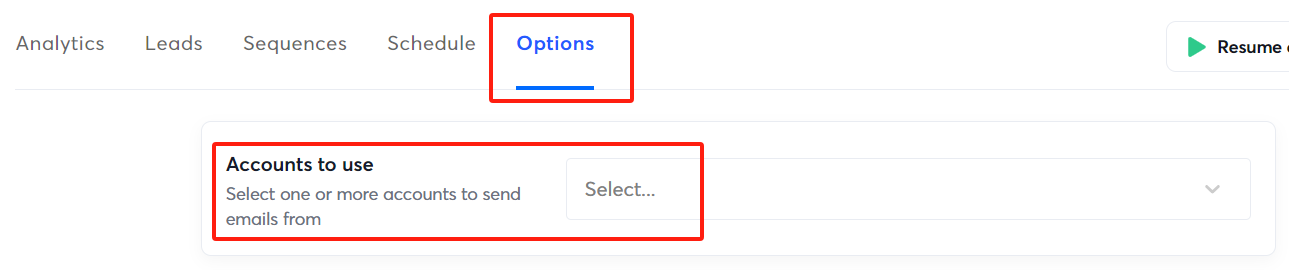
Keep sending volumes to 40-50 emails daily for fully warmed-up domains. But remember that warmups should be counted towards the daily limit. So, you can do a 20-30 split between cold outreach and warmups. To be on the safer side, you can even add more to the warmups.
Tracking & Deliverability Monitoring
Deliverability issues should always be nipped in the bud. The sooner you spot potential risks, the faster you can adjust campaign settings to ensure high deliverability.
As mentioned earlier, you can add domain tracking using a custom CNAME.
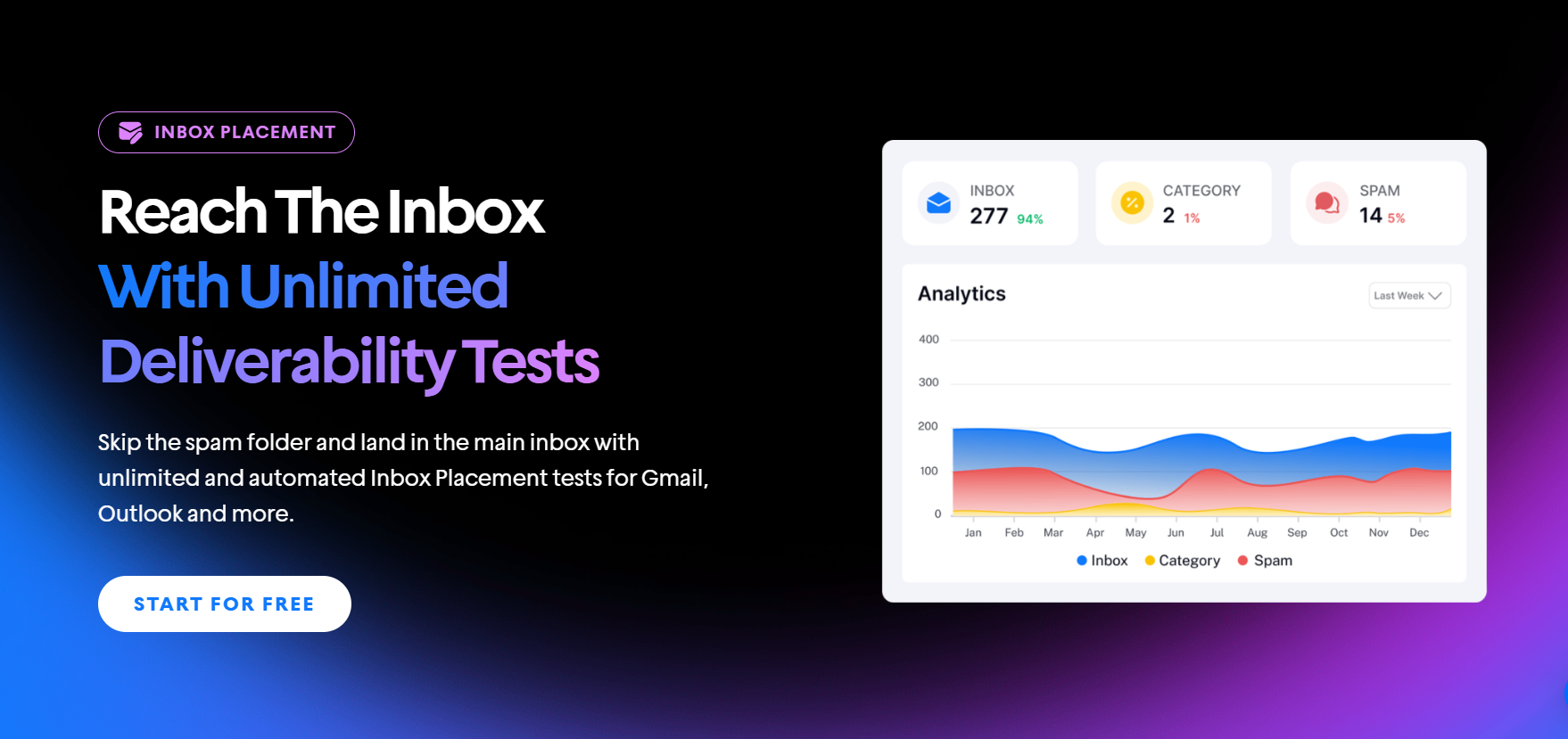
Before every campaign, run inbox placement tests to see if emails land in the primary email, promotions tab, or spam folders. With Instantly, you don’t have to go to a third-party inbox placement tester like GlockApps.
You can monitor blacklists, pinpoint potential spam triggers in your email content, and surface issues with your authentication. You can also run recurring tests and set rules based on campaign performance (for example, pause the campaign if deliverability drops below X level).
How to Know if You’re Ready To Scale Cold Email Infrastructure
If you plan on scaling, ensure you’ve completed all the essentials and already have a winning cold email marketing strategy. So, how do you know if you’re ready to scale your outreach campaigns? Here’s a quick checklist:
Consistently High Deliverability Rates
Deliverability is king in modern cold email marketing. You can’t scale if deliverability is low.
Adding more volume would just result in domains getting burned or blacklisted. As a rule, bounce rates should be less than 3%, with emails landing inside primary inboxes.
Healthy Reply Rates Across Your Cold Email Campaign
One of the main reasons why cold email marketers suggest disabling open tracking is that reply tracking is much more valuable.
Replies are, after all, the clearest indication of intent. They tell you if prospects are interested, on the fence, or don’t want anything with your business.
How prospects engage with your email provides a clear roadmap of what to do next. Interested leads get sent to your SDRs, those on the fence can be added to drip campaigns, and those who aren’t interested (especially those who opted out) should be removed.
So, what does a good reply rate look like? Belkin’s study suggested that the average cold email reply rate within the B2B space is around 8%. Of course, this number can be higher with the right email copy, quality lead lists, and enrichment.
List Quality & Enrichment Are Solid
Your lead generation strategies directly affect deliverability. You must gather verified leads that fit your ICP and ensure you have the right data for effective personalization.
Instantly SuperSearch, for instance, gives you access to over 450M verified leads, advanced filters, and enrichment.
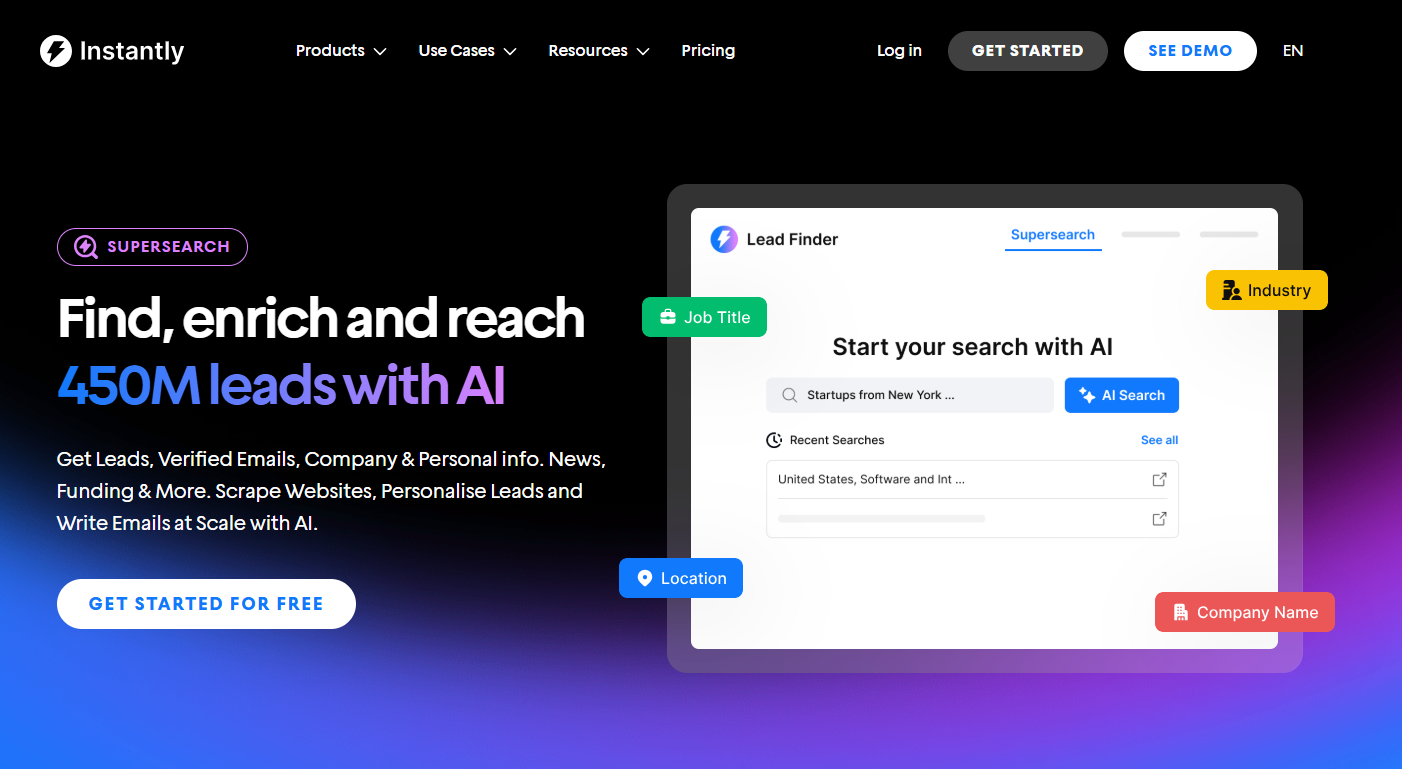
With SuperSearch, you can create a solid lead generation pipeline that runs like clockwork. You can also enable the Evergreen feature to automate the process and add leads directly to any Instantly campaign.
If you need enriched data, use Instantly Credits to enrich lead lists. You also have the option to use credits for the AI Web Research tool to find information that can make your personalization even more relevant.
You Have a System for Handling Replies with Room for Growth
Scaling outreach also means preparing for the surge in replies. Even at modest reply rates, doubling or tripling your daily send volume can overwhelm a single inbox. Without a process, you risk losing track of positive leads or letting interested prospects go cold.
A scalable system routes replies into a centralized dashboard where SDRs or automation can categorize them in real time. Interested prospects should move directly into your CRM or booking workflow, while “maybe later” responses can be tagged for nurturing sequences.
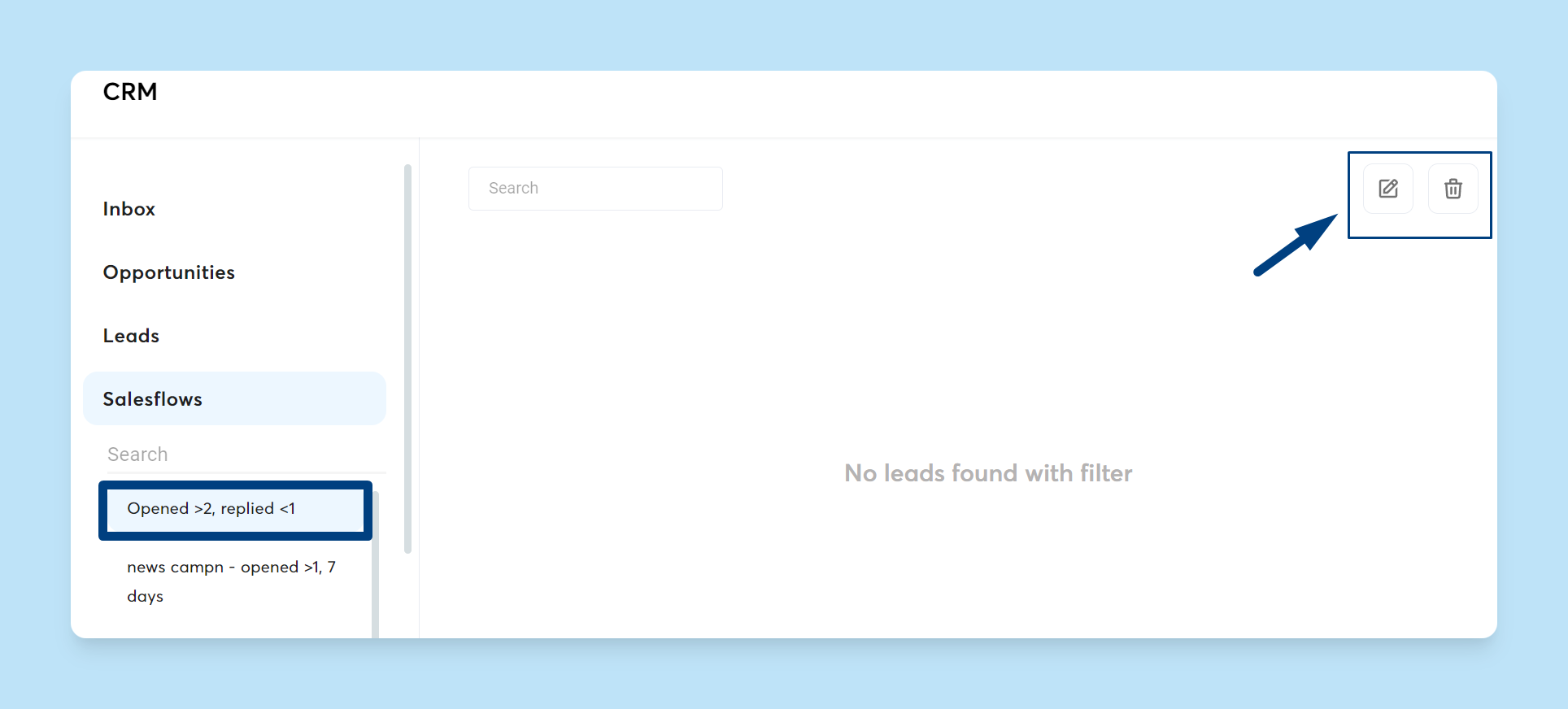
Unsubscribes and “not interested” replies must be filtered automatically to protect deliverability. With Instantly’s AI Reply Agent, replies are automatically analyzed, categorized, and routed to the correct workflow. It can even answer contextually, provide files, or schedule appointments.
You’ve Documented a Repeatable Playbook
The best part about cold email is that you don’t have to reinvent the wheel. Of course, the copy that resonates with prospects varies. Once you have a repeatable framework, document your playbook.
Outline your lead criteria, domain setup process, warmup strategy, and value props.
With a proven process in place, you can confidently add new domains, inboxes, and SDRs knowing that each will plug into a system already working. This foundation makes scaling faster, safer, and far more predictable.
Cold Email Infrastructure for Scaling Teams
Scaling agencies, businesses, and solopreneurs can use the Instantly Hypergrowth plan, which offers 25,000 lead uploads and 100,000 monthly sending volumes. This plan allows for growth before maxing sending limits.
And you get better warmup automation, A/B testing, unibox, and access to the global block list—everything you need to grow sustainably. To take full advantage of that scale, here’s the cold email infrastructure you’ll need in place:
Domain & Inbox Expansion Strategy
Once you move past the fundamentals, scaling means expanding your sending capacity with multiple domains and inboxes. A safe benchmark is 20–40 domains with 2–3 inboxes each. This lets you distribute volume evenly, so no single domain risks getting flagged or burned.
The challenge is that manually setting up DNS, inboxes, and warmups at this scale can take hours, and that’s before you even start sending. With Instantly DFY Email Setup, you skip the grind. You can also pre-warm accounts, so you don’t have to wait two weeks for ramp-up before launching campaigns.
Advanced Deliverability Safeguards
As volume increases, protecting deliverability becomes mission-critical. It’s not enough to set up SPF, DKIM, and DMARC; scaling requires safeguards that keep your sender reputation intact across every domain and inbox.
Global blocklist monitoring automatically filters out unsubscribes, “do not contact” entries, and high-risk leads. Pair this with bounce protection and real-time risk scoring to skip invalid or catch-all addresses that could tank your reputation.
The next layer is being SEG-aware. Many prospects sit behind secure email gateways (SEGs) like Proofpoint, Mimecast, Barracuda, or Cisco, which aggressively filter cold outreach. Instantly’s SEG detection automatically labels every lead in your table with its SEG.
You can even use SEG enrichment via API to check domains and, soon, filter prospects in SuperSearch before they enter campaigns. This allows you to apply custom routing rules, such as longer warmups, throttling volume, or skipping certain SEGs altogether.
Testing & Optimization Layer
At scale, you need structured A/Z testing to compare subject lines, call-to-actions, and messaging frameworks across large send volumes.
With Instantly’s A/Z testing, you can pit multiple versions of your emails against each other to see which ones drive the highest reply rates, then roll out winners across your campaigns.
Instantly’s built-in Spintax feature automatically generates multiple versions of the same email to add even more variation.
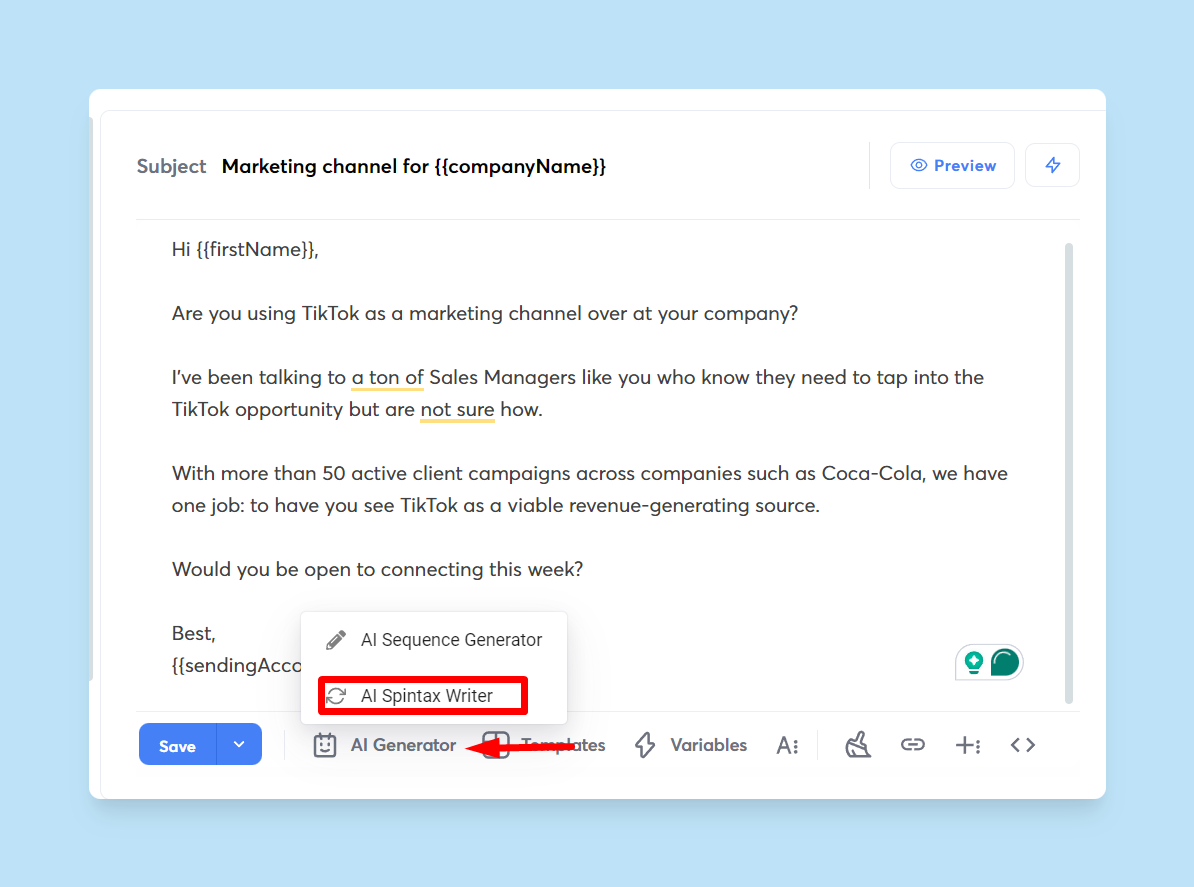
Each prospect receives a randomized variation, which helps avoid spam filters while making your outreach feel more natural and personalized.
Safety Nets & Scaling Rules
Safety nets are the systems that keep your outreach predictable and resilient as you add more domains, inboxes, and campaigns.
That means building automated throttling to prevent accidental oversends, setting daily caps so no SDR can push an inbox past safe limits, and creating failover routing where backup domains kick in if one pool gets flagged.
Add in retirement and replacement cycles, and you’re constantly phasing out aging domains while new ones are already warmed up in the background. With Instantly, you can manage all these rules across your infrastructure while also scaling your team without extra costs.
Unlike other platforms that charge per user seat, Instantly lets you add unlimited team members. Even as you onboard more SDRs, you’ll keep everything organized and efficient under one system, no need to worry about licensing bloat or chaotic inbox management.
Enterprise and Advanced Level Cold Email Infrastructure
Some teams invest in dedicated servers and private IPs at the enterprise level to control sending reputation at scale. While powerful, this setup is costly and complex, requiring in-house deliverability experts, ongoing IP monitoring, and hardware maintenance.
Burned or flagged IPs must be manually replaced, which can cause downtime and lost opportunities if not handled quickly. For most businesses, this level of infrastructure is simply overkill. Instantly’s Light Speed plan offers the same enterprise-grade advantages without the physical hardware or ballooning costs.
The plan includes access to Instantly’s SISR (Server & IP Sharding and Rotation) system, which automatically manages blocks of dedicated servers and IPs for you. It monitors performance, shuffles sending across multiple servers and IPs, and instantly replaces any underperforming or flagged IPs with fresh, high-reputation ones.
Key Takeaways
Cold email infrastructure sets the precedent for future campaigns. The stronger the foundation, the easier it is to scale winning strategies. Here’s a quick recap of the cold email infrastructure you can use in your own cold outreach engines:
- Basic cold email infrastructure: Authenticate alternate domains, warm up inboxes, rotate sending accounts, and track deliverability.
- Cold email infrastructure for scaling teams: Implement advanced deliverability safeguards, auto-optimize A/Z testing, and ensure safety nets are in place when scaling.
- Enterprise and advanced cold email infrastructure: Investing in private servers and IP addresses, shuffle sending across multiple servers, and replacing flagged IPs.
If you’re looking to simplify the cold email infrastructure setup, there’s no better platform than Instantly. Get DFY email setups, unlimited warmups, unlimited accounts, lead generation, enrichment, and advanced deliverability features under one roof. Start your free Instantly trial.


