


Updated November 17, 2025
TL;DR: Your startup's email signature is a valuable, low-cost marketing asset that appears on every message your team sends. Professional signatures build instant credibility, reinforce your brand, and generate trackable leads without difficult tools or high costs. This guide shows you how to design good signatures with key elements like name, title, company logo, contact details, and focused CTAs. Use free tools like HubSpot's generator or affordable platforms starting at $1.80 per month. Track performance with UTM parameters to measure click-through rates and conversions. Update signatures quarterly or when launching products, rebranding, or hitting milestones. Keep designs clean, mobile-responsive, and aligned with your brand for maximum ROI.
Your email signature is a valuable, low-cost marketing asset that appears hundreds of times each week, yet most founders treat it as an afterthought. A well-designed signature transforms every outgoing message into a brand-building, lead-generating opportunity that costs almost nothing to implement.
This guide cuts through the details. You will learn which elements drive results, how to create professional signatures without a designer, and how to track the ROI from every click.
Why a Professional Email Signature Matters for Your Startup
Professional email signatures deliver trackable value in four key areas. They build credibility instantly, strengthen your brand presence, drive website traffic, and provide performance data you can measure.
Build instant credibility and trust
A polished signature signals legitimacy to investors, partners, and prospects, so every interaction must count.
First impressions form within milliseconds. Your signature confirms your role, validates your company, and provides multiple ways to connect. For early-stage startups competing against established players, this consistency builds confidence.
Reinforce your brand identity
Email signatures maintain brand visibility across every conversation. Consistent branding using your company colors and fonts helps recipients recognize your startup and strengthens recall over time.
Your logo appears at the bottom of every email, creating hundreds of brand impressions per employee each month. A five-person team sending 50 emails daily generates 5,000+ monthly logo exposures at zero marginal cost.
Drive traffic and generate leads
Focused calls-to-action in signatures turn routine emails into lead generation channels. Strategic CTAs can highlight new product launches, webinars, or free resources that drive recipients to high-value landing pages. And most importantly it helps you get more replies!
Watch our deep dive on how email signatures and more help you drive a higher reply rate below:
Measure impact and ROI
Unlike most brand touchpoints, signature performance is trackable. Using UTM parameters with analytics platforms lets you measure click-through rates, website traffic from signatures, and conversions from signature links.
You can answer questions like "Which CTA drove the most demo requests?" or "Did our new signature design increase clicks?" This data informs ongoing optimization and proves ROI to stakeholders.
Key Elements of a Good Startup Email Signature
Good signatures balance professionalism with conciseness. Include these core elements while avoiding clutter.
Your name and title
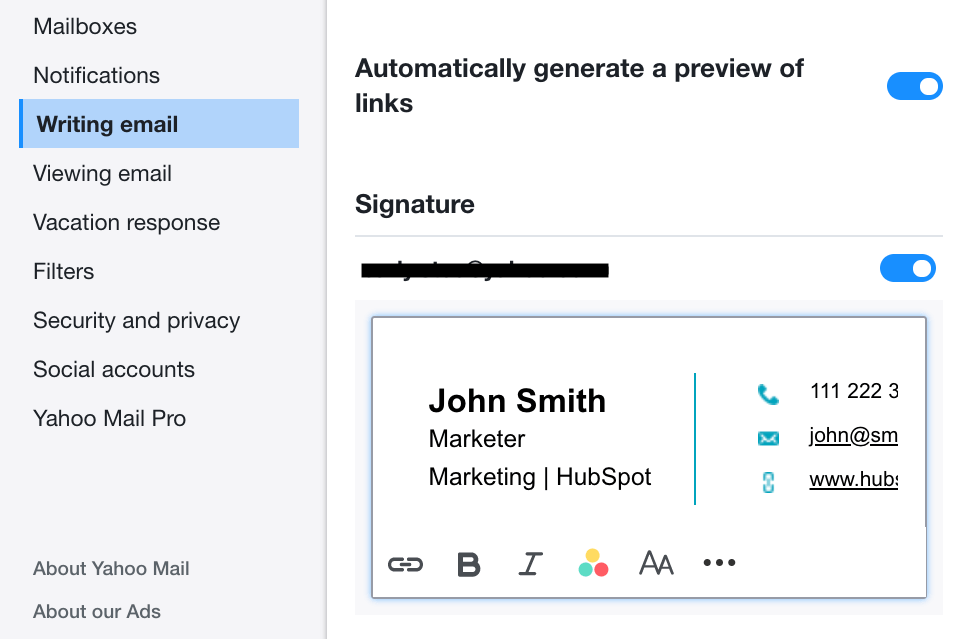
Start with your full name and job title. These two lines establish identity and authority. Your name and job title are key contact details that recipients need to understand who they are communicating with and your role in the company.
Titles help recipients gauge decision-making authority. "Founder" or "CEO" carries different weight than "Sales Development Rep." Be accurate and consistent across your team.
Company name and logo
Your company name should appear prominently, typically on its own line. Including your company name is key for brand recognition and attribution, reinforcing your startup's identity in every exchange.
Add your logo for visual branding. Keep the logo small, roughly 0.5 inches in height, to avoid overwhelming the signature. Ensure it links to your homepage.
Contact information (email, phone, website)
Include your business email, phone number, and website URL. These contact details provide multiple communication channels and make it easy for recipients to reach you through their preferred method.
Link your website URL so one click brings visitors to your homepage. Format phone numbers consistently across your team, for example +1-555-123-4567 for international clarity.
Call to action (CTA)
A focused CTA drives clear actions aligned with your current business goals. Choose short, action-oriented phrases like "Book a Demo," "Download Free Guide," or "See Our Latest Case Study."
Change CTAs quarterly to match campaigns and seasons. Refresh promotional elements regularly while keeping core contact details stable to maintain relevance without overwhelming your design team.
Social media links
Include 3-5 social media icons linking to active, professional profiles. LinkedIn is generally important for professional networking, and you should add other platforms only if they align with your marketing strategy and are actively maintained.
For B2B startups, LinkedIn is non-negotiable. Add Twitter (X) if you share thought leadership there, or Instagram if you are a visual brand. Avoid linking to personal or inactive accounts.
Legal disclaimers (if applicable)
Some industries require confidentiality notices or disclaimers. Keep these brief and at the very bottom. Most startups can skip legal boilerplate unless compliance mandates it.
If you must include disclaimers, use small text at 9-10pt and gray color to minimize visual impact. Consult legal counsel to confirm what your industry requires.
Design Best Practices for Startup Email Signatures
Design choices directly impact how signatures render across devices and email clients. Follow these principles to ensure consistency and professionalism.
Keep it clean and concise
Simple signatures perform better than complex ones. The key principle is "less is more," as overly busy signatures appear unprofessional and overwhelm recipients.
Limit your signature to 4-6 lines of text plus a small logo or headshot. Remove anything that does not serve a clear purpose. White space improves readability and prevents the signature from dominating the email.
Use consistent branding (colors, fonts)
Your signature should match your website and other brand materials. Using consistent brand colors and web-safe fonts ensures visual alignment with your startup's overall identity.
Stick to one or two accent colors from your brand palette. Use web-safe, sans-serif fonts like Arial, Helvetica, or Verdana for maximum compatibility. Avoid custom fonts that may not render correctly across email clients.
Check out this YouTube tutorial on creating professional signatures from scratch for visual guidance on applying consistent branding.
Optimize for mobile devices
More than half of emails are opened on mobile devices. Font sizes should range from 10-12pt or approximately 13-16px for general text to ensure readability on small screens.
Keep your design single-column and vertically stacked. Multi-column layouts often break on mobile. Test your signature by sending it to your own phone and viewing it in different email apps like Gmail, Outlook, and Apple Mail.
Choose the right image format and size
Small file sizes ensure fast loading and consistent display. Save logos and headshots as PNG files for transparency or JPG for photographs. Keep total signature size under 100KB.
Images should be no wider than 600 pixels and logos should be roughly 150-200 pixels wide. Compress images before adding them to reduce file size without losing quality.
Avoid too many graphics or animations
Animated GIFs, multiple banners, and flashy graphics often break in email clients or trigger spam filters. Static images and clean layouts are more reliable.
One element of visual interest, logo or headshot, is enough. Skip backgrounds, borders, and decorative graphics that add no functional value and increase file size.
Ensure accessibility
Use sufficient color contrast for text readability. Avoid low-contrast color combinations that are hard to read on mobile devices, especially in dark mode.
Add alt text to images so screen readers can describe them to visually impaired recipients. Keep hierarchy clear with larger text for names and smaller text for secondary details.
Cost-Friendly Tools and Methods for Creating Signatures
Startups have multiple options for creating professional signatures, from free generators to affordable management platforms. Choose based on your team size and technical capabilities.
Manual HTML coding (for tech-savvy teams)
If you have in-house developers, coding signatures in HTML and CSS offers complete control over design and formatting. This approach costs nothing beyond developer time.
Manual coding works well for very small teams with 1-3 people who have technical skills. It becomes inefficient as you scale because updates require code changes for each person.
Free online signature generators
Free tools handle the heavy lifting for non-technical founders. HubSpot Email Signature Generator is a widely used free browser-based tool that creates professional HTML email signatures compatible with Gmail, Outlook, Apple Mail, and Yahoo Mail.
Other free options include Gimmio, which offers over 55 professional templates, and WiseStamp's Basic plan, which provides access to templates at no cost. Free versions may include small branding links from the tool provider.
For visual learners, watch this tutorial on creating professional signatures in minutes to see the generator process in action.
Google Workspace and Outlook built-in options
Native email client features are free for existing users. Google Workspace and Microsoft Outlook both include signature editors in their settings.
- For Outlook on Windows: Open a new email, go to Message tab, click Signature, then Signatures. Create your signature, set defaults for new messages and replies, then save.
- For Outlook on Mac: Click Outlook in the menu bar, select Settings, then Signatures. Create your signature, edit content, and assign it to your account.
These built-in options work for basic signatures but lack advanced features like centralized team management or analytics.
How to Integrate CTAs and Track Signature Results
Signatures are silent salespeople when you track their performance and optimize based on data. Here is how to measure what works.
Craft good calls to action
Good CTAs are short at 2-4 words, action-oriented, and clearly communicate value. Lead with benefits like "Explore Our Services," "Download Your Free Guide," or "Register for Our Upcoming Webinar" that tell recipients exactly what they will get.
Avoid generic phrases like "Click Here." Instead, focus on the benefit or outcome. Test CTA buttons versus text links to see which drives more clicks in your context.
Use UTM parameters for tracking clicks
UTM parameters are tags added to URLs that let analytics tools track traffic sources. Create UTM-tagged links to add parameters like utm_source, utm_medium, and utm_campaign to your signature links.
For example, your website link might become: yoursite.com?utm_source=email&utm_medium=signature&utm_campaign=q1-promo. This tells Google Analytics exactly which link and campaign drove each visit.
Label your signature campaigns consistently. Use utm_medium=signature for all signature links so you can filter and compare performance over time.
Monitor website traffic and conversions
In Google Analytics 4, navigate to Reports, then Acquisition, then Traffic Acquisition. Set the primary dimension to "Session source / medium" and apply filters to isolate traffic from your email signatures.
Track two key metrics: overall click-through rate, which is the percentage of recipients who click any signature link, and conversion rate, which is the percentage who complete a desired action like form submission or demo booking after clicking.
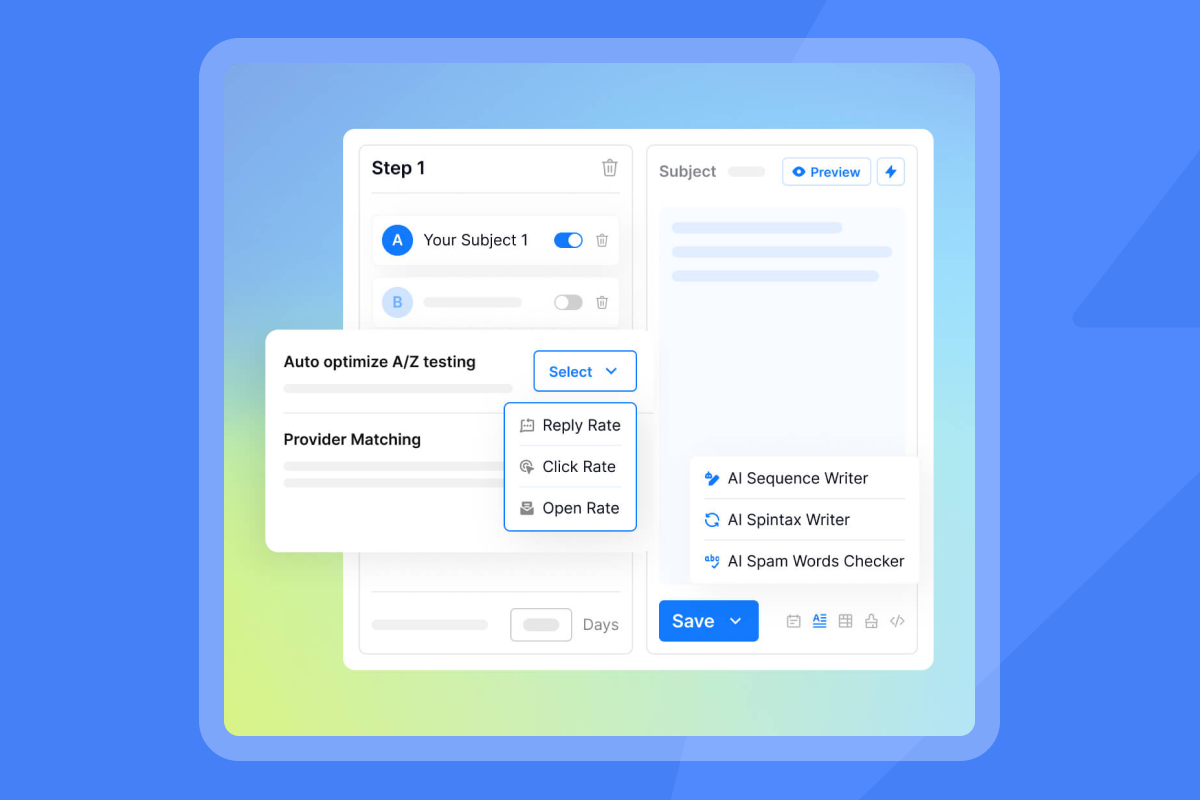
For broader outreach performance beyond signatures, tools like Instantly provide detailed analytics for email campaigns, including deliverability metrics and reply rates.
A/B test different signature versions
Test one variable at a time to identify what improves performance. Try different CTAs like "Book a Demo" versus "See How It Works," button colors, or placement of elements.
Split your team in half or run tests sequentially, using CTA A for four weeks, then CTA B for four weeks. Compare click-through rates to determine which version wins, then roll out the winner to everyone.
Mistakes to Avoid in Startup Email Signatures
Even simple signatures can fail if you make these errors. Watch out for these pitfalls.
Overloading with information
Cramming too much into your signature creates clutter and reduces readability. Information overload makes signatures appear unprofessional and distracts from your core message.
Stick to key elements only. If you are listing every social media platform, three phone numbers, and multiple addresses, you have gone too far. Prioritize what recipients actually need.
Using outdated or broken links
Nothing damages credibility faster than a 404 error. Verify that all links are functional and lead to the correct destinations before deploying signatures to your team.
Test every link quarterly. Update signatures immediately when you change website URLs, social media handles, or phone numbers. Broken links signal carelessness to prospects and partners.
Ignoring mobile responsiveness
Signatures that look perfect on desktop often break on phones. Mobile display issues are a key failure point for modern email communications.
Send test emails to your own mobile device before rolling out new signatures. Check how they render in Gmail, Outlook mobile apps, and Apple Mail. Fix any layout breaks or illegible text before deployment.
Inconsistent branding
When team signatures use different fonts, colors, or layouts, your startup appears disorganized. Consistency in signatures is important for professional brand presentation and recognition.
Create a signature style guide that specifies fonts, colors, logo placement, and approved CTA language. Use a centralized management tool to enforce standards across your team.
Neglecting legal requirements
Some industries require confidentiality notices, professional registration numbers, or disclaimers. Missing required legal elements can create compliance risk.
Check whether your jurisdiction or industry mandates specific signature content. Legal, healthcare, and financial services often have requirements. When in doubt, consult legal counsel.
Your Email Signature as a Growth Engine
Your email signature is not just contact information. It is a growing marketing channel that appears on every message your team sends, at zero marginal cost per impression.
Professional signatures build credibility, strengthen brand recognition, drive trackable traffic, and generate leads. Free tools and affordable platforms remove the barriers to implementation, while UTM tracking proves ROI.
Start by auditing your current signatures against this guide. Add missing key elements, simplify cluttered designs, implement mobile-responsive layouts, and add UTM-tagged CTAs to measure performance. Update quarterly to keep content fresh and aligned with business goals.
When you scale beyond email signatures to broader outreach campaigns, consistent deliverability and professional communication remain important. Instantly combines unlimited email accounts with built-in warmup and a deliverability network of 4.2M+ accounts to ensure your messages land in the primary inbox, not spam.
Try Instantly free and connect unlimited email accounts for trackable campaigns that turn cold prospects into booked meetings.
FAQ
What is the ideal length for an email signature?
Keep signatures to 4-6 lines of text plus a small logo or headshot. The best practice is to limit information to key contact details and one focused CTA to avoid overwhelming recipients. Total height should stay under 200 pixels for optimal mobile display.
Should I include a photo in my email signature?
Include a professional headshot if you are in a client-facing role or building personal brand. Photos humanize communications and build trust with recipients, especially in sales, consulting, or leadership positions. Use a high-resolution image sized to roughly 80-100 pixels square and keep file size under 20KB.
How often should I update my email signature?
Review and update signatures quarterly or 2-4 times per year to align with marketing campaigns and business changes. Update immediately when launching products, rebranding, winning significant awards, or changing contact information to ensure accuracy and relevance. Promotional elements like CTAs and banners should change more frequently than core contact details.
Can email signatures help with SEO?
Email signatures do not directly improve search engine rankings because email content is not crawled by search engines. However, signatures drive referral traffic to your website when recipients click through links. This traffic can indirectly support SEO by increasing engagement metrics and building brand awareness that leads to more direct searches and branded queries.
Key Terminology
Call to Action (CTA)
A call to action is a prompt that encourages recipients to take a specific action, such as "Book a Demo," "Download Free Guide," or "Register for Webinar." In email signatures, CTAs appear as linked text or buttons that drive traffic to landing pages aligned with current business goals.
UTM Parameters
UTM or Urchin Tracking Module parameters are tags added to URLs that allow tracking in analytics platforms. The five standard parameters are utm_source, which identifies traffic source like "email," utm_medium for channel like "signature," utm_campaign for specific campaign name, utm_term for keywords, and utm_content to differentiate similar links. These parameters let you measure exactly how many visitors and conversions come from your email signature.
Sender Reputation
Sender reputation is a score that email providers like Gmail, Outlook, and Yahoo assign to your domain and IP address based on engagement rates, spam complaints, bounce rates, and authentication. High sender reputation improves deliverability and inbox placement. Maintaining sender reputation requires list hygiene, email authentication including SPF, DKIM, and DMARC, and gradual sending ramp-ups to build trust with mailbox providers.


