


Updated October 28, 2025
TL;DR: If you run an agency and scale across multiple client domains, clean data between your sales engagement platform and CRM is what keeps you in the primary inbox and protects your sender reputation. This guide shows you how to import contacts, merge duplicates, map fields precisely, implement validation rules, and export performance metrics so your outreach drives revenue instead of landing in spam. Instantly's flat-fee pricing combines unlimited sending accounts, a 450M+ B2B lead database with waterfall enrichment, and automated deliverability monitoring to eliminate tool sprawl and per-seat penalties. For agency operators who need to scale safely, the right integration strategy and the right platform mean the difference between consistent pipeline and burning client domains.
Understanding Outreach-CRM data management
- Effective sales outreach and accurate reporting start with synchronized data between your sales engagement platform and CRM.
- When your contact records, activities, and performance metrics flow cleanly between systems, your team spends time selling instead of reconciling spreadsheets or chasing down missing information.
- For agency operators managing 10 to 150 sending inboxes across multiple client domains, poor data hygiene quickly creates larger problems. One client's list with a 3 percent bounce rate can trigger spam placement across all your domains if you don't catch it early.
Why data hygiene matters for sales efficiency
Bad data kills deliverability.
- High bounce rates, spam traps, and duplicate contacts signal to mailbox providers that you are not maintaining list hygiene. Poor data quality can cost organizations an average of $12.9 million annually, and for agencies, one compromised domain can affect multiple client relationships.
- Inconsistent data also breaks attribution and reporting. If your CRM shows one deal stage and your engagement platform shows another, you lose visibility into what is actually working.
- Sales leaders need accurate, real-time reporting to forecast pipeline and allocate resources.
- Data quality directly impacts sender reputation. When you import unverified contacts and send at scale, mailbox providers track your bounce rates, complaint rates, and engagement signals.
- Keep bounces at or below 1 percent. To protect sender reputation, never scale past 30 emails per a single inbox per day. Watch how to get almost infinite, verified and qualified leads data with Instantly:
The core components of integration
An effective CRM and sales engagement integration handles three core data flows:
- Bi-directional contact sync ensures that when you create or update a contact in one system, the change propagates to the other. Activity tracking captures all sales touches in your CRM so your entire team sees the full conversation history.
- This includes emails sent, opened, replied, calls made, and meetings booked.
- Field mapping and validation define how data flows between systems and what rules prevent bad data from entering. Without precise field mapping and validation rules, you risk data loss, type mismatches, and incomplete records that break automation and reporting.
Instantly supports even more integrations beyond Bi-directional sync options which you can tailor to your needs in just a few clicks. Here's a real world demo of these in action:
Importing contacts and activities to Outreach
Importing contacts and activities to your sales engagement platform requires understanding different methods for single records, bulk imports, and ongoing sync.
The method for importing contacts and activities varies depending on whether you are performing a single-record import, a bulk import from a CRM, or relying on ongoing bi-directional sync.
Step-by-step: CRM to Outreach contact import
Many sales engagement platforms use unique email addresses to identify duplicate prospects.
If a CRM record syncs without an email address or if multiple records with the same email exist in the CRM, duplicate prospects might be created.
For single-record imports:
- Access your platform and click the Actions button, usually in the top right corner.
- Select the CRM load option applicable to your organization.
- In the pop-up, choose the object type (Lead, Contact, Account).
- Input the name of the record into the search field.
- Optionally, toggle settings to include associated contacts, leads, and accounts or skip integration filters.
- Click Import.
Once records are in your engagement platform and bi-directional sync is configured, updates made in the platform will push to the CRM.
For bulk imports from Salesforce:
- Use Salesforce reports or the Salesforce List View with your platform's Chrome extension.
- Access Salesforce, create a specific view of Leads, Contacts, or Accounts, and ensure all mapped fields including Name and Email Address are enabled in the selected fields section.
- Select the checkboxes next to the desired records and click Import.
For CSV imports:
- Sales engagement platforms support bulk creation of prospects and accounts by importing CSV files. This method requires careful preparation to ensure data accuracy and proper mapping.
- Always deduplicate your CSV before import to remove overlapping records.
For HubSpot integrations:
Instantly's integrations with HubSpot enable automated two-way data sync for contacts and activities. Data shares between platforms in real-time, with updates in one platform automatically appearing in the other.
Custom field mappings are available with certain HubSpot Data Hub plans to further tailor the sync. Here's a walkthrough on how to set this up in just a few clicks:
Syncing sales activities for a unified view
- Activity sync ensures completed activities are recorded in your CRM so your entire sales team sees the full picture.
- This includes emails sent, opened, and replied, as well as calls, tasks, and meetings.
- Tasks created directly in the CRM generally do not sync back to your engagement platform. The task sync is designed to push tasks from the engagement platform to the CRM.
- Similarly, while platforms can sync Opportunities from the CRM, updates or edits made to Opportunities within the engagement platform typically will not push back to the CRM.
- For agency operators, maintaining a clear system of record prevents conflicts and lost data. Designate your CRM as the authoritative source for all contact, company, and deal data.
- Your engagement platform should reference CRM IDs rather than independently creating new records.
Mastering field mapping for effective data transfer
Effective field mapping is crucial for accurate data flow between your CRM and sales engagement platform.
Field mapping is critical for ensuring data accuracy and preventing loss or misinterpretation as information moves between systems. Mismatched data types between your engagement platform and CRM can lead to sync errors and broken automation.
Best practices for field mapping templates
Start by understanding the standard and custom fields available in both your engagement platform and your CRM.
Ensure data type compatibility:
- A Dropdown Select field in HubSpot should map to a Picklist field in your engagement platform, and a Single Checkbox in HubSpot should map to a Boolean field.
- Instantly's custom fields support various formats including Plain text, Numerical, Percentage, Currency, Date, Date/Time, URL, Phone Number, Single-Value pick-list, and Boolean.
Create custom fields strategically:
If you need to sync data to a custom field, create the custom field within your engagement platform first, assigning it a clear label.
Then access the CRM integration settings and map your newly created field to the corresponding custom field in your CRM. Document the purpose, data type, and any validation rules for custom fields to ensure consistency.
Steps to add field mappings:
- Log in to your platform and navigate to Integrations then CRM.
- Click on the specific CRM integration and select the applicable object type.
- Click Add mapping on the right-hand side.
- From the CRM Field dropdown, select the field from your CRM.
- From the platform Field dropdown, select the corresponding field.
- Enable Update CRM and Update platform options as applicable to define sync direction.
- Click Save.
Utilize advanced settings for granular control:
- Configure Skip Empty Values settings to prevent blank values from overwriting existing data in either system.
- If your CRM has validation rules requiring certain fields, your platform can substitute a blank value with a placeholder text when pushing data to satisfy the CRM's requirements.
- For fields that reference other records, enable Mapped Field and set the External Mapped Type. You can also configure your platform to look up the record by name instead of ID.
To put this into practice watch our practical tutorial on how to leverage all of these features for your business with Instantly CRM.
Impact on A/B testing and attribution for growth marketers
Precise field mapping ensures that campaign performance data, including A/B test results, flows accurately into your CRM.
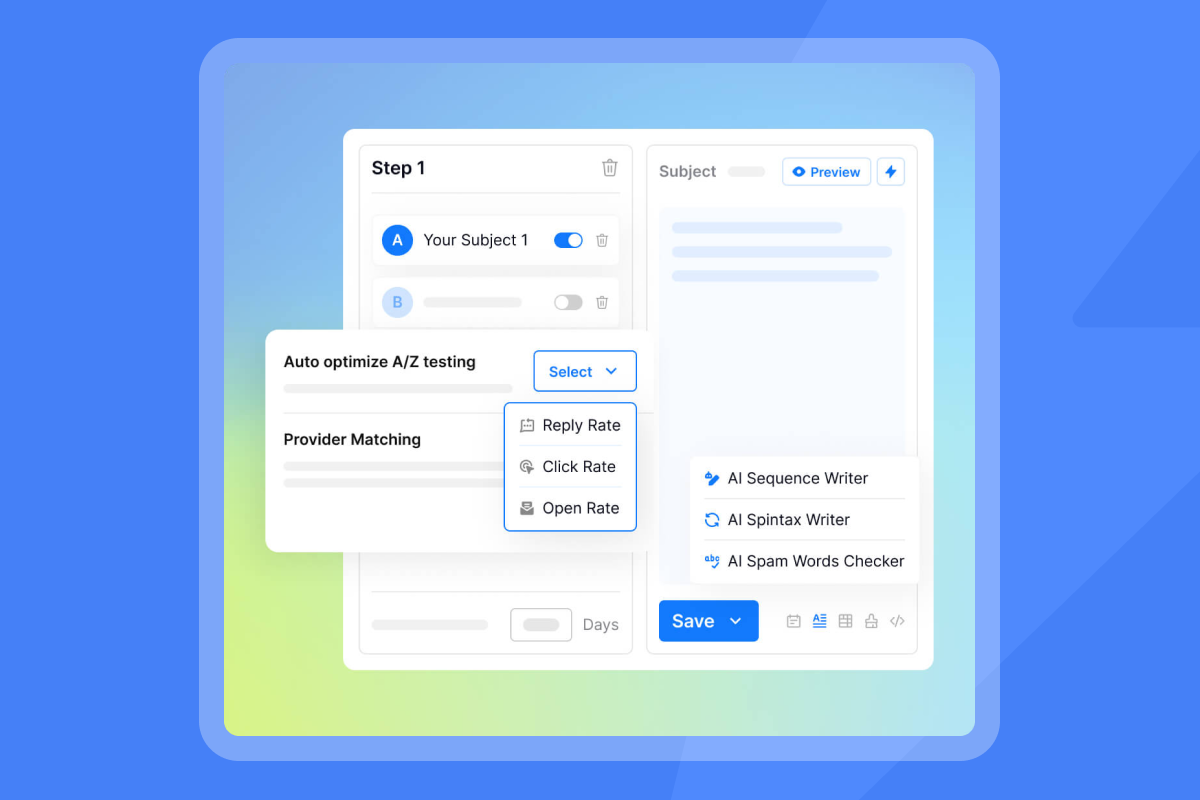
When your engagement platform tracks which subject line or send window performed best, that data must map to custom fields in your CRM so you can segment, report, and iterate.
For attribution, mapping fields like Campaign Source, Campaign Name, and First Touch Date allows you to tie closed revenue back to specific outreach sequences. Without accurate field mapping, you lose visibility into which campaigns drive meetings and which burn budget.
Scaling field mapping across multiple client CRMs for agency operators
- When you manage 10 to 25 clients, each with their own CRM instance and custom fields, standardization becomes critical.
- Create a field mapping template document that serves as your source of truth. This document should list field names from both your platform and CRM, data types, sync direction, purpose, custom field notes, transformation logic, and an owner for each mapping.
- Maintain version control for your documentation as mappings evolve. Assign an owner for each mapping to ensure accountability.
- When onboarding a new client, clone your template and adjust only the custom fields specific to their business.
- Instantly's integrations with HubSpot and Salesforce enable agencies to scale field mapping across multiple client CRMs without manual work. The platform's flat-fee pricing allows for adding client inboxes without per-seat penalties.
Merging duplicate contacts: ensuring clean data
Merging duplicate contacts is essential for maintaining data integrity, accurate analytics, and effective outreach.
Duplicate records lead to wasted efforts, inaccurate analytics, and fragmented customer views. For agencies sending at scale, duplicates also create larger deliverability problems.
If you send the same prospect two sequences because they exist as separate records, you increase complaint rates and signal poor list hygiene to mailbox providers.
Strategies for deduplication within and across systems
Establish a single source of truth:
Designate your CRM as the authoritative system of record for all contact, company, and deal data.
Several sources emphasize defining HubSpot as the "source of truth" to prevent duplicates when integrating with outreach tools. Your engagement platform should reference CRM IDs (contact ID, email, deal ID) rather than independently creating new records.
Implement proactive prevention strategies:
- Standardize data entry across your sales team for names, email addresses, phone numbers, and other key information.
- Utilize predefined fields and formats within your CRM to minimize inconsistencies and typos that lead to duplicates. Implement data validation rules and triggers in your CRM to identify and flag potential duplicates as data is being entered or updated.
- Control auto-create contact features when integrating your engagement platform. Carefully configure or disable any "auto-create contact" features unless there is a specific, well-defined use case. This prevents your platform from creating redundant records in the CRM.
- Always deduplicate lists before import. Clean and deduplicate any contact lists before importing them into your platform or CRM. This removes overlapping records before they create problems.
Systematic duplicate detection:
- Many sales engagement platforms use unique email addresses to identify duplicate prospects.
- Most CRMs, including Salesforce, HubSpot, and Microsoft Dynamics 365, offer native duplicate detection rules. These rules can be customized to flag potential duplicates based on fields like name, email, phone number, and company name during record creation or updates.
- For more sophisticated detection, use tools that employ AI-based fuzzy matching algorithms to identify near matches in addition to exact matches.
- Conduct periodic data audits monthly or quarterly of your entire database to identify inaccuracies, outdated information, and existing duplicates. Many CRMs allow scheduling automated duplicate detection jobs.
Criteria for merging records:
- When duplicates are identified, choose one record as the master (or primary) record, into which information from the secondary record(s) will be consolidated.
- Prioritize the record with the most comprehensive and accurate information. Select the record with the latest engagement or update activity.
- If one record contains a typo or outdated information, merge into the record with the correct details.
- Before merging, review both contact profiles to ensure no critical information is lost. Consider the number of active tasks and sequences associated with each potential duplicate to aid in your selection.
Executing the merge process:
- In HubSpot, navigate to Contacts, click on the contact you want to keep as the primary record, click Actions then Merge, and search for and select the duplicate contact.
- HubSpot will combine known properties, associated activities, and notes into the primary profile, retaining a history of the merged records.
- In Salesforce, use the built-in feature to manually merge up to three contacts via the user interface using View Duplicates in Lightning Experience.
- Select the records to merge, choose the master record from a side-by-side comparison, and confirm. Salesforce may require manual removal of redundant account relationships before merging contacts with multiple account structures.
Handling merged data in both systems:
- When records are merged in the CRM, your engagement platform will sync these changes.
- If a platform prospect is mapped to a merged CRM contact (where the merged CRM record becomes the master), the platform prospect will automatically be associated with the new master record ID. However, if two separate CRM records, each mapped to a distinct platform prospect, are merged in the CRM, the platform prospect linked to the non-master CRM record may be permanently deleted.
- During a merge, ensure all linked records such as opportunities, tasks, notes, and other activities are correctly associated with the surviving master record.
- CRMs like HubSpot typically handle this automatically by consolidating all associated data into the primary contact's timeline.
- All of these checks will give your outreach a real boost when combined with the best in class data sources from Instantly and our integrations. Checkout our top 12 B2B lead generation tactics for 2025 on how we approach this.
Implementing data validation rules for CRM sync
Implementing data validation rules is crucial for maintaining data quality and consistency between your CRM and sales engagement platforms.
Data validation rules act as gatekeepers, preventing erroneous or incomplete information from entering your systems and propagating across integrated platforms. For agency operators, one bad import can affect multiple client domains and damage sender reputation.
Defining and setting up validation rules
Required fields:
- Required fields ensure critical information necessary for sales processes is always captured at the point of entry.
- Making the Account field mandatory for all Opportunities or requiring either an Email Address or Phone Number for a Lead before it can be converted to a Contact prevents incomplete records from breaking automation.
- In Salesforce, navigate to Setup then Object Manager, select the object, then Validation Rules then New. Write an Error Condition Formula using ISBLANK() to check if a field is empty.
- In HubSpot, within Settings then Properties, you can set properties as Required when creating or editing them.
Format checks:
- Format checks guarantee data consistency and usability, particularly for communication channels. Invalid emails lead to bounces and damage sender reputation.
- Verify email addresses adhere to a standard format. Ensure consistent formatting for phone numbers. Validate website extensions.
- In Salesforce, use REGEX() functions within Validation Rules to enforce specific email or URL patterns.
- In HubSpot, under the Rules tab for text or phone number properties, you can select options like Don't allow leading and trailing spaces, Restrict values to numeric characters, or Validate using custom rules with regular expressions for complex patterns.
Picklist and dropdown validation:
- Standardize data entry by restricting values to a predefined list, eliminating free-text variations and ensuring consistent segmentation and reporting.
- Define a fixed set of Lead Status or Industry options. Ensure Lead Source is selected from an approved list.
- Create a Picklist field type in Salesforce and define its values. In HubSpot, create a Dropdown select or Radio select property type and define its options.
- In your engagement platform, navigate to Administration then Records then Prospects, go to the Fields Configuration Tab, click Add configuration, select the field, choose Picklist (Single select) or Picklist (Multi Select), and input the allowed values.
Uniqueness checks:
- Prevent the creation of duplicate records, which lead to inefficient outreach, inaccurate data, and a poor customer experience.
- Require a unique Account ID or Order Number. Automatically prevent multiple prospects with the same email address.
- In Salesforce, utilize Duplicate Rules within Setup to define matching criteria and specify actions when duplicates are detected.
- In HubSpot, for certain property types you can select Require unique values for this property under the Rules tab.
Range and limit checks:
- Ensure numerical and text data fall within expected business parameters, preventing unrealistic values or truncation issues.
- Enforce a minimum or maximum value for Annual Revenue or Discount Percentage. Set minimum or maximum character counts for Description fields.
- In Salesforce, use LEN() for character length and comparison operators within Validation Rules for numerical ranges.
- In HubSpot, for Number properties you can set Set min value limit or Set max value limit under the Rules tab.
Preventing inconsistencies in bi-directional data flow
- When data flows in both directions between your engagement platform and CRM, conflicts can arise if both systems update the same field simultaneously.
- Instantly's Skip Empty Values settings prevent blank values from overwriting existing data in either system. If a prospect's phone number is removed in your platform, this setting prevents it from overwriting an existing number in the CRM.
- Conditional logic allows validation rules to adapt to different scenarios, ensuring relevant data quality checks based on the context of the record.
- Require different sets of information for Prospect accounts versus Customer accounts. Mandate certain fields only if a Lead has reached a specific Lead Status.
- In Salesforce, incorporate AND(), OR(), and ISPICKVAL() functions in Validation Rules to create conditional logic based on other field values.
- In HubSpot, workflows can be set up to notify teams of inconsistencies or guide users to correct data based on conditional criteria.
Ensuring consistent reporting for sales leaders
Accurate, real-time reporting depends on clean, validated data.
- When validation rules enforce consistent data entry and prevent incomplete records, sales leaders gain visibility into pipeline health, rep productivity, and campaign performance.
- For agencies managing multiple client accounts, standardized validation rules across all client CRMs ensure apples-to-apples reporting.
- Create a validation rules template document that lists the rule name, purpose, logic, error message, and objects affected. Apply this template to each new client CRM during onboarding.
- Test validation rules thoroughly before activating them to ensure they function as intended and do not create unintended obstacles or conflicts with existing automation.
- Maintain comprehensive documentation of all validation rules, including their purpose, logic, and any dependencies. Periodically review and update your validation rules to ensure they remain relevant and effective as data requirements evolve.
Benefits of effective data management
When your CRM and sales engagement platform share clean, synchronized data, your entire go-to-market motion improves. For agency operators, the benefits compound across every client account you manage.
Improved deliverability and sender reputation
- Clean data directly protects your sender reputation. Inconsistent data quality carries significant financial costs, and for agencies, one compromised domain can affect multiple client relationships.
- When you verify contacts before import, deduplicate lists, and enforce validation rules, you keep bounce rates at or below 1 percent.
- Instantly's 450M+ B2B lead database with waterfall enrichment and automated Inbox Placement tests ensure you start with clean data and monitor deliverability at scale.
- The platform's deliverability network of 4.2M+ accounts underpins warmup and engagement, helping you maintain primary inbox placement even as you scale to hundreds of sending accounts.
Enhanced reporting and ROI visibility
- Accurate field mapping and data validation ensure your CRM reflects the true state of your pipeline.
- Sales leaders gain visibility into which campaigns drive meetings, which sequences convert, and which reps hit quota. CRM integration leads to increased lead conversion, improved cross-selling, and enhanced customer targeting, ultimately driving revenue growth.
- For agencies, client reporting becomes straightforward when your data is clean.
- Export performance metrics by client account, show meetings booked and pipeline generated, and demonstrate ROI with clear attribution.
Reduced context-switching and operational efficiency
- When your engagement platform and CRM share a single source of truth, reps spend less time reconciling data and more time selling.
- For agencies, reducing context-switching means faster onboarding for new client accounts and less time training junior staff.
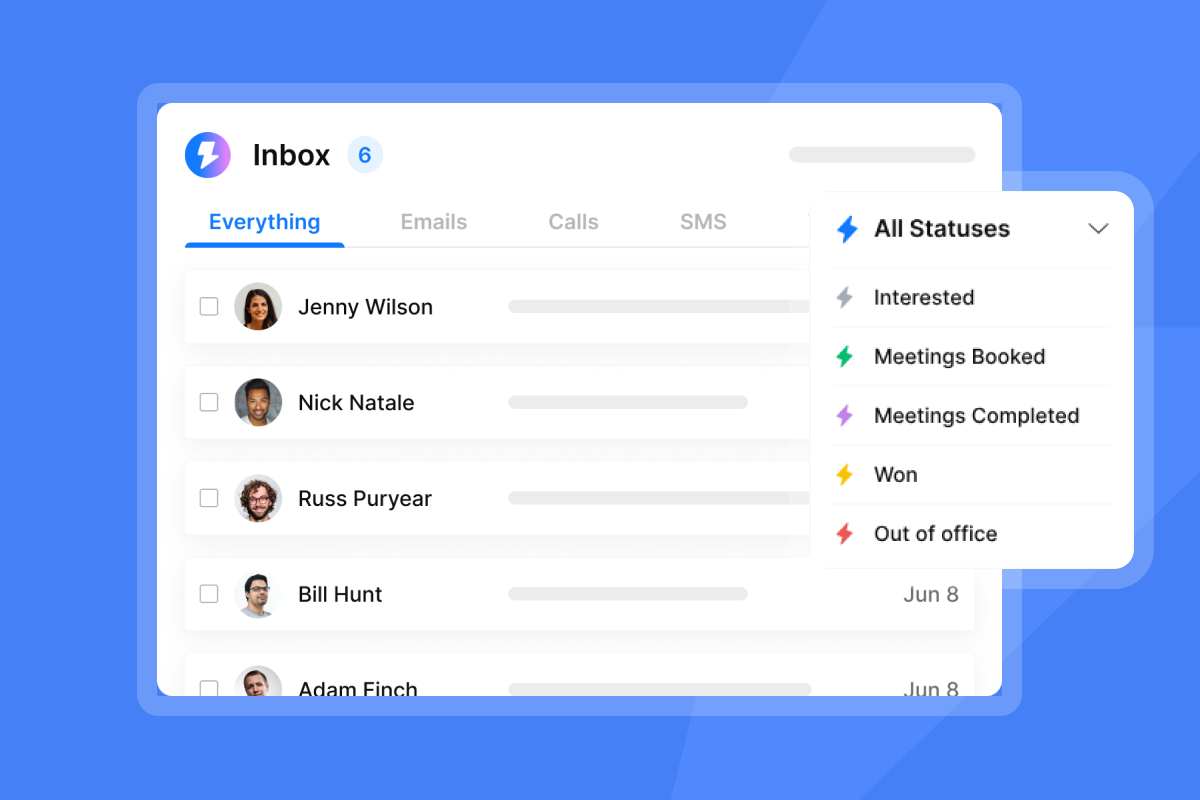
- Instantly's unified inbox (Unibox) centralizes replies across all sending accounts, and the AI Reply Agent auto-handles lead replies in under 5 minutes, freeing your team to focus on high-value conversations.
As one customer noted on G2,
"I like that instantly can handle large scale email campaigns without worrying about deliverability."
Common challenges and best practices
Integrating a sales engagement platform with your CRM introduces complexity. Common challenges include data synchronization issues, security and compliance concerns, scalability, technical complexity, and user adoption.
Addressing integration pitfalls
Sync errors and troubleshooting:
- Sync issues arise from misconfigured mappings or permissions, large list sizes, missing email addresses, or expired OAuth permissions.
- Re-connect your CRM and check for expired OAuth permissions as a first troubleshooting step. For Salesforce, the integration user needs permissions to create, read, and edit data on required objects, field-level security for mapped fields, and the API Enabled option under System Permissions.
- For HubSpot, the connecting account typically requires admin permissions.
Permission issues:
- Insufficient permissions lead to data not syncing or functionality breaking.
- Document required permissions for each CRM and engagement platform in your onboarding checklist. Assign a technical owner for each integration who reviews permissions quarterly.
Data mapping challenges:
- Best practices for data mapping involve identifying and matching data fields between different systems to ensure consistency and accuracy.
- Custom fields in your platform need to be created and then mapped to CRM fields. Integrating tools can automatically merge records from multiple CRM objects into a single platform object.
Best practices for ongoing data maintenance
- Data requirements evolve. Periodically review and update your validation rules, field mappings, and deduplication strategies to ensure they remain relevant and effective.
- Conduct monthly data audits to identify inaccuracies, outdated information, and existing duplicates. Many CRMs allow scheduling automated duplicate detection jobs. Test all changes in a sandbox environment before applying them to production.
- Document every field mapping, validation rule, and integration setting in a shared wiki or knowledge base.
- Instantly's integrations with HubSpot, Salesforce, Zapier, Make, and Pabbly enable agencies to connect their entire sales stack without building custom middleware. The platform's API and webhooks support advanced workflows for teams with engineering resources.
For a full walkthrough of Instantly's platform and integrations, watch this comprehensive tutorial on YouTube.
Simplify your sales data integration
If you manage outreach for multiple clients and need to scale without per-seat penalties or tool sprawl, Instantly gives you unlimited sending accounts, a 450M+ B2B lead database, automated warmup, and AI agents that handle replies in under 5 minutes.
Start using Instantly and run your first campaign with verified contacts, field mapping templates, and deliverability monitoring built in.
For step-by-step guidance on CRM integration best practices, read our data hygiene and email verification guides.
FAQs
How do I handle different CRM field types during mapping?
Match data types precisely between your engagement platform and CRM to prevent sync errors. A Dropdown Select in HubSpot maps to a Picklist field, and a Single Checkbox maps to a Boolean field.
Custom fields in your platform support Plain text, Numerical, Percentage, Currency, Date, Date/Time, URL, Phone Number, Single-Value pick-list, and Boolean. Document each field mapping with data type, sync direction, and transformation logic in a shared template.
What are the most critical data validation rules for cold email?
Require email format validation to prevent bounces, enforce unique email addresses to avoid duplicates, validate phone number formats for consistent calling workflows, require Lead Source or Campaign fields for attribution, and set picklist options for Lead Status and Industry to standardize segmentation.
Keep bounce rates at or below 1 percent to maintain primary inbox placement. Never scale past 30 emails per a single inbox per day.
Can I automate the export of Outreach metrics to Google Sheets?
Yes. Use your platform's API with a tool like Zapier, Make, or custom scripts to automate exports to Google Sheets.
Set up a scheduled Zap or Make scenario that pulls key metrics (email open rates, reply rates, meetings booked, sequence performance) daily or weekly and appends them to a Google Sheet.
For more advanced pipelines, use your platform's REST API with a scheduled script to extract data and push it to Google Sheets via the Google Sheets API.
How does data quality impact my email deliverability?
Poor data quality directly damages sender reputation. High bounce rates, spam traps, and sending to unverified contacts signal to mailbox providers that you are not maintaining list hygiene.
This leads to spam placement, domain suspension, and reduced inbox rates.
Instantly's waterfall enrichment and verification ensure you start with clean data, and automated Inbox Placement tests monitor deliverability across Gmail, Outlook, and other providers.
What are the cost implications of poor data hygiene?
Poor data hygiene increases costs in multiple ways. Wasted outreach spend on invalid contacts that never convert.
Lower conversion rates and longer sales cycles due to incomplete or inaccurate data. Time spent by reps reconciling data instead of selling.
Risk of burning client domains, leading to churn and lost recurring revenue.
Research shows that poor data quality costs organizations an average of $12.9 million annually. For agencies, the compounding effect across multiple client accounts amplifies these costs.
Key terminology
Bi-directional sync: Data flow that moves information in both directions between two systems, ensuring updates in one platform propagate to the other automatically.
Bounce rate: The percentage of emails that fail to deliver. Hard bounces (permanent failures) occur when an email address does not exist. Soft bounces (temporary failures) occur due to full inboxes or server issues. Keep total bounce rates at or below 1 percent.
CRM (Customer Relationship Management): A platform that manages customer interactions, contacts, accounts, opportunities, and pipeline. Common CRMs include Salesforce, HubSpot, and Microsoft Dynamics 365.
Data validation rules: Automated checks that prevent erroneous or incomplete information from entering your systems. Examples include required fields, format checks, and uniqueness constraints.
Deduplication: The process of identifying and merging duplicate records across systems to maintain clean data and prevent redundant outreach.
Field mapping: The process of defining how data fields in one system correspond to fields in another system during integration. Precise field mapping prevents data loss and type mismatches.
List hygiene: Ongoing practices that maintain data quality, including verification, deduplication, removing inactive contacts, and monitoring bounce and complaint rates.
Sales engagement platform: A tool that organizes, automates, and measures multichannel outreach, including email sequences, call workflows, task management, and analytics.
Sender reputation: A score mailbox providers assign to your domain and IP based on sending behavior, bounce rates, complaint rates, and engagement signals. Strong sender reputation ensures primary inbox placement.
Waterfall enrichment: A data enrichment strategy that queries multiple data providers in sequence to find verified contact information, improving coverage and accuracy.


