


Updated September 20, 2025
TL;DR: Consistent inbox placement is non-negotiable for hitting plan. Instantly’s deliverability analytics gives you real-time visibility into domain health, inbox placement, and reply outcomes across every sender. Use the One-Click Deliverability Network, SISR dedicated IP sharding, and automated inbox placement tests to prevent crashes before they hit targets. Pair that with flat fee pricing, team monitoring, and audit ready reporting to scale outreach safely and predictably.
Sales leaders live and die by pipeline predictability. Your emails must land in the primary inbox, not promotions or spam. This deep dive shows how Instantly’s deliverability analytics protects domain reputation, standardizes team execution, and improves reply rates while keeping costs predictable.
What is sales analytics software?
Sales analytics software collects outreach, engagement, and pipeline data, then turns it into decisions you can act on. For outbound teams, the most important slice is sales deliverability analytics. It measures domain health, inbox placement, reply rates, and outcomes by rep and campaign. The goal is simple: keep emails in the primary inbox, protect sender reputation, and connect reply outcomes to meetings and revenue.
Key building blocks:
- Data quality: verified contacts and list hygiene to reduce bounces.
- Deliverability health: warmup, DNS authentication, blacklist monitoring, inbox placement testing.
- Team analytics: reply rate, meetings set, SQLs, win-loss analysis, and AI forecasting.
- CRM integration: clean data flow between outreach and your CRM.
Why deliverability analytics is critical for sales leaders
Poor deliverability derails targets. You can have sharp messaging and a trained SDR team, but it does not matter if your emails do not reach the primary inbox.
The cost of poor deliverability
When mailbox providers distrust your domain, replies drop and pipeline thins. Independent testing shows the average deliverability rate across email providers was 83.1 percent in the latest review, which means a meaningful share of sends still land in spam or go missing. That is pipeline you never get to pitch. See the January 2024 deliverability study for context.
Beyond email, analytics returns are real. Forty two percent of sales leaders rate their sales analytics ROI as higher than expected, according to a Gartner press release.
Sales teams also face time pressure. Salesforce reports reps spend only 28 percent of their week actually selling. Tool consolidation reduces cost and switching time, as outlined in the Salesforce State of Sales 2023.
From guesswork to predictability
Without deliverability analytics, you cannot tell if a dip in replies is copy, list quality, or a domain reputation hit. With health dashboards, automated inbox placement tests, and alerts, you move from reactive firefighting to a system that prevents crashes. That improves forecast accuracy and protects the month. CSO led analytics programs are 2.3 times more likely to achieve higher forecast accuracy and 1.8 times more likely to exceed customer acquisition goals, according to a Gartner press release.
Instantly’s deliverability analytics: your command center for email health
Instantly is built to show you, in plain numbers, whether your outreach lands in the primary inbox and why. It connects warmup, inbox placement testing, domain health, and team reporting into one motion.
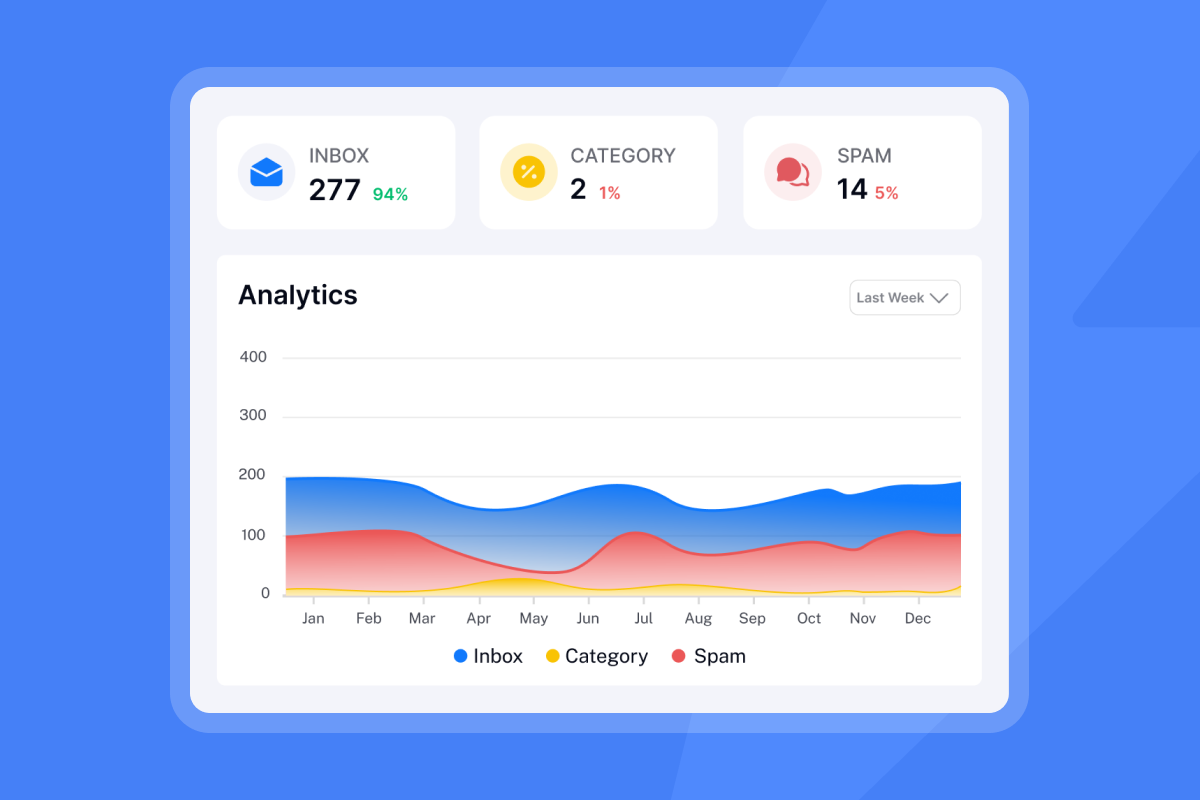
Transparent insights with the One-Click Deliverability Network
Every new sending inbox gets automated warmup inside a private deliverability network. Instantly operates a large scale warmup pool to build real engagement signals that improve placement, then ramps volume safely. That removes manual warmup work for your admins. Warmup, inbox rotation, and health checks run in the background so reps can focus on conversations. The warmup and network concept is documented on the email warmup page.
- Start or pause warmup with one click.
- Safe ramp plans to protect sender reputation.
- Human like opens and replies during warmup to establish trust.
- Volume throttling when health degrades.
Explore the Inbox Placement product and automated testing docs for specifics. For a visual walkthrough check out our analytics intro guide below:
Proactive domain reputation protection
Deliverability starts with alignment. Instantly checks and guides DNS authentication for SPF, DKIM, and DMARC, tracks blacklist status, and alerts on dips in domain health. If a mailbox or domain trends red, you can auto-pause sends, re-warm, and rotate safely before damage spreads. The Inbox Placement product outlines blacklist monitoring across 400 plus sources and authentication checks in one place.
- Authentication checks and alerts.
- Blacklist and health monitoring.
- Auto-pause rules when inbox placement or spam scores cross thresholds, as described in the automated tests guide.
For procurement teams, Instantly publishes its Data Processing Addendum and sub-processor roster.
Automated inbox placement tests and alerts
You do not want to learn about spam in retrospective dashboards. Instantly’s Inbox Placement module runs automated seed tests and spam score checks. It shows placement by provider, subject, and sequence step. You can route alerts to Slack or email when a KPI drops below your safe range, using the automated tests.
- Seed tests across major providers.
- Spam score and content checks.
- Policy driven alerts and auto-pause actions.
SISR: dedicated IPs for safer scale
High volume teams need insulation. SISR, short for Server and IP Sharding and Rotation, assigns private servers and dedicated IP pools on the Light Speed plan. If one shard gets flagged, the rest of your senders stay clean. IPs rotate on triggers to avoid lingering on a bad reputation asset. See the Light Speed tier details on the pricing page.
How Instantly helps sales leaders drive performance
Team performance monitoring and standardization
Sales leaders need one view of what is working. Instantly gives you:
- Campaign and rep scorecards: opens, reply rate, meetings set, SQLs, by team, rep, and inbox. See the analytics overview.
- Reply classification and triage: filter Interested, Meeting booked, Meeting complete, Closed, Not interested, Wrong person, and OOO to coach and act fast. Unibox centralizes replies so nothing slips. Review Unibox best practices.
- Sequence governance: shared templates, approval norms, and version history to keep copy and volume within guardrails.
Predictable pricing for scalable sales teams
Per seat pricing punishes adoption. Instantly prices by plan, not by user. Outreach plans include unlimited email accounts and warmup. The entry plan starts at $37 per month, with higher tiers for more volume and features. You add senders without getting dinged on seats, which maps spend to throughput instead of headcount. See the pricing page.
- No per seat penalties.
- Credits model for AI usage and lead data is visible in the product and help center.
- Clear plan tiers and public pricing.
Granular admin controls and audit ready reporting
Standardize across reps and stay audit safe.
- Roles and permissions for admins, managers, and reps.
- Audit logs for template edits, send rules, and integration changes.
- Exportable reports for CFO and RevOps reviews in the analytics overview.
- Data processing terms and vendor list for DPIAs. See the DPA and sub-processors.
CRM integration for unified data
Replies, meetings, and contact updates should flow to your CRM with no CSV shuffle. Instantly supports native and partner integrations with HubSpot and Salesforce, plus iPaaS like Zapier and Make, and communication tools like Slack. Map fields and push activities so CRM and outreach stay in sync using the integrations library.
- Create or update contacts and deals on reply.
- Sync reply classifications to stages or tasks.
- Trigger workflows from Instantly events and webhooks, guided by the webhooks guide.
AI-powered insights for effective outreach
AI removes busywork and surfaces what to do next.
- Copilot drafts sequences, researches accounts, finds prospects, and summarizes weekly analytics. You can also schedule Copilot tasks that post summaries to Slack. Explore the Copilot product and Copilot help.
- AI Reply Agent triages and replies to inbound emails in under 5 minutes with human-in-the-loop or Autopilot settings. It saves hours on back and forth and keeps prospects warm. See the AI Reply Agent help.
Industry signals to keep in mind:
- CSO-led analytics correlate with higher forecast accuracy and stronger acquisition outcomes, as shown in the Gartner 2024 survey.
- Tool consolidation is a priority because reps spend only 28 percent of time selling, per the Salesforce State of Sales.
Key features and functionalities to expect from sales deliverability analytics
Use this feature list as a quick lens when you review any platform.
- Inbox placement testing: seed list coverage, provider level results, and trend lines. See the Inbox Placement product.
- Warmup and ramp plans: automated warmup, send windows, throttling, and pause rules on the email warmup page.
- Domain and IP health: SPF, DKIM, DMARC checks, blacklist monitoring, and IP rotation in the Inbox Placement product.
- Data quality controls: verified contacts, bounce prediction, and list hygiene tools in SuperSearch help.
- Team analytics: reply rate, booked meetings, SQLs, win-loss analysis by rep and campaign in the analytics overview.
- Unified inbox: reply classification, triage, templates, and SLA tracking in Unibox best practices.
- AI assistance: AI forecasting support, subject line analysis, and reply drafting in Copilot help.
- CRM integration: bi directional sync, field mapping, and activity logging in the integrations library.
- Governance: roles, audit logs, and sequence governance to reduce risk.
Choosing the right deliverability analytics solution: a sales leader’s checklist
Evaluation criteria: beyond basic metrics
- Primary inbox visibility: Does it measure inbox vs spam by provider and sequence, and alert on dips, as shown in the automated tests guide.
- Protection controls: Built-in warmup, send windows, ramp plans, domain health checks, and blacklist monitoring in the Inbox Placement product.
- Scale insulation: Dedicated IP and server options when volume grows.
- Team standardization: Templates, approval flows, roles, audit logs, and unified inbox per Unibox best practices.
- CRM fit: Native or partner integration to your CRM, with clean field mapping and activity sync in the integrations library.
- Pricing clarity: Flat-fee vs. per-seat. Credits and limits that map to throughput on the pricing page.
- Time to value: Setup effort, DNS helpers, and support. Aim for days and weeks, not months. Instantly maintains a public status page.
- Data privacy: Public DPA, sub-processor list, and clear data scope via the DPA.
Practical target ranges to adopt in pilots:
- Hard bounces at or below 1 percent.
- Reply rate at or above 5 percent after warmup and tests.
- Placement at or above 80 to 90 percent on key providers before scaling volume.
How to evaluate deliverability analytics in 10 days
- Connect two warmed inboxes and run placement tests.
Done when both show at or above 80 percent primary placement on key providers, per the automated tests guide. - Import 400 verified contacts per inbox.
Done when hard bounces are at or below 1 percent using SuperSearch help. - Launch two sequence variants with one clear ask.
Done when reply rate hits at or above 5 percent in week two, tracked in the analytics overview. - Set auto-pause rules on placement and bounce thresholds.
Done when any dip triggers alerts to Slack and pauses sends, configured in the Inbox Placement product. - Sync replies and meetings to CRM.
Done when reply classifications create tasks or deals automatically via the integrations library.
Instantly vs. competitors: a comparison table
Use the table as a high level guide.
| Tool | Pricing model | Deliverability & IP (network size) | Inbox placement analytics | AI tools |
|---|---|---|---|---|
| Instantly | Flat-fee, unlimited accounts | Warm-up ≈4.2M+ inboxes, SISR dedicated IP rotation | Automated inbox tests & alerts | Copilot, AI Reply Agent, AI Email Writer |
| Apollo | Per seat + credits | Warm-up network (size not public), shared IPs | Health metrics, 10–50 emails/day, 45% reply cap | AI for research & scoring |
| Outreach or Salesloft | Per-seat enterprise | No native warm-up, partner apps, shared IPs | Placement via partners | AI coaching & cadences |
| Lemlist | Per seat | lemwarm ≈20k inboxes, shared IPs | Deliverability score & tests | AI writing & personalization |
| Smartlead | Flat tiers from 39/mo | ≈25M warm-up emails/day, optional dedicated servers | Inbox vs spam charts | AI sequencing |
| Reply | Per seat, add-ons | Warm-up for each mailbox, shared IPs | Deliverability toolkit | AI SDR for prospecting |
| HubSpot Sales Hub | Per-seat CRM bundles | No warm-up, dedicated IP add-on, 40-day warm-up | Email health analytics | CRM AI tools |
Real world impact: what sales leaders say
"Emails go out on time and land where they should. The warm-up feature runs automatically, so I don’t have to worry about deliverability." - Corey B. on G2
"It’s always been very user-friendly, and the support is top-tier. You can hop on a live chat with a real person in minutes, and get the direct answers you need." - Evan T. on G2
"The platform is fast, reliable, and incredibly easy to use, can be tailored to very specific needs and use cases, with a support team that goes above and beyond to help." - Uros M. on G2
"Great deliverability and amazing support." - Andrei D. on G2
"We increased our revenue by six figures within 4 months of starting with instantly." - Alexander on Trustpilot
"The team was available at 1:34 in the morning Alabama time... And they fixed my problem remotely." - Jonathan Nellis on Trustpilot
You can even create custom flows around your analytics data to really dial in your campaigns - see a real world example on Youtube of how to do this:
Secure your pipeline with Instantly’s deliverability edge
Deliverability analytics is not optional. It is a control system that keeps your team in the primary inbox, protects domain reputation, and turns replies into a forecast you can trust. Instantly ties warmup, inbox placement, domain health, team reporting, and AI into one motion with predictable pricing and admin controls that stand up to an audit.
Start free. See deliverability analytics live in your account on day one. Request a demo at Instantly’s site via Request a demo. Or download the Sales Leader’s Checklist for Deliverability Health.
Related walkthroughs:
- "I send 20k emails a month and get 5 clients with Instantly.ai." - Instantly on YouTube
- "Full Instantly.ai Tutorial 2025 (Best Cold Email Software)" - Instantly on YouTube
- "The Ultimate Guide to Cold Email Deliverability in 2025" - Instantly on YouTube
FAQ: your deliverability analytics questions answered
- What is sales deliverability analytics?
It measures where your emails land, why they bounce, and how domain health affects replies. It goes beyond opens to track inbox vs spam placement, sender reputation, and blacklist status. See how Instantly tests placement on the Inbox Placement product. - How does Instantly protect domain reputation?
Automated warmup, DNS checks for SPF, DKIM, DMARC, blacklist monitoring, and auto-pause rules guard your domains. SISR on Light Speed provides dedicated servers and IP rotation for safer scale. Learn more on pricing and in the automated tests guide. - How is pricing handled for teams?
Plans are flat fee with unlimited email accounts and warmup across tiers. This removes per seat penalties and aligns cost to throughput. See the current tiers on the Instantly pricing page. - What integrations are supported?
HubSpot, Salesforce, Slack, Zapier, Make, and an API with webhooks. You can map fields and push replies and meetings into CRM. Browse the integrations library. - What role does AI play here?
Copilot helps with research, targeting, message drafts, and analytics summaries. AI Reply Agent triages and replies to inbound messages in under 5 minutes with configurable review. See the Copilot product and the AI Reply Agent help.
Key terminology
- Primary inbox: The inbox folder your prospects actually read, not promotions or spam.
- Sender reputation: How mailbox providers score your domain and IP based on bounces, spam hits, and engagement.
- Warmup: Gradual send ramp with human-like engagement to build trust for new inboxes and domains.
- List hygiene: Ongoing cleanup of risky or stale contacts to keep bounces down.
- Verified contacts: Emails confirmed deliverable by a verifier.
- Send windows: Time ranges when campaigns can send, by local time.
- Spin syntax: Variations in copy that reduce repeats and filter triggers.
- Throughput: Total sends across connected inboxes per time unit.
- Pipeline management: Monitoring and improving funnel coverage, from meetings set to SQLs, including win-loss analysis.
- Revenue Orchestration: Aligning people, process, and tech across marketing, sales, and success to maximize revenue.
- AI-powered data analytics: Using machine learning to process and interpret large datasets for sales strategy and forecasting.


