


Updated March 30, 2026
TL;DR: Copy alone will not save a bad deliverability system. To book meetings at scale, you need three things: a warmed sending infrastructure (domains and inboxes that pass health checks), composable copy frameworks (proven subject lines, body structures, and CTAs your team can reuse), and team governance (admin controls that prevent reps from burning your brand). We help you build this system with unlimited sending accounts, built-in warmup across our 4.2 million-account network, AI sequence writer, and unified reporting. The result is consistent primary-inbox placement and predictable SQLs.
Most sales teams approach email copywriting backward. They hire a writer, craft clever subject lines, and wonder why reply rates stay flat. The problem is not creative talent. The problem is that placement precedes persuasion.
If your domain health is poor or your warmup process is skipped, even the best copy lands in spam or the promotions tab. I treat copywriting as the final layer in a technical stack, not the first. This guide covers the end-to-end system: deliverability infrastructure, composable copy frameworks, team governance, and auditable reporting that withstand CFO scrutiny.
Why copy performance depends on your deliverability system
Before you write a single subject line, build the infrastructure that earns inbox trust. No amount of clever copywriting can fix a blacklisted domain or a sender with zero reputation.
The role of warmup and domain health in copywriting
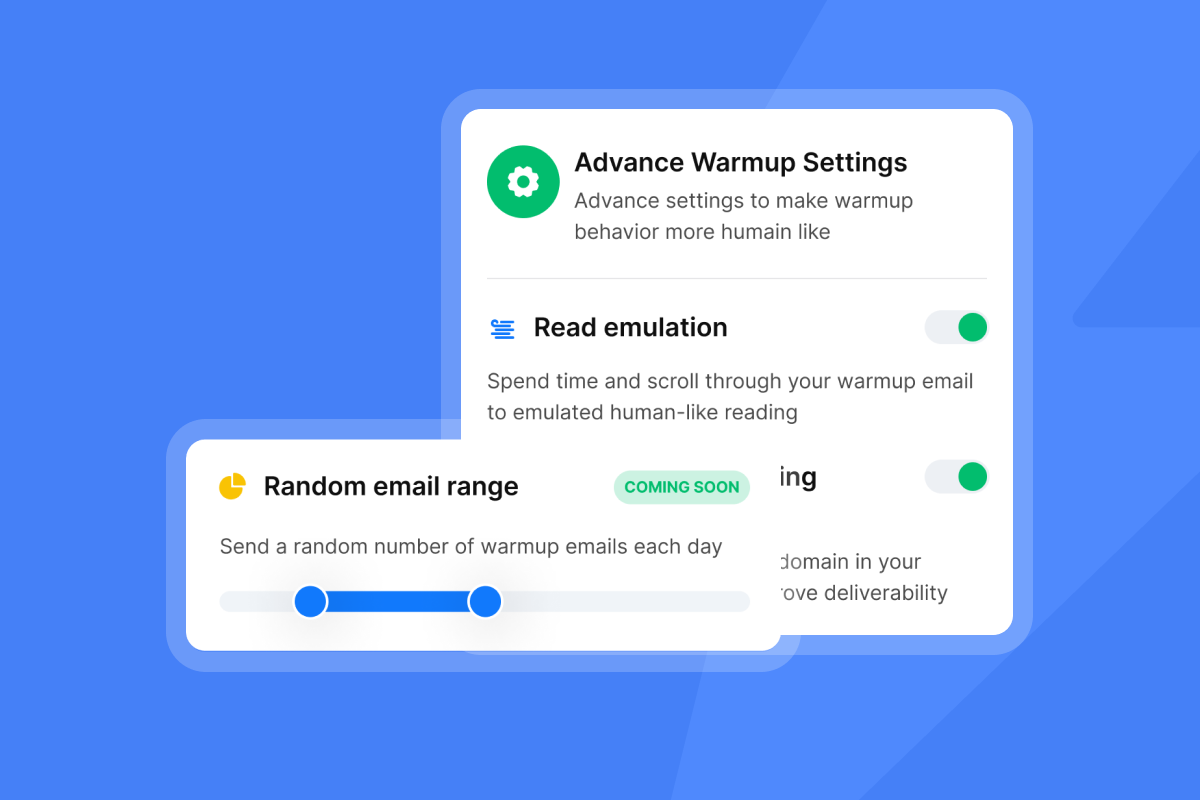
Warmup gradually increases send volume while exchanging emails with a network of trusted accounts. This builds sender reputation so your campaigns land in the primary inbox instead of spam. Without warmup, your domain looks like a brand-new sender with no history, and inbox providers treat that as suspicious.
Our warmup system connects your account to a 4.2 million-account deliverability network. Emails are exchanged between your inboxes and verified partners, marking messages as important and moving them out of spam. Most domains need this ramp for at least 30 days before you launch cold campaigns.
"I appreciate how it ensures emails are landing in the inboxes of our prospects and lets us test our messaging easily without worrying about emails ending up in spam boxes." - Ajay K. on G2
I recommend running warmup continuously, even while campaigns are live. Domain health shifts over time. Providers update algorithms. A domain that was healthy last month can drift if you stop maintaining it. Our built-in warmup features handle this in the background, letting you focus on copy and strategy instead of manual reputation management.
Protecting domain reputation while scaling volume
Scale introduces risk. The fix is not better copy. It is better infrastructure. I cap daily sends at 30 emails per inbox to protect domain health and keep bounce rates low. To scale volume, I add more inboxes instead of increasing throughput per account.
We allow unlimited sending accounts on flat-fee pricing, which means you can distribute 3,000 sends across 100 inboxes instead of overloading three. This approach keeps each inbox's send pattern looking natural.
Pricing Model | Per-Seat (Apollo, Outreach) | Flat-Fee (Instantly) |
|---|---|---|
Base cost | $49-99 per user/month | $97/month (Hypergrowth) |
10 reps | $490-990/month | $97/month |
Sending accounts | Limited by seats | Unlimited |
Contract | Often annual lock-in | Monthly, no lock-in |
Send windows also matter. Providers watch for unnatural patterns like 200 emails sent at exactly 9:00 a.m. I stagger sends and randomize intervals. Our campaign options let you define send windows and apply smart delays, so outreach looks organic.
"Deliverability tools that actually move the needle: warmup, inbox rotation, and smart sending windows help us land in Primary instead of Promotions/Spam." - Anthony V. on G2
Engineering subject lines that earn the open
Subject lines are filters. Prospects scan their inbox in seconds and decide whether your email is relevant. Your job is to signal value and relevance faster than the delete button.
I treat subject lines as hypotheses. Every campaign tests at least two variants. Open rates tell me which hypotheses worked. If open rates sit below 40 percent, the subject line or deliverability is broken. If they exceed 60 percent, the subject line is working and I move to optimizing body copy and CTAs.
5 sales-specific subject line formulas
I rely on five formulas that consistently perform well in B2B cold outreach.
- Quick question for [Name]: Personalizes without being overly familiar. Implies brevity and respect for the prospect's time. Example: "Quick question for Sam."
- [Your Company] x [Prospect Company]: Signals partnership or collaboration. Works well when you have a clear use case for their business. Example: "Instantly x [Prospect's Company]."
- [Mutual connection] suggested I reach out: Social proof opens doors. If you have a genuine connection, use it. Example: "Jamie at [Company] suggested I reach out."
- [Specific pain point]: Address a known problem directly. Works when your targeting is precise. Example: "Deliverability drops after scaling outreach."
- [Number] [specific outcome]: Quantify the result. Avoid vague claims. Example: "12% reply rate increase in 30 days."
I avoid clickbait, all-caps, and excessive punctuation. Spam filters flag these patterns. Keep subject lines under 50 characters. Mobile inboxes truncate longer lines.
Element | Bad Copy | Good Copy |
|---|---|---|
Subject line | "AMAZING OPPORTUNITY!!!" | "Quick question for [Name]" |
Hook | "I hope this email finds you well." | "I saw your team posted three SDR roles last week." |
CTA | "Let's schedule a 30-minute demo to discuss your needs." | "Worth exploring?" |
For a detailed breakdown of copywriting frameworks, watch this cold email copywriting masterclass that covers the anatomy of a cold email.
Analyzing subject line performance data
Open rates are the primary metric for subject line performance. I track opens per variant and per inbox. If one subject line consistently outperforms another by 10 percentage points or more, I kill the loser and test a new variant against the winner.
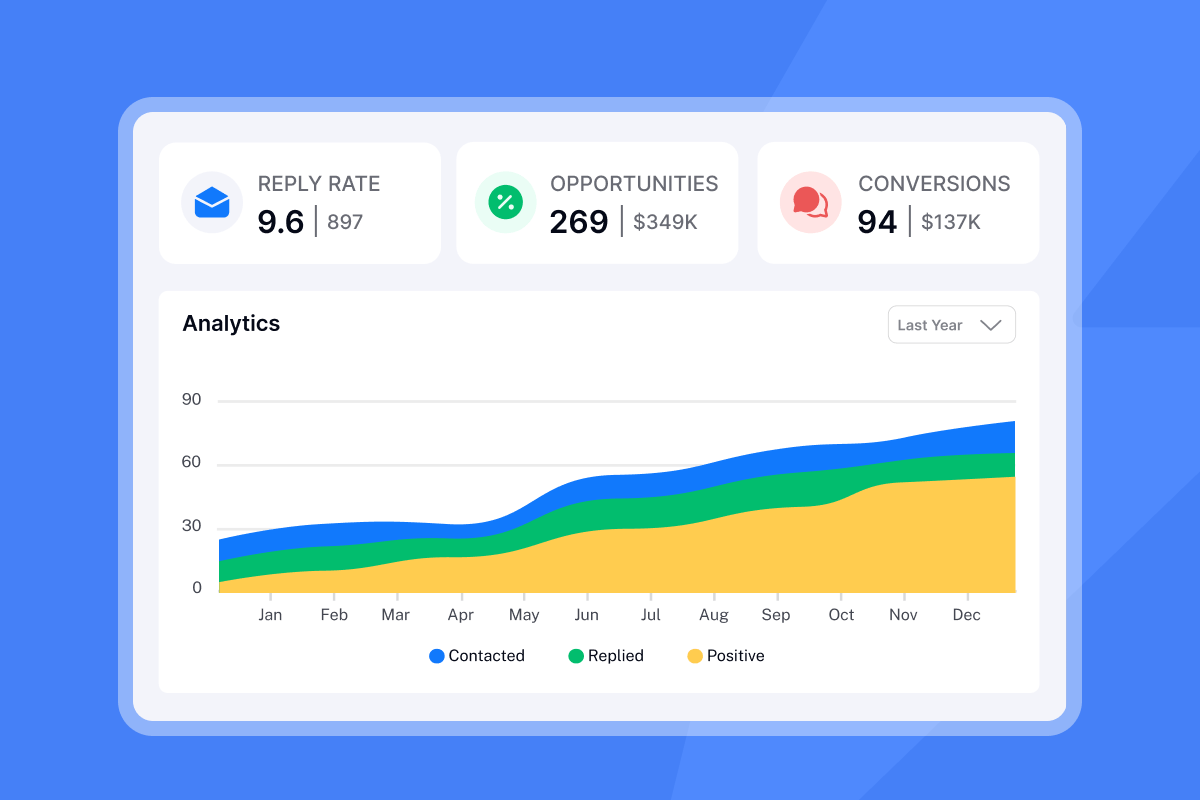
Our analytics dashboard shows open rates by campaign and by inbox. This granularity helps me identify whether a low open rate is a subject line problem or an inbox health issue.
A/Z testing is built into our campaign editor. You can test up to 26 subject line variants per campaign. I typically run two or three at a time to maintain statistical significance. For a visual guide, check out this video on headline copywriting tips.
Structuring body copy for clarity and conversion
Body copy has one job: move the prospect from open to reply. Most cold emails fail because they bury the ask in paragraphs of fluff. I use a composable framework that standardizes structure without sacrificing personalization.
The composable email execution framework
Every email in my sequences follows the same pattern: Hook, Value, Proof, Ask. This structure keeps emails short, clear, and action-oriented.
Hook: Grabs attention in the first sentence. References something specific about the prospect or their company. Generic openers like "I hope this email finds you well" signal low effort and get ignored. Instead, I reference a recent event, a mutual connection, or a specific pain point I know they face.
Example: "I saw your team posted three SDR roles last week. Scaling outreach while maintaining deliverability is tricky."
Value: Explains why the prospect should care. I state the problem and hint at a solution in two sentences. I do not pitch the product yet. I frame the value in terms of their outcomes: more meetings, fewer hours spent on manual work, better data quality.
Example: "Most teams hit a ceiling at 30 sends per inbox per day. We help you scale volume without burning domains by distributing sends across unlimited accounts."
Proof: Adds credibility. I use a customer result, a case study, or a relevant statistic. Social proof matters more than feature lists. Prospects trust what other buyers experienced, not what you claim.
Example: "One head of sales booked 15 demos in 10 days after switching to a multi-inbox setup."
Ask: Closes with a specific, low-friction CTA. I do not ask for a 30-minute call in the first email. I ask for interest, a quick reply, or a small commitment.
Example: "Worth a quick look?"
For real-world examples of this framework in action, review our 600 cold email templates that apply composable structures across industries.
Using AI assistance to generate sales context
Writing personalized hooks at scale is time-consuming. Reps either skip personalization or spend hours researching prospects. AI tools can bridge this gap by generating contextual hooks based on prospect data.
Our AI Sequence Writer takes your inputs and generates email variants that match your framework. You review, edit, and approve. This cuts sequence creation time from hours to minutes while maintaining quality and brand voice.
I use AI to generate first drafts, not final copy. The output is often 80 percent there. I adjust tone, tighten language, and add specific proof points. The AI handles structure and initial personalization. I handle voice and precision.
For a step-by-step look at how to use AI for deep personalization, watch this guide on personalizing 1,000+ cold emails using AI systems.
"The platform is straightforward to set up, easy to run multiple campaigns, and keeps deliverability strong." - Taylor G. on G2
AI also helps with spam word detection. Certain phrases trigger spam filters. The AI flags risky language before you send. This protects domain health and improves inbox placement.
Call-to-action frameworks that drive SQLs
The CTA determines whether a prospect replies or ignores your email. Most sales emails ask for too much too soon. A 30-minute demo request in the first touch scares off cold prospects. I use interest-based CTAs that lower friction and increase reply rates.
Specific CTA examples for sales sequences
Interest-based CTAs ask the prospect to signal relevance without committing time. These work best in cold outreach because they feel low-risk.
Examples:
- "Worth exploring?"
- "Open to seeing how?"
- "Makes sense for your team?"
- "Curious?"
These CTAs invite a yes or no. A "no" is still valuable because it tells me to remove that lead and focus elsewhere. A "yes" moves the conversation forward.
Time-based CTAs ask for a meeting. I reserve these for follow-ups or warm leads who have already engaged.
Examples:
- "15 minutes this week?"
- "Tuesday at 2 p.m. work?"
- "Free Thursday morning?"
If I use a time-based CTA in the first email, reply rates drop. Prospects do not know me yet. They are not ready to block calendar time. I earn the right to ask for a meeting by providing value first.
For advanced CTA strategies, watch this breakdown of what works in cold emails based on analyzing 1,000,000 emails.
How to A/B test your asks
I test CTAs the same way I test subject lines. I run two variants per campaign and track reply rates. Statistical significance matters. I wait until each variant has sent at least 100 to 200 emails before declaring a winner. Small sample sizes produce noise, not insights.
A/Z testing in our platform lets you create up to 26 email variants per step. I typically test the CTA while keeping the Hook, Value, and Proof constant. This isolates the variable and gives me clean data.
For a practical walkthrough of fixing underperforming CTAs, check out this video on fixing a cold email campaign in 20 minutes.
Designing the sequence workflow and cadence
A single cold email rarely converts. Most prospects need multiple touches before they reply. I design sequences with 5 to 7 steps over 14 to 21 days. Each step adds value or changes the angle. I do not repeat the same pitch seven times.
Typical structure:
- Day 0: Initial value-based email
- Day 3: Different angle or additional proof point
- Day 7: Case study or specific result
- Day 10: Breakup email ("Should I close your file?")
- Day 14: Final touch with new offer or resource
Best practices for send windows and time zones
Send timing affects open rates. Emails sent at 2 a.m. local time get buried. I set send windows between 8:30 a.m. and 10:30 a.m. in the prospect's time zone. This catches them at the start of the workday when they triage their inbox.
If you have leads in multiple time zones, segment them and create separate campaigns with appropriate send windows. Our campaign settings let you define send windows and apply smart delays for each segment.
I also stagger follow-ups. If the first email sends on Monday at 9 a.m., I send the second follow-up on Wednesday at 10 a.m., not Monday at 9:01 a.m. Spacing creates natural intervals and avoids looking desperate or automated.
For detailed guidance on sequencing and cadence, review our cold email strategy documentation.
Handling replies: Classification and triage
Speed matters after a prospect replies. If they say "yes, tell me more" and you wait three days to respond, the opportunity cools. I aim to reply within two hours during business hours.
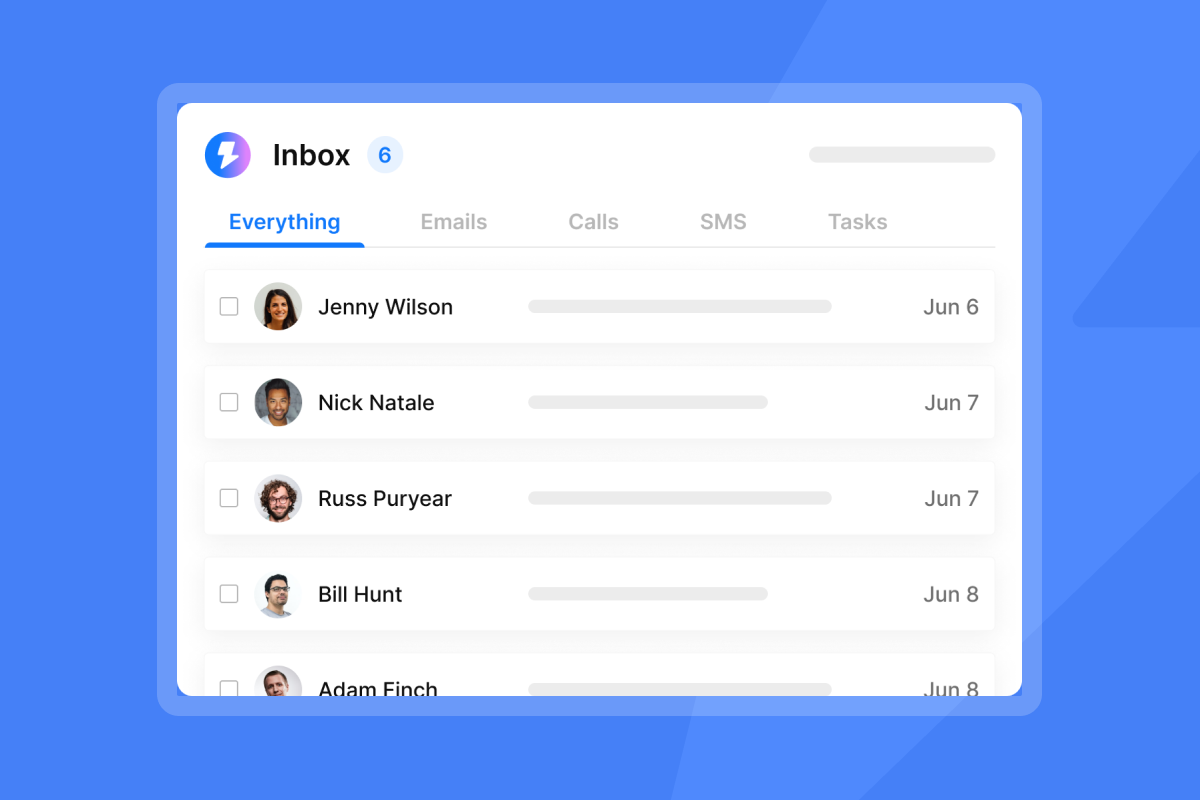
Our Unified Inbox consolidates replies from all sending accounts into one view. I do not have to log into 50 inboxes to check for responses. Everything surfaces in a single dashboard with AI reply classification that sorts positive, neutral, and negative replies.
Positive replies get immediate attention. I move them to the CRM and book a meeting. Neutral replies go into a nurture sequence. Negative replies get removed from all campaigns.
"The ability to webhook responses is also a feature I enjoy." - Jacob P. on G2
For a complete guide on optimizing follow-ups and reply handling, watch this video on making cold emails impossible to ignore.
Governance: Scaling copy across the sales team
Reps left unsupervised will write whatever they want. Some will send great emails. Most will send terrible ones. A few will write something that damages your brand or burns a domain. You need governance.
Admin controls and team standardization
I create approved templates for every use case: inbound follow-up, cold outreach, event follow-up, renewal reminder. Reps can customize within the framework, but they cannot rewrite the entire structure. This protects brand voice and prevents rogue behavior.
Our workspace feature lets you organize teams, assign templates, and monitor performance by rep. I review campaigns before they launch. If a rep writes a subject line that sounds spammy or a CTA that over-promises, I flag it before it sends.
Sequence templates allow you to build once and reuse across campaigns. I create templates for each persona and each stage of the buyer experience. Reps clone the template, adjust the prospect details, and launch. This standardizes quality without slowing down execution.
"The platform excels in scalability, allowing me to send a large volume of emails and manage workspaces effectively for sales and marketing." - Frank S. on G2
Auditable reporting and CRM reconciliation
I do not trust analytics I cannot verify. If the platform reports a 10 percent reply rate but my CRM shows half that, something is broken. I reconcile data weekly to ensure accuracy.
We integrate with HubSpot and Salesforce, syncing campaign activity and replies directly into your CRM. This creates a single source of truth. You can track a prospect from first email to closed deal without switching tools.
Our campaign analytics show open rates, reply rates, and meeting-booked rates by rep, by campaign, and by inbox. I use this data to coach reps and identify bottlenecks. If one rep has a 2 percent reply rate and another has 8 percent, I compare their sequences and figure out what is working.
"Trustworthy technical setup, deliverability tests, and proper workflows allows us to integrates with our CRM, and any other app trough make.com" - Deividas I. on G2
For a deeper look at building a profitable outreach campaign with strong reporting, watch this case study on building an AI agency cold email campaign.
Build the system, not just the copy
Good copywriting cannot fix bad infrastructure. If your warmup process is weak, your domains are unhealthy, or your team lacks governance, no subject line will save you from the spam folder.
Start with the technical foundation. Warm your domains for at least 30 days. Cap sends at 30 per inbox per day. Add more accounts to scale volume. Then apply the composable copy framework: Hook, Value, Proof, Ask. Test subject lines and CTAs against each other. Track what works. Coach your team using real data, not guesswork.
We built Instantly to support this system end-to-end: unlimited sending accounts, built-in warmup across our 4.2 million-account network, AI sequence writer, and unified reporting that syncs with your CRM. You get the infrastructure and the tools to scale without sacrificing deliverability or brand reputation.
Ready to apply this framework? Try Instantly free and use the AI sequence writer to build your first high-converting campaign in under 20 minutes.
Frequently asked questions
How long should a cold email be?
50 to 125 words. Shorter emails respect the prospect's time and typically get higher reply rates.
What is a good reply rate for cold outreach?
5 to 10 percent is solid. Above 10 percent is excellent. If you are seeing rates consistently below this range, review your targeting, copy, and deliverability setup.
How many follow-ups should a sequence include?
5 to 7 follow-ups over 14 to 21 days. Most replies come from follow-ups, not the first email.
Should I use HTML formatting or plain text?
Plain text performs better in cold outreach. HTML triggers spam filters and looks like marketing. For guidance, see our HTML in email sequence documentation.
How do I know if my domain is warmed up properly?
Check your inbox placement rate. If 90 percent or more of your emails land in the primary inbox during warmup tests, you are ready to send campaigns.
Key terms glossary
Deliverability: The ability of your emails to land in the primary inbox instead of spam or promotions. Affected by domain health, sender reputation, and warmup.
Warmup: The process of gradually increasing email send volume while exchanging emails with trusted accounts to build sender reputation before launching cold campaigns.
Spintax: Syntax that allows you to create multiple variations of a sentence within a single template. Used to avoid sending identical emails that trigger spam filters.
Unified Inbox: A single dashboard that consolidates replies from all sending accounts, allowing you to manage responses without logging into multiple inboxes.
Primary Inbox: The main inbox tab in Gmail or Outlook where important emails appear. The goal of cold outreach is to land here, not in Promotions or Spam.
SQL (Sales Qualified Lead): A prospect who has been vetted and is ready for a sales conversation. Generated from positive replies to cold outreach campaigns.


