


Updated March 13, 2026
TL;DR: Optimal email sequence timing is a deliverability system first, an engagement tactic second. The data-backed baseline is Tuesday to Thursday, 9-11 AM in the recipient's timezone, with 3-7 day gaps between steps and a minimum of 4-7 emails per sequence. Industry research shows campaigns with 4-7 steps generate three times the reply rate of those with only 1-3. Keep each inbox under 50 sends per day when starting, run warmup continuously, and enable prospect-timezone matching. The goal is not the perfect hour. It is a repeatable system that scales without burning your domain.
Finding the perfect send time is useless if your domain is already flagged, teams running purpose-built cold email software catch those reputation issues before they kill a campaign, not after. This guide gives you the data-backed intervals, days, and sequence lengths that maximize replies while keeping bounce rates below 1% and your domains off blocklists.
Why sequence timing matters for deliverability
Timing is not just about when prospects read their email. It directly affects whether your messages reach the primary inbox at all. Gmail, Yahoo, and Outlook use sending patterns, not just content, to classify you as a sender. Get the pattern wrong and your carefully crafted copy never gets seen.
Cadence vs. frequency: the distinction that protects your domain
"Cadence" describes the structured pattern of when and how often you send, including intervals between steps, daily send caps, and which days you send. "Frequency" is just the raw count of emails sent. High frequency without a controlled cadence is one of the fastest routes to the spam folder. IP rotation and sending algorithms matter here too because inconsistent sending patterns raise flags with major providers even when your content is clean and your list is verified.
How volume spikes get you flagged
According to Google's email sender guidelines, spam complaint rates must stay below 0.3% to avoid delivery restrictions, and exceeding that threshold triggers immediate reputation damage. When you jump from 50 to 5,000 emails overnight, you look like a bulk spammer to the algorithm, even if every email is legitimate.
New domains sending large volumes without warming, or senders with unpredictable sending days, draw immediate scrutiny from spam filters. Even legitimate senders who double their daily volume too quickly can expect rate limiting or reputation drops. High-frequency bursts and sudden volume spikes trigger spam classification faster than content issues alone.
Set your own throttling limits before the ISP forces them on you. Teams enforcing gradual ramp-up schedules avoid the reactive ISP filtering that kills campaigns mid-quarter.
"I appreciate Instantly for its intelligent handling of domain and mailbox rotation as well as provider matching, which is critical for ensuring that my emails land directly in the primary inbox instead of getting caught in spam filters." - Richard E. on G2

Best days and times to send cold emails
The data on timing is stronger than most sales teams act on. There is a clear consensus across multiple studies, and there are legitimate exceptions worth knowing before you lock in your schedule.
The Tuesday-Thursday baseline
Mid-week sends consistently outperform Monday and Friday across both open rate and reply rate data. Siege Media's research reviewed nine timing studies and found that 55% identified Tuesday as the single best day, with Wednesday and Thursday splitting the remainder. Tuesday to Thursday gives prospects time to clear the Monday backlog while still being fully in execution mode before the end-of-week slowdown.
For time of day, the data points earlier than most teams send. Siege Media's analysis of 85,000+ emails found optimal reply times cluster between 6 and 9 AM in the recipient's timezone. Focus Digital's open rate data shows Thursday mornings between 9 and 11 AM hit a 44% open rate, followed closely by Tuesday and Wednesday in the same window.
Target Tuesday to Thursday, 8-11 AM or 1-3 PM local time for B2B outreach. These windows capture prospects when they are in execution mode, not clearing backlog or mentally exiting the week.
When to break the rules
Monday is high-risk but not off-limits. Most professionals clear their weekend backlog Monday morning, which means your email competes with dozens of others in an already overloaded inbox. Later Monday slots can work if your list is tight and your subject line earns the click.
Fridays show the reverse pattern. Engagement drops as people mentally exit the week, and Friday and weekend sends underperform in standard B2B outreach.
Founders and small business owners are the exception. Senior executives and founders often check inboxes outside business hours, making Sunday evenings or pre-7 AM sends a genuine opportunity for that specific segment. For enterprise VPs and corporate buyers, stick to Monday through Thursday 9-5 only.
How to structure intervals between emails
Sequence length and step spacing are where most teams leave replies on the table, because too few emails end the conversation before it develops while steps too close together burn sender reputation and fatigue prospects simultaneously.
The three-email trap
Cold email researchshows that 1-3 email sequences produce a 9% reply rate, while 4-7 email sequences produce a 27% reply rate, three times higher. That gap exists because most replies do not come on the first email. Instantly's 2026 cold email benchmark report found that 58% of replies arrive on step 1, but the remaining 42% come across steps 2-4, with replies continuing beyond step 10 for prospects who were not ready earlier.
Researchreinforces that 80% of sales require 5 or more touchpoints, which makes a 3-email sequence structurally insufficient for most B2B deals regardless of how well-written each email is.
The right interval structure for a 5-6 step sequence
Here is the interval framework that balances follow-up pressure with deliverability safety:
- Email 1 (Day 0): Initial send, short, clear, and directly relevant to the recipient.
- Email 2 (Day 3): First follow-up, referencing the previous send and adding one new angle.
- Email 3 (Day 7): Second follow-up, shifting the framing with a different value point or proof element.
- Email 4 (Day 14): Longer gap signals you are not blasting. A breakup-style frame or new hook works well here.
- Email 5 (Day 21): Lighter touch, a short direct question.
- Email 6 (Day 30): Final touchpoint, leaving the door open without pressure.
Spacing follow-ups 3-7 days apart for the first half of a sequence, then extending to 7-14 days for later steps, keeps engagement high without triggering fatigue or spam signals. The Instantly follow-up masterclass video covers this interval logic in detail with specific copy approaches for each step.
Schedule days vs. calendar days
This distinction directly affects your bounce rate and deliverability health. When you configure a 3-day wait but limit your campaign to Monday through Friday, a Thursday trigger skips Saturday and Sunday, meaning the actual calendar gap is 5 days, not 3.
For B2B sequences, you want this behavior because emails automatically land on working days. Configure wait times in business days, enable weekday-only sending, and your sequences self-correct without any manual intervention. Scaling with secondary domains covers how to manage interval logic cleanly across multiple domains and inboxes.
Advanced strategies: Signal-based timing
The Tuesday-Thursday baseline gets you to safe, competent execution. Signal-based adjustments give you an edge over teams running static schedules.
The tracking pixel problem
Sending a follow-up triggered by an email open sounds efficient until you factor in Apple Mail Privacy Protection. Apple's MPP pre-loads all email images on Apple's proxy servers before users open messages, which fires tracking pixels on emails that were never actually read. Bloomreach's MPP analysis estimates this affects 30-40% of recipients, creating false positive open rates that make open-triggered follow-up logic unreliable for a significant portion of your list.
Reply rate is now the only clean signal to act on. Build your cadence around reply-based pausing, stopping sequences the moment someone responds, not when tracking pixels fire. That is the horizontal scaling model Google and Yahoo now expect from high-volume senders, and Instantly's million-email analysis covers this shift with pattern-level data.
Using step-by-step analytics to optimize timing
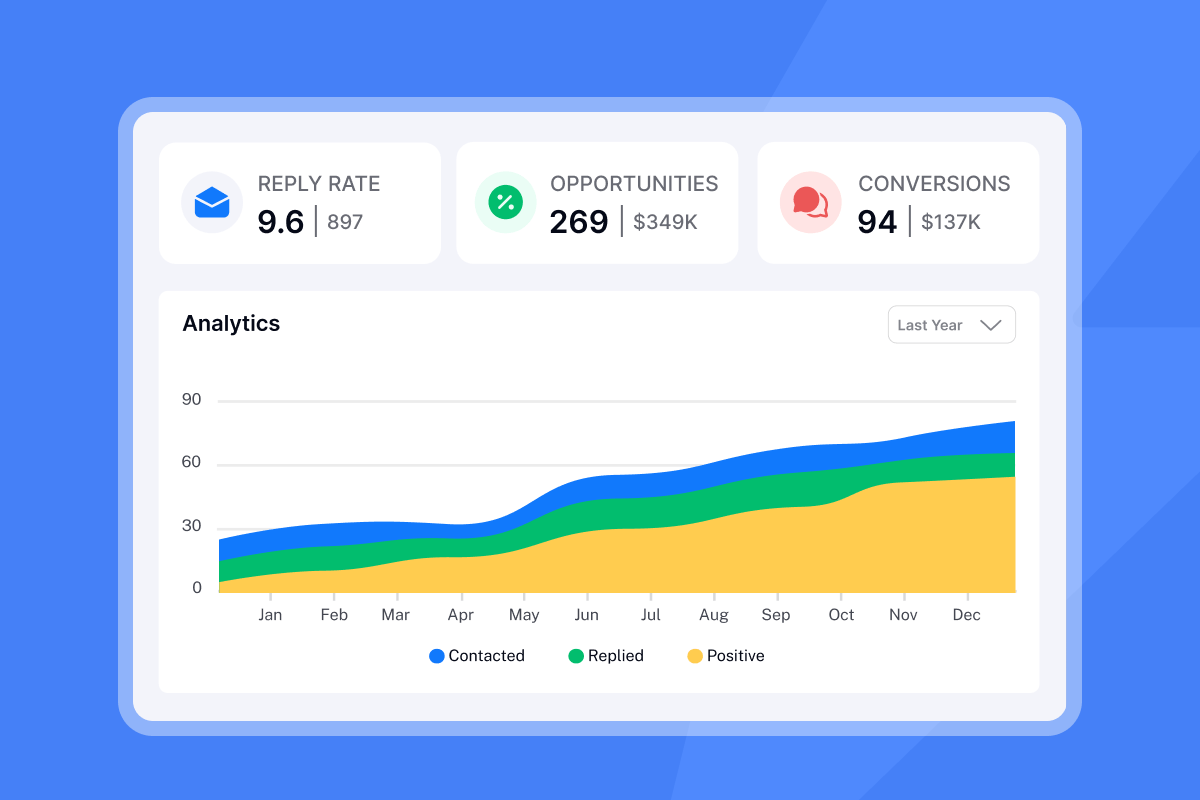
Instead of relying on open data, look at which steps show sharp reply rate drops. If step 3 consistently underperforms steps 1 and 4, the interval, angle, or send window at step 3 needs adjustment. Instantly's low open rate guide gives you a per-step diagnostic framework to identify whether the problem is timing, copy, or list quality. For A/B testing send windows, keep all other variables constant, split your list equally, run variant A on Tuesday at 9 AM and variant B on Thursday at 2 PM with identical copy, then measure reply rate after at least 1,000 sends per variant for statistical significance.
Measuring the impact of your cadence
Track three metrics at the sequence level to defend your cadence decisions and catch deliverability problems before they kill your quarter.
- Reply rate per step: Track this individually for each email. A drop at step 3 points to a timing or copy problem at that specific step rather than a list quality issue.
- Bounce rate: Keep this below 2% as industry best practice. If bounce rate exceeds 2%, pause, re-verify your list, and resume at a lower send cap to avoid deliverability problems.
- Unsubscribe rate per step: Consistent unsubscribes at specific steps indicate interval fatigue or relevance problems. If step 4 drives the most unsubscribes, either the gap is too short or the angle is too similar to earlier steps.
"I find Instantly incredibly efficient for email outreach as it saves a lot of my time in finding leads and sending emails... This tool stands out because it not only enhances my workflow but also protects my email reputation." - mohammad s. on G2
The Instantly follow-up strategy video walks through how to read campaign-level signals and adjust sequence structure based on what the data shows across real campaigns.
Instantly's deliverability analytics guide covers how to read domain health data at the team level — including how to use inbox placement tests, blacklist monitoring, and rep-level metrics to catch reputation problems before they hit pipeline.
Checklist: Setting up a safe, high-converting schedule
Use this to audit your team's sequence configuration before launching any campaign.
Sending schedule:
- Tuesday-Thursday window: Set send times to 9-11 AM or 1-3 PM in the prospect's timezone
- Timezone matching: Enable in campaign settings to avoid 3 AM sends
- Weekday-only mode: Active, no Saturday or Sunday sends
- Monday mornings: Avoid 9 AM sends unless targeting small business owners or founders
Volume and warmup:
- Daily cap: 30 emails maximum per inbox
- Continuous warmup: Running on all active accounts, not just new ones
- New inbox ramp: Warmed for at least 2 weeks before live campaign sends
- Inbox rotation: Multiple accounts rotating inside campaigns to distribute load
Sequence structure:
- Minimum length: 4 steps, ideally 5-7
- First interval: Email 2 no sooner than 3 business days after Email 1
- Later spacing: Steps 4-6 spaced 7-14 business days apart
- Auto-pause: Stop-on-reply enabled for active conversations
Signals and adjustments:
- Per-step tracking: Reply rate monitored at each step, not just campaign-level
- Bounce monitoring: Checked daily during new campaign ramp
- Open triggers: Disabled due to Apple MPP reliability issues
- A/B test priority: Send window tests before copy variable tests
Prioritizing new leads over follow-ups is a setting worth enabling so fresh contacts always receive the first email during the best available send window rather than queuing behind older follow-up steps.
How Instantly supports optimal cadence
Most of the system described above runs automatically inside Instantly once configured correctly, removing the manual discipline that creates inconsistency across reps.
Warmup runs continuously in the background through a network of 4.2 million accounts that automatically open, reply to, and mark warmup emails as important, building your sender reputation without manual work. The email warmup guide recommends keeping warmup on permanently across all accounts, and the email warmup process breakdown explains exactly how the ramp from 1 warmup email on day 1 to your daily limit works in practice.
Inbox rotation spreads your send volume across multiple accounts inside a single campaign. Instead of one inbox sending 300 emails per day and burning its reputation fast, you spread 300 sends across 10 inboxes at 30 each. How warmup works explains the connection between warmup health and inbox rotation strategy in detail.
This model also highlights where per-seat pricing creates a structural deliverability problem. Flat-fee vs. per-seat analysis shows that tools charging per inbox discourage horizontal scaling because every additional inbox adds direct cost. Teams compensate by overloading fewer inboxes, increasing bounce risk and complaint rates. Instantly's unlimited accounts model removes that financial pressure entirely, and the cold email software evaluation guide frames this trade-off clearly for teams evaluating platforms.
The Ultimate Guide to Cold Email Deliverability covers how warmup, inbox rotation, and send windows operate together as a full deliverability system. Try Instantly free and use the ramp template inside campaign settings to configure your first sequence with the safe intervals and send windows covered in this guide.
"I use Instantly for the AI reply agent and finding leads... I especially like the email warm-up tool. This tool automatically mimics human behavior and runs in the background to build a sender reputation for multiple new email accounts, ensuring emails land in the primary inbox rather than spam." - lucky b. on G2
Frequently asked questions about email sequence timing
What is the best day of the week to send cold B2B emails?
Tuesday and Thursday consistently produce the highest reply rates.Nine timing studies found 55% identified Tuesday as the top-performing day, with Thursday a close second based on Focus Digital's open rate data showing 44% open rates in the 9-11 AM window.
How many follow-up emails should a cold sequence include?
Four to seven steps.Cold email researchshows 4-7 email sequences produce a 27% reply rate versus 9% for 1-3 email sequences, and Instantly's benchmark data confirms 42% of replies arrive after the first email, across steps 2-4.
How long should you wait between follow-up emails?
Wait 2-3 business days before the second email, extend to 4-7 days for the middle steps, and use 7-14 days for later steps, as Nutshell's follow-up sequence guidance confirms this graduated pattern keeps engagement without triggering fatigue.
How many emails should one inbox send per day?
Cap at 30 emails per day per inbox, running inbox rotation across multiple accounts to reach higher total daily volume safely. This keeps each sender within the patterns email providers treat as natural human behavior.
Should open rate guide when to send follow-ups?
No, because Apple Mail Privacy Protection fires tracking pixels on unopened emails for 30-40% of recipients. Use reply rate as your only reliable signal.
Does sending on weekends ever make sense for B2B?
Only when targeting founders and small business owners, not corporate buyers. Martal's B2B cold email research shows standard B2B audiences do not engage outside business hours, but senior executives who self-manage their inbox are a genuine exception worth testing separately.
Key terms glossary
Throttling: The deliberate practice of limiting your send rate to match patterns that email providers treat as natural sender behavior.Mailgun defines throttlingas ISP-level rate control. Proactive throttling means you set those limits before the ISP enforces them on you.
Send window: The specific days and hours during which your campaign is allowed to send emails, for example Monday through Friday, 9 AM to 5 PM in the prospect's timezone. Configuring this prevents emails landing at 3 AM local time, which signals bulk automation to spam filters.
Timezone matching: A campaign setting that adjusts each email's send time to match the recipient's local timezone automatically. It removes the manual work of managing sends across multiple regions and is a basic requirement for any team targeting prospects in more than one timezone.
Ramp-up: The gradual increase in daily send volume from a new or recovering inbox, starting low and increasing by small increments each day. Ramping up is the foundational requirement before any volume campaign begins.
Warmup: The process of building inbox placement history by sending and receiving emails through a network of real accounts before launching live campaigns. Instantly's warmup connects your inbox to a 4.2 million account network that replicates natural email behavior automatically and should run continuously, not just during setup.
Bounce rate: The percentage of sent emails that fail to deliver. Aim to keep bounce rate under 1%. If it approaches 2%, pause and re-verify your list, as 2% is the industry benchmark threshold that signals reputation risk.


