


Updated March 06, 2026
TL;DR: Most email sequences don't fail because of bad copy. They fail because of broken technical foundations, dirty data, or platform configuration errors that prevent emails from ever reaching a primary inbox. The fix starts with DNS authentication (SPF, DKIM, DMARC), then moves to list hygiene, enrollment logic, and only then to content. If your open rates dropped overnight, your domain reputation is the first suspect. If replies dried up gradually, look at timing, personalization, and send-window logic. This guide gives you the root-cause framework and exact recovery steps.
Over one in five B2B emails never reaches the inbox, which means that for a team working 500 leads per month, 100 prospects are burned before your subject line is even read. When a sequence stalls, most sales teams blame the copy and call in a writer, when the right cold email platform would have surfaced the real problem, a reputation issue, a misconfigured trigger, or a rate limit quietly throttling sends, before it burned through the lead list.
This guide walks through every failure point in order of probability, from technical infrastructure to enrollment logic to content, so you can stop guessing and start fixing.
Why email sequences fail: The three core fracture points
Every sequence failure falls into one of three categories, and identifying the category first saves hours of misdirected effort.
Fracture point | Root cause | Primary symptom |
|---|---|---|
Technical failure | DNS misconfiguration, poor sender reputation, or spam filtering | Low or zero open rate |
Logic/platform failure | Enrollment trigger errors, rate limits, or workflow bugs | Low send volume despite active campaign |
Content failure | Weak copy, broken personalization, or timing mismatches | Low reply rate with normal open rate |
A critical distinction before diving in: delivery and deliverability are not the same thing. Email delivery confirms the email reached the recipient's mail server without bouncing back, while deliverability is whether it reached the primary inbox or got filtered into spam. Your delivery rate can show 98% while your actual inbox placement sits at 40%. When you see low open rates but few bounces, this gap is almost always why.
Technical diagnostics: Solving low open rates and deliverability issues
Check your DNS authentication
SPF authorizes sending servers, DKIM proves message integrity, and DMARC sets the enforcement policy for what happens when either check fails. Domains without these records are at significantly higher risk of spam quarantine or delivery failure, particularly for bulk senders, where Gmail and Yahoo enforcement has been most active. They're also vulnerable to spoofing attacks where bad actors send email pretending to be your company.
Gmail and Yahoo's sender requirements mean that missing or broken authentication significantly increases the likelihood of your emails being flagged as spam or rejected, particularly for bulk senders sending 5,000+ emails per day, where enforcement has been applied most strictly. Run a free check using MXToolbox or Google Postmaster Tools before touching anything else. If any record is missing or misconfigured, fix it before adjusting your copy or timing. For a step-by-step setup walkthrough, our cold email deliverability guide covers the technical configuration in detail.
Audit your sender reputation
Every IP address and domain carries a reputation score that ISPs use to decide whether to deliver your emails. High-reputation IPs typically see spam rates around 4%, while low-reputation IPs can hit 35% or higher. That gap determines whether your outreach pipeline lives or dies.
The fastest reputation killers are bounce rates above 2%, spam complaints above 0.1%, sudden volume spikes, and purchased or scraped lists. Buying email lists or scraping contacts almost always triggers reputation damage. Check your domain's current standing using SenderScore.org (provided by Validity) and Spamhaus, both free and immediate.
The warmup gap
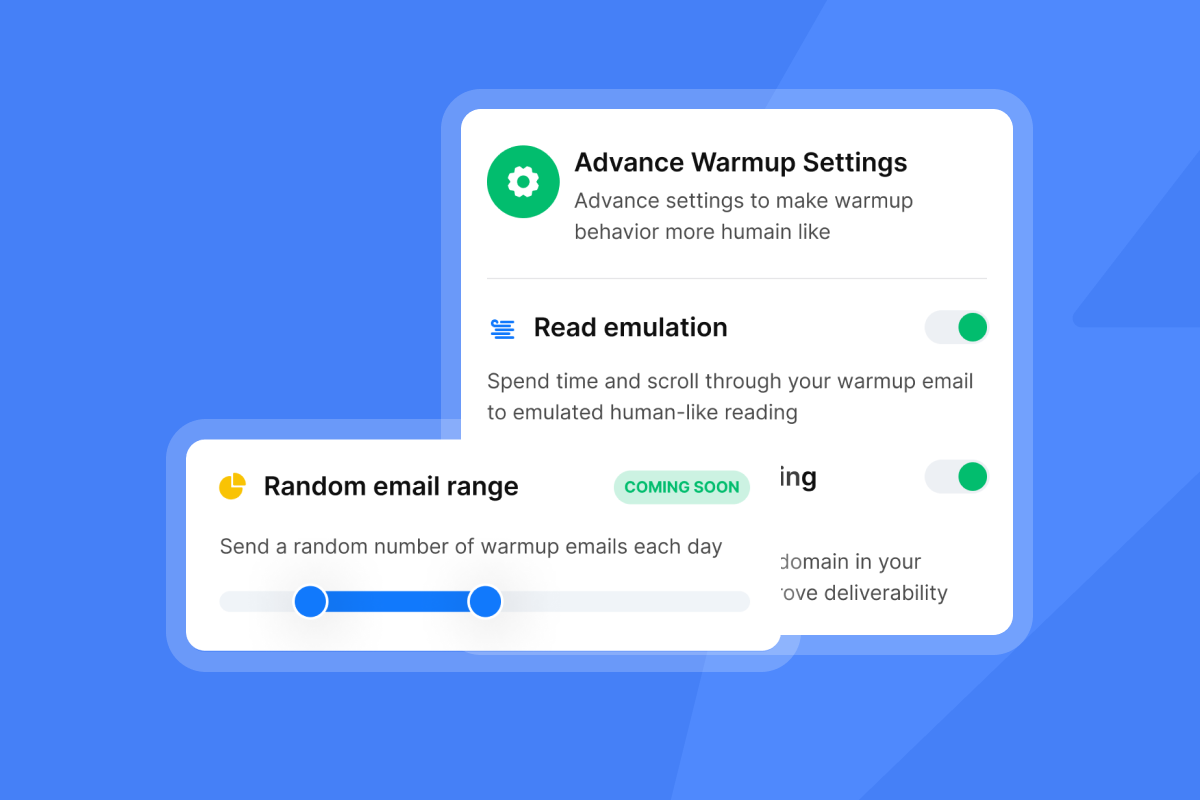
New domains and inboxes have no sending history, so they're treated with suspicion. Warmup means building the sending reputation of new domains and inboxes through positive email exchanges over time, with a minimum effective window of 14 days and 21 to 30 days delivering the best results before a production campaign launches.
Skipping warmup on a new domain is one of the most common causes of a sequence that sends but generates zero opens. The emails are technically delivered but land in spam consistently, and the delivery dashboard shows nothing wrong.
Ourbuilt-in warmup automation runs your inbox through a network of real accounts, building reputation without manual effort. Keep warmup running during production campaigns, not just before them.
IP allocation and horizontal scaling
Sending high volume from a single inbox is the fastest way to trigger rate limits and reputation damage. Scaling too fast from a single account immediately raises ISP suspicion and degrades your domain score.
The correct approach is horizontal scaling: distributing volume across multiple inboxes and domains rather than increasing sends from a single account. Five warmed Google Workspace inboxes sending 30 emails each per day gives you 150 daily sends with a fraction of the deliverability risk of a single inbox at the same volume. Secondary domains protect your primary domain and let you scale safely without risking your main sending reputation.
Cap each inbox at a maximum of 30 emails per day for cold outreach. See our guide on scaling with secondary sending domains for the full implementation approach.
Data and enrollment diagnostics: Why contacts aren't receiving emails
If your open rates are acceptable but send volume is far lower than expected, the problem is usually enrollment logic or data quality rather than deliverability. Contacts are being filtered out before emails are ever attempted.
List hygiene and bounce rates
A dirty list is the most preventable cause of sequence failure and the most damaging to long-term deliverability. Anything above a 2% bounce rate is a warning level. Above 5% is critical and will trigger ISP filtering, with ISP throttling and blocking entirely when you consistently exceed acceptable thresholds.
Know the difference between the two bounce types: a hard bounce is a permanent failure caused by an invalid address, non-existent domain, or block (remove these immediately and never re-contact), while a soft bounce is a temporary failure caused by a full mailbox or server outage (these can be retried, but watch for patterns).
Our BounceShield automatically skips risky emails to protect your domain health. Run every list through a verifier before uploading it, and use our inbox placement test to verify where your emails actually land before a campaign goes live.
Enrollment trigger failures
Contacts failing to enter a sequence is often a configuration problem, not a sending problem. Common enrollment failures include:
- Suppression list conflicts: The contact is on a global "do not contact" list that blocks enrollment.
- Inactive segments: The trigger fires based on a list or segment that's no longer being updated or populated.
- Contact owner restrictions: The sequence is configured to only enroll leads owned by a specific rep, leaving everyone else unenrolled.
- Workflow logic errors: The "if/then" enrollment branch has a misconfigured condition that silently excludes contacts.
If your campaign shows zero or very low sends despite a large lead list, check these trigger settings before looking at any other variable. Our article on emails not sending covers the most common platform-level enrollment issues.
Rate limits and throttling
Google Workspace limits sending to 2,000 emails per day, and when you hit that cap, Google pauses your sending ability for up to 24 hours. A sequence that "fails" to send after initial emails is often just hitting a daily cap. The queue builds up, the campaign dashboard still reads "Active," and your team assumes the sequence is running when it isn't. Check the sending logs, not just the campaign status.
This is exactly why horizontal scaling matters. Distributing 150 daily sends across five accounts means no single inbox is anywhere near its limit, and a single account's throttle event doesn't stall your entire pipeline.
Content and logic diagnostics: Fixing low reply rates
Low open rates point to technical or deliverability problems. A normal open rate paired with low replies points to content and logic failures, and these are different problems with different fixes. If your open rate is above 40% but your reply rate is below 3%, the email is landing but the message isn't resonating.
The "Smart Sending" trap
Many email platforms include a "Smart Sending" or frequency-cap feature that prevents a single contact from receiving more than one email within a set time window, usually 16 to 24 hours. This feature is designed to reduce unsubscribes but can silently skip sequence steps for contacts who received another marketing email recently, even from a different campaign.
If you're running multiple sequences to overlapping audiences, check whether contacts are being skipped due to frequency caps. In Klaviyo, open the flow and look under "Smart Sending" in flow settings. In HubSpot, check Marketing > Email > Settings > Recipient Fatigue. Most tools enable this feature by default, so you may be skipping contacts without realizing it.
Timing and send windows
Sending at 3 AM in your recipient's local time buries your email under others by the time the workday starts, even when inbox placement is perfect. Research consistently points to 8–11 AM in the recipient's time zone as the strongest primary window, with afternoon sends performing best around 3–4 PM.
Timing compounds across steps. A two-day follow-up delay that triggers on a Friday afternoon sends the next email at the same suboptimal time window. Review your full sequence schedule, not just step one. Our follow-up timing guide covers optimal cadence across multi-step sequences.
Subject line fatigue and spam triggers
Generic subject lines do more than bore recipients. They also trigger spam filters, which analyze subject lines for overused patterns, promotional language, ALL CAPS, and multiple exclamation marks.
Use our built-in A/Z testing to run subject line variants and measure open rate differences at statistically meaningful send volumes before declaring a winner. Keep subject lines under 50 characters and avoid words like "Free," "Urgent," or "Limited time."
Broken personalization variables
An email that reads "Hi {First_Name}," instead of "Hi Sarah," proves automation and signals you didn't check your data before sending, both of which destroy reply rates instantly. Broken variables come from two sources: empty data fields in the CSV or CRM, or incorrect syntax for the merge tag.
Before launching any sequence, send a test to yourself using a record with complete data and one with intentionally blank fields to see exactly what recipients receive in each scenario, following our personalization best practices. Use spintax to create variation across sends even within a single template, with curly brackets and pipe characters generating phrase variants (for example: {Hi|Hello|Hey} {firstName}) so each recipient gets a unique version and spam filters don't flag identical content at scale.
Outdated content
Sequences written 12 months ago may reference pricing, pain points, or market conditions that no longer apply. Review your active sequences quarterly and update the core proposition, case studies, and calls to action to match current buyer priorities.
Set a calendar reminder to audit sequences when your product releases a major feature, when a competitor changes pricing, or when a major industry report publishes new data. Stale content drives both low reply rates and higher unsubscribe rates, compounding deliverability damage over time. Treating content as "evergreen" without quarterly reviews is one of the most common reasons a sequence that worked well in Q1 quietly dies by Q3.
Platform-specific troubleshooting guide
Different platforms surface sequence failures in different ways, and each has specific limits and configuration quirks that generate confusing outcomes. Here's what to look for in the most common tools.
HubSpot
HubSpot sequences are available only on Sales Hub Starter and above. Professional seat holders can send up to 500 emails per day, while Enterprise seat holders can send up to 1,000 per day.
Contacts who fail to enroll often fall into one of these scenarios: they have an active sequence already in progress, they were previously unenrolled and marked as "finished," or they're missing the contact property that the enrollment trigger checks. When you attempt to enroll a contact and it fails, HubSpot surfaces inline error messages at that moment explaining the reason (such as the contact being unsubscribed, bounced, or already active in a sequence). Check these messages at the point of enrollment rather than looking for a separate reporting tab.
If emails are sending but not being received, verify your connected inbox authentication is active under Settings > General > Email. A disconnected inbox assigns enrollments to ERROR status rather than continuing to send, and reconnecting the inbox does not automatically resume them, requiring manual re-enrollment of affected contacts.
Apollo
Apollo's sequence issues most often trace back to the connected sending account rather than the sequence logic itself. Check your inbox connection status under Settings > Email Accounts and re-authenticate any account showing a warning status before assuming the sequence configuration is the problem.
Run at least a two-week warmup period before using a sending account in production campaigns. If you skipped warmup and are seeing low send volume or blocked sends, the domain reputation is the root cause. Pause the campaign, run a full 14-day warmup on the affected account, audit your list for bounces above 2%, and review your copy for promotional language before resuming.
Dynamics 365
Dynamics 365 sequence failures after the first email can be caused by mismatches between the entity type the sequence was built for and the entity type of the enrolled record. If the sequence was designed for a "Contact" entity but you're enrolling a "Lead" record, subsequent steps can fail because the platform can't resolve the correct record type for downstream actions.
Confirm entity types match at both the sequence level and the enrollment trigger before launching. If you're seeing drop-off after step one, check the execution logs for entity resolution errors before revisiting the email content.
Klaviyo
Klaviyo's "Smart Sending" feature (enabled by default) skips emails to contacts who received any Klaviyo message within the last 16 hours. For multi-step sequences with short delays, this can cause every step after the first to be skipped entirely. Disable Smart Sending at the flow level for time-critical sequences, or extend step delays to at least 24 hours to prevent conflicts. Open the flow, click the flow settings gear icon, and look for the Smart Sending toggle under sending options.
The recovery playbook: How to restart a stalled campaign
When a sequence has flatlined, follow these steps in order. Skipping steps will surface the same problems after relaunch.
- Pause and audit by stopping all sending immediately, then pull the sending logs to identify exactly which emails were sent, skipped, or bounced rather than guessing at the failure point.
- Clean the data by running the full lead list through a verifier before re-uploading, removing all hard bounces and any address flagged as "risky" or "undeliverable." Purchased lists can easily exceed 20% invalid addresses, so assume your list is dirty until verified.
- Fix the technical foundation by verifying SPF, DKIM, and DMARC records using MXToolbox, then checking domain reputation on SenderScore.org and Spamhaus. If the sending domain is blacklisted, park it and launch a fresh secondary domain rather than trying to recover a damaged one.
- Scale horizontally by adding more sending accounts rather than increasing volume on the damaged inbox. Run our one-time inbox placement test on each account to confirm primary inbox placement before adding it to a live campaign, and keep each inbox capped at 30 emails per day.
- Rewrite and relaunch with A/Z testing by updating subject lines, open lines, and CTAs before relaunching. Run at least two variants per step targeting a 5%+ reply rate, and monitor health metrics closely in the first week post-relaunch.
Troubleshooting matrix
Use this table to map the symptom you're seeing to its most likely root cause and the first fix to apply.
Symptom | Probable cause | First fix |
|---|---|---|
Open rate dropped overnight | Domain reputation damage or blacklist | Check SenderScore, pause campaign, audit DNS (see Technical diagnostics) |
Zero sends despite "Active" status | Rate limit hit or enrollment trigger failure | Check daily send logs, review trigger conditions |
Sends happening, zero opens | Spam folder placement | Run inbox placement test, check SPF/DKIM/DMARC |
Opens normal, replies near zero | Content, timing, or personalization failure | Audit send windows, check for broken variables |
High bounces | Dirty list | Verify list before re-uploading, remove hard bounces (see Data diagnostics) |
Contacts not entering sequence | Suppression list, inactive segment, or logic error | Review enrollment error messages at point of enrollment |
Sequence stops after step 1 | Rate limit, entity mismatch, or Smart Sending skip | Check platform logs, adjust step delay to 24+ hours |
How Instantly prevents these failures by design
The most reliable fix for recurring sequence failures is infrastructure that catches problems before they reach your leads.
Our automated inbox placement tests run on a schedule so you know exactly where emails are landing (primary inbox, promotions, or spam) without waiting for open rates to crash first. Our Deliverability Monitor gives you a health score per account that surfaces reputation issues before they affect production sends.
Our unlimited sending accounts model means you scale by adding inboxes rather than overloading existing ones, with no per-seat penalty for best-practice sending architecture. All sending, warmup, replies, and reporting are managed from a single interface, so your team isn't logging into 20 separate email clients to stay on top of a running campaign.
"I like the unified inbox because it allows me to manage conversations from multiple inboxes without the inefficiency and mess, and it helps me focus on high-intent, positive replies without the distraction of managing separate email clients for each sending account." - Jethu Ram P. on G2
Our Unibox interface is particularly useful for teams running horizontal sending architectures. Instead of logging into multiple separate inboxes to triage replies, everything surfaces in one place with tagging for intent (positive, objection, or unsubscribe), so your team acts on high-intent leads first.
"I also appreciate the UniBox feature, which is like an inbox sorting all my campaign responses in one spot, so I don't have to log into each individual email." - Saral S. on G2
Support quality during live campaign issues is also a practical concern. When a deliverability issue surfaces mid-campaign, a 24-hour delay in resolving it can burn through your entire monthly lead budget:
"What impressed me the most was the support team. Muhammad helped me troubleshoot an issue with reply tracking, and his guidance was clear, patient, and extremely efficient. He walked me step-by-step through the settings and made sure everything was solved." - santiago pelaez on Trustpilot
Additional walkthroughs worth reviewing: the 39 cold email lessons video covers the structural mistakes that most teams repeat, and the live campaign audit video walks through diagnosing a stalled campaign in real time.
Troubleshooting email sequences is a process of elimination that starts with technical infrastructure, moves to data and enrollment logic, and only then examines content and timing. Most teams diagnose in reverse order and waste weeks rewriting copy when the real issue is a blacklisted domain or a misconfigured enrollment trigger. Use the troubleshooting matrix above to map symptoms to root causes, then audit your current setup using the recovery playbook before your next campaign launch.
Try Instantly free and run inbox placement tests on your sending accounts before the next campaign goes live.
Frequently asked questions
Why are my emails going to spam even with DKIM set up correctly?
DKIM alone doesn't guarantee inbox placement. ISPs also check sender reputation, bounce history, spam complaint rates, and content quality. A clean DKIM record on a domain with a high bounce rate or elevated spam complaints will still land in spam.
What is a good open rate for a cold email sequence?
B2B open rates averaged 39% in 2025, but this includes poorly targeted campaigns and dirty lists. Target 50% or above with curated prospect lists and clean deliverability.
What is a good reply rate for cold email?
Instantly's 2026 cold email benchmark report shows top-quartile campaigns achieving a 5.5% reply rate, with elite campaigns exceeding 10%. The industry average sits near 4%, so a 5%+ target is achievable with clean lists and strong deliverability.
How do I fix a high bounce rate fast?
Stop all sending immediately, run the full list through an email verifier, remove every hard bounce and any address flagged as risky, then relaunch at a lower daily volume with a fresh sending account while the damaged domain's reputation recovers.
How many emails can I safely send from one inbox per day?
Cap each inbox at 30 emails per day for cold outreach. Google Workspace's hard cap sits at 2,000 per day, but operating anywhere near that ceiling from a cold sending account will trigger spam filtering and reputation damage long before you hit the hard limit. See the horizontal scaling section above for why distributing volume across multiple accounts is the safer architecture.
Key terms glossary
SPF (Sender Policy Framework): A DNS record that specifies which mail servers are authorized to send email on behalf of your domain. Missing or incorrect SPF records cause authentication failures at receiving servers.
DKIM (DomainKeys Identified Mail): A cryptographic signature attached to outgoing emails that proves the message wasn't altered in transit. Receiving servers verify the signature against a public key stored in your DNS.
DMARC (Domain-based Message Authentication, Reporting & Conformance): A policy layer on top of SPF and DKIM that tells receiving servers to deliver, quarantine, or reject emails that fail authentication checks.
Hard bounce: A permanent email delivery failure caused by an invalid address, non-existent domain, or a recipient server block. Remove these contacts from all lists immediately.
Soft bounce: A temporary delivery failure caused by a full mailbox, temporary server outage, or message size limit. These can be retried, but recurring soft bounces on the same address should be treated as hard bounces.
Throttling: When an ISP or email platform limits the rate at which you can send emails, typically in response to reputation signals or a hit daily sending cap. Throttled emails queue up or are dropped entirely.
Spintax: A formatting method that creates multiple text variations within a single email template using curly brackets and pipe characters. Spintax prevents spam filters from detecting identical template patterns across high-volume sends.
Unibox: Instantly's unified inbox that consolidates replies from multiple sending accounts into one interface, so you can triage and respond to high-intent leads in minutes instead of logging into individual email clients for each sending account.


