


Updated March 6, 2026
TL;DR: A high-performing email sequence is an operations problem, not a writing problem. Before you touch a subject line, you need verified data, warmed inboxes, and DNS records in place. The workflow runs in five phases: data hygiene, technical setup, sequence design, deployment, and CRM handoff. Keep bounce rates under 2% (targeting under 1%), cap sends at 30 per inbox per day, and measure success by reply rate and meetings booked, not opens. We built Instantly to give sales teams the infrastructure to run this workflow at scale across unlimited inboxes without per-seat pricing penalties.
Most sales teams treat email sequences as a writing exercise. They obsess over subject line wording while sending from cold domains with unverified lists and no ramp plan. The result: emails land in spam, domain reputation drops, and monthly pipeline targets take the hit.
The fix is not better copy. It is a repeatable operational workflow, one that any rep can follow, any manager can audit, and any inbox can survive. This guide covers the full process from raw data to CRM handoff, with the specific settings and checkpoints you need to run it safely at scale. The right cold email platform makes it all easier to fix.
Why ad-hoc sequences fail sales teams
When reps build sequences without a system, three things break down consistently: domain reputation, messaging consistency, and reporting accuracy.
Sudden spikes in daily sending volume signal suspicious behavior to ISPs. According to research on email blacklisting, when a domain gets blacklisted, emails route to spam instead of the primary inbox. The entire team's deliverability drops, not just the offending rep's, and one rogue campaign can kneecap the whole quarter.
Beyond deliverability, ad-hoc sequences make it impossible to measure what is working. You cannot compare rep performance or sequence variants when everyone is using different templates, step counts, and send times. The email sequence workflow described in this guide is a governance layer that standardizes every decision from data sourcing to CRM handoff, so the process is repeatable and auditable.
Prerequisites
Before launching any sequence, confirm the following are in place:
- SPF, DKIM, and DMARC records are configured and verified on all sending domains
- At least 14 days of warmup is complete per inbox
- Contact list is verified with bounce rate below 2% (target under 1%)
- Daily send limits are set to a maximum of 30 campaign emails per inbox
- CRM integration is tested with a staging contact and field mappings confirmed
Phase 1: Preparation and data hygiene
Defining audience segments
Start by grouping prospects into segments before building any sequence, because relevance to the recipient directly affects reply rates. Group by a combination of industry, company size, job title, and pain point, then build a separate sequence for each meaningful segment.
A VP of Engineering at a 50-person SaaS company needs a different angle than a Head of Sales at a 150-person logistics firm. Mixing them into one sequence produces generic copy that resonates with neither. The Instantly cold email research guide covers how to build out prospect research systematically before writing a single email.
Volume is not the goal at this stage. A tight list of 400 well-matched contacts will outperform a bloated list of 4,000 mismatched ones, because lower bounce rates and higher engagement protect your sender reputation over time.
Verification and list cleaning
Every contact on your list must be verified before you upload it to a campaign. This step is non-negotiable and should happen before sending, not after you have already burned your domain with bounces.
Run your entire list through bulk verification and remove all invalid addresses, spam traps, and high-risk contacts before launch. The Instantly 2026 Cold Email Benchmark Report identifies keeping bounce rates under 2% as the widely adopted industry benchmark, with under 1% being the target for a healthy sender reputation. At anything above 2%, ISPs begin flagging your campaigns and placement suffers.
"Switching to Instantly from apollo.ai, which frequently crashed, has been a smooth experience, and the platform is working very fine for us now." - mohammad s. on G2
Phase 2: Technical setup and deliverability
Domain and inbox configuration
Use dedicated sending domains separate from your primary company domain. If a campaign domain gets blacklisted due to a sending error, your brand communications stay unaffected.
The safest approach is to run 2-3 sending accounts per domain, with each account sending no more than 30 campaign emails per day, as documented in Instantly's campaign options guide. To calculate your total daily throughput, multiply the number of sending accounts by 30. Ten inboxes across five domains gives you a cap of 300 sends per day.
Inbox rotation in Instantly distributes sends across all connected accounts automatically, which keeps individual inbox health scores low while total campaign volume scales. This load-balancing approach is what keeps you off blacklists as you grow.
The warmup process
Treat warmup like stretching before a run. Skip it and you risk a strain, in this case a spam block that halts the entire campaign.
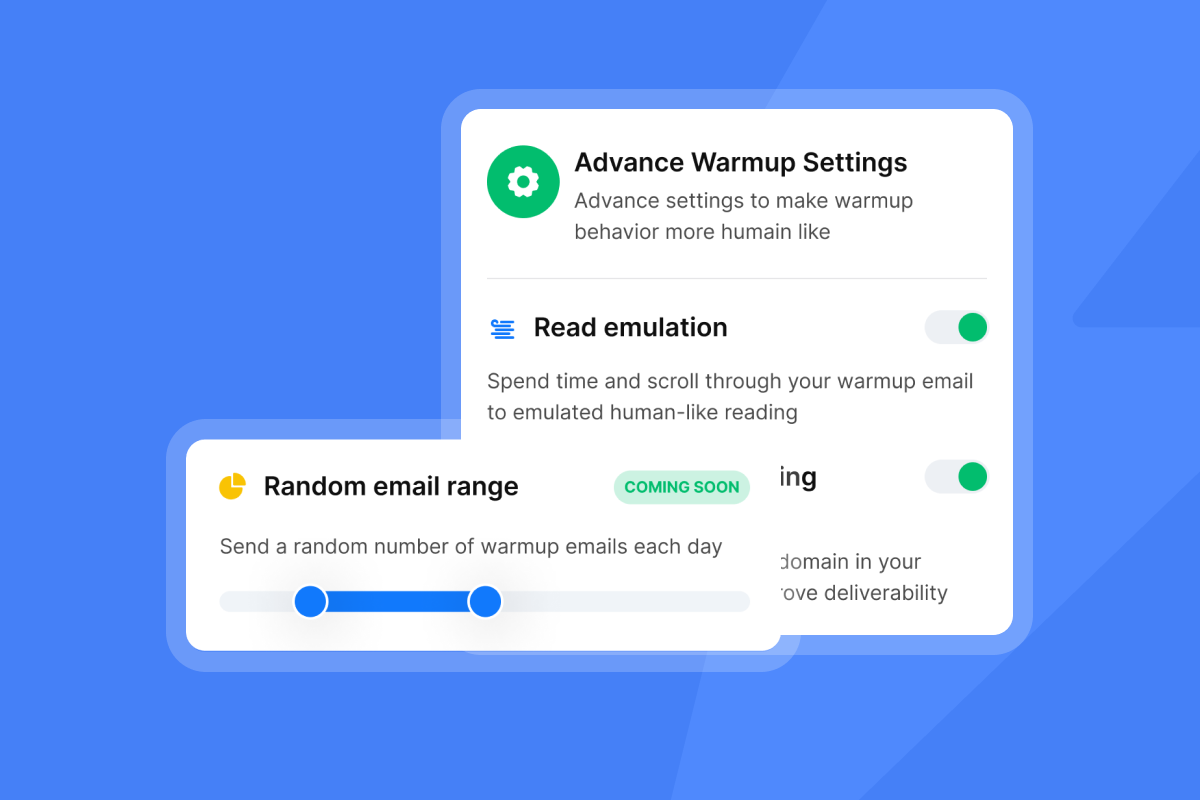
Warmup typically takes 2-4 weeks, starting with low daily sends and gradually increasing by 10-20% every few days. Our warmup feature automatically mimics human behavior in the background to build sender reputation for new accounts. Instantly's warmup network runs across 4.2M+ accounts on all paid Outreach plans with no per-inbox fee, and includes read emulation to simulate genuine scrolling and engagement during the ramp, the same positive signals that build sender reputation with Gmail and Outlook.
The Instantly 30-day warmup guide recommends starting with 2 warmup emails on Day 1, 4 on Day 2, and continuing the slow ramp until you reach your target volume, as confirmed by our scaling email warm-up guide. Plan for a minimum of 14 days before launching any campaign emails, with many teams seeing stable placement after 2-4 weeks on Google Workspace and Microsoft 365.
Watch for these health signals during warmup and pause if any appear:
- Bounces above 2%
- Spam complaints above 0.1%
- Inbox placement dropping on automated placement tests
- Microsoft throttling on any connected account
"I especially like the email warm-up tool. This tool automatically mimics human behavior and runs in the background to build a sender reputation for multiple new email accounts, ensuring emails land in the primary inbox rather than spam." - lucky b. on G2
Governance and compliance
Every sequence must include an unsubscribe link and a physical mailing address to comply with CAN-SPAM. For contacts in the EU, confirm a lawful basis for processing under GDPR before adding them to any campaign.
Build a dynamic exclusion list in your CRM that includes existing customers, active opportunities, and opt-outs, and sync it to Instantly before any campaign launches. This prevents reps from accidentally contacting accounts that are mid-negotiation or have already unsubscribed.
For DNS setup,SPF lists the servers authorized to send from your domain, DKIM cryptographically signs each outgoing message, and DMARC tells receiving servers what to do when either check fails. All three records must be active before warmup begins. The DMARCLY implementation guide walks through the exact DNS configuration steps for each record type.
Phase 3: Writing and structuring the sequence
Choosing the sequence type
The type of sequence you build depends on where the prospect is in the buying process and what action you want them to take. Use this table to choose the right starting point.
Sequence type | Primary goal | Trigger | Target audience |
|---|---|---|---|
Cold outbound | Book a meeting | Manual list import | Net-new cold prospects |
Nurture | Build awareness and trust | Content download or event sign-up | Warm inbound leads |
Re-engagement | Revive stalled conversations | No activity for 30+ days | Closed-lost or unresponsive leads |
Structuring the steps and duration
A practical framework from the Instantly cold email sequence guide puts the sweet spot at 4-7 touchpoints. Use fewer than four and you give up before most replies arrive. Use more than seven and the incremental value diminishes unless each additional step adds genuinely new information or context.
The Instantly 2026 Benchmark Report shows that 58% of replies arrive on Step 1, with Steps 2-4 contributing the remaining 42%. That data confirms two things: your first email must be your strongest, and you must follow up because nearly half of all replies come from persistence. Space touchpoints 2-4 business days apart across a 10-15 day window. The cold email follow-up masterclass covers spacing logic in detail, including how to adjust timing based on early reply signals from the first step.
Using AI and personalization
AI tools help you draft and vary content at scale, but they do not replace human judgment before sending. Our AI Sequence Writer generates initial drafts for each step, and AI variable injection lets you add dynamic fields like company name, industry, or recent news. The AI Spam Words Checker flags risky language before the sequence goes live. Every email still needs a human review pass to confirm tone, accuracy, and that personalization fields have populated correctly.
"I really appreciate the amount of thought that Instantly's team puts into the little details... I find the auto-replies generated as suggestions to be very helpful and time-saving." - Adrian F. on G2
Spin syntax (described in the glossary below) rotates phrasing across variations to reduce repetition and lower spam filter risk. Use it in subject lines and opening sentences to keep each send unique at the inbox level.
A/B testing strategies
Test one variable at a time, and start with subject lines before moving to CTAs or email body copy. Subject lines are the highest-leverage variable because they determine whether the rest of your copy gets read at all.
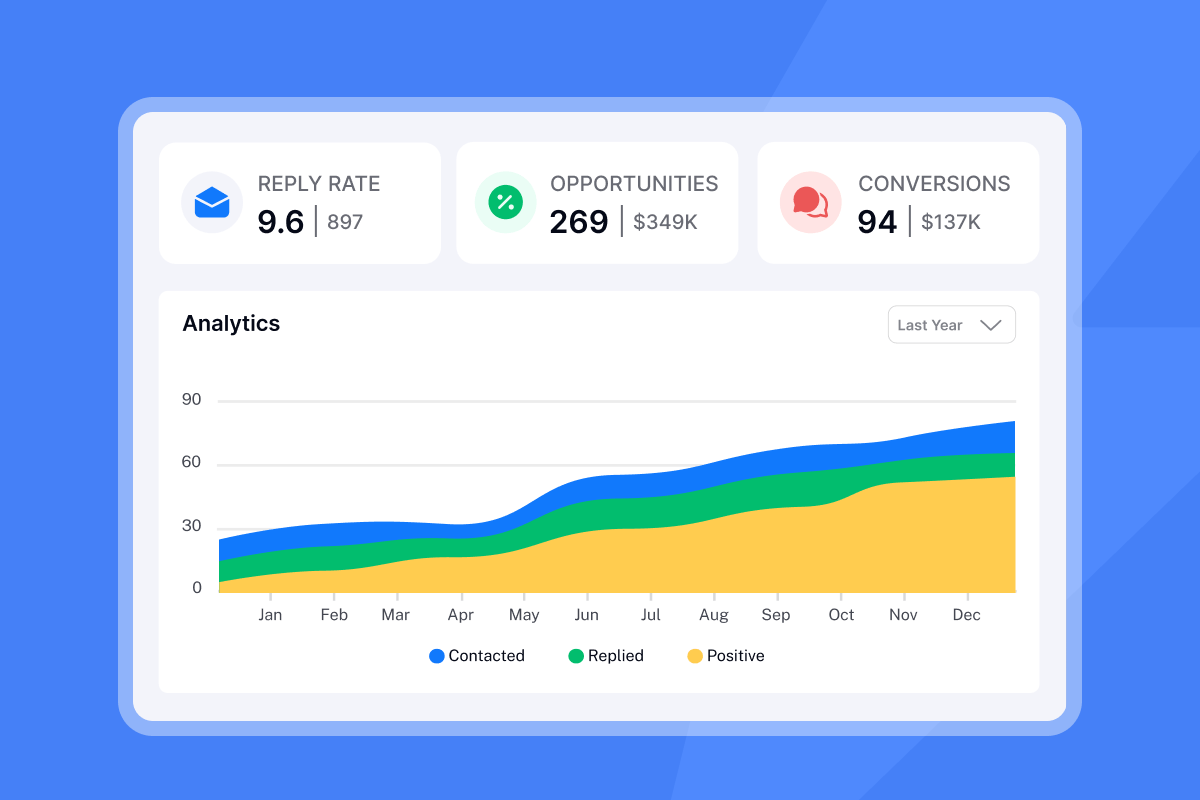
Run an A/B test on a representative portion of your list before rolling out the winning variant to everyone. Our A/Z testing feature supports up to 26 variants per step, available on the Hypergrowth plan and above. Track reply rate as your success metric for each variant, not open rate, since Apple Mail Privacy Protection inflates open tracking across many datasets and makes open-based decisions unreliable.
Phase 4: Deployment and ramping schedules
The ramp-up schedule
Even after warmup is complete, ramp campaign sends gradually to avoid triggering ISP filters. Follow this three-week schedule as a starting point:
- Week 1: Send between 20–30 emails per inbox per day, randomizing send times throughout the morning and rotating across 2–3 copy variants.
- Week 2: Increase volume gradually and monitor bounce rate and reply rate daily.
- Week 3+: Hold at a maximum of 30 sends per inbox per day. Add new inboxes in parallel if you need more total throughput, and ramp each new inbox through the same schedule.
The Instantly slow ramp warmup guide recommends never exceeding 30 campaign emails per inbox per day for sustainable, long-term deliverability. If bounce rates climb above 2%, pause the campaign, re-verify the list, and resume at a lower cap for three days before stepping back up.
Before sending week one's first campaign emails, run an Inbox Placement test to confirm primary inbox landing across Gmail, Outlook, and Yahoo. If placement is below 80% on any provider before you ramp, fix the cause now rather than after volume is already in the market.
Managing replies and the unified inbox
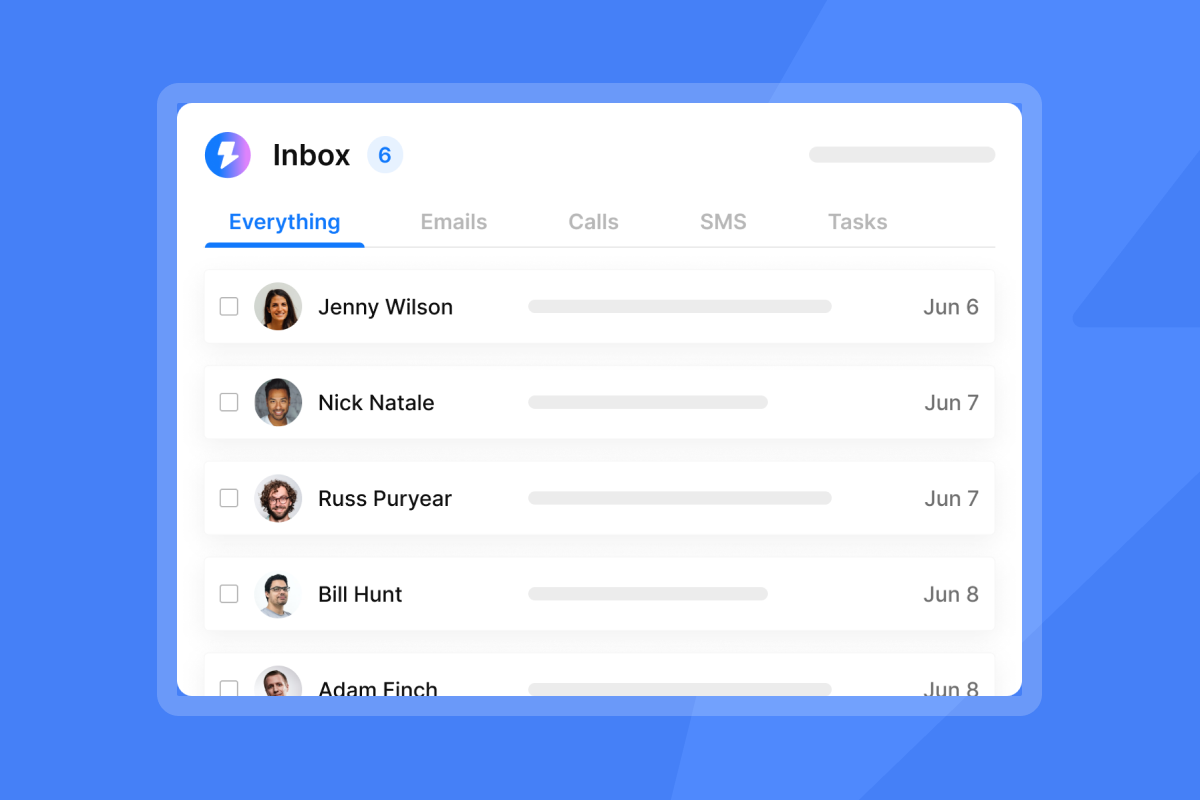
Once replies come in, the Unibox consolidates every conversation from all sending accounts into a single view. Reps work from one interface instead of toggling between email clients for each sender account, which reduces the risk of missed or delayed responses.
- Positive reply: Mark as "Interested," stop the sequence for that contact, and assign to the responsible AE for follow-up.
- Out of office: Keep the contact in sequence. Instantly detects OOO replies automatically and pauses the sequence until the contact returns.
- Not interested or unsubscribe request: Mark accordingly and remove from all active campaigns immediately.
"I like the unified inbox because it allows me to manage conversations from multiple inboxes without the inefficiency and mess, and it helps me focus on high-intent, positive replies without the distraction of managing separate email clients for each sending account." - Jethu Ram P. on G2
Phase 5: CRM integration and handoffs
Syncing data to the CRM
Push data to your CRM based on engagement triggers, not on "sent" status. Syncing every sent email creates noise that buries the CRM in irrelevant activity. The correct triggers are:
- Reply received: Create a task or activity in the CRM
- Interested status set: Create or update the opportunity record
- Meeting booked: Log the meeting and update pipeline stage
Our two-way Salesforce and HubSpot integration supports all three triggers. For the HubSpot-Salesforce connection specifically, HubSpot's sync documentation confirms that the integration checks for updates every 15 minutes and triggers a sync on contact property changes and email activity events. For teams using other CRMs, Zapier and Make handle the same workflow through native Instantly triggers.
The sales rep handoff
The sequence stops and the human takes over when a positive reply arrives. At that point, the SDR or AE owns the conversation and should respond within the same email thread to maintain context for the recipient.
Define "positive reply" clearly for your team in advance and build the CRM workflow to reflect it. A reply asking for a meeting is obvious. A reply asking a clarifying question is also positive and should be treated as a live conversation, not left in a queue for the sequence system to handle.
Measuring success and ROI
Metrics that matter
ZoomInfo's email analytics guide identifies reply rate as the most important metric for sales outreach because it signals a conversation has started. Open rate has become directionally useful but structurally unreliable. Apple Mail Privacy Protection preloads tracking pixels through proxy servers, which can make it appear that every Apple Mail user opened your email even if they never did. Use open rate as a trend signal, not a decision metric.
Use this priority order for your sequence dashboard:
- Primary: Reply rate, interested rate, meetings booked, and SQLs created
- Secondary: Open rate (trend signal only), click rate, unsubscribe rate
- Health: Bounce rate, spam complaint rate, inbox placement score
Instantly's 2026 Benchmark Report puts the average B2B cold email reply rate between 3.43% and 5.8%, with 5-10% considered solid and 10-15% excellent on tightly segmented lists. If you are below 3%, the problem is usually in data quality or deliverability, not the copy.
Calculating cost per meeting
This formula gives you a defensible ROI number for CFO and RevOps reviews:
Cost per meeting = (Total software cost + Data cost) / Number of meetings booked
The economic case for flat-fee pricing matters here. Switching from a per-seat outreach tool at around $395/month to Instantly's flat $97/month on Hypergrowth saves $3,576/year on software alone, according to our unlimited outreach pricing analysis, before counting any improvement in meetings booked. That difference compounds quickly when you add sending accounts without adding seats.
The email sequence launch checklist
Use this before every campaign goes live and share it with every rep as a standard operating procedure.
Tech checks:
- SPF, DKIM, and DMARC records active on all sending domains
- Inbox placement test passed (primary inbox confirmed)
- Warmup running for at least 14 days on all sending accounts
Data checks:
- Full list verified, bounce risk contacts removed
- Exclusion list (customers, active opps, opt-outs) synced
- Segments defined and contacts assigned to the correct campaign
Copy checks:
- AI Spam Words Checker run on all email steps
- Subject line A/B variants created
- Personalization variables tested with a preview send
Campaign settings:
- Daily send limit set to a maximum of 30 per inbox
- Send window set to business hours in the recipient's local time zone
- Reply detection and sequence-stop rules configured
CRM and handoff:
- CRM integration tested with a staging contact and field mappings confirmed
- "Interested" trigger mapped to the correct CRM workflow
- AE notification (CRM task or team alert) active
- Reporting dashboard shared with leadership (reply rate, meetings, SQL targets visible)
The full pre-launch checklist is available in the Instantly Help Center with additional checks for edge cases.
How Instantly helps
We built Instantly specifically for teams that need to scale cold email without scaling headcount or software costs. Our platform covers every phase of this workflow:
- Unlimited sending accounts on a flat monthly fee, so your software cost stays flat as you add inboxes and ramp volume
- Built-in warmup across a network of 4.2M+ accounts, so new inboxes earn sender reputation faster
- Unibox consolidates all replies in one view, so reps handle conversations from one place without toggling between email clients
- Team workspaces with role-based permissions (Owner, Admin, Editor) give sales leaders governance without restricting rep productivity
- Native CRM integrations with HubSpot and Salesforce, plus Zapier and Make for custom workflows
- AI Sequence Writer and AI Spam Words Checker available on our Hypergrowth plan, built directly into the campaign editor so every step gets drafted and quality-checked before launch
"I love how Instantly significantly eases my cold outreach efforts. The platform's automation capabilities save me a lot of time, transforming what used to be a big task into a manageable one." - Arshan K. on G2
Watch the end-to-end workflow walkthrough to see the full campaign setup process in a single platform. Our Growth plan starts at $37/month (or $30/month on annual) and includes unlimited email accounts and unlimited warmup. Our Hypergrowth plan at $97/month adds A/Z testing, the AI Sequence Writer, and advanced warmup options for teams running higher volume. Try Instantly free and use the ramp template inside the app to book your first meetings.
Frequently asked questions
How many emails should be in a cold outreach sequence?
The target range is 4-7 touchpoints spaced 2-4 business days apart over a 10-15 day window, based on Instantly's 2026 benchmarks. Fewer than four touchpoints leaves significant reply volume unrealized, since 42% of replies arrive after Step 1.
What is a good reply rate for B2B cold email?
A reply rate of 5-10% is solid for cold outbound in B2B, and 10-15% is excellent, according to Belkins' cold email response rate analysis. Anything below 3% typically signals a data quality or deliverability problem.
How long does it take to warm up a new inbox?
Plan for a minimum of 14 days of dedicated warmup before launching any campaign emails, with 21-30 days being the safer target for Google Workspace and Microsoft 365 accounts. Start at 2-4 warmup emails per day and increase gradually per Warmup Inbox's duration guidance.
What daily send limit should I set for campaign emails per inbox?
Cap campaign sends at 30 emails per inbox per day. This is the recommended maximum from Instantly's campaign settings for sustainable long-term deliverability. Add more inboxes if you need higher total throughput.
When should I stop a sequence and hand off to an AE?
Stop the sequence the moment a positive reply arrives and assign the conversation to an AE for same-day follow-up in the same email thread, retaining full context for the recipient.
Glossary of key terms
Spin syntax: A technique for creating text variations within a single template using brackets and pipes, for example {Hi|Hello|Hey}, so each send uses slightly different phrasing. This reduces email body repetition across a large campaign and lowers spam filter risk.
Unibox: Instantly's unified inbox that consolidates replies from all connected sending accounts into one view, allowing reps to manage conversations without switching between separate email clients.
Throughput: The total volume of emails sent across all inboxes in a given period. Calculate it by multiplying the number of active sending accounts by the per-inbox daily limit (30 campaign emails per account per day).
Sender reputation: A score assigned by ISPs to your sending domain and IP address based on bounce rates, spam complaints, and engagement signals. Warmup builds it while high bounces and complaints destroy it.
SQL (Sales Qualified Lead): A prospect qualified as a strong fit and ready to be passed to an account executive for a discovery call or demo. In cold email workflows, a positive reply that confirms interest typically triggers SQL creation in the CRM.
DMARC: Domain-based Message Authentication, Reporting and Conformance. A DNS record that tells receiving mail servers how to handle emails that fail SPF or DKIM checks. Setting it to p=quarantine or p=reject protects your domain from spoofing.


