


TL;DR: Bad B2B data kills deliverability. High bounces, spam placement, and low replies are often data problems, not copy problems. Waterfall enrichment fixes this by querying multiple providers in sequence to find verified contacts and fill missing fields. Instantly combines waterfall enrichment in Instantly's SuperSearch, verification, and automated Inbox Placement tests so you send to clean, verified contacts and land in the primary inbox. Get started with your free trial today.
Updated October 14, 2025
Rising bounces and slipping opens with the same copy usually means stale or wrong contact data. When data decays, sender reputation drops, and your emails stop reaching people who can buy.
This troubleshooting guide shows how to diagnose the common data issues, explains waterfall enrichment in plain language, and gives you a system to fix hygiene and protect deliverability. You will also see how Instantly’s data and deliverability stack work together to keep bounces low and placement high.
What is B2B waterfall enrichment and why does it matter for deliverability?
Waterfall enrichment is a structured process that queries multiple data providers one after another, in a set order, until it finds verified information. In B2B, this usually means a deliverable work email, a direct dial, or firmographic and technographic fields.
Why it matters for deliverability:
- More verified contacts. Fewer hard bounces protect sender reputation and inbox placement.
- Better targeting. Completing context fields improves relevance and replies, which are positive signals.
- No single-source blind spots. Stacking providers raises match rates across your ICP.
With Instantly, waterfall enrichment is built into SuperSearch. SuperSearch taps 450M+ contacts and runs real-time enrichment across 5+ providers with verification before you send. The Help Center covers credits in the credit system, and this waterfall enrichment guide breaks down coverage and provider order.
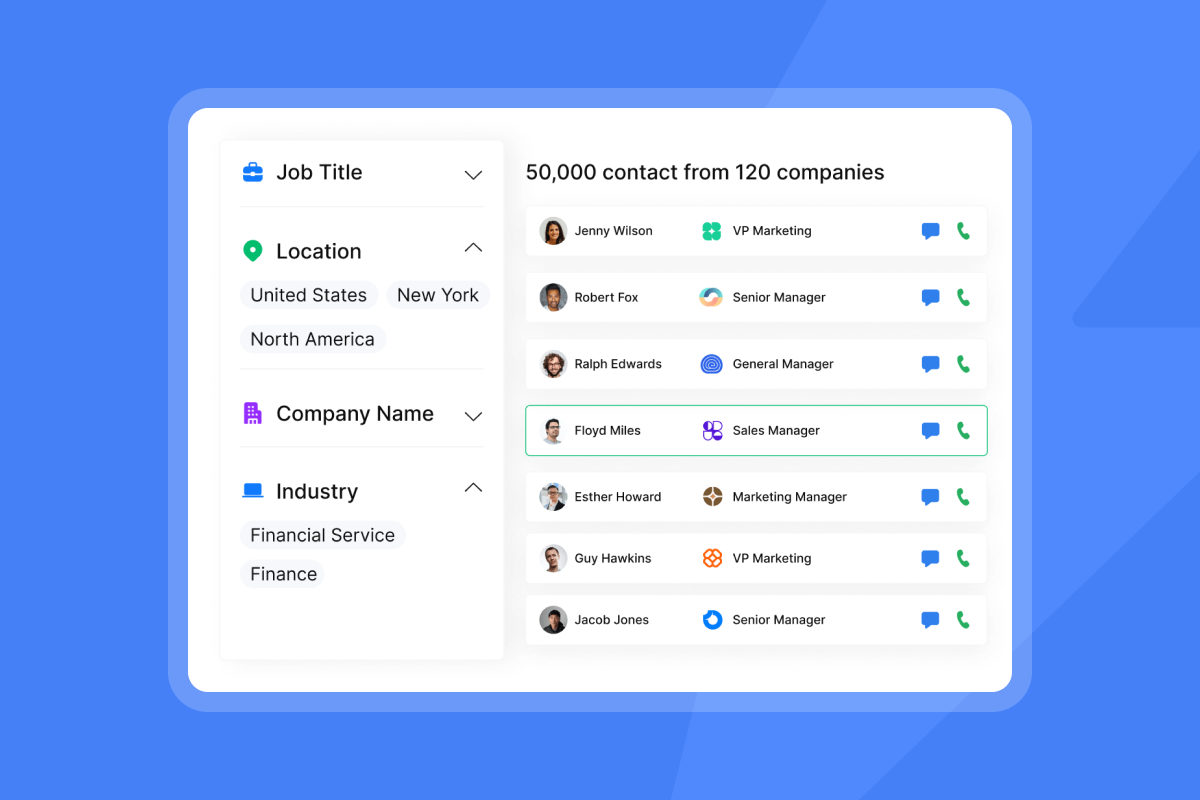
How B2B waterfall enrichment works: the sequential process
Waterfall enrichment is straightforward. The power is in the order, verification, and stop rules.
- Define your target. Set role, seniority, industry, company size, region, and any tech filters.
- Query provider A. Ask for a verified work email and missing company fields. Accept only deliverable results.
- If no match, query provider B through N. Continue until a verified match appears or the list is exhausted.
- Verify again. Run syntax, MX, SMTP, catch-all, disposable, and role-account checks.
- De-duplicate. Merge duplicates on person and company keys. Keep the most recent verified data.
- Append context fields. Add industry, headcount, revenue band, HQ, and notable tools.
- Log provenance. Record which provider returned each field and the verification date.
- Sync to outreach and CRM. Push only verified, compliant records with field mapping and tags.
- Re-verify on a cadence. Refresh every 60 to 90 days to counter natural decay.
Instantly automates steps 2 through 8 inside SuperSearch and pairs it with automated inbox placement tests so you know domain health before ramping volume. The deliverability analytics overview and the automated tests guide describe recurring tests, blacklist monitoring, and automated safeguards. Here's a visual tutorial on how to use Instantly end to end to get enriched leads:
The critical benefits of waterfall enrichment for B2B growth
- More verified contacts, fewer bounces. Treat a hard bounce rate above 2 percent as a red flag. Deliverability references from Mailgun recommend keeping bounce rate under about 2 percent to avoid reputation damage. Mailgun deliverability note. Target at or below 1 percent as a guardrail for cold outreach. Takeaway: verified lists protect domain health.
- Higher data coverage and accuracy. Email lists decay fast. ZeroBounce’s 2025 report found databases degrade by about 28 percent annually, driven by invalid and catch-all addresses. ZeroBounce list decay report. Takeaway: a refresh cadence with waterfalling keeps records current.
- Better inbox placement through lower complaints. Google’s bulk sender rules require a user-reported spam rate under 0.3 percent, measured in Postmaster Tools. Keep complaint rates well under that bar.
- Faster time to first meeting. Sending first to verified, job-relevant contacts shortens cycles. Teams that standardize list hygiene and run placement tests before sending see more consistent primary-inbox placement. Instantly’s private warmup network supports placement by simulating engagement across a large pool. In our deliverability playbook we dig deeper into how Instantly's network of 4.2M+ accounts helps secure your accounts.
- Operational consistency across reps. Centralizing enrichment, verification, and send rules reduces ad hoc scraping, risky imports, and compliance drift.
Lower cost per meeting. Waterfall vendors raises match rates without over-relying on a single expensive source. Growth advisor Guillaume Cabane has advocated multi-vendor “waterfall” approaches to raise coverage and ROI:
"Waterfall.io was able to deliver nearly 100% of what ZoomInfo and Cognism delivered and provided another 55% of coverage on top of that."
Source: Cabane shared this result thread on LinkedIn. Cabane post.
What customers of Instantly say
"It is the Inbox placement feature which i like the most as it help us to get to know the spam score and the mails that are placed in the inbox so by this we can manage the mail ids accordingly."
G2 review
"Getting set up is very easy, especially with the AI copilot that helps you every step of the way."
G2 review
"Customer support is fantastic and the platform is easy to use."
G2 review
Waterfall enrichment vs. other data enrichment: a key distinction
- Waterfall enrichment. Queries multiple providers in sequence for each record, prioritizes verified emails, fills missing fields, and records provenance for audits. Optimized for outreach readiness and deliverability.
- CRM or form enrichment. Often relies on a single source for batch updates, adding firmographics or social links. Useful for segmentation, but it does not maximize verified-contact coverage or minimize bounces.
For cold outreach, waterfalling is safer because it directly reduces bounces and improves inbox placement.
Symptoms of poor data
- High bounces. Hard bounces at or above 2 percent.
- Spam placement. Tests show promotions or spam folder hits rising.
- Low opens and replies. Segments that should perform are flat.
- Inaccurate records. Wrong titles, companies, or non-work emails.
- Duplicates. Prospects contacted twice under different records.
Root causes of bad B2B data
- Data decay. Addresses go stale as people change jobs. Independent studies place annual decay near the 20 to 30 percent range for email databases. Practical tracking tips appear in this data quality guide.
- Single-source dependence. One vendor misses large portions of your ICP.
- No verification. Imports skip syntax, domain, and mailbox checks.
- Siloed systems. CRM, marketing, and outreach hold conflicting records.
- No governance. Undefined standards, missing owners, and no refresh cycle.
Diagnostic steps
- Review bounce logs. Flag any segment above 1 percent hard bounces.
- Run placement tests. Use automated inbox placement tests to see foldering by provider and trigger safeguards. For an in‑app walkthrough, watch the Instantly AI full tutorial.
- Sample 100 records. Spot check titles, companies, and email syntax.
- Verify the list. Use a verifier and suppress invalid or risky results.
- Audit duplicates. Dedupe by email and person-company keys in CRM.
- Confirm authentication. Publish SPF, DKIM, and DMARC and check alignment. Practical checks appear in Google’s Postmaster Tools overview.
- Segment and retest. Send small batches by source and persona to isolate issues.
Solutions for data hygiene
- Re-verify before the next send. Remove invalids and risky emails.
- Purge role accounts. Avoid info@, sales@, and other generic inboxes.
- Standardize fields. Normalize titles, company names, and countries.
- Throttle sends. Do not scale past 30 emails per inbox per day while repairing domain health. Keep this cap in place for ongoing safety.
- Refresh stale records. Re-enrich segments older than 90 days.
- Log provenance. Track source and verification date on every record.
Preventive measures with Instantly
Use SuperSearch with waterfall enrichment. Expand coverage with multiple providers and verify before sending. See practical steps in this verified data playbook.
Run placement checks weekly. Build a routine with automated tests and health alerts. For a step‑by‑step demo, watch The Ultimate Guide to Cold Email Deliverability in 2025.
Warm and pace. Warm accounts through Instantly’s private deliverability network and ramp slowly. See daily caps in your sending settings.
Standardize team rules. Apply global blocklists, send windows, and QA across team workspaces and audit-friendly reports.
Triage replies quickly. Keep engagement high with AI Reply Agent, which can respond in under 5 minutes.
Essential features and integrations of a waterfall enrichment service
- Provider depth. Multiple independent providers in sequence with published find rates.
- Verification stack. Syntax, domain MX, SMTP ping, catch-all detection, disposable and role flags.
- Provenance tracking. Field-level source and timestamp for audits.
- Coverage scale. A large index and a documented refresh cadence.
- Deliverability tooling. Inbox placement testing, warmup, bounce protections, and pacing controls.
- Team controls. Admin roles, workspaces, templates, global blocklists, audit reporting.
- CRM and ops integrations. HubSpot and Salesforce via native or partner syncs, plus webhooks, Zapier, and Make.
- Pricing clarity. Predictable outreach pricing with transparent credits for data and AI actions.
Watch how our CRM helps you manage and close more deals:
Choosing the right B2B waterfall enrichment service
- Pricing model and TCO. Flat-fee outreach avoids per-seat penalties as you add inboxes. Credits for leads and AI should be predictable with clear unit costs.
- Data coverage and match rates. Ask for find rates in your ICP, not global averages. Confirm waterfall depth and verification methods.
- Deliverability system. Warmup, placement tests, pacing, bounce protections, and automated safeguards matter as much as coverage.
- Team and audit needs. Require admin roles, workspaces, and reporting that reconcile with your CRM. Avoid black box analytics.
- Compliance and provenance. Review processing terms and sub-processors. Understand consent posture and how field provenance is tracked.
- Support and rollout speed. Look for clear docs, fast support when campaigns are live, and integration recipes.
"Customer support is fantastic and the platform is easy to use."
G2 review
Table 1: Pricing, coverage, deliverability
| Service type | Pricing model | Data coverage | Deliverability features |
|---|---|---|---|
| Instantly | Flat-fee outreach + clear credits | 450M+ B2B leads, 5+ providers | Warmup, automated placement tests, bounce and pacing controls |
| Enterprise suite | Per seat + add-ons | Broad, varies by plan | Often add-ons or partner tools |
| Niche provider | Credits only | Deep in one region or field | Minimal. Typically integrates to third-party senders |
Table 2: Team controls and compliance
| Service type | Team controls | Compliance posture | Best for |
|---|---|---|---|
| Instantly | Admin roles, workspaces, audit reports | Public documentation | Teams that need scale, verified data, and consistent placement |
| Enterprise suite | Role based, heavy admin | Mature enterprise artifacts | Enterprises standardized on suites |
| Niche provider | Light roles, limited reports | Varies by vendor | Specialists augmenting an existing sender stack |
No single tool guarantees inboxing. Even with warmup and placement tests, outcomes vary by domain history and mailbox provider. Run a 14 to 30 day pilot with strict ramp rules and acceptance criteria for bounces, spam complaints, and replies.
How to: Fix your B2B data and stabilize deliverability in 7 steps
- Export last 90 days of targets by segment. Done when you have CSVs with source and date stamps.
- Verify each segment. Done when you tag valid, invalid, and risky emails and remove invalids.
- Waterfall-enrich missing emails and fields. Done when match rate improves and all emails are verified.
- Dedupe on email and person-company keys. Done when duplicates drop to a negligible level.
- Normalize titles, companies, and countries. Done when fields follow your standards list.
- Run automated placement tests and warmup. Done when placement is stable and spam complaints stay under 0.3 percent using these setup steps. How to master SPF, DKIM, and DMARC.
- Relaunch with pacing. Cap at 30 emails per inbox per day. Done when hard bounces are at or below 1 percent for a week.
Instantly automates steps 2, 3, and 6 in one workspace. Explore Copilot if you want AI help drafting segments, prompts, and campaigns.
Turn clean data into meetings
Bad data quietly sabotages your pipeline. When you remove invalids, fill missing fields, and send only to verified contacts, bounces fall and inbox placement rises. Waterfall enrichment is the most reliable way to expand coverage and keep accuracy high. Instantly pairs waterfall enrichment with verification and placement testing so your team reaches the right people in the primary inbox more often.
Start a free trial and use Instantly's SuperSearch to waterfall‑enrich and verify leads, run Inbox Placement tests, and send at a safe pace with clear pricing.
FAQ
- What is a waterfall enrichment service in B2B?
A sequential process that queries multiple providers per record to find verified work emails and complete missing fields. - How many providers should a waterfall include?
Look for 5 or more independent sources with find rates disclosed for your ICP. This AI for bootstrapped SaaS sales guide shows how teams combine verified leads, enrichment, and outreach. - Does waterfall enrichment improve deliverability?
Yes. More verified contacts reduce hard bounces, which protects sender reputation. See practical list-cleaning steps in The Essential Guide to Email Verification. - What send limits should I use while fixing data?
Cap at 30 emails per inbox per day. Keep hard bounces at or below 1 percent and Gmail spam complaints under 0.3 percent. See the broader setup in How to Achieve 90%+ Cold Email Deliverability in 2025. - Is Instantly compliant with GDPR and CCPA?
Yes. Review roles, SCCs, and terms in Instantly's DPA and the public sub-processors list.
Key terms glossary
- Waterfall enrichment: Querying multiple providers in sequence for verified data.
- B2B data enrichment: Adding or correcting fields on contact and company records.
- Contact data: Names, titles, emails, phones linked to a person.
- Email verification: Checks proving an email is deliverable.
- Phone enrichment: Finding direct dials or switchboard numbers.
- Data providers: Vendors that supply contact or company data.
- Data coverage: Share of your ICP with complete, verified fields.
- Deliverability: Likelihood emails land in the primary inbox.
- GDPR: EU data protection regulation.
- CCPA: California Consumer Privacy Act.
- Sales funnel leakage: Lost opportunities from data or process gaps.
- Sender reputation: Trust score mailbox providers assign to your domain and IP.
- List hygiene: Ongoing removal of invalid and risky contacts.
- Primary inbox: The folder prospects read, not spam or promotions.
- Verified contacts: Emails confirmed deliverable by a verifier.
- Send windows: Time ranges your system sends emails.
- Spin syntax: Small variations to reduce repeats across sends.
- Reply rate: Percent of sends that receive a response.
- Booked meetings: Confirmed meetings from outreach.
- Unified inbox: Central place to manage replies.
- Credits: Units to pay for data and AI actions.
- Throughput: Total daily sends across connected inboxes.


