


Updated: June 10, 2026
TL;DR:
Choosing the best AI Sales Agent starts with the infrastructure underneath it, not the copy it generates. Prioritize warmup network size, safe send limits, and dedicated IP rotation before evaluating AI features. Verify that pricing is flat-fee and that credits are transparent, because per-seat models and hidden overage fees quietly drain your pipeline budget as you scale. Run a 30-day pilot against concrete KPIs (meetings set, SQLs or sales-qualified leads, bounce rate) before committing. The right platform augments your sales development reps (SDRs), keeps domain health intact, and syncs cleanly to your CRM without constant babysitting.
Most guides ask: "How smart is the AI?" That's the wrong question. An AI agent can generate and personalize outreach at a scale no SDR team can match manually, but weak sending infrastructure routes those emails to spam and your pipeline hits zero for the month. The smarter question is: "What keeps my emails in the primary inbox?" This guide gives you a practical, systems-first framework to evaluate AI sales agents, avoid the billing traps and deliverability drops that cut into quarterly targets, and select a tool your team will actually adopt.
Key selection criteria for an AI Sales Agent
Before you compare AI models or copy quality, audit the platform's core infrastructure. An AI sales agent is only as reliable as the systems underneath it: warmup, domain health, data hygiene, CRM sync, and pricing transparency. Each criterion below maps directly to the risks that cause the most damage during vendor selection.
Mail warmup and sending infrastructure
Warmup builds sender reputation on new inboxes. Email providers like Gmail and Outlook filter new senders heavily until they see consistent, engaged sending. Instantly.ai runs a deliverability network of 4.2M+ accounts used for warmup traffic, and that network size distributes engagement signals across a broad pool, reducing the risk that warmup activity looks synthetic to providers.
One non-negotiable limit applies regardless of the platform you choose: cap sends at 30 emails per single inbox per day. Exceeding that threshold increases the risk of spam folder placement and, over time, domain blacklisting, particularly if your inbox is not fully warmed, your list has not been verified, or your complaint rate is already elevated. The practical implication is that scaling volume safely requires unlimited sending accounts, not higher per-inbox limits. Instantly includes unlimited email accounts and warmup across all Outreach plans, starting at $47/mo.
For teams sending at high volume, the Light Speed plan adds SISR technology, which shards and rotates sending across dedicated private IP pools. That separation means your outreach volume is not concentrated on a single IP, which reduces the blast radius if one address develops a deliverability issue. Watch Instantly's walkthrough on setting up an AI Sales Agent to see infrastructure setup in practice.
Ensuring fast rep onboarding and UI
The platform should let a rep go from account setup to first campaign in under a day, with the UI handling warmup, sequence building, and inbox monitoring without needing a RevOps engineer at every step. If onboarding requires dedicated IT support or a multi-day configuration process, adoption rates will drop before the first sequence goes live.
A practical benchmark: a new rep should be able to connect a sending account, confirm warmup is running, and launch a test sequence within four hours of first login. If the vendor cannot demonstrate that in a live demo, assume the real onboarding takes longer.
Use this checklist during the demo to test actual UI speed:
- Connect a sending account and confirm warmup activates without manual DNS steps
- Build a three-step sequence using the AI Sequence Writer from a single prompt
- Find a contact in SuperSearch, add them to a campaign, and verify the CRM record updates
- Locate the Unibox, triage a sample reply, and confirm the contact status updates correctly
If any of these steps requires switching tools, opening a help doc, or waiting for a support walkthrough, flag it. Friction that appears minor in a demo becomes a daily tax on rep productivity at scale.
"Instantly is for me the Apple of Cold Outreach tools. Easy to use, intuitive, minimal clicks/steps to get stuff done, and things just work." - Thomas D. on G2
Deep CRM sync and data hygiene
Verified contacts and clean lists are the inputs that determine bounce rate, and bounce rate above 1% damages sender reputation fast. The platform must enrich and verify leads before sending, not after the fact.
Instantly's SuperSearch database provides 450M+ B2B leads with waterfall enrichment from 5+ providers and LLM-assisted enrichment. That multi-provider approach matters because no single enrichment source covers the full market, and layering them catches contacts that would otherwise bounce.
On the CRM sync side, look for native HubSpot integration and Salesforce sync via OutboundSync, plus a native Clay connector, with Zapier and Make available for custom automation. The test is bidirectional accuracy: does a reply in Unibox automatically update the CRM record, and does a CRM status change suppress the contact from active sequences? If sync is one-directional or requires a manual export step, data silos form within weeks. Review Instantly's integrations documentation to audit connector depth before committing.
Avoiding hidden vendor pricing traps
At 10 reps on Apollo's Professional tier (approximately $99/user/month billed monthly at time of writing), a team pays around $11,880/year before any overage credits. At Instantly's Hypergrowth plan ($97/mo), the same team pays $1,164/year on a flat fee with unlimited sending accounts. At 20 reps, Instantly still costs $97/mo while Apollo costs roughly $1,980/mo. That gap compounds with every hire.
Instantly separates Outreach pricing (flat-fee, unlimited accounts) from Instantly Credits, the pool that powers SuperSearch, Copilot, AI Sales Agent, and AI Reply Agent. Credits start at $9/mo for 150 credits and scale up, with the full breakdown on the Instantly pricing page. That structure is transparent and forecastable before you sign anything.
Vendor support and escalation paths
Support quality matters most when a campaign is live and deliverability drops suddenly. Generic template responses that deflect root-cause analysis are the failure mode to watch for. The right support team gives you specific diagnostic steps: check the domain reputation report, identify which sending accounts tripped a filter, and adjust throttling before the campaign resumes.
"I love their amazing customer support, which is quick, always ready, extremely well-prepared, and nice. They help me whenever I have issues with campaigns, managing them with ease for me and my clients." - Riccardo C. on G2
Five vendor behaviors that indicate failure
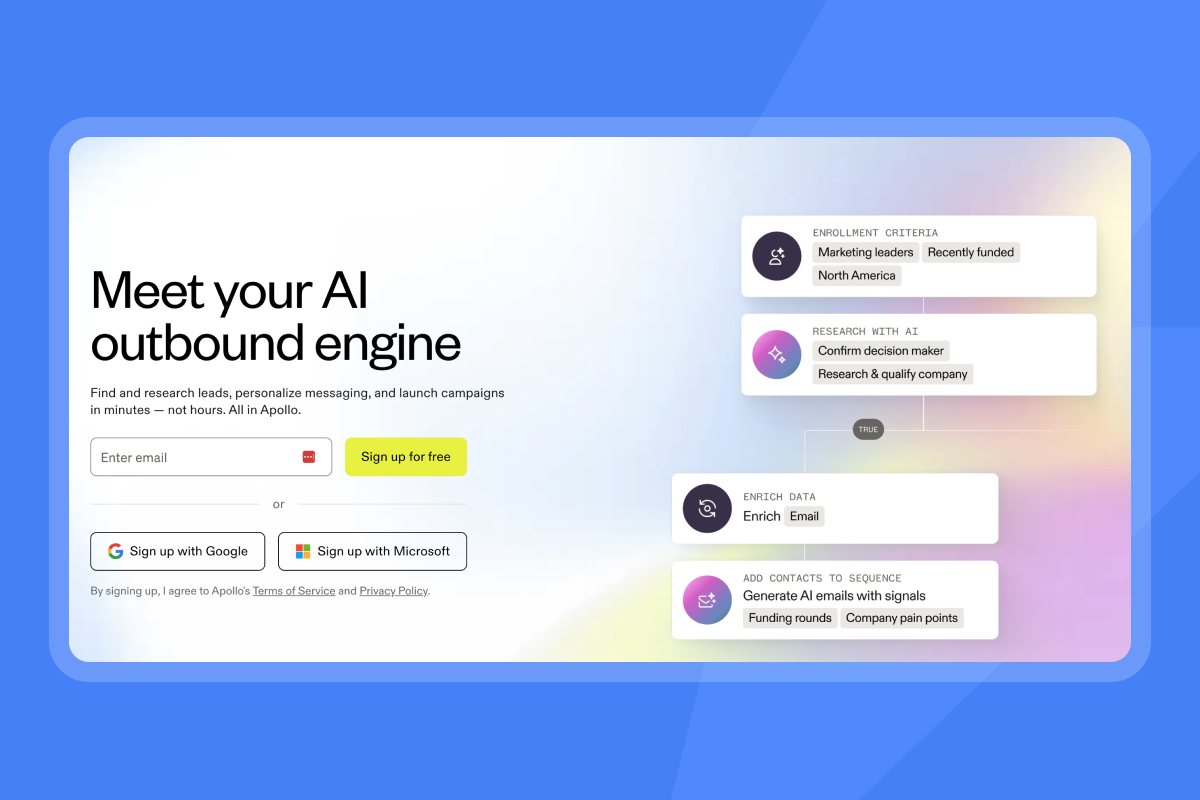
Red flags in an AI sales tool demo cluster around these patterns. Most vendors hide them well in curated demo environments, so you need to probe deliberately. Watch for all five before committing to a pilot. Any single one of them, left unchecked, can stall a rollout, damage domain reputation, or create billing exposure that compounds every quarter.
Identifying AI performance gaps
Over-promised AI misclassifies replies, generates off-brand copy, or produces responses that reference incorrect prospect details. Demo environments typically use curated, clean data, while your production environment will have messy CRM records, legacy fields, and variable reply formats. That difference is worth probing before you assume demo performance will carry over.
If a vendor cannot explain how the system handles an ambiguous reply or a bounce loop, that is a gap you will likely encounter once live campaign data replaces the curated demo environment. Consider asking to see the AI Reply Agent handle a "not interested" and a "call me next quarter" reply in the same demo session, ideally using real campaign data rather than a curated demo environment.
Hidden fees and renewal traps
Auto-renewal clauses allow vendors to silently increase prices at renewal without triggering renegotiation. The specific clauses to check for include: auto-renewal without explicit opt-in, mid-contract seat reduction locks where you keep paying for departed reps, and credit expiration that forces overage purchases.
If the contract does not specify a notice period before auto-renewal, negotiate for 60 to 90 days. Thirty days is a common default, but it rarely gives you enough time to evaluate, approve budget for renewal, or find an alternative if you decide not to renew. Request a written breakdown of the renewal notice period, price escalation caps, and cancellation terms.
Hidden consent and data accuracy gaps
Poor data quality generates high bounce rates, and high bounce rates damage domain reputation in ways that are slow and painful to recover from. Before using any lead database, ask for the data source documentation: where were these contacts collected, when were they last verified, and what is the provider's consent posture for B2B prospecting?
Platforms using unverified scraped lists without documented enrichment sources put your sender reputation at risk regardless of how good the AI copy is. Waterfall enrichment across multiple verified providers, as Instantly uses in SuperSearch, is the standard that minimizes this risk.
Reporting that fails CRM reconciliation
Analytics that cannot reconcile with CRM data are worse than no analytics because they create false confidence. If the platform reports 50 positive replies but your CRM shows 30 SQLs (sales-qualified leads) created, you need a clear audit trail explaining the gap. Common causes include bounce handling discrepancies, field mapping mismatches between the AI tool and the CRM, and data formatting conflicts that prevent records from syncing correctly.
Ask the vendor to show you a specific campaign's reported reply count next to the CRM records it generated. If they cannot produce that view, your RevOps team will spend hours every week reconciling reports manually.
No visible warmup network or send-limit guardrails
A vendor that cannot show you their warmup network size, its activity rate, or how send limits are enforced is a meaningful infrastructure risk. Warmup network size determines the quality of engagement signals your inbox receives during ramp-up. If the network is small or inactive, warmup traffic looks synthetic to Gmail and Outlook, and your sender reputation builds on a weak foundation before a single cold email goes out.
Probe with two specific questions in the demo: how many accounts are in the warmup network, and what percentage were active in the last 30 days? Then ask whether the platform enforces the 30-email-per-inbox-per-day cap automatically, or whether individual reps can override it. A platform that lets reps bypass send limits without manager approval is one campaign away from a domain reputation problem that affects the whole team.
If the vendor cannot answer the network size question with a specific number, or if send limits are soft guardrails that reps can disable, flag it before the pilot starts.

Validating performance during a 30-day pilot
Structure a 30-day pilot around measurable outcomes, not feature exploration. Thirty days gives you enough time to complete email infrastructure warmup, run initial outreach cycles, and collect enough reply data to measure early conversion rates. It will not cover a full sales ramp cycle, which typically runs three months or longer, but it will tell you whether the infrastructure holds, whether replies are converting, and whether the workflow fits your team before you commit to a longer rollout.
Define KPIs for your pilot phase
Set three to five specific, numeric targets before day one:
- Bounce rate: Stay below 1% on all pilot campaigns.
- Inbox placement rate: Target above 95% on Gmail and Outlook sends.
- Reply rate: Aim for at least 3% to 5% on verified, ICP-matched (ideal customer profile) lists.
- Meetings set: Define a minimum threshold that justifies full rollout based on your team's needs.
- SQL conversion: Track how many AI-sourced replies convert to qualified opportunities. Without pre-defined thresholds, pilots produce opinions instead of decisions.
Measure lead-to-SQL performance
AI augmentation works by removing time friction from research, personalization, and follow-up scheduling, allowing reps to manage more simultaneous opportunities. Track the full funnel during the pilot: AI-sourced contact to first reply, first reply to booked meeting, booked meeting to SQL (sales-qualified lead). If any conversion point shows a sharp drop, you've found the bottleneck.
Watch Instantly's AI Sales Agent demo to see the lead-to-meeting workflow before running your own pilot, and review the AI Sales Agent documentation to understand how lead sourcing integrates with outreach sequencing.
Track daily inbox placement metrics
Daily deliverability monitoring is not optional during a pilot. Keep spam complaint rates below 0.1% and bounce rates below 1%. If either threshold is breached, pause sends immediately, re-verify the list, and restart at a lower cap.
Check Google Postmaster Tools daily for spam rate. Keep spam complaint rates below 0.1% and bounce rates below 1%. If spam rates rise above 0.1%, reduce send volume, review which sending accounts are generating complaints, and pause any accounts showing elevated complaint rates before resuming.
Instantly's automated Inbox Placement tests run checks across Gmail and Outlook and surface results without requiring manual seed-list management, so the team gets notified before a placement problem snowballs into a domain reputation issue.
Evaluate rep adoption and workflow fit
During the pilot, track how often reps log in without being prompted, whether the Unibox is used for reply triage, and how many sequences run to completion without manual intervention. If reps are exporting leads to spreadsheets or copying replies into the CRM manually, the workflow doesn't fit and you need to surface those gaps with the vendor before the pilot ends.
Verify CRM data sync accuracy
Consider running a manual spot-check at least once before the pilot ends: pull a representative set of contacts from active campaigns and compare their status in the AI tool versus your CRM. Check that replies updated the contact record, that unsubscribes suppressed the contact from all active sequences, and that meeting-booked contacts were flagged correctly. Sync gaps that appear small in a pilot tend to compound as send volume and contact counts increase.
How to monitor email health and avoid blacklists
Long-term domain health requires active monitoring, not a one-time setup. The warmup phase builds reputation, but that reputation can erode quickly if bounce rates creep up, spam complaints go unchecked, or sending volume scales faster than inbox history supports. Daily monitoring is what catches those signals before they compound into a blacklisting event or a domain you have to retire.
Automating safe email ramp-up
Start each new inbox at 5 emails per day. Move to 15 per day at week two, then cap at 30 per day from week three onward. Never exceed 30 emails per single inbox per day for cold outreach. Instantly automates this ramp, but set the parameters explicitly so you can audit the schedule and confirm ramp timing against each inbox's age.
Use secondary sending domains (aged 90+ days where possible) to distribute volume across multiple domains rather than concentrating all sends on your primary domain. Instantly's secondary sending domains guide covers the full strategy with implementation steps.
Monitoring inbox placement metrics
Instantly's Inbox Placement product provides automated placement tests and alerts so you can catch issues before they affect live campaign performance. The tests simulate delivery across Gmail and Outlook seed accounts and return placement results without manual seed-list management on your end.
Use this monitoring cadence to stay ahead of deliverability drops:
Daily (during active campaigns):
- Spam complaint rate: flag anything above 0.08% and investigate before it crosses the 0.1% threshold
- Bounce rate: confirm it stays below 1% per campaign; a single bad list segment can spike this fast
- Inbox placement rate: target above 95% on Gmail and Outlook sends; a drop below 90% requires immediate send reduction and list review
Weekly (lighter sending periods or between campaigns):
- Review aggregate placement trends across all active sending accounts, not just individual campaigns
- Check whether any sending domain has drifted in complaint rate over the prior seven days
- Confirm warmup is still running on any inbox added in the last 30 days
After any infrastructure change:
- Run a manual Inbox Placement test after adding a new sending domain, changing DNS records, or modifying warmup settings
- Wait for test results before resuming campaign sends on the affected account
Preventing domain blacklisting
Three operational habits prevent most blacklisting events:
- Keep bounces below 1% by verifying every list: Run all contacts through SuperSearch or a third-party validator before uploading to catch invalid addresses early.
- Use spin syntax and A/Z variants to avoid pattern detection: Rotating copy across up to 26 variants (available on Hypergrowth and above) reduces the pattern-matching that spam filters use to identify bulk senders.
- Set safe send windows matching business hours: Schedule sends between 9 a.m. and 11 a.m. in the recipient's local time zone, Tuesday through Thursday, because sends at odd hours can reduce engagement rates and increase the likelihood of spam complaints, both of which hurt domain reputation over time.
Audit requirements for secure AI implementation
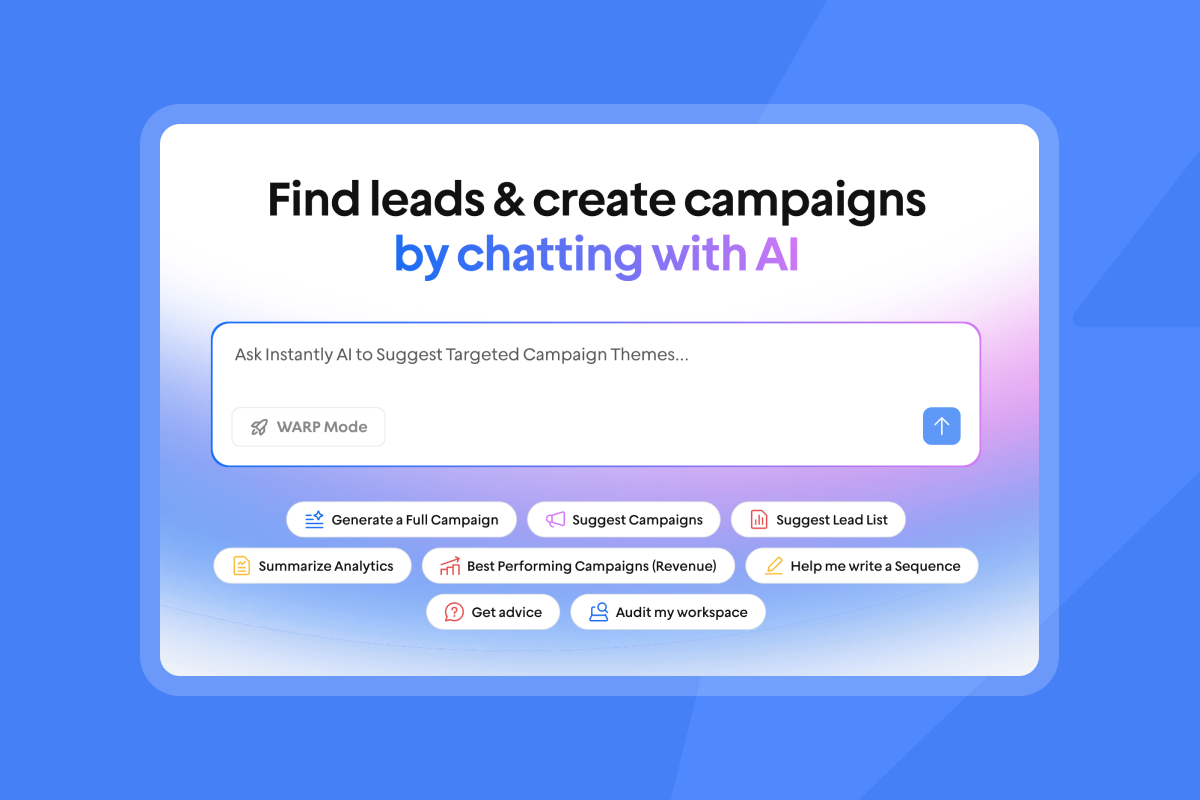
Compliance and data privacy are not afterthoughts. A single GDPR violation can draw fines up to 4% of annual global turnover, and CASL penalties reach $10 million per violation. Audit these areas before you deploy AI agents at scale.
Ensuring high quality contact data
The key questions to ask any vendor: How recently were contacts verified? What enrichment providers are used? Is the consent posture documented for B2B prospecting in your target regions? Instantly's SuperSearch uses waterfall enrichment with 5+ providers across 450M+ B2B leads, with LLM-assisted enrichment filling gaps that standard data providers miss. Review the AI Agents help collection to understand how lead sourcing connects to outreach execution.
How to audit AI model training sets
Ask the vendor directly: does your AI model train on prospect reply data from my campaigns? If the answer is yes, ask whether the model trains on identifiable contact data from your campaigns, and if so, whether you can opt out. Get the answer in writing in the DPA or a vendor security brief before uploading any campaign data.
Protecting prospect data rights
CAN-SPAM requires a functional opt-out in every commercial email with removal within 10 business days. GDPR requires either consent or documented legitimate interest for B2B prospecting in the EU. CASL (Canada) requires explicit consent before the first send, with penalties reaching $10 million per violation.
Suppress unsubscribes automatically across all active sequences the moment a contact opts out. Manual opt-out processing at scale creates GDPR exposure. Instantly's Data Processing Agreement and sub-processor list are publicly available. Request a countersigned DPA before uploading any EU contact data.
Decoding SaaS agreements and subscription costs
Total cost of ownership is rarely just the headline subscription price. Overage fees, per-seat taxes, credit expiration, and auto-renewal clauses all add to the real number, and most of those costs only become visible after you've signed. The structure of the pricing model determines how costs scale as your team grows, which makes it worth mapping out before you reach the contract stage.
Flat-fee vs. per-seat pricing: a side-by-side example
The table below uses Instantly's Hypergrowth plan and Apollo's Professional plan as illustrative examples to show how flat-fee and per-seat pricing structures diverge at 10 and 20 reps:
Model | Plan | Monthly cost (10 reps) | Monthly cost (20 reps) | Annual cost (10 reps) |
|---|---|---|---|---|
Flat-fee (Instantly) | Hypergrowth | $97 | $97 | $1,164 |
Per-seat (Apollo) | Professional | $990 | $1,980 | $11,880 |
The gap compounds every time you hire. Read the Apollo vs. Instantly comparison for a full breakdown of the two models across common team sizes.
Scaling AI usage without overages
Instantly Credits form a single, transparent credit pool that powers SuperSearch lookups, Copilot, AI Sales Agent (5 credits per generated lead), and AI Reply Agent (5 credits per reply). Credits are a separate subscription from Outreach plans, starting at $9/mo for 150 credits (Nano) and scaling to Hyper Credits starting at $197/mo for 10,000 credits, with bundles available up to 200,000. That separation lets you forecast AI usage costs independently from base outreach costs, which matters when you're presenting TCO to a CFO.
A starter stack (Outreach Growth + Instantly Credits Growth + Growth CRM) runs $141/mo. A power-sender stack (Light Speed + Hyper Credits) runs $555/mo.
Exit strategies for AI vendor risks
Before signing, clarify three contract terms in writing: the cancellation notice period, the data export process (can you export all contacts, campaign history, and reply data in a standard format?), and whether mid-term seat reductions are permitted. Vendors that cannot answer these questions directly in a pre-sales conversation will be harder to work with when you actually need to make a change.
Critical probes for your AI sales demo
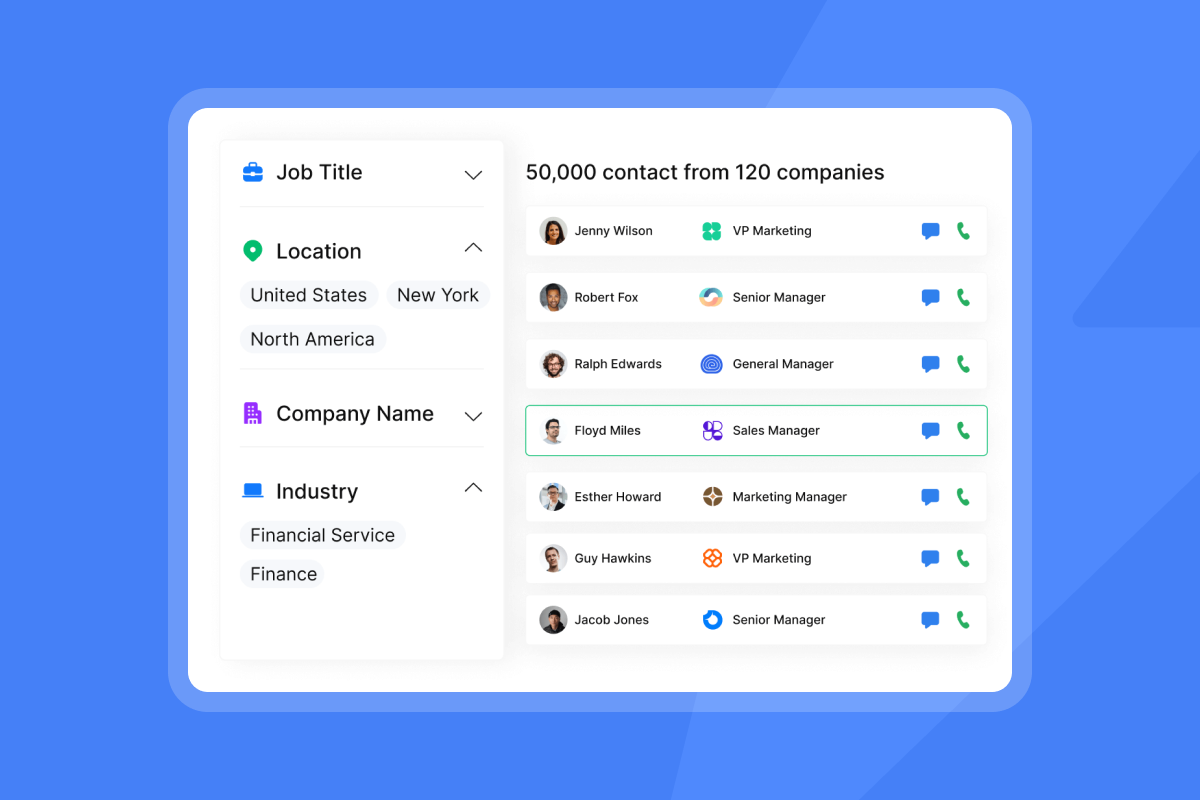
Use these specific questions during vendor demos to cut through polished demo theater and test real production capability.
Email warmup and domain health tactics
Ask these specific questions:
- What is the size of your warmup network, and what percentage of those accounts were active in the last 30 days?
- Can you show me a live domain health dashboard from a current customer (anonymized)?
- What happens automatically when one of my sending accounts hits a spam complaint threshold?
- Does the platform support dedicated or private IP pools, and at which plan tier does that activate?
Managing user roles and permissions
Verify these admin controls:
- Can I restrict which sequences individual reps can launch, and can I require manager approval before a new sequence goes live?
- Is there an audit log of changes to sequences, send limits, and unsubscribe lists?
- Can I set a global block list that prevents any rep from emailing specific domains or contacts?
Instantly includes a global block list and reputation protection across all plans. Confirm that any platform you evaluate provides the same before giving reps individual access.
Syncing AI metrics to CRM
Test sync accuracy with these questions:
- Can you show me a specific campaign's reply data next to the CRM records it created, in a live environment?
- Does a contact unsubscribe in the AI tool automatically suppress them in HubSpot and Salesforce, and in which direction does the sync run?
- How are meeting-booked contacts flagged, and does that status sync back to the CRM automatically?
Support response times and root-cause analysis
Probe for support depth before a campaign emergency forces you to find out the hard way:
- What is your median first-response time for a deliverability emergency during business hours?
- Can you share an example of a support ticket where you identified the root cause of a domain reputation drop?
- At which plan tier does priority support activate, and what does that mean in practice?
The right AI Sales Agent decision starts with infrastructure, not features. Verify warmup network size, confirm flat-fee pricing with no per-seat penalties, and check that CRM sync runs in both directions before you commit to anything. Run a 30-day pilot against numeric KPIs: bounce rate, inbox placement, reply rate, and meetings set.
The platform that holds deliverability, prices predictably, and fits your rep workflow without constant manual intervention is the one your team will actually keep using at month six. If you're ready to test a platform against this framework, start Instantly's free trial with 100 credits to explore SuperSearch and the AI agents. Outreach plans start at $47/mo with unlimited sending accounts and built-in warmup included, so you can validate the entire infrastructure before scaling your team.
FAQs
What is the ideal POC duration for sales teams?
A 30-day pilot gives you enough time to complete email infrastructure warmup and initial outreach cycles. While full sales ramp cycles typically run three months or longer, a 30-day warmup period covers the infrastructure preparation needed to test deliverability, reply rates, and initial lead-to-meeting conversion with meaningful data. Start each new inbox at 5 emails per day, move to 15 per day in week two, and cap at 30 per day from week three onward. Never exceed 30 emails per single inbox per day.
What are realistic benchmarks for inbox placement?
Target at least 95% inbox placement rate across Gmail and Outlook sends, and keep bounce rates below 1%. Spam complaint rates above 0.1% require immediate action: pause, re-verify the list, and reduce sending volume before resuming.
How do you spot hidden pricing clauses?
Read the contract for auto-renewal language, credit expiration terms, and the notice period required to cancel. If the notice period exceeds 30 days or the contract allows price escalation at renewal without a stated cap, negotiate those terms before signing.
What integrations are required for sales ops?
A common integration starting point for a B2B sales stack covers HubSpot or Salesforce (bidirectional), Slack (for reply alerts and AI Reply Agent approval), and Clay (for enrichment workflows). Zapier and Make cover custom automation needs. Instantly supports all of these natively or through documented connectors via the integrations help center.
Key terms glossary
SDR (Sales Development Representative): A sales role focused on outbound prospecting and qualifying leads before passing them to closers.
SQL (Sales-Qualified Lead): A prospect that has been vetted by sales and meets the criteria to enter the active sales pipeline.
ICP (Ideal Customer Profile): A description of the company or buyer type that gets the most value from your product.
RevOps (Revenue Operations): A team or function that aligns sales, marketing, and customer success operations.
TCO (Total Cost of Ownership): The full cost of a platform including subscription fees, overages, and hidden costs.
DPA (Data Processing Agreement): A contract that defines how a vendor processes and protects customer data.
POC (Proof of Concept): A limited trial or pilot to validate that a solution works in your environment.
Primary inbox: The main folder where legitimate emails land, avoiding spam or promotions tabs.
Sender reputation: A score assigned by email providers based on sending history, bounce rates, and spam complaints.
Warmup: The process of gradually increasing email volume on a new account to build trust with email providers before sending cold outreach.
SISR: Server and IP Sharding and Rotation, a technology on Instantly's Light Speed plan that distributes email sending across multiple private servers and IPs, automatically rotating out any that show performance drops.
Unibox: Instantly's centralized inbox that aggregates replies from all sending accounts into a single dashboard for triage and reply management.
Instantly Credits: A single credit pool that powers SuperSearch lookups, Copilot, AI Sales Agent, and AI Reply Agent, sold as a separate subscription from Outreach plans starting at $9/mo.
Read next
- How to set up and run a cold email warmup: a step-by-step guide to ramping new inboxes safely, building sender reputation, and avoiding the warmup mistakes that cause early deliverability drops.
- Cold email deliverability: how to keep your emails out of spam: covers the technical and behavioral factors that determine inbox placement, including domain setup, bounce thresholds, and spam complaint management.
- Best Cold Email Sequence Templates to Win Replies in 2026: ready-to-use sequence structures and copy frameworks built around the send timing, follow-up intervals, and reply-rate benchmarks that work in current inboxes.



