


Updated September 28, 2025
TL;DR: Score tools across seven areas: data quality and hygiene, AI guardrails, pricing and ROI, reporting clarity, integration and team controls, deliverability protection, and security and privacy. Favor platforms with verified data, predictable pricing, on‑brand AI, and built‑in deliverability testing. Instantly combines a 450M+ B2B lead database, outreach, Unibox, and AI agents under flat‑fee pricing with unlimited inboxes. Discovery runs through SuperSearch, and deliverability is maintained with Inbox Placement tests and SISR.
For sales leaders, the gap between a steady pipeline and a dry month often comes down to data fit and system design. The right lookalike company tool finds firms similar to your best customers and feeds sequences with verified contacts. The wrong pick burns domains, wastes credits, and clutters your CRM.
This guide gives you a practical framework to compare options and choose a tool you can roll out across the team with confidence.
What are lookalike companies and why are they essential for B2B?
Lookalike companies share key traits with your best customers. Common traits include industry, headcount, revenue, tech stack, region, and recent growth. A lookalike company search uses these traits to find similar firms that are more likely to reply, book time, and convert.
The AI engine: how machine learning powers lookalike discovery
Modern tools use AI to map your Ideal Customer Profile to the broader market. Under the hood you should expect three things:
- Pattern detection. Models find correlations across firmographics, technographics, and intent signals.
- NLP classification. Systems read websites and job posts to infer use cases and buying centers.
- Predictive scoring. Algorithms rank lookalikes by similarity to your won customers.
Ask vendors to explain why a company was selected in plain language, how they handle bias and model drift, and whether admins can enforce approval workflows on AI‑generated segments and copy.
Instantly pairs AI with human oversight. Copilot helps you research segments, create campaigns, and summarize analytics, while AI Reply Agent triages and replies in under 5 minutes with Human‑in‑the‑Loop or Autopilot modes. Each AI reply costs 5 Instantly credits, which keeps usage auditable for finance.
Getting started: input requirements for lookalike tools
Bring a clear seed so the model learns from your best customers.
- ICP basics: industries, regions, employee ranges, ACV bands
- Customer list: 50 to 200 recent wins with URLs
- Exclusions: disqualified segments, geos, or tech stacks
- Buying centers: target departments and seniority
- Example content: messaging that already wins replies
Key criteria: what defines a lookalike company?
Most engines compute similarity using:
- Industry and sub‑industry
- Company size and revenue bands
- Tech stack and data infrastructure
- Geography and language
- Growth signals like hiring and funding
- Regulatory context if relevant
- Buying center makeup and seniority density
Tighten your ICP before you scale the list.
Step‑by‑step guide: performing your first lookalike company search
Follow this sequence and use the acceptance checks.
- Define a crisp ICP.
Done when industries, headcount, revenue, tech, and geos fit on one page. - Gather 50 to 200 customer URLs.
Done when outliers are removed and only wins you want to repeat remain. - Run a lookalike search.
Use filters and keyword company discovery. Score results against your ICP. - Enrich and verify contacts.
Use waterfall enrichment and email verification.
Done when hard bounces in test sends are at or below 1 percent. - QA for duplication and CRM conflicts.
Deduplicate across lists and your CRM.
Done when duplicates drop to near zero and owner rules are set. - Launch a small A/B test.
Two sequences, three subject lines, reply‑focused copy.
Done when reply rate is at or above 5 percent in week two for the winning branch. - Ramp safely.
Warm new inboxes and cap daily sends based on health.
Done when Inbox Placement automated tests show primary‑folder placement at or above your threshold.
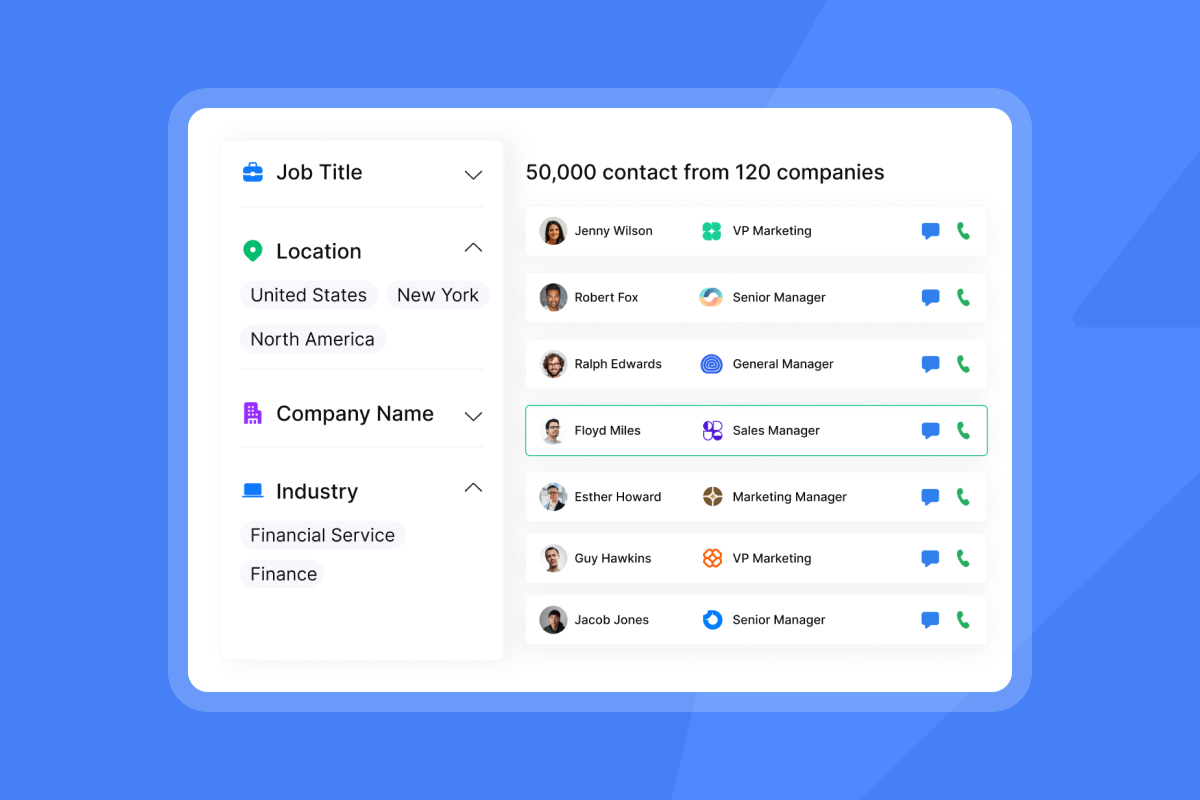
To run this in one motion, use Instantly SuperSearch for lookalikes, move verified contacts straight into outreach, then manage replies in Unibox. SuperSearch taps into 450M+ contacts and runs real‑time enrichment across 5+ providers.
Essential features of top lookalike company discovery tools
Look for these capabilities in one place.
- Advanced filtering. Industry, headcount, revenue, region, tech stack, hiring rate, keywords, and lookalikes.
- Waterfall data enrichment. Multiple providers reduce missing fields and improve match rates.
- Email verification and list hygiene. Verify lists to cut bounces. Instantly verification costs about 0.25 credits per lead and supports catch‑all. See the lead verification guide.
- Native AI assistant. Copilot can find prospects, generate sequences, create campaigns, and summarize analytics.
- Reply handling. AI Reply Agent triages and replies within minutes under your rules and mode. Read the AI Reply Agent guide.
- Inbox Placement tests. Automated tests, blacklist checks, and SpamAssassin scoring inform scaling plans.
- Unified inbox. A single place to triage, label, and reply across all connected inboxes. Review Unibox best practices.
- Integrations. Use OutboundSync to push Instantly events into HubSpot and Salesforce for revenue attribution.
Evaluating lookalike tools: critical considerations for your business
Data quality and hygiene
Ask for numbers and controls.
- Verification hit rates. What percent of contacts pass verification and how is this measured.
- Bounce rate reduction. Keep hard bounces at or below 1 percent with pre‑send verification.
- Data freshness. Confirm update cadence by field and provider.
- Deduplication. Check dedupe across lists and exports to your CRM.
- Waterfall enrichment. Multiple upstream providers reduce missing data and increase verified work emails.
Checklist: evaluation criteria for lookalike tools
- Data quality: verification hit rates, bounce reduction, freshness, dedupe
- AI: explainability, approval flows, credit costs, brand safety
- Pricing: flat fee vs per seat, AI credits, clear cancellation
- Reporting: reply definitions, A/B testing, pipeline views
- Integrations: CRM sync, Unibox, admin roles, team workspaces
- Deliverability: warmup, placement tests, reputation monitoring, blacklist checks
- Security: DPA, GDPR posture, sub‑processors, access controls
Useful benchmarks you can validate in trials:
- Instantly has a 450M+ B2B contacts through SuperSearch.
- Catch‑all verification can salvage hundreds of contacts per 1,000 uploaded leads. See the email verification guide for context on safe verification practices.
Pricing and ROI
Match pricing to scale and reporting needs. Typical models include flat‑fee plans with unlimited senders, per‑seat licensing, and credits for data or AI features. Instantly’s outreach plans include unlimited email accounts and warmup across tiers, which prevents costs from rising as you add inboxes.
Email remains a strong performer on cost. Industry data shows email often returns about $36 for every $1 spent, based on Litmus research.
Track ROI with simple math:
- Pipeline per dollar: pipeline created divided by monthly cost
- Time‑to‑first‑meeting: days from list creation to first booked call
- Cost per meeting: monthly cost plus credits divided by booked meetings
Reporting and analytics
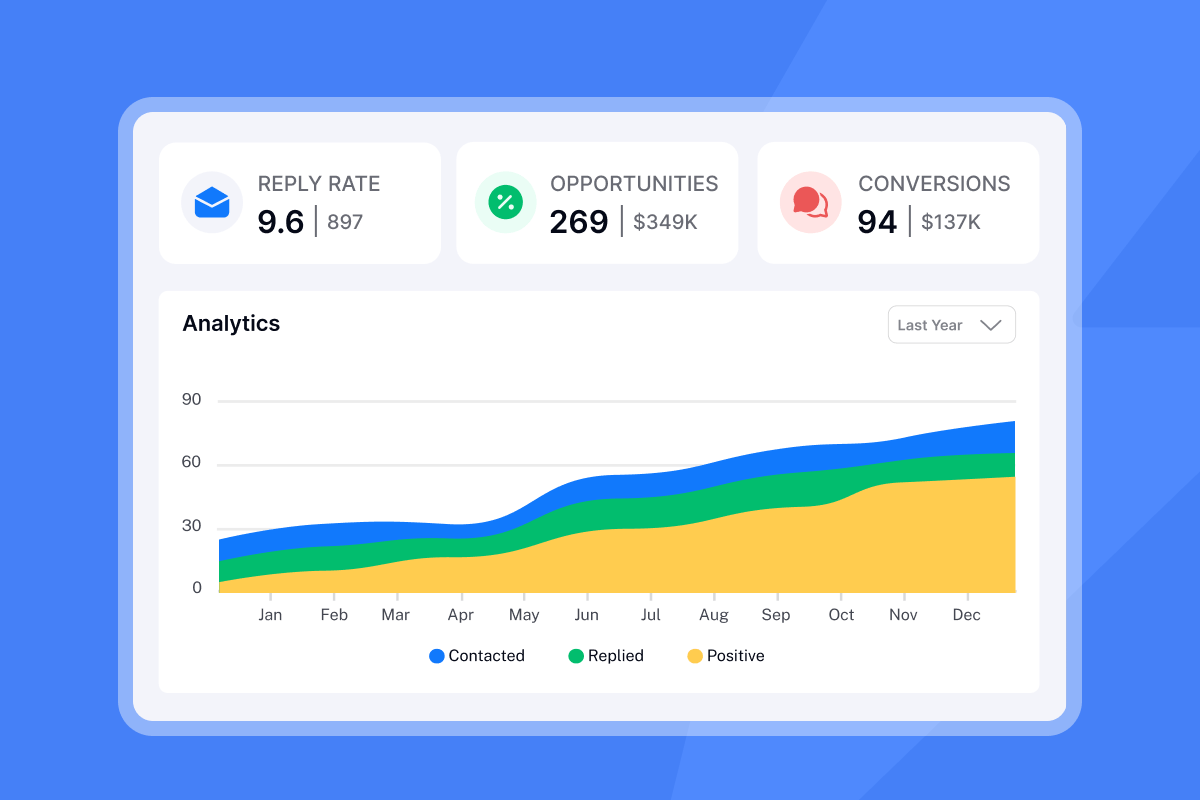
Trust your numbers. Require:
- Clear counting logic. Definitions for opens, replies, positive replies, meetings, and bounces
- A/B testing. Subject and body tests with a simple winner rule
- Revenue views. Replies to meetings to SQL to Closed‑Won
- Attribution. Sync sends and replies into your CRM through OutboundSync so pipeline reconciles with finance reports
Integration and team collaboration
Reduce manual work and increase adoption.
- CRM integration. OutboundSync pushes Instantly events into HubSpot and Salesforce with webhooks and app‑level authorization.
- Unified inbox. Route all replies into Unibox for triage and QA.
- Admin controls. Workspaces, roles, templates, approval flows, and labels for reply handling
- Shared workflows. Slack alerts for AI Reply Agent approvals and escalations
Ensuring deliverability and protecting sender reputation
Deliverability is a system, not a switch.
- Warmup and ramp. Slow‑ramp warmup and safe daily caps protect domain health. Read the Instantly post on SPF, DKIM, and DMARC deliverability.
- Inbox Placement tests. Automated tests, alerts, and actions like pausing a mailbox below a threshold. Pricing starts at 47 dollars per month.
- Reputation monitoring. Blacklist checks, SpamAssassin analysis, and authentication checks for SPF, DKIM, and DMARC within Inbox Placement.
- Sender requirements. Gmail’s bulk sender guidelines require authentication, an easy unsubscribe, and low spam complaint rates. Build these into QA.
- Operational network. Instantly describes a warmup pool of 4.2M+ real email accounts with private infrastructure, plus SISR for dedicated IP pools on higher tiers. Vendor claim, detailed in the post on email deliverability solutions.
Scaling capabilities for agencies
Control costs and increase throughput.
- Unlimited accounts. Add inboxes without adding seats.
- Predictable pricing. Flat‑fee outreach across tiers.
- SISR and private IP pools. Crucial for high‑volume senders. Available on Light Speed.
Comparison table: lookalike tool evaluation patterns
| Criteria | Instantly pattern | Typical per‑seat platform | Notes |
|---|---|---|---|
| Pricing | Flat‑fee outreach with unlimited inboxes | Per‑seat licenses and mailbox caps | Flat fees suit multi‑brand teams |
| Data | 450M+ B2B contacts with waterfall enrichment | Varies by provider and tier | Validate refresh cadence |
| AI | Copilot for research and build, AI Reply Agent for replies | AI add‑ons priced per seat | Confirm AI credit costs and oversight |
| Deliverability | Inbox Placement tests, 4.2M private network, blacklist checks, SISR on higher tier | Warmup and testing vary | Require a documented ramp plan |
Real‑world impact:
"The platform is super intuitive, easy to set up, and makes it simple to manage multiple domains and inboxes at scale. Deliverability is great and the analytics give us exactly what we need to optimize campaigns quickly." - Shaiel P. on G2
"It has all the tools needed for cold outbound in one place. Previously, I was running 3 different systems to get a fraction of the results." - James L. on G2
"We increased our revenue by six figures within 4 months of starting with instantly." - Alexander on Trustpilot
For a walkthrough of discovery, verification, and outreach, see Instantly’s Full tutorial 2025.
Selecting your B2B growth partner
Score each vendor across the seven factors. Run a 14 to 30 day pilot tied to reply rate, bounces, time‑to‑first‑meeting, cost per meeting, and CRM‑reconciled pipeline. Choose the platform that treats deliverability as a system, ships verified data to your sequences, prices predictably, and keeps AI on brand with human oversight.
Start using Instantly for free to see SuperSearch, Inbox Placement, Unibox, and AI Reply Agent in action.
FAQ: your lookalike company search questions answered
- How many seed customers do I need to start?
50 to 200 recent wins with URLs are sufficient for a reliable seed. - What reply rate should I expect from a clean lookalike list?
Aim for 5 percent by week two on the winning test if inbox placement and hygiene are strong. - What is a safe bounce rate threshold?
Keep hard bounces at or below 1 percent. Re‑verify and pause if you cross that line. - How do I know if AI replies are safe to use?
Start with Human‑in‑the‑Loop. Approve responses first, then test Autopilot for low‑risk cases. - Which CRMs are supported today?
Connect HubSpot and Salesforce through OutboundSync with event‑level syncing for attribution.


