


Every top-performing sales team runs on process. But when that process lives in scattered docs, outdated decks, or someone's head, you're setting yourself up to miss opportunities.
A sales process flowchart brings remarkable clarity to the chaos. With a single visual, every step, handoff, and critical moment becomes visible to your entire team. Selling activities become refreshingly aligned, and sales leaders get relevant, accurate insights to optimize every stage of the sales funnel.
The best teams don’t settle for generic diagrams. They use dynamic, living documents (synced with feedback and sales tools) that evolve with their pipeline.
This guide briefly shows you how to build your sales process flowchart, what to include, and how the right flowchart can become your most valuable sales asset.
What Is a Sales Process Flowchart?
A sales process flowchart is a document that lays out each step in your sales cycle as clear, connected actions. Instead of scattered notes or vague instructions, you get a visual map: simple boxes, arrows, and roles. Here's a stellar example from Lucidchart:
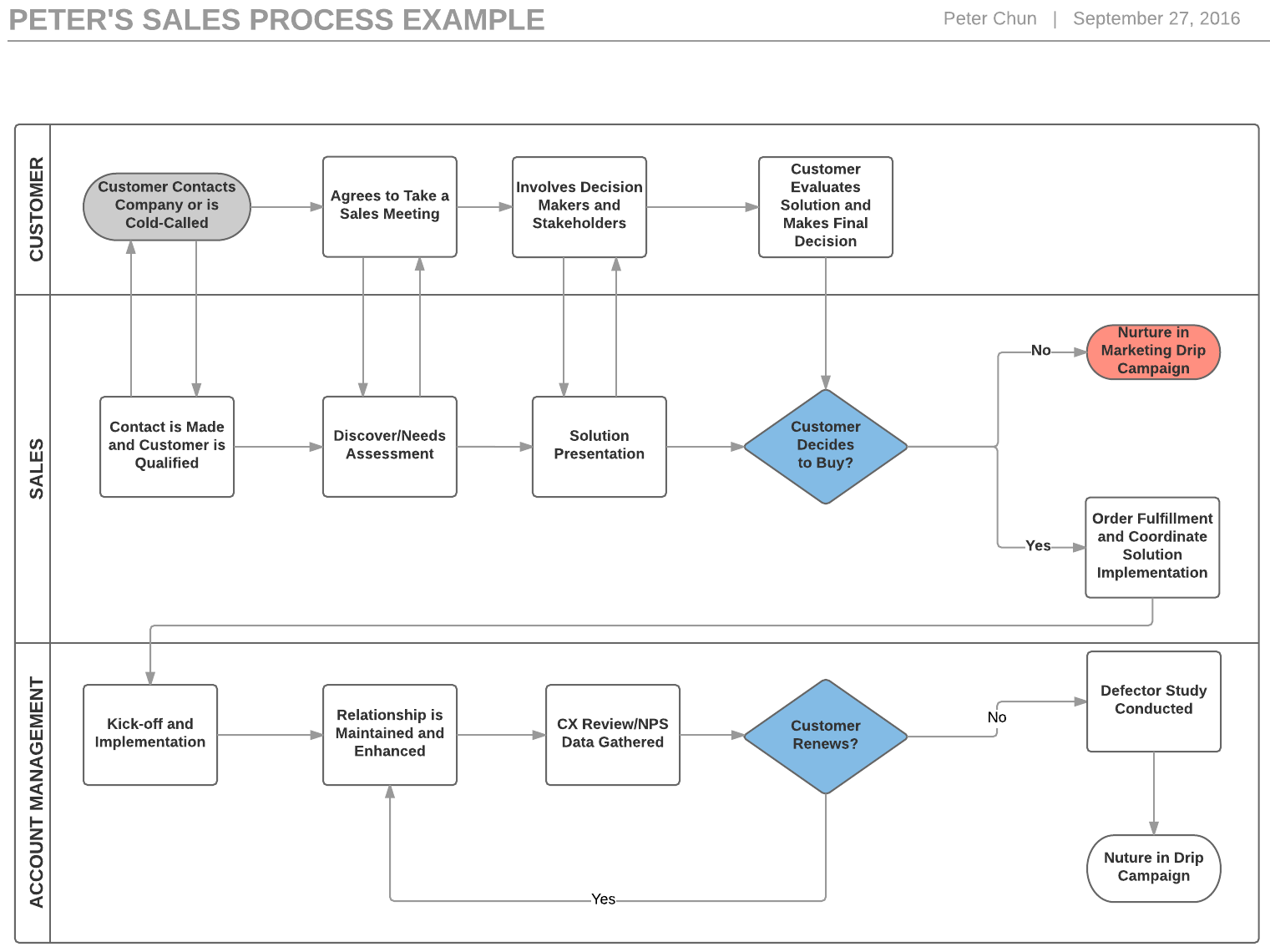
With this visual map, everyone on your team can see what happens next in the sales process, who’s needed where, and how to keep it all running smoothly.
Think of it as your deal-making blueprint. From first contact to signed contract, every stage, decision point, and follow-up is visible. This level of clarity cuts confusion, speeds up onboarding, and makes scaling sales predictable.
A strong flowchart keeps your team on the same page as your process changes.
Key Stages Every Sales Flowchart Needs
Every sales process includes a handful of non-negotiable stages:
- Lead generation
- Qualification
- Discovery
- Presentation
- Proposal
- Negotiation
- Closing
- Post-sale follow-up
Each stage serves a clear purpose and moves prospects closer to the finish line. The catch? Every business works differently. B2B sales cycles often include more touchpoints than B2C. Enterprise deals have extra approval steps and legal review.
Outbound teams might front-load lead qualification, while inbound teams focus on nurturing interest. Your flowchart needs to reflect these realities, not a cookie-cutter template.
Generic diagrams miss blind spots unique to your model. Miss a follow-up? Leads slip away. Skip clear qualification? Wrong-fit prospects eat up time. Set up your chart so each handoff, sign-off, and key action fits how your team works.
A tailored flowchart captures critical stages, keeps everyone accountable, and stops deals from slipping through the cracks.
Best Practices for Building Sales Process Flowcharts in 2025
- Start with clear roles. Each step in your flowchart should name the person responsible, not just the action. When ownership is obvious, tasks don’t slip through the cracks.
- Aim for simplicity over detail overload. Overly complicated charts cause confusion and slow your team down. Focus on the core stages and most important decision points. If you can’t explain the flow to a new hire in five minutes, it needs work.
- Integrate your tech stack. A modern flowchart links to real systems: your CRM, automation tools, or analytics dashboards. Mark where automated emails trigger, deals move stages, or key handoffs happen in the tools your team uses daily.
- Build a feedback loop. Your flowchart isn’t a one-and-done project. Get input from your sales team on what’s working or where people get stuck. Regular reviews and updates keep the chart relevant as your process and market develop.
The result: a flowchart that isn’t just a picture on the wall. It’s a guide your team relies on every day.
Customizing Your Flowchart for Real-World Results
No two sales cycles are identical. Relying on a generic template creates blind spots and wastes time. Customization is where teams win deals and tighten their pipeline.
Adapt each stage to fit how your buyers move through the process. High-ticket deals may involve extra approvals or legal reviews. Complex solutions might require multiple demos or technical scoping. If your team uses automated outreach or lead scoring, show these triggers directly in your flowchart.
Include decision points unique to your cycle: Does a prospect hit a threshold for a sales engineer handoff? Are there automated friendly reminders for untouched leads after three days? Mark those details in your chart.
A tailored flowchart prevents wasted effort and makes sure the right person takes the right action at the right time. Skip customization, and you’ll miss deals or trigger unnecessary steps. Make your chart a true reflection of your workflow, not just a pretty graphic.
Tech Integration: Bringing Your Flowchart to Life

A static chart looks helpful, but real value comes when you embed your flowchart into your team’s daily tools. Connect every stage to your CRM, analytics, or automation platform so nothing falls through the cracks or gets lost after a meeting.
Choose visualization tools that support live updates. Think Lucidchart, Microsoft Visio, or Google Drawings. These platforms let you update processes as soon as your workflow shifts, with old versions just a click away for reference.
Go further: link flowchart steps to automated actions. Trigger follow-up emails, deal-stage changes, or lead scoring with a click inside your CRM. That turns your chart into more than a reference—it becomes the engine that drives your pipeline.
Teams that keep their flowchart integrated and updated see faster onboarding, fewer dropped deals, and better forecasting. Make your process map as dynamic as your pipeline.
How to Keep Your Sales Process Flowchart Relevant
A flowchart is only useful if it reflects today’s reality. Sales cycles shift, buyer behaviors change, and new tools enter the stack. If your flowchart sits untouched, it quickly becomes a liability instead of an asset.
Here’s how to keep your sales process flowchart up to date and actionable:
- Set regular review intervals quarterly, after major wins or losses, or whenever you add new tools.
- Gather direct feedback from your team to spot confusion or bottlenecks.
- Update the flowchart based on input and real sales data.
- Add performance metrics, like stage-to-stage conversion rates or time-in-stage, so you can spot issues fast.
- Adjust your process map as your sales cycle, buyer behaviors, or tech stack change.
A continuous improvement loop keeps your chart living, relevant, and smarter as your business develops.
Instantly’s Role in Sales Process Excellence
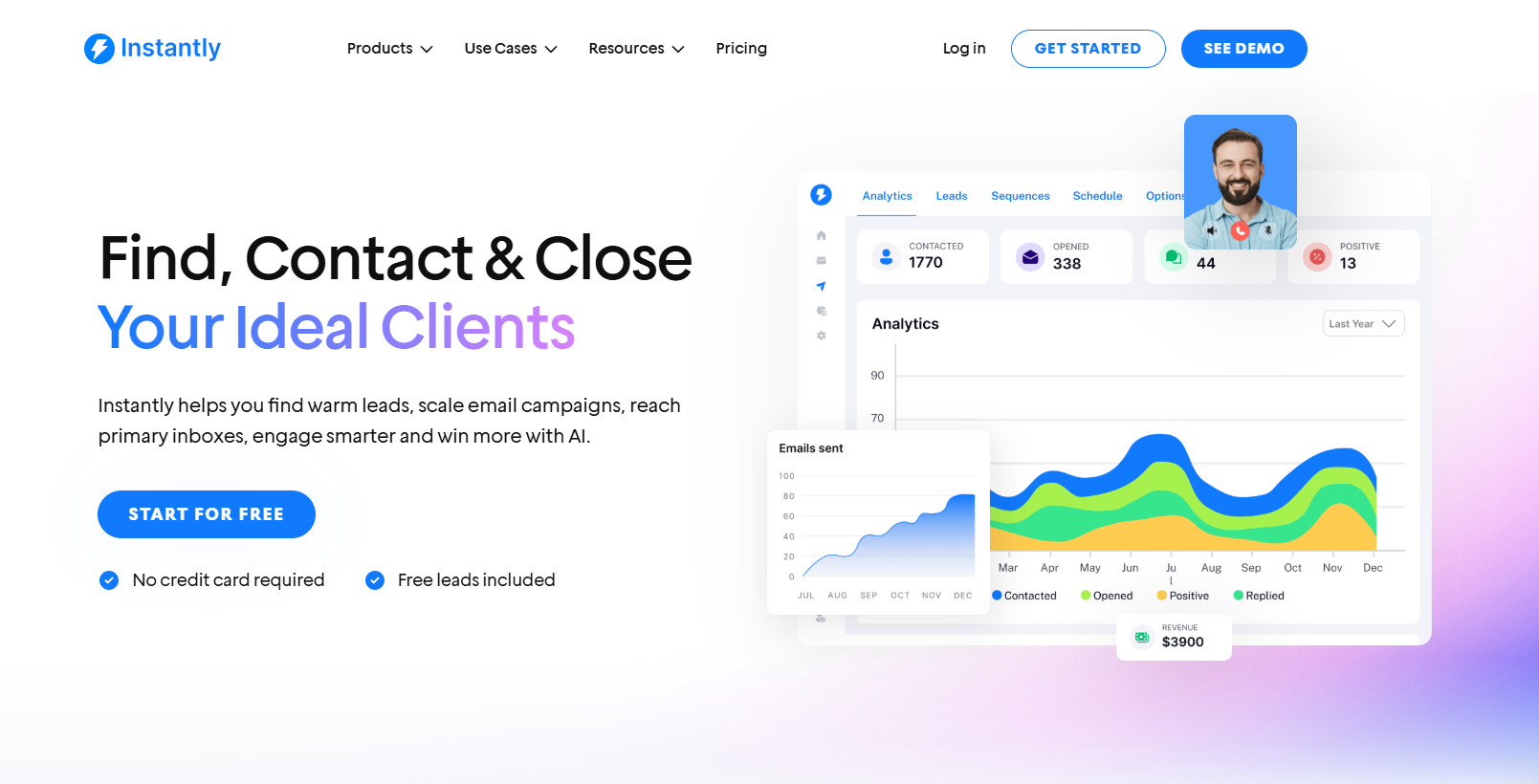
Mapping your process is one thing; keeping it actionable is another. Instantly helps you bridge the gap by automating relevant sales steps, tracking deal progress, and surfacing live analytics right where you work.
Plug your flowchart’s stages directly into Instantly’s pipeline tools. Set custom triggers for follow-ups or handoffs. Let built-in reporting highlight where prospects stall, so you can target improvements fast. Integrate with your CRM and marketing stack for seamless tracking from first touch to closed deal.
With Instantly, your sales process flowchart isn’t static; it’s a live blueprint that drives action, accountability, and results.
Key Takeaways
A sales process flowchart is more than a visual aid. It’s the backbone of predictable, scalable revenue. Map out every critical step, customize for your real sales cycle, and connect the chart to your daily tech stack. Use regular feedback and data to refine the process as your business grows.
The best teams treat their flowchart as a living document: updated, integrated, and backed by actionable insight. When you combine process clarity with automation tools like Instantly, your team stays accountable, prospects move faster, and deals close more reliably. Start your free Instantly trial today.


