


Updated March 11, 2026
TL;DR: Cold email is one of the most cost-effective channels for generating B2B pipeline when built on the right infrastructure. Average reply rates sit at 3.43% across the industry, but agencies using dedicated domains, built-in warmup, and properly authenticated inboxes routinely hit 5 to 10%. The biggest mistakes are technical, not copywriting problems: burning domains with volume spikes, skipping warmup, and managing dozens of client inboxes through disconnected tools. Cap sends at 30 emails per inbox per day. Warm every new account for at least two to four weeks. Use a flat-fee cold email software, so your bill stays the same as you add clients.
Most agencies obsess over subject lines while ignoring the technical setup that determines whether their client emails ever reach a human. Getting the copy right matters, but it counts for nothing if your emails land in spam. This guide covers the full cold email lifecycle: what it is, why it works, how to build campaigns that convert, and how to scale operations across unlimited client domains without paying a per-seat tax that destroys your margins.
The Instantly Cold Email Benchmark Report 2026 and our internal platform data inform every section below.
What is cold email?
Cold email opens a conversation with a prospect you've never met before. You write a specific message to a specific person with the goal of starting a business conversation that leads to a meeting, a demo, or a sale. The word "cold" refers to the absence of an existing relationship, not the tone. Done right, your email reads like a message from a knowledgeable peer, not a spam blast.
B2B decision-makers consistently rank email as their primary channel for vendor outreach, which makes it the most accessible way to reach buyers on their terms.
Cold email vs. spam: key differences
Targeting, personalization, and legal compliance separate cold email from spam, not opinion.
Feature | Cold email | Spam |
|---|---|---|
Targeting | ICP-based, specific recipient list | Generic, purchased or scraped lists |
Personalization | Customized to recipient's role or need | Mass template with no customization |
Legal compliance | Includes opt-out, accurate headers, physical address | Violates CAN-SPAM and GDPR |
Intent | Start a relevant business conversation | Deception, scams, or indiscriminate promotion |
Sender identity | Clear, accurate from/reply-to fields | Often spoofed or hidden |
Spam is typically sent to harm, spread malware, trick recipients for personal data, or promote scams. Cold email, by contrast, aims to provide value by addressing the recipient's professional needs. The distinction is real, and email providers use it to filter messages before a human ever sees them.
Is cold email and cold calling the same thing?
Cold emailing and traditional cold calling share the same goal: initiating first contact with a prospect who hasn't asked to hear from you. The mechanics differ in important ways.
Cold calling requires a live person on both ends of the connection and scales poorly without adding headcount. Cold email lets you send personalized, relevant messages to hundreds of qualified prospects in the time it takes to make a dozen calls, and it produces measurable data: open rates, reply rates, and link clicks that cold calls cannot generate at scale. The two approaches work well together, but cold email is the scalable foundation for most B2B outreach systems today.
Is cold emailing effective for B2B sales?
Cold email delivers stronger ROI than nearly every other B2B channel. Cost-per-lead benchmarks often show that paid social and trade shows cost many multiples more per lead than a properly run cold email program, and that gap widens significantly as you scale with the right infrastructure.
The channel works because it reaches decision-makers directly, in the inbox they check most. It requires no ad budget, no event fees, and no minimum spend to test. For a detailed breakdown of why it outperforms paid alternatives, see our analysis of whether cold emailing is effective with channel-by-channel data.
Why cold email works for agency growth
The mechanism behind cold email's performance is straightforward: it lets you run a repeatable, measurable outreach system that compounds over time. Each campaign teaches you what resonates with a specific ICP, and that learning applies directly to the next campaign. Our cold email benchmark report shows that the overall average reply rate across all industries is 3.43%, with top performers exceeding 10%.
The gap between average and elite is not primarily a copy problem. It is an infrastructure and targeting problem. Agencies that segment tightly and protect sender reputation consistently outperform those that blast volume without discipline. For current industry benchmarks and the full statistical breakdown, our cold email statistics page covers reply rates, open rates, and conversion data by industry and sequence length.
Building a high-converting cold email strategy
A cold email strategy starts before you write a single word. The targeting decisions you make upfront drive most of your results. Our full B2B cold emailing guide covers campaign architecture in depth, but the three core planning steps are ICP definition, list sourcing, and goal-setting.
For cold email marketing to generate consistent pipeline, answer these three questions before launching any cold email campaign:
- Who exactly are you targeting, and why would they care?
- Where is the data coming from, and how clean is it?
- What does a successful outcome look like in numbers?
Without clear answers to all three, you're guessing. Guessing burns domains.
Defining your Ideal Customer Profile (ICP)
Your ICP is the specific type of company and buyer most likely to convert and deliver strong lifetime value. It is not a general description of "anyone who might benefit." The tighter your ICP, the higher your reply rate.
Build your ICP by working through these steps:
- Analyze your best clients: Look at clients who converted fastest, retained longest, and produced the strongest results. Identify what they share.
- Define firmographics: Industry, company size by headcount, revenue range, geography, and growth stage.
- Define the buyer: Job title, department, decision-making authority, and the specific pain points they own.
- Identify buying triggers: Hiring spikes, recent funding rounds, new market entries, technology changes, or other signals that indicate active need.
- Validate against results: Run a small test list before building a large campaign to confirm the ICP responds.
The key rule for EU prospects is that legitimate interest under GDPR generally requires the recipient to plausibly benefit from your product or service. Contacting everyone on a generic list without that connection does not meet GDPR's standard.
Sourcing high-quality cold email leads
The quality of your cold email leads determines your bounce rate before your first email sends. A list with 5%+ invalid addresses damages sender reputation within days.
Use these sourcing principles:
- Verified contact databases: Use platforms that verify email addresses against live mailbox checks, not just format validation.
- Waterfall enrichment: Run contacts through multiple data providers in sequence so that if the first source lacks a verified email, the second or third fills the gap. This reduces coverage gaps without sacrificing accuracy.
- List hygiene before sending: Verify every list before upload. A bounce rate above 2% is a sender reputation risk. Rates above 5% trigger warnings from providers like AWS, and rates above 10% risk throttling or blocking entirely, making list hygiene one of the highest-leverage steps before any send.
- Opt-out suppression: Maintain a clean suppression list so prospects who have opted out never get re-contacted across campaigns. How to write a cold email that gets replies
The average cold email that reaches the inbox has one job: earn a reply from a qualified prospect. Every element either helps or hurts that goal. The Instantly copywriting framework that generates 400+ replies monthly is built on five core principles: relevance, brevity, a single ask, proof, and a low-friction CTA.
Step-by-step email structure
Our cold email benchmark report 2026 found that elite performers average fewer than 80 words per first-touch email. The optimal length for maximum reply rates is 50 to 125 words, with emails in this range achieving significantly higher reply rates than emails over 200 words.
Write your cold email in this order:
- Subject line: Reference a specific problem, outcome, or situation relevant to this prospect. Generic subject lines get ignored, while targeted subject lines earn the open. Instantly's cold email subject lines guide covers 50+ tested formulas.
- Opening line: Write one sentence that is entirely about the recipient, not about you. Reference something specific: a recent hire, a company announcement, content they published, or a challenge their industry faces. Under GDPR, personalization is a compliance requirement, not just an engagement tactic, meaning emails must use the recipient's name and align with their professional role.
- Value proposition: Lead with the problem, not your solution. Prospects care about their challenges first and your product second. One sentence on the problem, one sentence on the outcome you produce.
- Call to action (CTA): Use a binary question or a simple request that requires minimal cognitive load. "Does this make sense?" or "Worth a quick call?" outperforms "Book a 30-minute demo on my calendar." Use one CTA only, because multiple asks dilute focus and reduce replies.
- Signature: Include your full name, title, company, and a valid physical address. This is both a professionalism signal and a CAN-SPAM requirement.
Proven cold email examples and templates
The best cold email examples share three characteristics: they are short, they reference something specific to the recipient, and they ask for one small thing.
Problem-led example (SaaS outreach):
Subject: [Company name] and [specific problem]
Hi [First name],
I noticed [Company name] recently expanded into [market]. Most teams in that position run into [specific bottleneck] within the first 90 days.
We helped [similar company] cut that ramp time by [X%] without adding headcount.
Worth 15 minutes to see if it's relevant?
For sequence-level thinking and how to vary messaging across multiple touches, the Instantly cold email demo walkthrough from our co-founder shows campaign setup from start to first send.
Designing cold email sequences and follow-ups
A single cold email rarely books a meeting on its own. According to the Instantly Cold Email Benchmark Report 2026, 58% of all replies arrive on step one of a sequence, but the remaining 42% come from follow-ups. Sending one email and stopping means leaving nearly half your potential replies on the table.
The optimal cold email sequences length is four to seven emails. Sequences with three to five follow-up steps achieve 8.3% reply rates, compared to 4.1% without follow-ups, according to data from Saleshandy. Each follow-up should add new context, a different angle, or a lighter ask, not just repeat the original message.
For timing, a reliable cadence is:
- Email 1: Day 0
- Email 2: Day 2 to 3
- Email 3: Day 5 to 7
- Email 4: Day 10 to 14
- Email 5: Day 18 to 21
A quick note on volume: cold email response rates can increase by nearly 49% after one follow-up, but beyond three follow-ups, spam complaint rates rise noticeably. Keep sequences to four to five touches to stay on the right side of that threshold.
Use spintax (controlled text variations within templates) to avoid sending identical messages across large lists. The core idea is that {Hi|Hello|Hey} creates three opening variations automatically, reducing the pattern-matching that filters use to identify bulk sends.
For cold email follow up timing and sequence architecture, our dedicated spoke covers this in full.
Setting up your cold email infrastructure
Infrastructure is the foundation of deliverability. You can write perfect emails, build a clean list, and still land in spam if the technical setup is wrong. Most deliverability problems that agencies blame on copy or timing are actually authentication failures, domain age problems, or warmup skips.
Our full cold email infrastructure guide walks you through each component in detail. This section covers the key decisions every agency needs to make before sending a single campaign email.
Domains, mailboxes, and DNS records
Never send cold email from your primary business domain. Use dedicated sending domains that redirect to your main site if a prospect looks you up. If a sending domain earns a poor reputation or gets blacklisted, it doesn't affect your main domain.
Each sending domain needs three DNS records configured before it sends anything:
- SPF (Sender Policy Framework): Lists which mail servers can send email on behalf of your domain, acting as an approved sender registry that receiving servers check before accepting mail.
- DKIM (DomainKeys Identified Mail): Signs outgoing messages with a cryptographic signature that confirms the content wasn't altered in transit and genuinely came from your domain.
- DMARC (Domain-based Message Authentication, Reporting and Conformance): Sets the policy telling receiving servers what to do if SPF or DKIM checks fail, and delivers reporting data so you can catch authentication problems quickly.
Proper email authentication can measurably improve response rates, and all three records are now required for bulk senders under 2024 Gmail and Yahoo standards. Learn how rotating IPs and sending algorithms contribute to sustained inbox placement for cold email at scale.
Managing deliverability across multiple client domains
For agency operators managing 10 to 150+ inboxes, deliverability is not a one-time setup task. It is an ongoing system. One client's poor list hygiene can affect how providers score your sending infrastructure if you're not isolating domains properly.
Follow these principles for multi-client deliverability:
- Isolate client domains: Each client gets their own dedicated sending domains, not shared infrastructure.
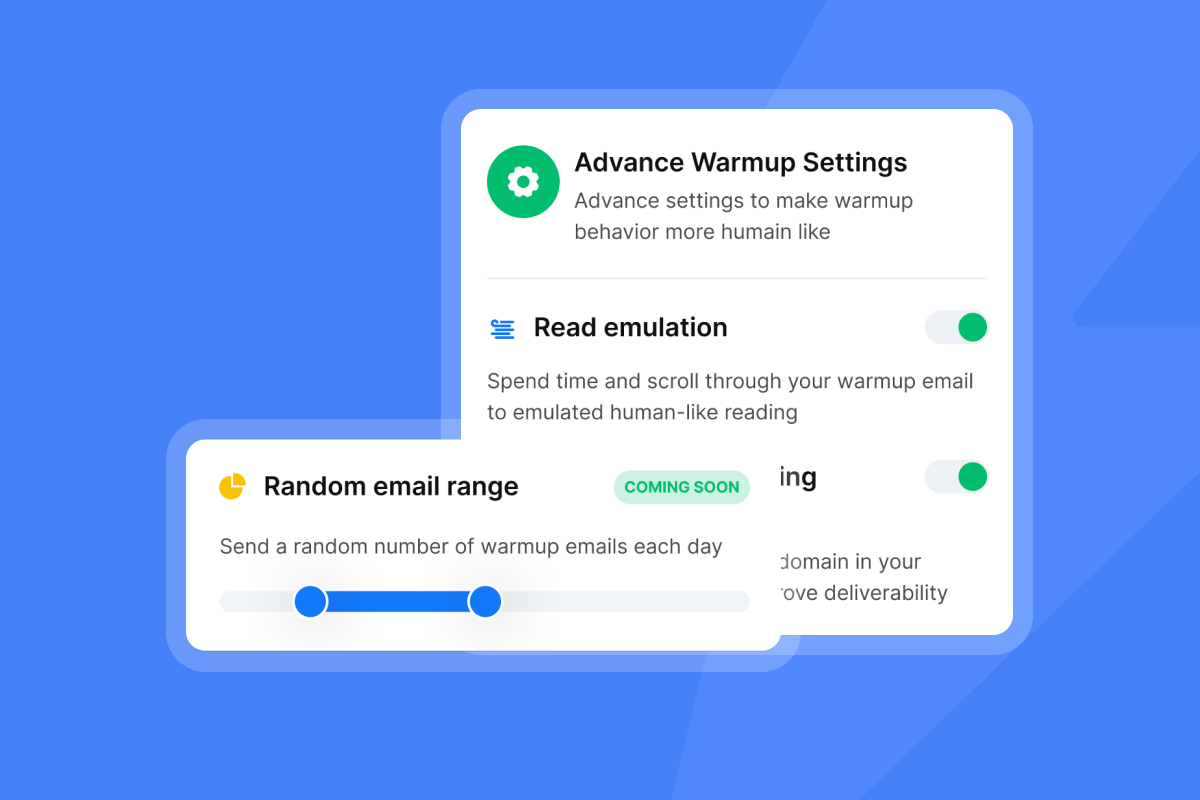
- Warm every new inbox: New inboxes need at least two to four weeks of gradual volume increases before campaign sends begin. Start at 5 to 10 emails per day and ramp to a maximum of 30 campaign emails per day per inbox. Staying at or below this threshold keeps your sending patterns consistent with a legitimate business account rather than a bulk sender, which protects sender reputation over time.
- Monitor health continuously: Watch bounce rates, spam complaints, and open rates daily. When bounce rate exceeds 2%, pause sends, re-verify the list, and resume at a lower volume cap.
- Rotate sending accounts: Using multiple inboxes per client domain distributes volume and reduces the risk of any single inbox accumulating too much send weight.
Our secondary sending domains guide covers the exact strategy for building this infrastructure safely.
"I appreciate Instantly for its intelligent handling of domain and mailbox rotation as well as provider matching, which is critical for ensuring that my emails land directly in the primary inbox instead of getting caught in spam filters." - Richard E. on G2
Measuring cold email performance and ROI
Metrics tell you what to fix and where your best leverage is. Track these four numbers for every campaign:
Metric | Target benchmark | Fix if low |
|---|---|---|
Open rate | 25% to 45% (above 45% is exceptional) | Review subject line relevance and personalization, confirm sender name reads as a real person, and audit list targeting for ICP fit |
Reply rate | 5% minimum, 10%+ elite | Improve personalization, ICP targeting, CTA clarity |
Bounce rate | Below 2% | Re-verify list, remove invalid addresses before sending |
Conversion rate | 1 to 5% of emails to outcomes (meetings, free trials, direct sales) is good; the actual average is 0.215% | Tighten ICP, sharpen offer clarity, and strengthen sequence structure |
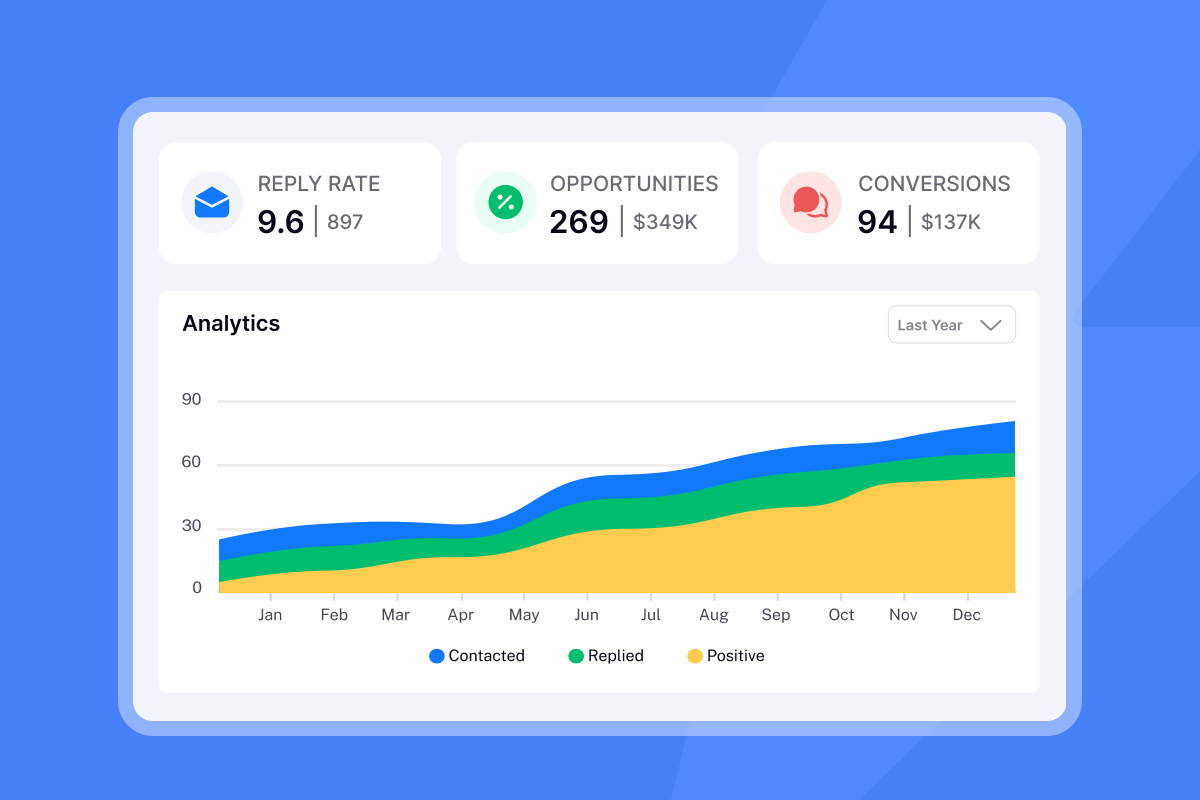
For context on what these numbers mean in practice: according to the Instantly Cold Email Benchmark Report from 2026, the B2B average open rate is 27.7% and the average reply rate is 3.43%. If your campaigns fall below those benchmarks, the problem is almost always infrastructure or targeting, not copy.
Our cold email reply rate benchmarks spoke breaks down performance by industry vertical and sequence structure. For understanding how replies translate to revenue, the cold email conversion rate guide covers the full funnel with a calculation framework you can apply to any client campaign.
Simple agency ROI framework:
- Cost of campaign: Software + data + SDR time
- Meetings booked: Reply rate x list size x meeting conversion rate
- Revenue generated: Meetings booked x client close rate x average contract value
- ROI: (Revenue generated - campaign cost) / campaign cost
If your email tool costs $97 per month and you're managing 10 client inboxes sending 30 emails per day each, your cost per email is a fraction of a cent. Compare that to the cost per lead from paid social or trade shows, which Sopro's B2B benchmarks show running into the hundreds or thousands of dollars, and the math for cold email becomes clear.
Navigating cold email compliance and laws
Cold email is legal. It is regulated. The two most important frameworks for B2B teams are CAN-SPAM (United States) and GDPR (European Union).
CAN-SPAM Act requirements:
The FTC's CAN-SPAM compliance guide applies to all commercial email, including B2B outreach. Key requirements include:
- Include accurate "From," "To," and "Reply-To" header information
- Write subject lines that accurately reflect the email content
- Include a valid physical mailing address in every email
- Provide a clear, working opt-out mechanism
- Honor opt-out requests within 10 business days
Each email that violates CAN-SPAM is subject to civil penalties up to $51,744 per message, not per campaign.
GDPR for EU prospects:
For contacts in the European Union, the relevant legal basis is legitimate interest under Article 6(1)(f). You can contact business professionals without prior consent if you demonstrate a genuine business reason for reaching out, process only the minimum data necessary, and respect their right to object.
The GDPR compliance requirements for cold email include:
- A legitimate interest assessment documenting why you're contacting this person
- A transparent explanation of how you obtained their data, available on request
- An easy opt-out mechanism in every email
- Data minimization: collect and store only what the campaign requires
Non-compliance carries hefty fines or 4% of global annual revenue, whichever is higher. The practical takeaway for agency operators is simple: personalize, give a clear opt-out, and only contact people who have a plausible business reason to benefit from your message.
Choosing the right cold email tools and software
A modern cold email tech stack has four functional layers:
- Sending platform: Manages sequences, schedules sends, optimizes timing, and rotates inboxes automatically.
- Email warmup: Builds sender reputation for new inboxes through automated peer-to-peer engagement within a deliverability network.
- Lead data and enrichment: Delivers verified contact data sourced from multiple providers, with waterfall enrichment to fill gaps.
- CRM or reply management: Consolidates all incoming replies across client accounts into one feed.
Most agencies start with four separate tools for these four layers. Each tool has its own billing, login, and support queue. Tool sprawl adds cost, creates data silos, and means a problem in one system can break the whole pipeline before you catch it.
For a comprehensive breakdown of the category, see our guide to AI tools for cold email outreach, which covers how AI is changing the way teams write, send, and respond at scale.
Here is how one agency operator describes the value of consolidating tools:
"I use Instantly primarily for cold email outreach and lead generation. It helps me manage, scale, and optimize email campaigns without worrying about deliverability issues or complex technical setups. I really like the unlimited email accounts feature because it allows me to scale outreach safely and efficiently without hitting the sending limits, which is crucial for consistent lead generation." - Pradeep T. on G2
Scaling with flat-fee, unlimited account platforms
The per-seat pricing model is the biggest margin killer in cold email at scale. If a platform charges per inbox and you're managing 50 client inboxes, your software bill is 50x the single-seat price. Add another 10 clients and costs spike again. There is no ceiling, and your margins shrink with every new account you win.
The math for flat-fee pricing is straightforward. At Instantly's Hypergrowth plan ($97 per month), you get unlimited sending accounts across all clients. Add 10 client inboxes or 100, and the plan price stays the same.
Inboxes managed | Per-seat model at $59/inbox | Instantly Hypergrowth | Monthly savings |
|---|---|---|---|
10 inboxes | $590/month | $97/month | $493/month |
50 inboxes | $2,950/month | $97/month | $2,853/month |
100 inboxes | $5,900/month | $97/month | $5,803/month |
Per-seat model calculation assumes $59 per inbox, a common mid-tier pricing point for platforms with mailbox caps.
Beyond pricing, Instantly addresses the specific pain points that agency operators deal with daily:
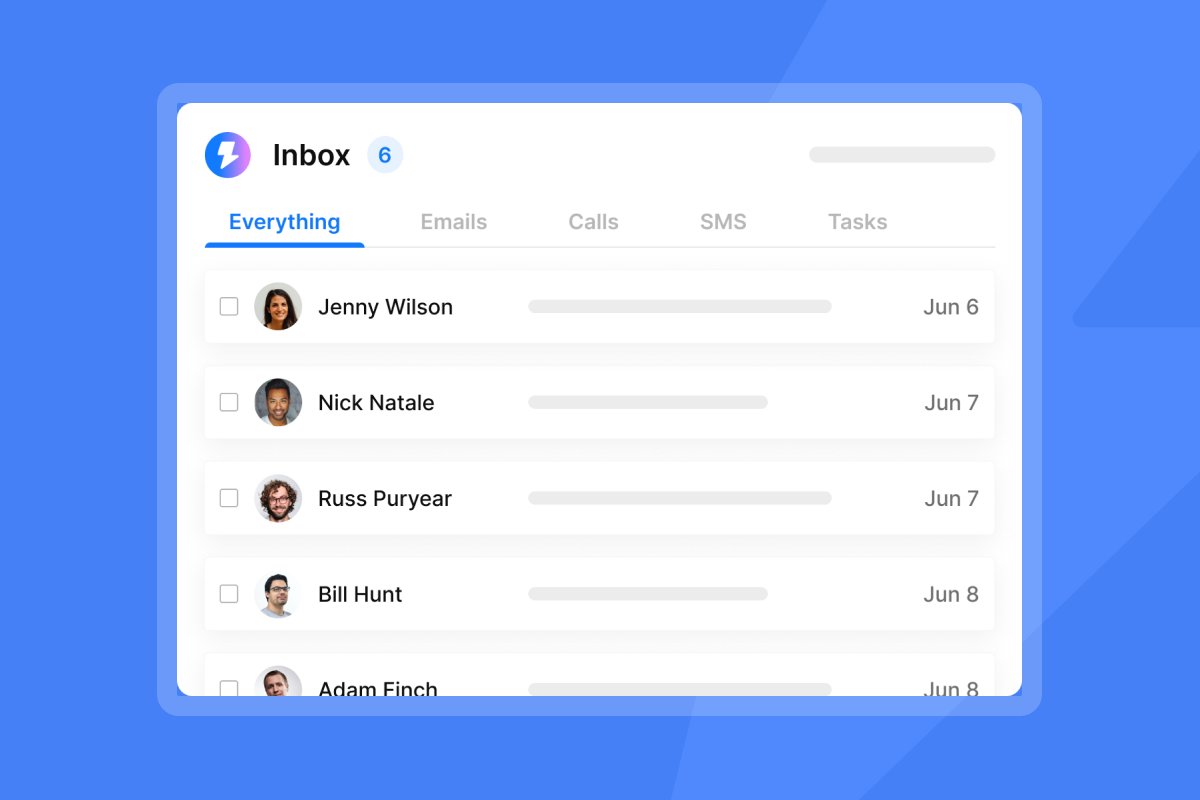
- Unified inbox (Unibox): Consolidates all client replies into a single feed so your team handles 50 inboxes without 50 browser tabs. One user noted the Unibox is a time-saver, allowing review responses by status or campaign.
- Built-in warmup: Every plan includes automated warmup through a 4.2M+ account deliverability network, removing the need for a separate warmup tool.
- Pre-warmed accounts: For agencies that need to launch faster, pre-warmed domains and accounts significantly reduce the warmup ramp period, though you still build send volume gradually to establish domain reputation with providers.
- White-label client portals: Set up a custom subdomain so clients access reports at "reports.youragency.com" rather than Instantly's domain.
This is what cold email software built for scale looks like in practice. For agency-specific setup guidance, the cold email marketing agency guide covers the exact workflow for onboarding new clients, setting up their domains, and launching their first campaign.
Watch the Instantly demo walkthrough for a full tour of campaign setup from connection to first send. As a cold email platform designed specifically for agency scale, Instantly combines all four stack layers into one flat-fee subscription. Try Instantly free and run your first campaign with unlimited accounts, built-in warmup, and the unified inbox in place from day one.
Cold email works when you treat it as a technical system, not a numbers game. Protect sender reputation, write relevant messages to tight ICPs, and use flat-fee infrastructure that scales with your growth instead of taxing it. Start with proper warmup, cap daily sends at 30 per inbox, and measure every campaign so each one teaches you what to improve next.
Frequently asked questions
How many cold emails should I send per inbox per day?
Cap campaign sends at 30 emails per inbox per day after warmup completes. Sending above this threshold pushes your patterns toward bulk-sender behavior, which increases the risk of spam filter flags and damages long-term sender reputation.
What is a good cold email reply rate for B2B?
A reply rate of 5% or above is good for B2B cold email, and top performers hit 10% or higher by combining tight ICP targeting, verified lists, short personalized copy, and properly warmed inboxes. The Instantly Cold Email Benchmark Report 2026 shows the industry average sits at 3.43%.
How long should a cold email be?
50 to 125 words for the first touch in a sequence. Research across 3 million cold emails found this range achieves a 2.4x higher reply rate than emails over 200 words.
Is cold email legal in the EU?
Yes, under the legitimate interest basis of GDPR Article 6(1)(f), provided you demonstrate a genuine business reason for contact and include a clear opt-out. Non-compliance risks fines up to €20 million.
How long does inbox warmup take?
Two to four weeks is standard before sending full campaign volume. Start at five to ten emails per day, ramp gradually to 30, and monitor warmup network engagement before launching campaigns.
Key cold email terminology
Spintax: A templating format that generates automatic text variations within a single message by selecting randomly from options defined in curly brackets, such as {Hi|Hello|Hey} becoming three different opening words across three sends. Our spintax guide covers syntax and best practices for reducing pattern-matching that spam filters use to flag bulk sends.
Warmup: The process of gradually increasing email volume from a new inbox over two to four weeks to build sender reputation with email providers before launching cold campaigns. Properly warmed inboxes achieve better inbox placement than unwarmed accounts that begin sending at full campaign volume from day one.
Bounce rate: The percentage of sent emails that could not be delivered, either permanently due to an invalid address (hard bounce) or temporarily due to a server issue (soft bounce). Keep your bounce rate below 2%, because rates above 5% trigger warnings from providers like AWS, and rates above 10% risk throttling or blocking that actively damages sender reputation.
Sender reputation: The trust score that email providers assign to your sending domain and IP address based on your sending behavior, engagement rates, spam complaints, and bounce rates. Sender reputation determines whether your emails reach the primary inbox, get filtered to spam, or get blocked entirely.
SPF/DKIM/DMARC: The three DNS authentication records every sending domain needs before outreach begins. SPF defines authorized senders for your domain, DKIM cryptographically signs each outgoing message, and DMARC tells receiving servers what to do when authentication fails while sending you reporting data. All three are required by major email providers for bulk senders.